Jobs are usually generated from schedules or through the defect management module by the operator. However, there are instances where this is not the case e.g. you may need to create a jobsheet for a customer who is not using r2c (read-only) and has called through with a defect job. For this, you create Ad hoc jobs as and when needed.
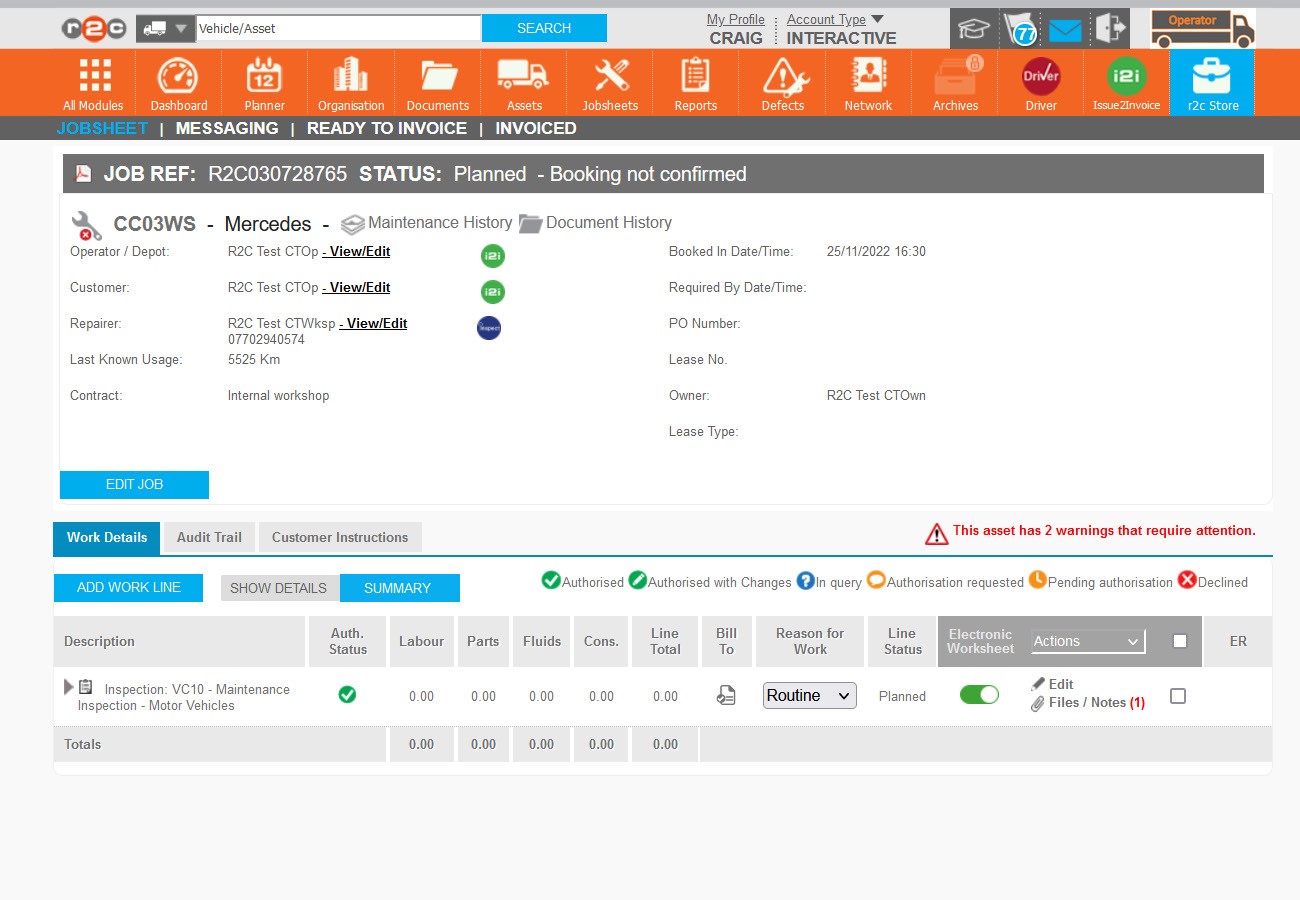
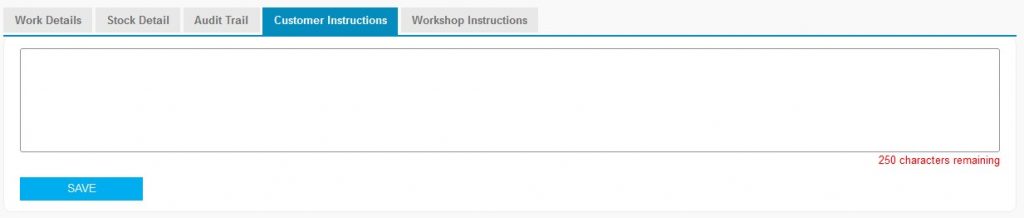
Customer Instructions - After creating the jobsheet, see steps below, additional info can be added in the form of free text, this can be most helpful when giving directions or location of the asset.
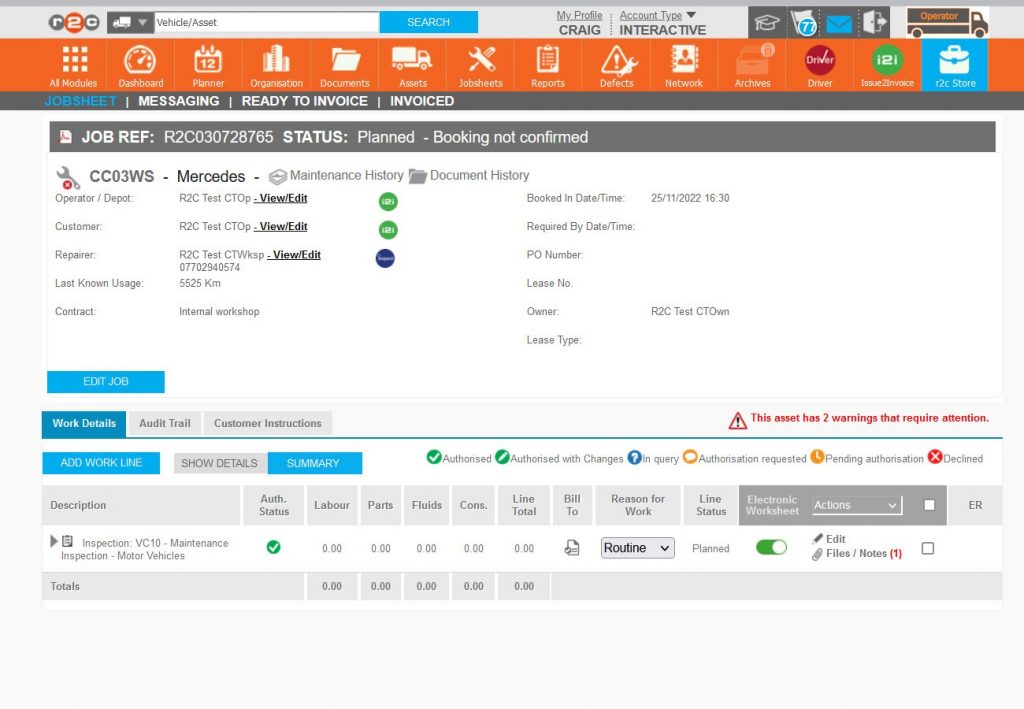
Booked In Date/Time can be amended once confirmed and should always reflect the true date and time of the work. To amend this date Click EDIT JOB.
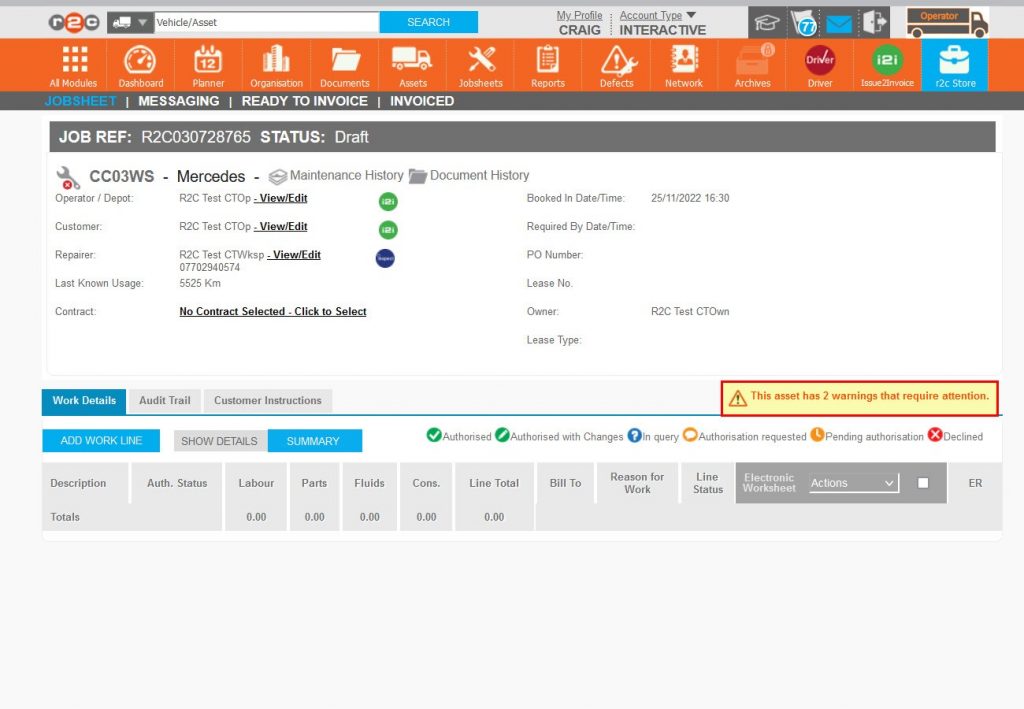
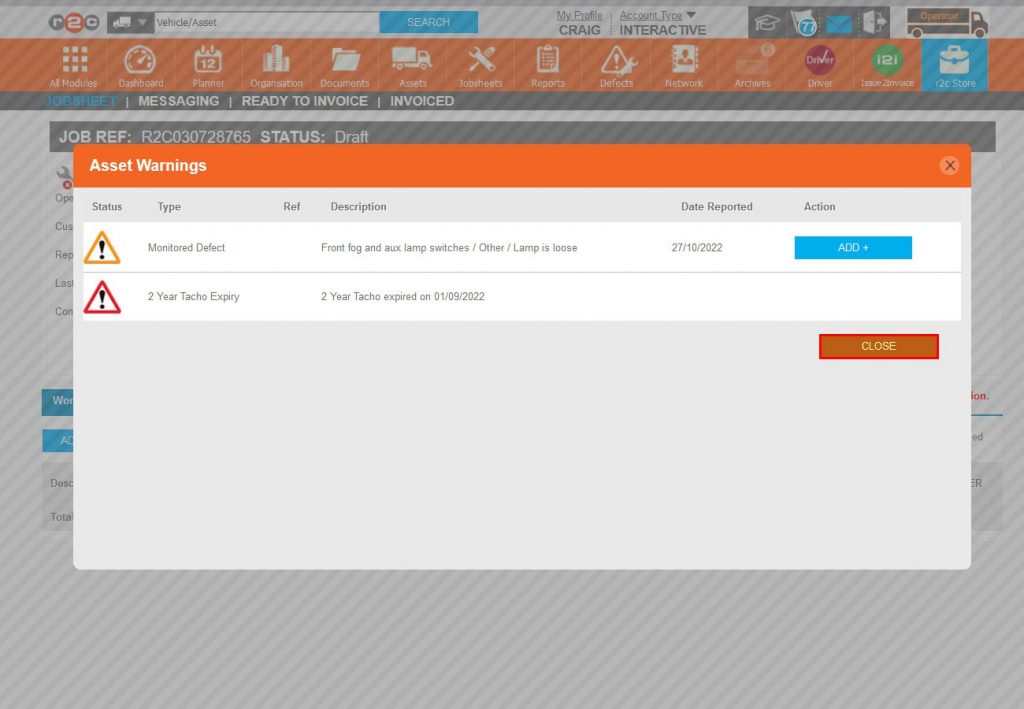
Additional existing defects can be added to the jobsheet from the warnings section. Warnings related to asset breaches such as MOT expiry will also be shown here.
MOT and Tacho warnings will show 84 days prior to the event.
Step by Step
Ad Hoc Jobsheet – To see the steps taken to create a jobsheet for an asset, click or swipe through the 13 steps below.
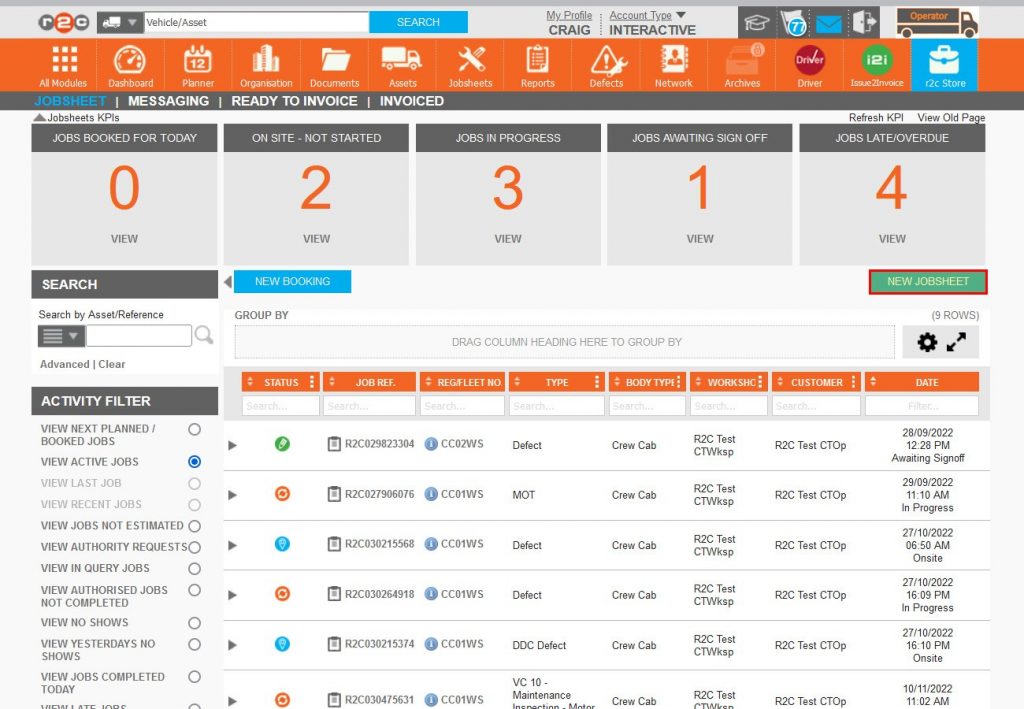
Step 1 – From the jobsheets page, Click NEW JOBSHEET
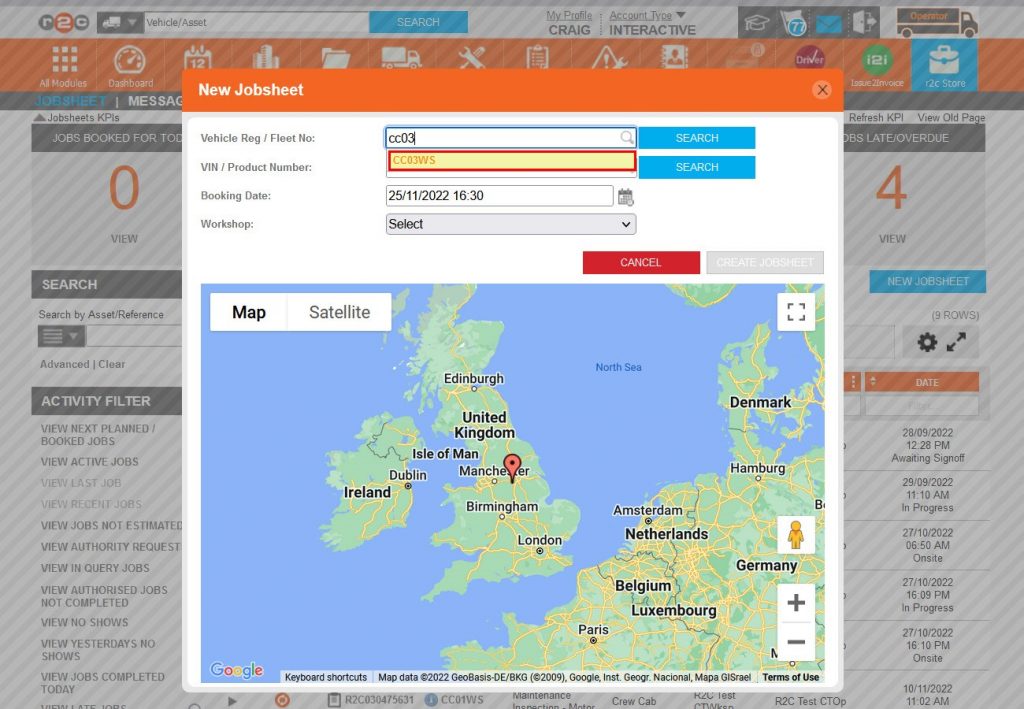
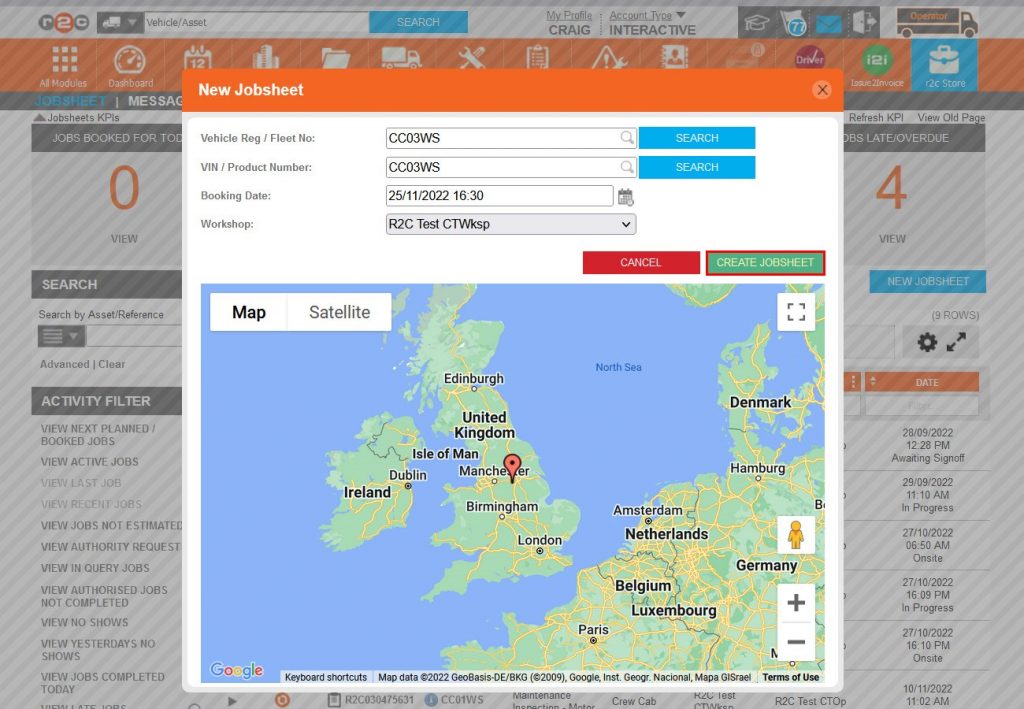
Step 2 – Next, search for the Vehicle Reg/Fleet number and select a match from the drop-down list.
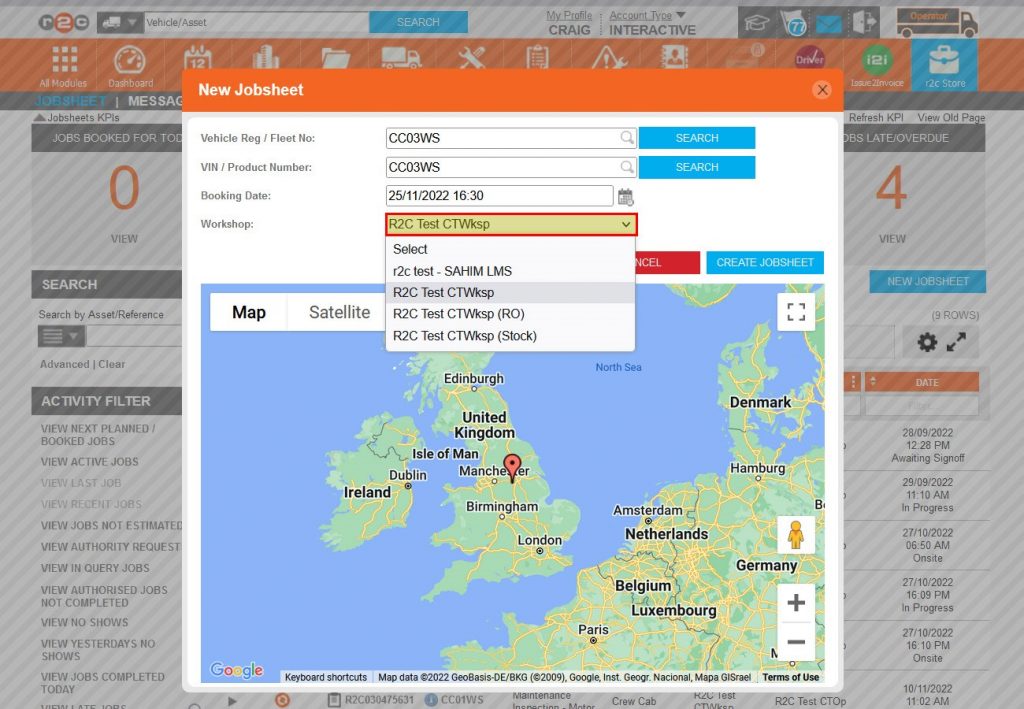
Step 3 – Operators and R&M’s then have the option to select the name of the repairer from their approved repairers list, Note: Workshops do not have this option as the jobsheet will automatically be allocated to the workshop.
Step 4 – Click CREATE JOBSHEET
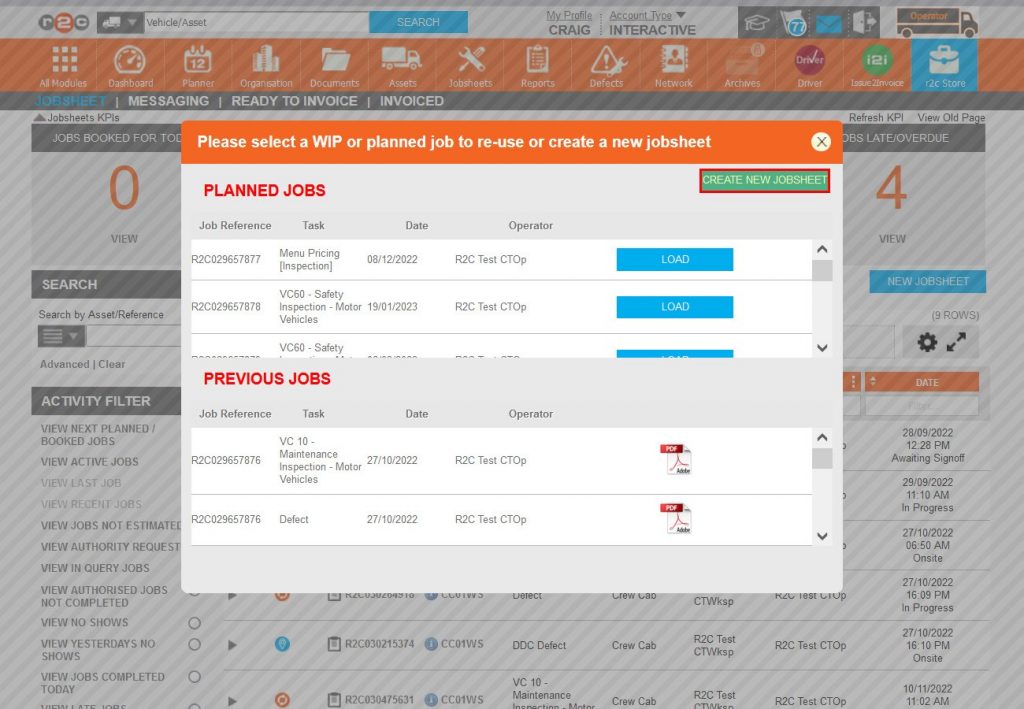
Step 5 – The job selection popup is primarily designed to prevent jobsheet duplication. You can choose to add to an existing job or in this case start a new job, Click CREATE NEW JOBSHEET.
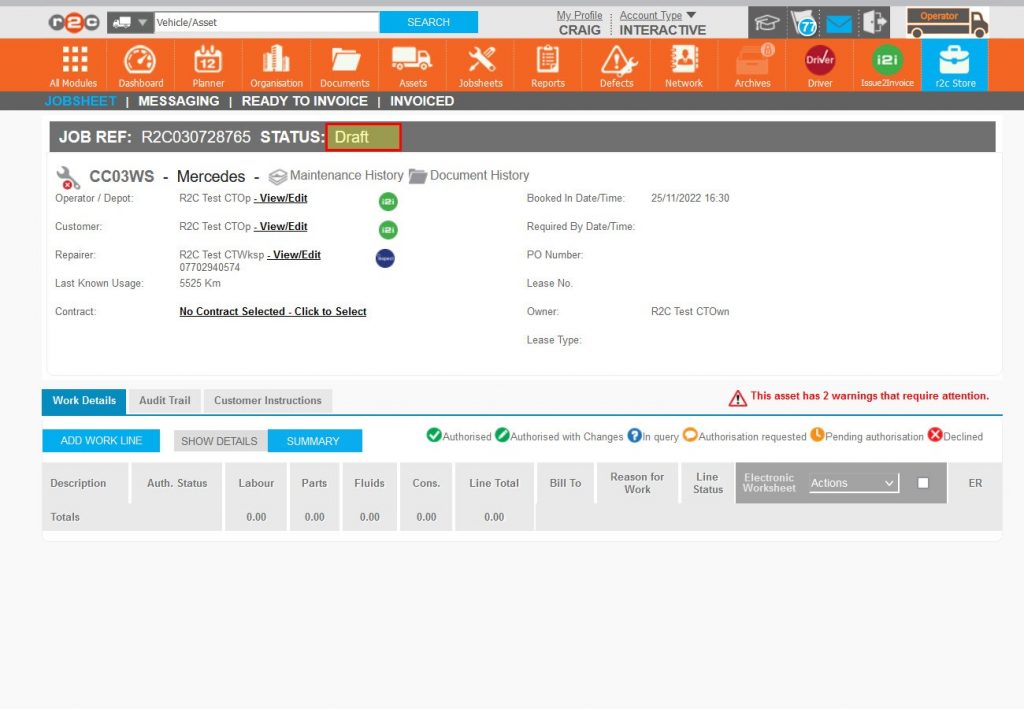
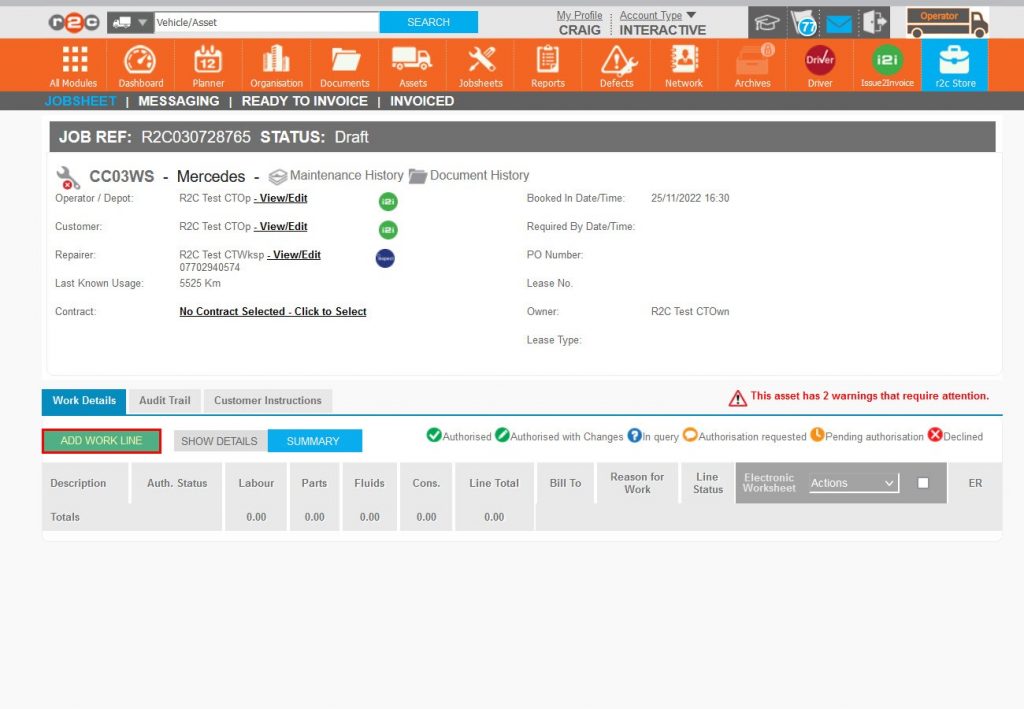
Step 6 – Once created the jobsheet will be in a draft status, indicating that it is not being saved and would therefore be deleted if navigated away from. In order to progress this job to Planned (saved) a work line is required.
Step 7 – If the asset has outstanding defects, these can be added from the warnings area. The warnings area will also highlight any potential breaches such as MOT Expiry date.
Step 8 – These defects would populate as a work line progressing the jobsheet to Planned.
Step 9 – To add a task work line click ADD WORK LINE.
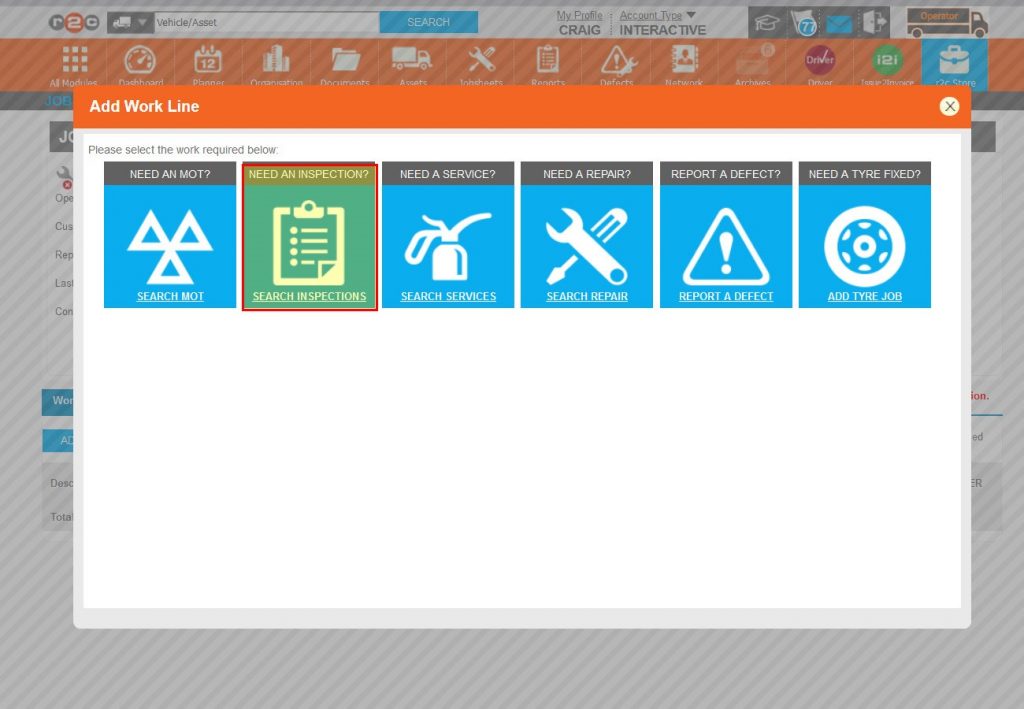
Step 10 – Select the type of task required.
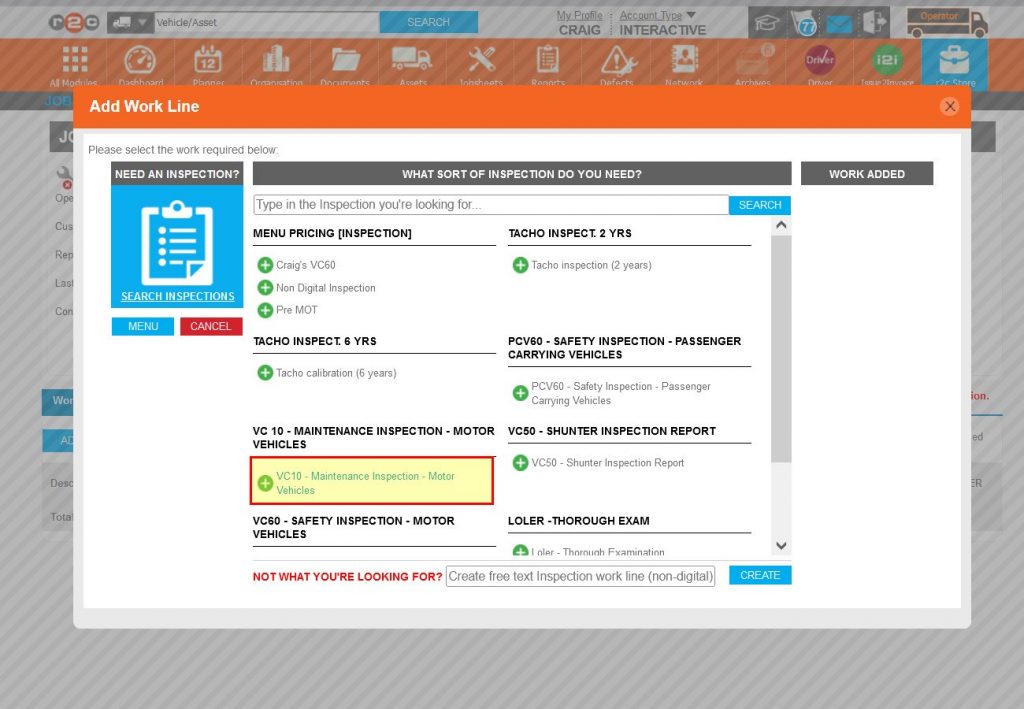
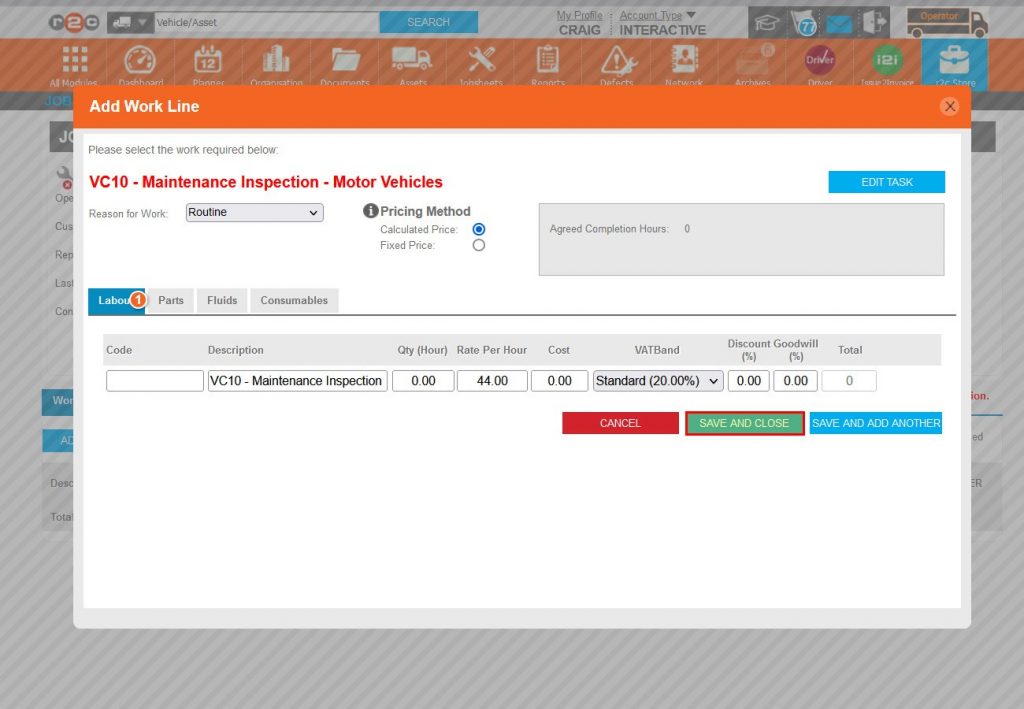
Step 11 – Click the specific task, in this case a VC10 inspection.
Step 12 – Finally, SAVE AND CLOSE the work line.
Step 13 – The status has now changed to Planned (saved) indicating that all parties on the jobsheet can see the job in their list of jobs.
Technical Info & Self Help
Customer Instructions Vs Workshop Instructions – Customer instructions is a link between the customer and the repairer.
Whereas Workshop instructions is a link between the workshop Portal and r2c Inspect, if used. Workshop instructions are not visible to the customer.
How do I add Notesto a Jobsheet
Will an Ad hoc Jobsheet replace the Scheduled Jobsheet.
Ad Hoc Jobsheets will never interact with scheduled Jobsheets, if there is a scheduled job on the platform that is impacted by the ad hoc job. It is best practice to reschedule that job, for more info see Booking in Jobsheets
A green outline on the account type icon signifies the guide is applicable whereas a red outline signifies it is not applicable to the the respective account type.