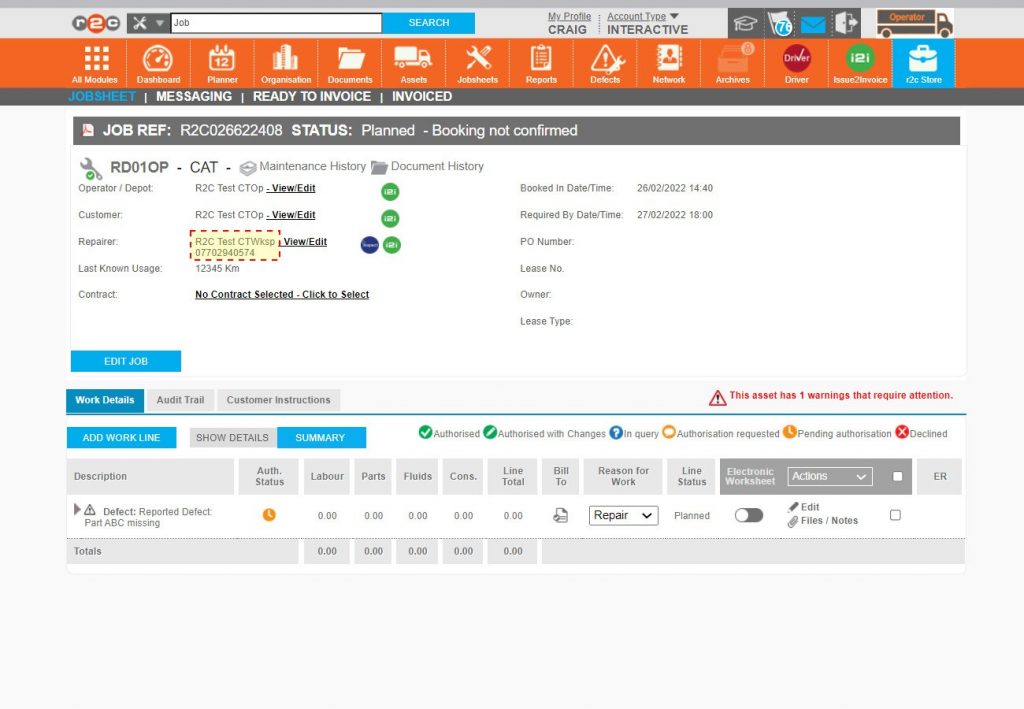
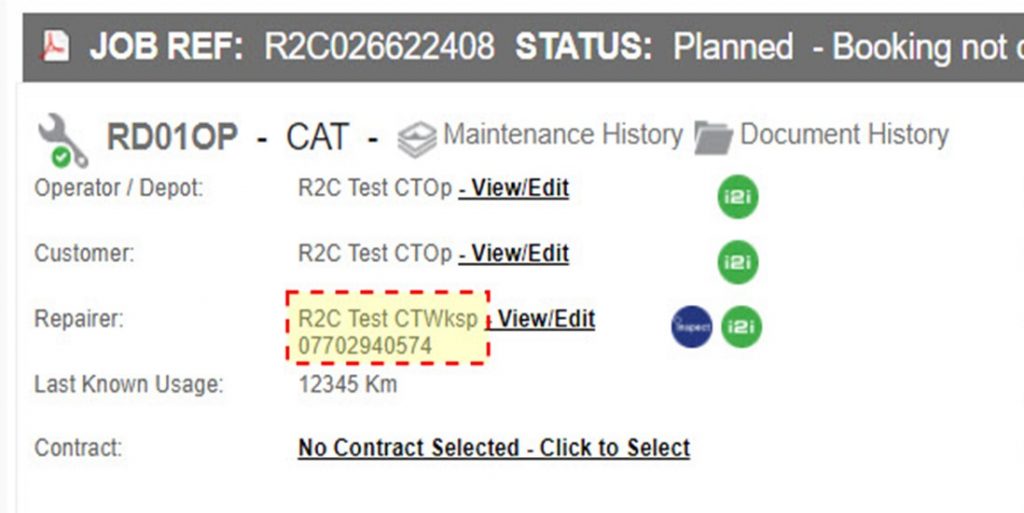
Booking in Jobsheets encompasses the end-to-end process of future planning, from filtering all future jobs through to reallocating or rescheduling work. The booking of jobsheets enables an all-informed network and would normally be carried out by the workshop to confirm a planned job, however, when working with a read only workshops an operator my wish to book the jobsheet in, after confirming off platform with the workshop.
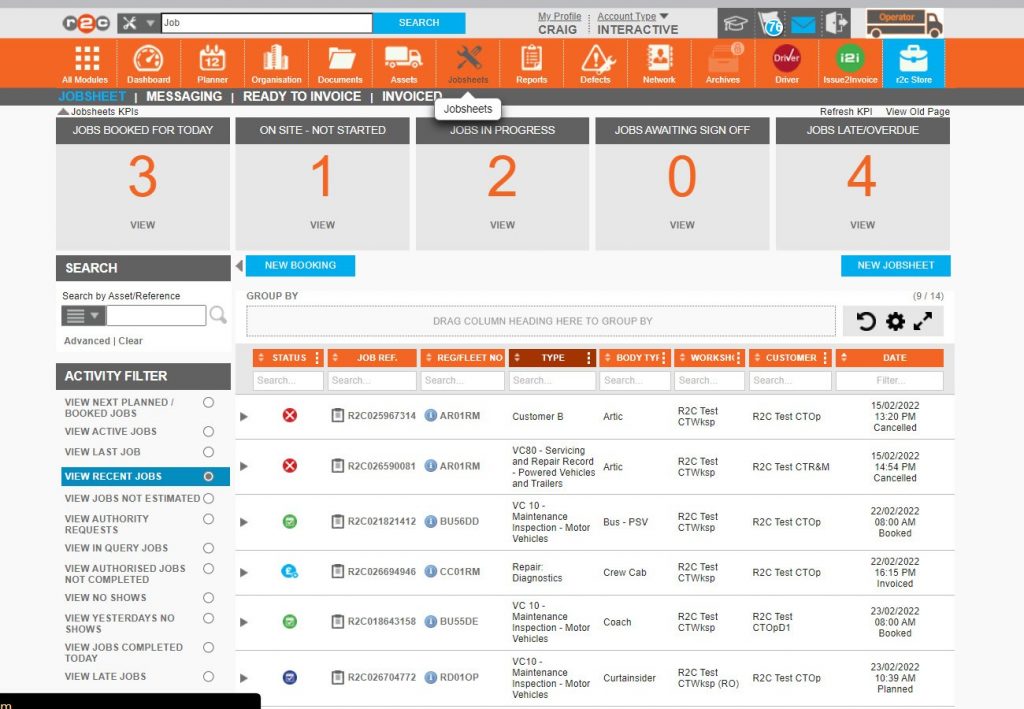
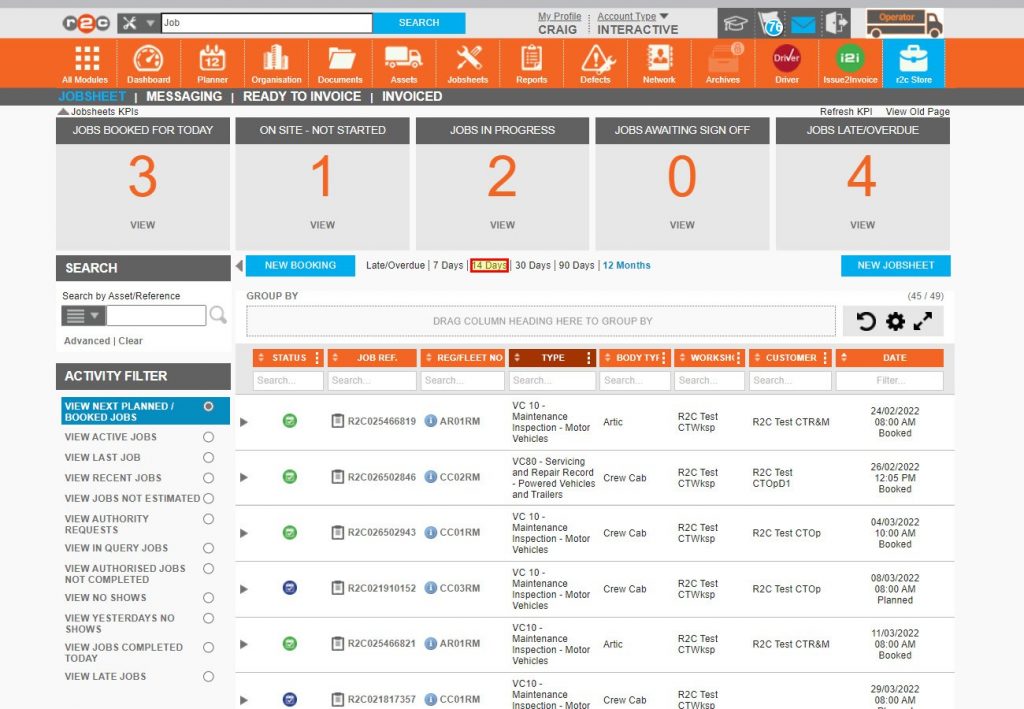
Forward planning work begins with the filter VIEW NEXT PLANNED/BOOKED JOBS which will display a list of future work.
Forward planning may also include the rescheduling of jobs recently missed, JOBS LATE/OVERDUE will display the last 14 days worth of missed work.
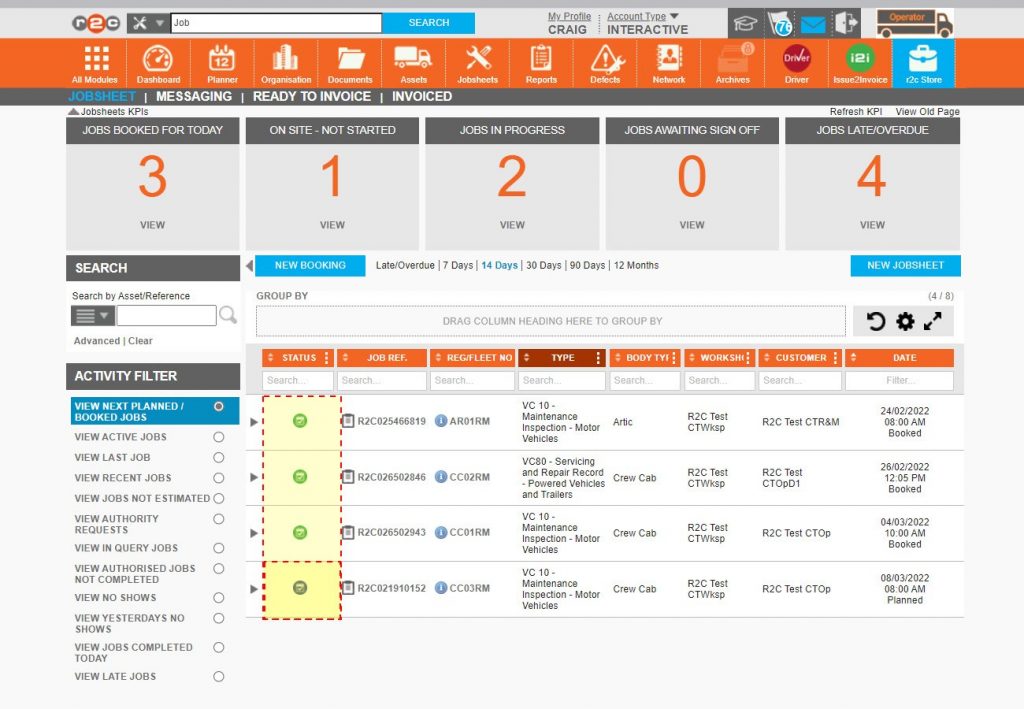
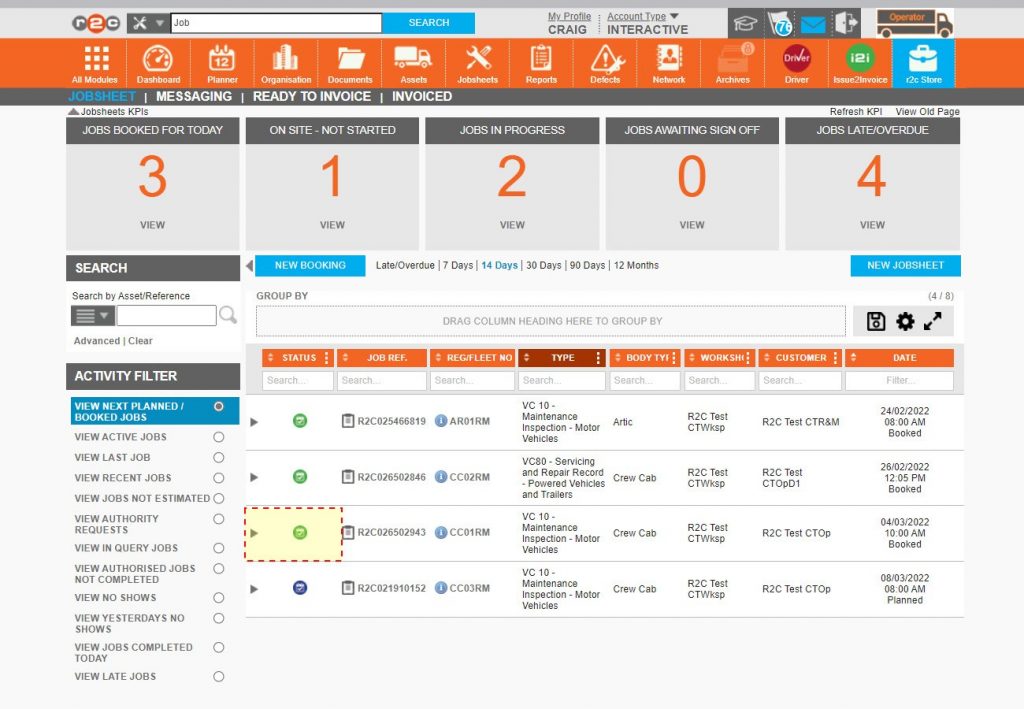
When looking at the list of future jobsheets the 'Planned' no yet 'Booked' jobs are marked in blue, once 'Booked' these are marked in green. This view makes it clear for all parties involved.
When attempting to filter large lists of future jobs, the Table Components can assist greatly.
Step by Step
Future Jobsheets – To see the steps taken to prepare for booking jobsheets, click or swipe through the 5 steps below.
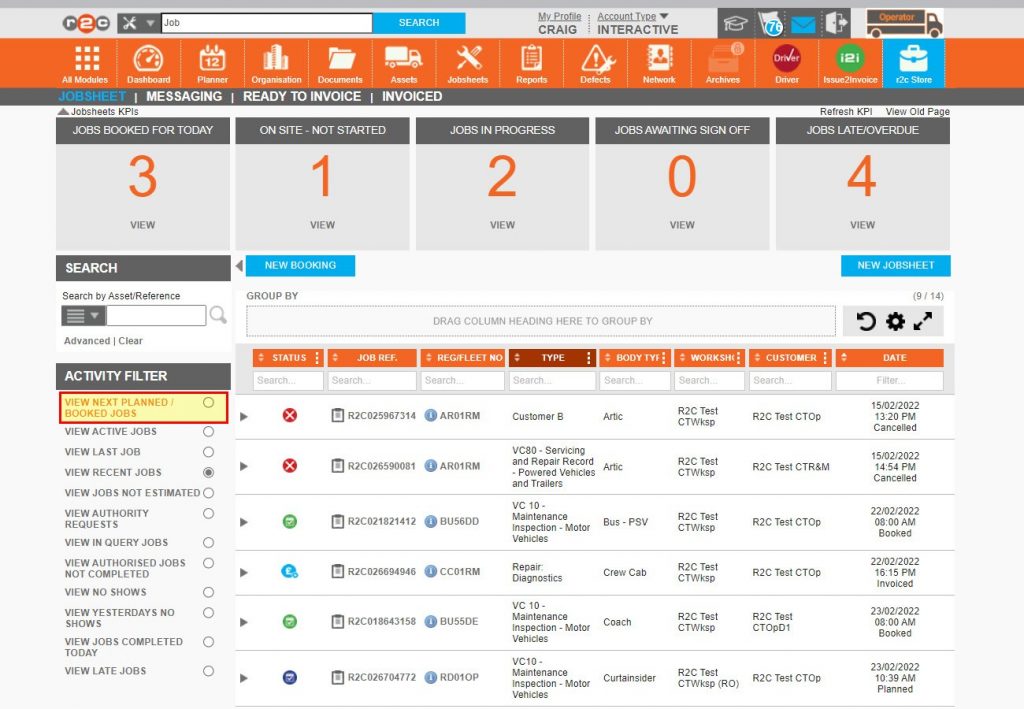
– Select the activity filter named ‘VIEW NEXT PLANNED/BOOKED JOBS’ to view future jobs.
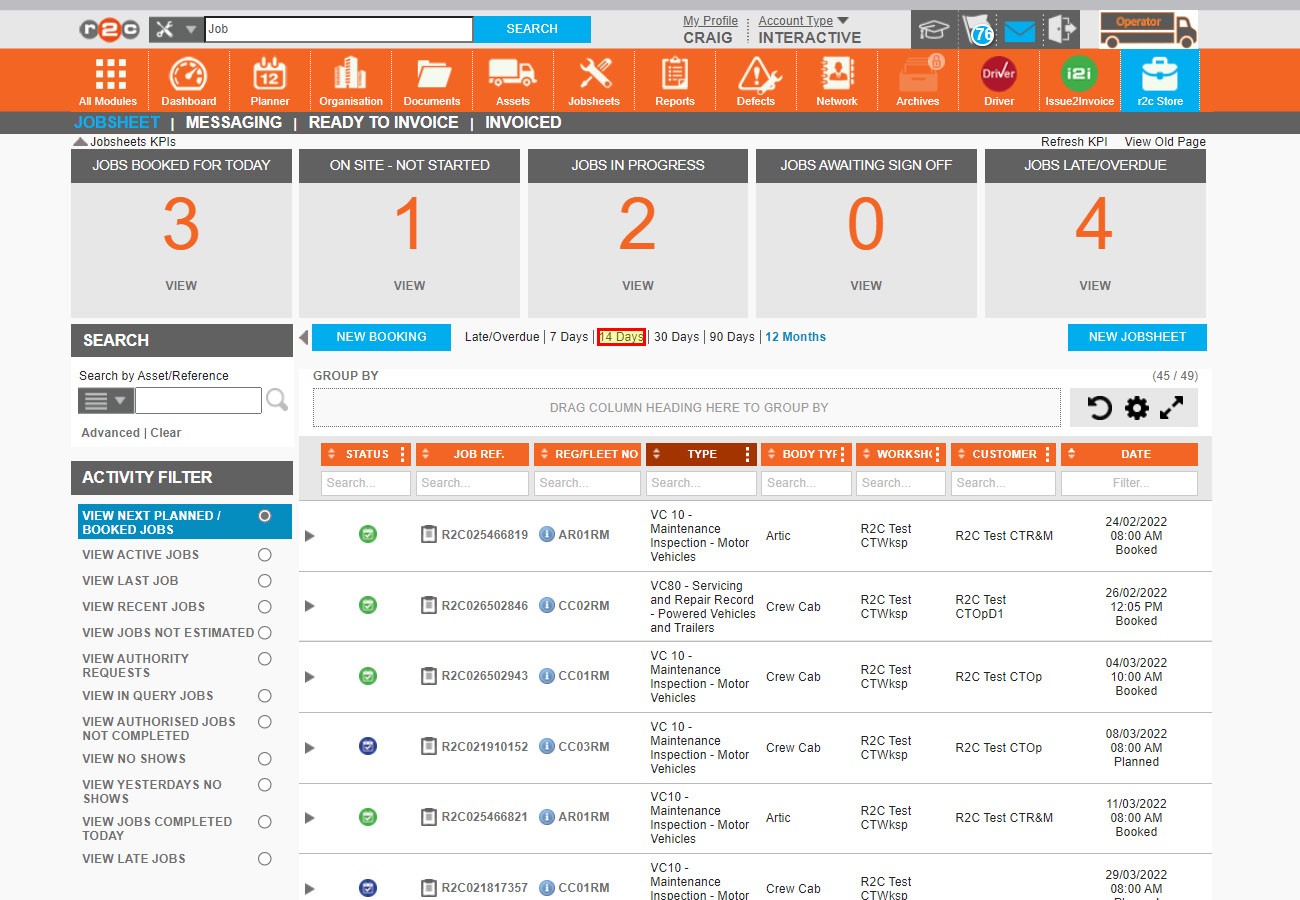
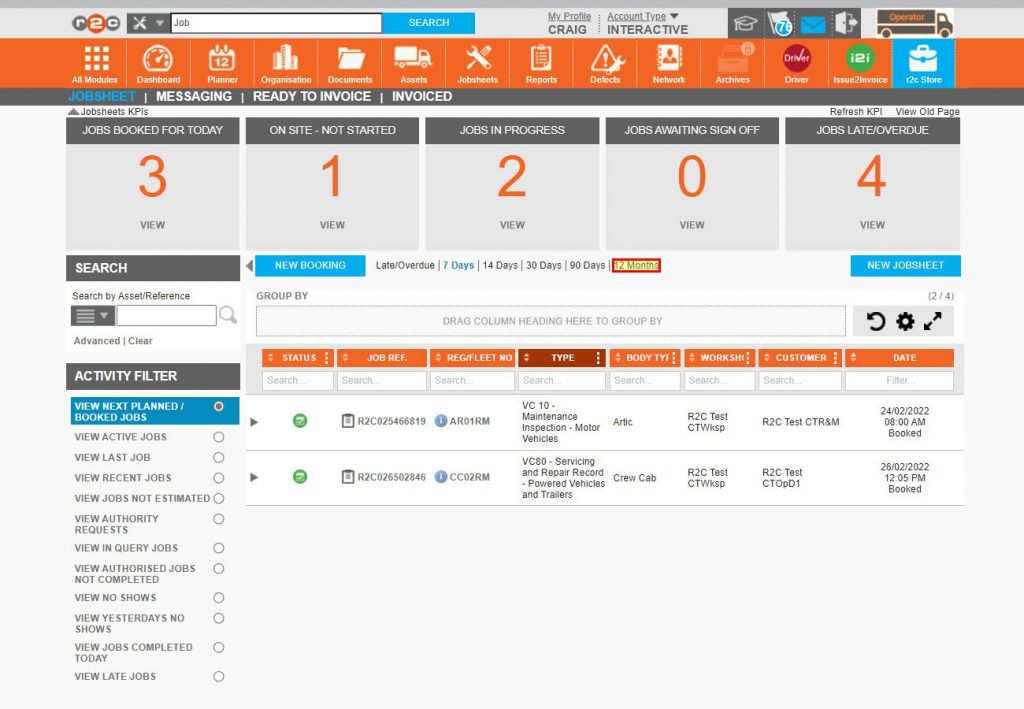
Step 3 – By default, future jobs are filtered to the next seven days, however, this can be expanded up to the next 12 months.
Step 4 – For planning purposes, the 7- or 14-day filter may be preferable.
Step 5 – Jobsheets can now be monitored per their status, specifically those symbols in blue and marked as planned. These jobsheets can now be inspected before setting to booked.
Booking Jobsheets – To see the steps normally taken by the workshop, although may fall to R&M’s or Operators, to confirm the booking of a job, click or swipe through the 10 steps below.
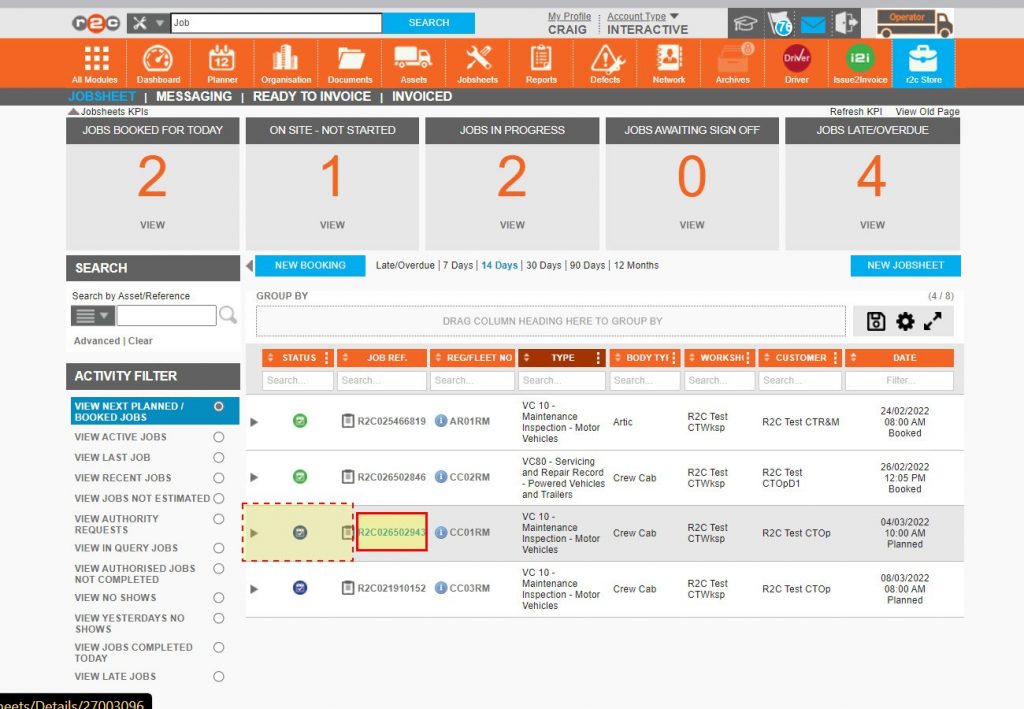
Step 1 – Identify the next jobsheet to be booked in and click the R2C job reference number.
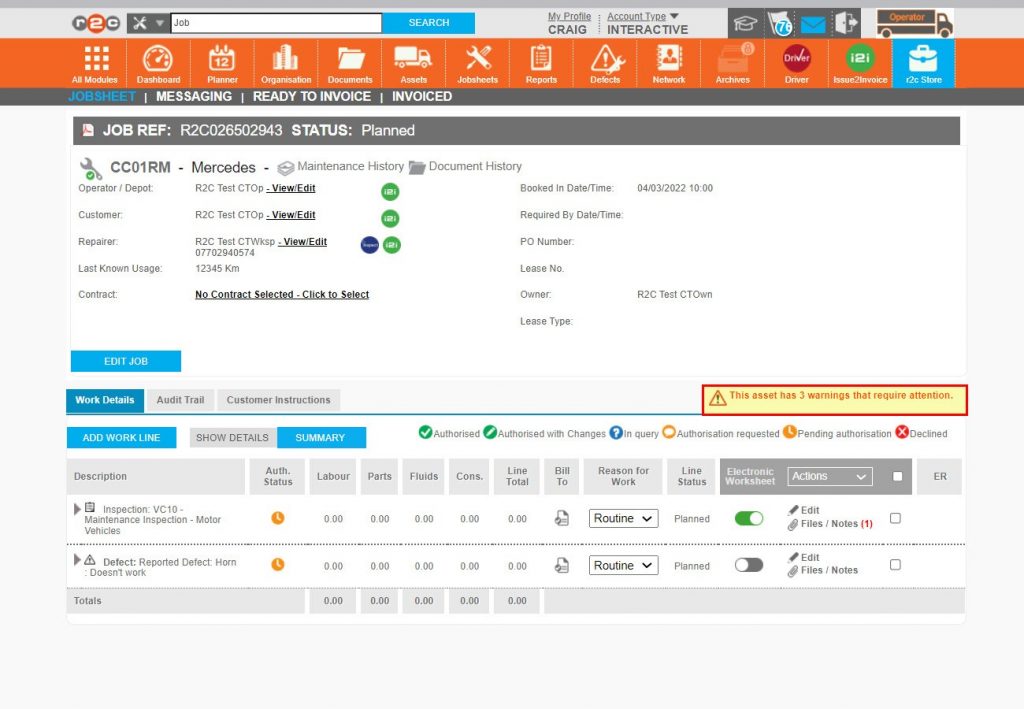
Step 2 – An assessment can now be carried out of the jobsheet, ideally looking at, the VOR status of the asset, the type of asset and work being allocated to the workshop and whether the date and time are suitable. If the asset has ‘warnings’ against it, click the warnings text.
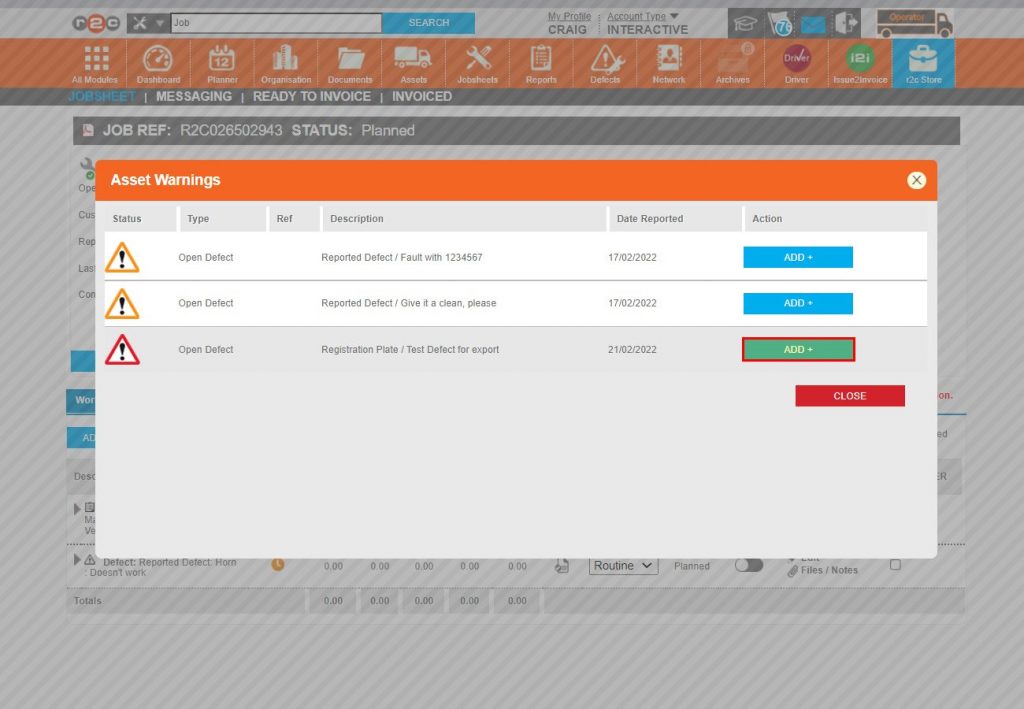
Step 3 – Warnings may consist of outstanding defects or key date breaches. If any outstanding defects exist, click the ADD+ buttons in the Action column followed by CLOSE.
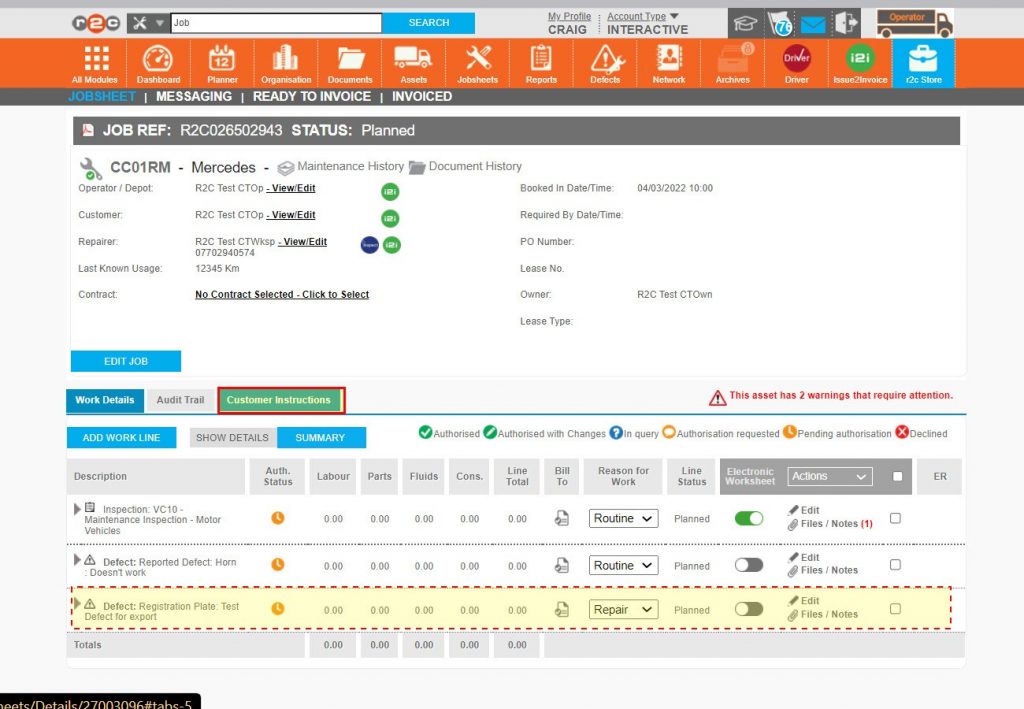
Step 4 – Any selected defects will now be seen as additional work lines on the jobsheet. Should any further information be required, click ‘Customer Instructions’.
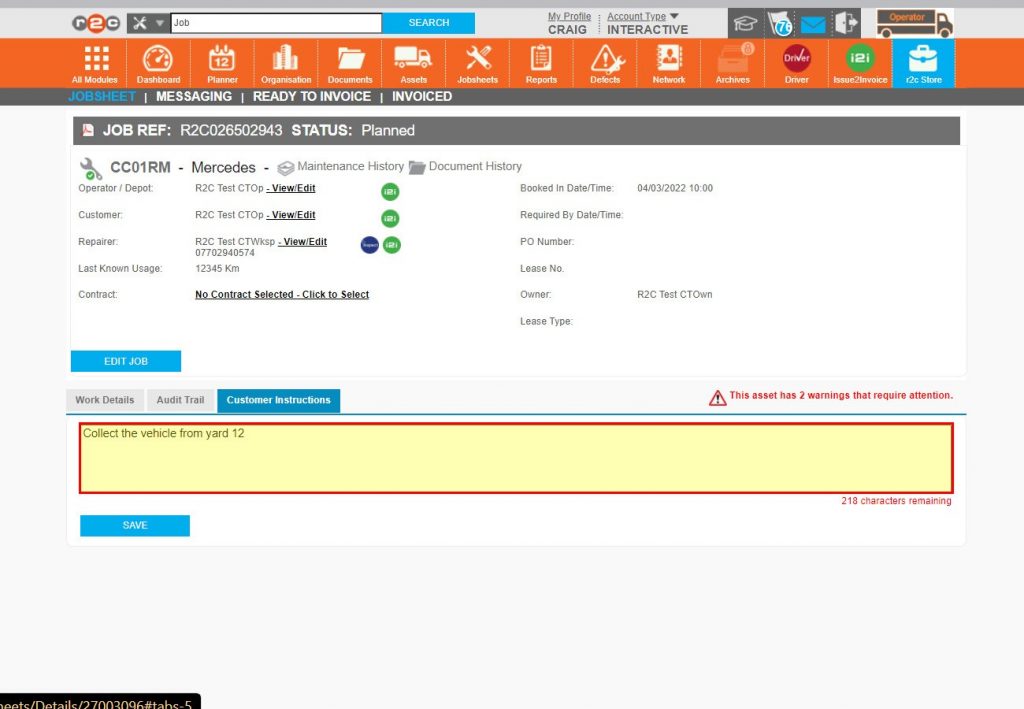
Step 5 – Free text, up to 250 characters can be added. This free text area should be used for additional information in order to complete the work and not used for details of the job itself.
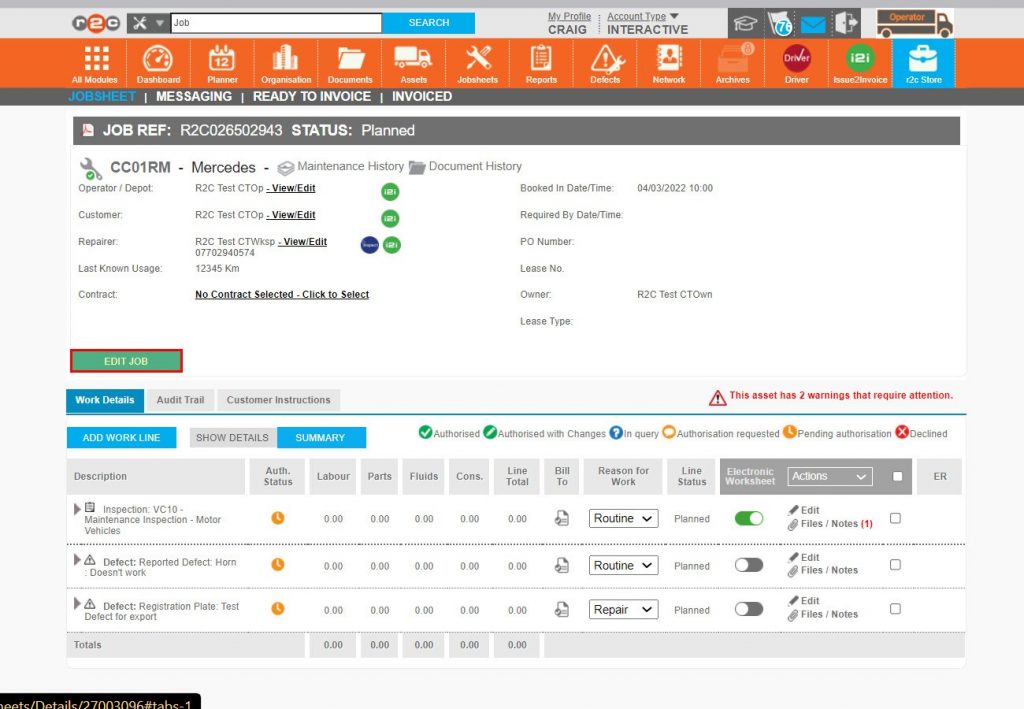
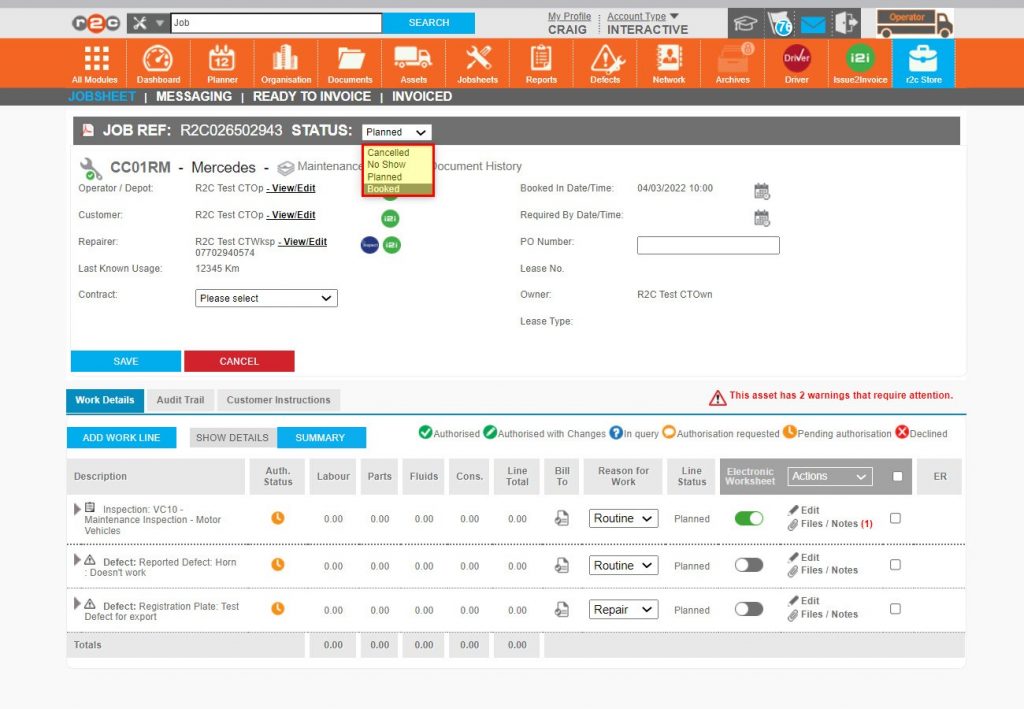
Step 6 – Once the assessment and any additions have been made, the jobsheet can be set to booked by clicking EDIT JOB.
Step 7 – Once in editing mode, the job STATUS can be set to booked.
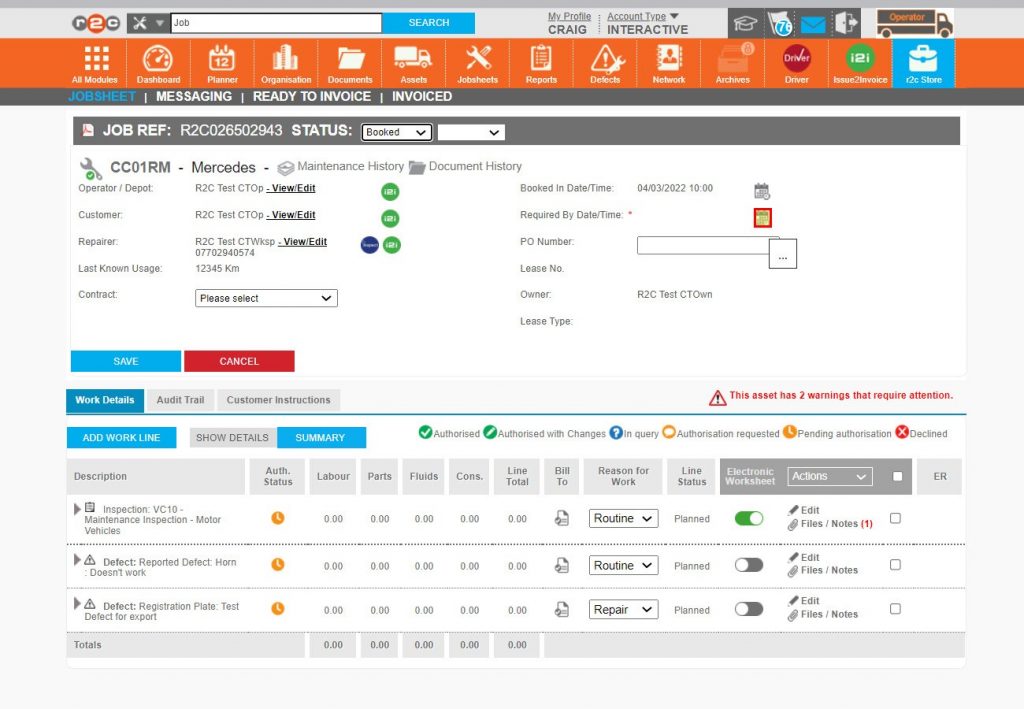
Step 8 – At the ‘Booked’ status, the ‘Required by Date/Time’ becomes mandatory.
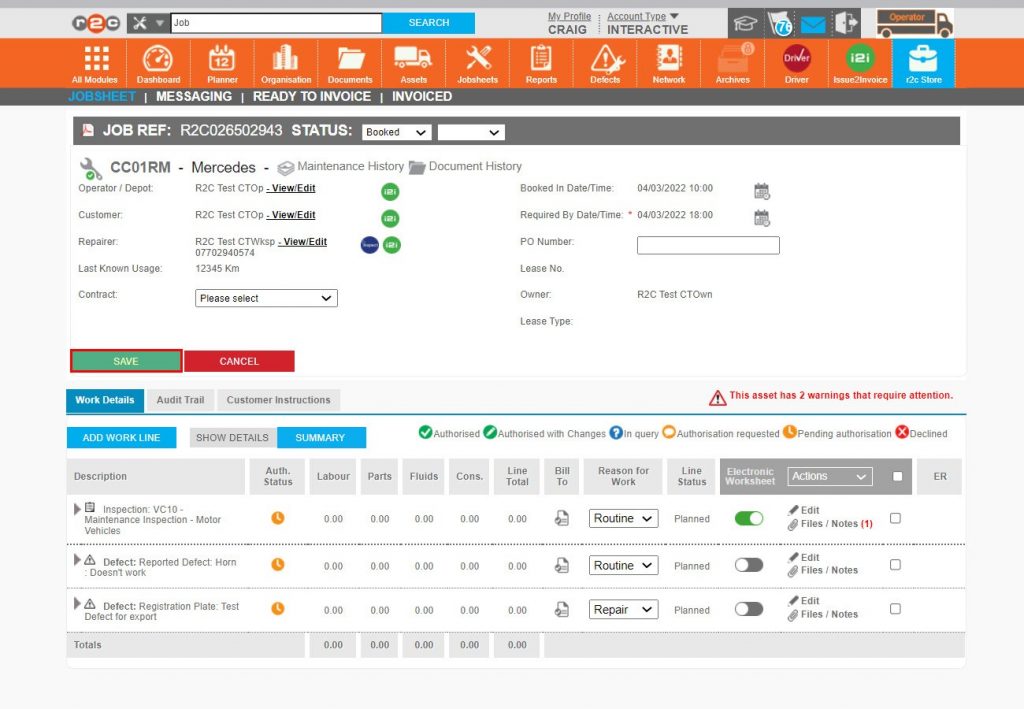
Step 9 – The jobsheet can now be saved.
Step 10 – On the jobsheets page, confirmation of booking comes in the form of a green symbol where the next planned job can now be selected.
Rescheduling Jobsheets – To see the steps taken to reschedule a jobsheet, click or swipe through the 4 steps below.
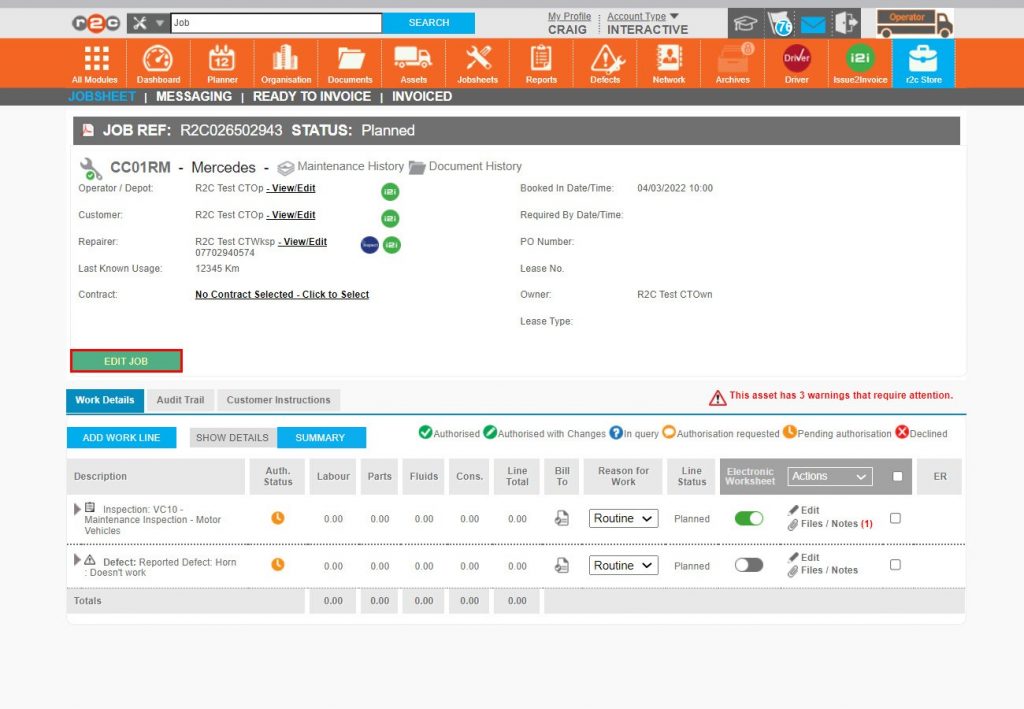
Step 1 – To change a ‘Booked in Date/Time’ first click EDIT JOB.
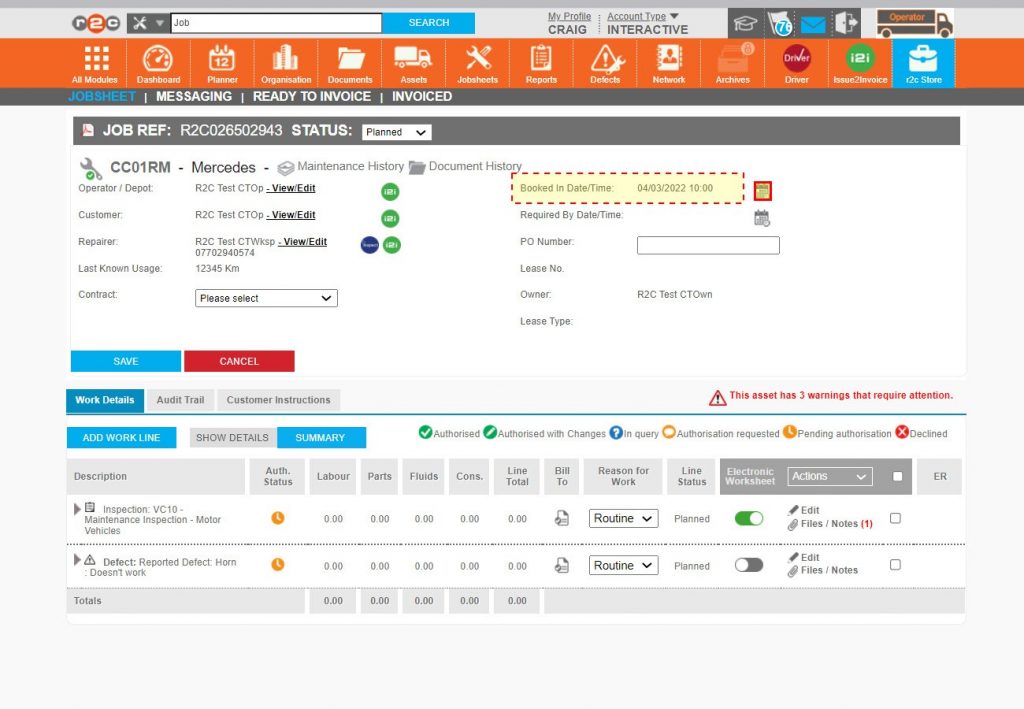
Step 2 – Once in editing mode the date and time can be amended by selecting the calendar icon next to the current booked date/time.
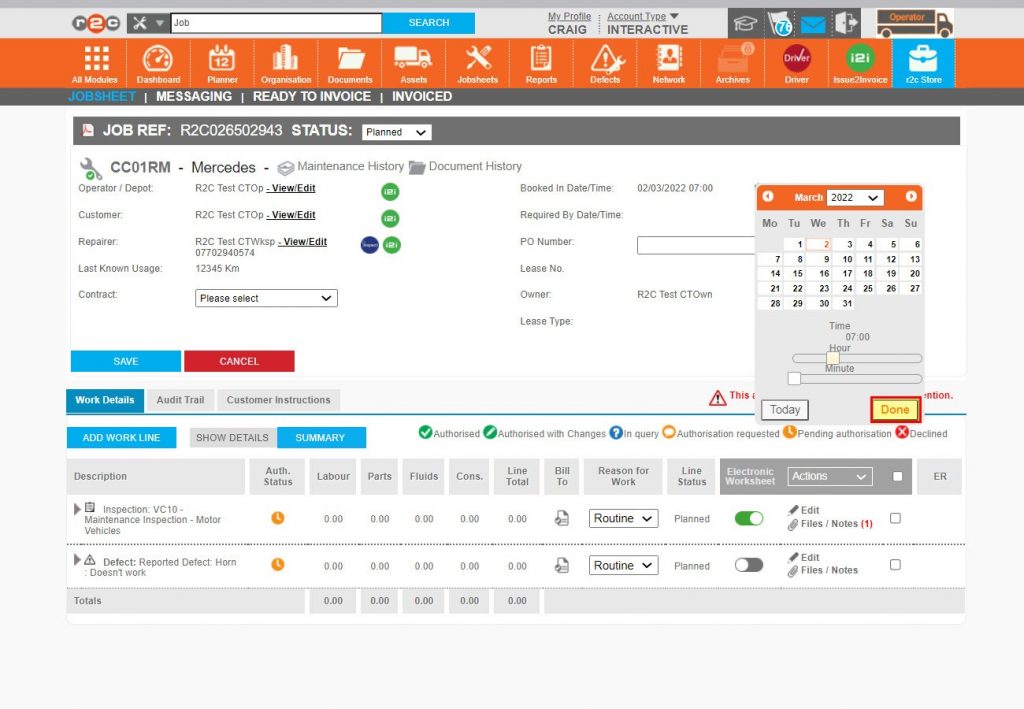
Step 3 – After selecting the new date and time, click ‘Done’.
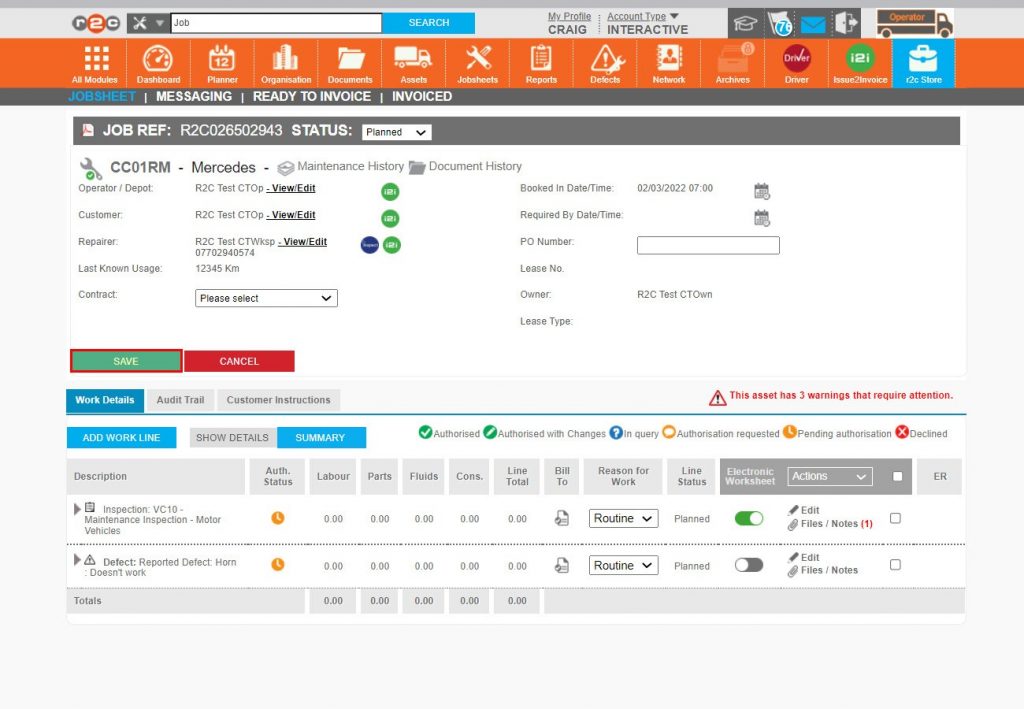
Step 4 – The booked in date and time have now changed, click SAVE to confirm the action which will replicate through the system ensuring that all parties see the same ‘Booked in Date/Time’.
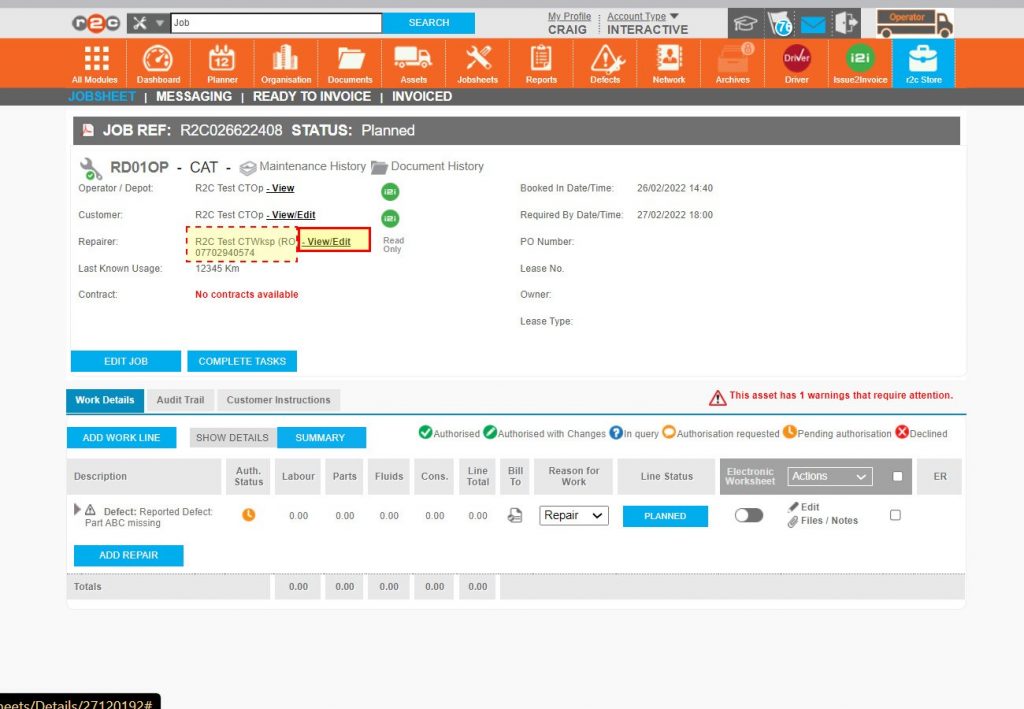
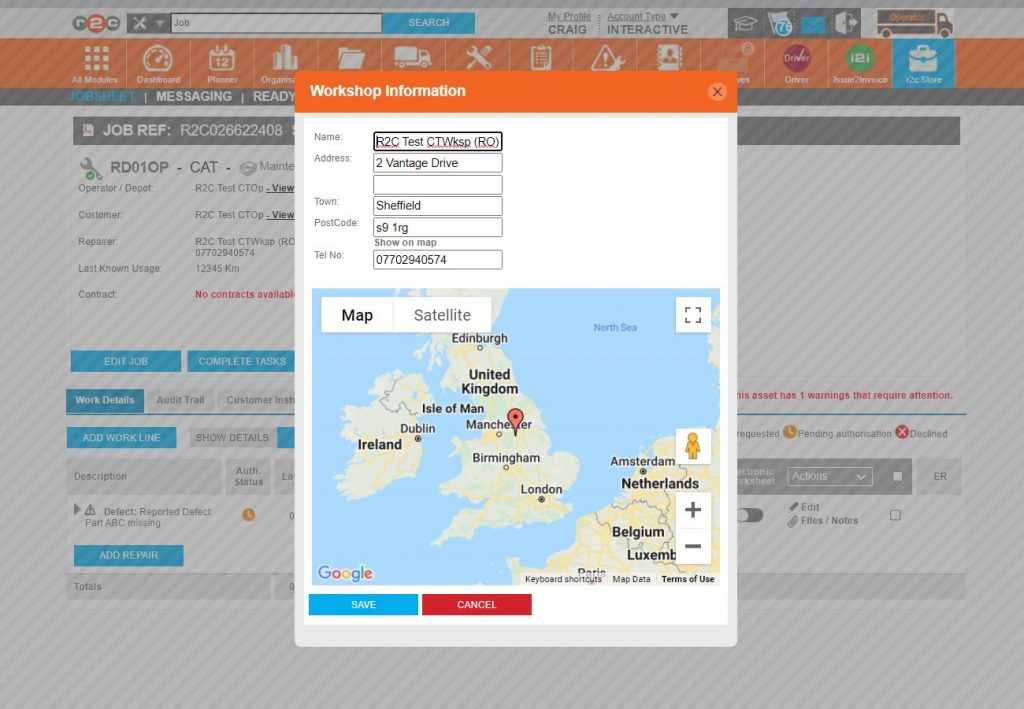
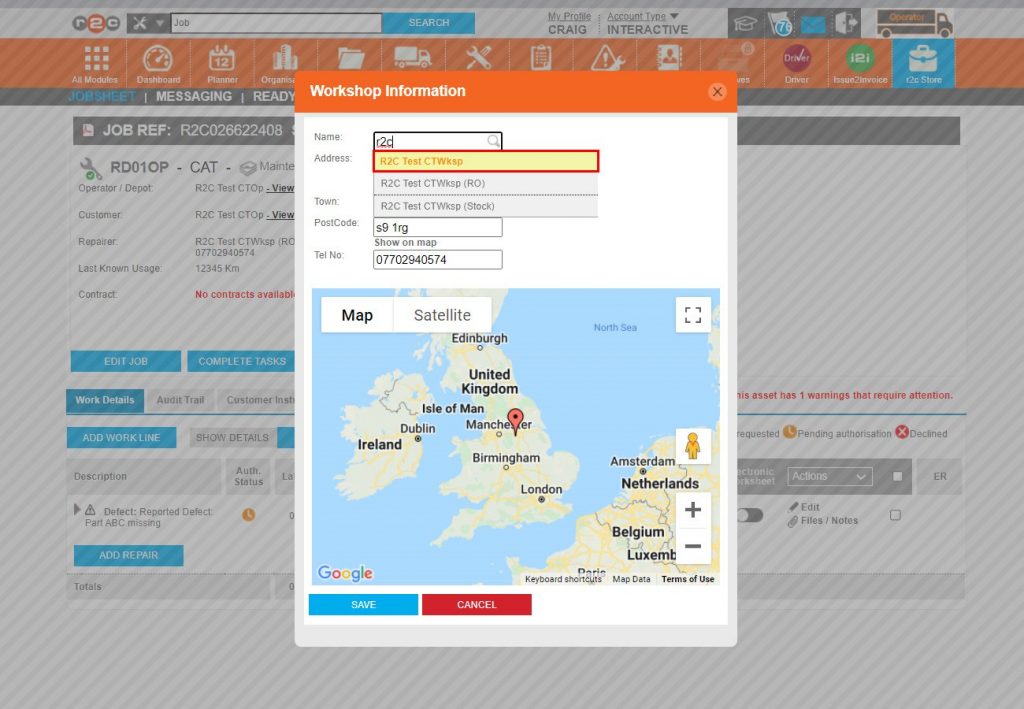
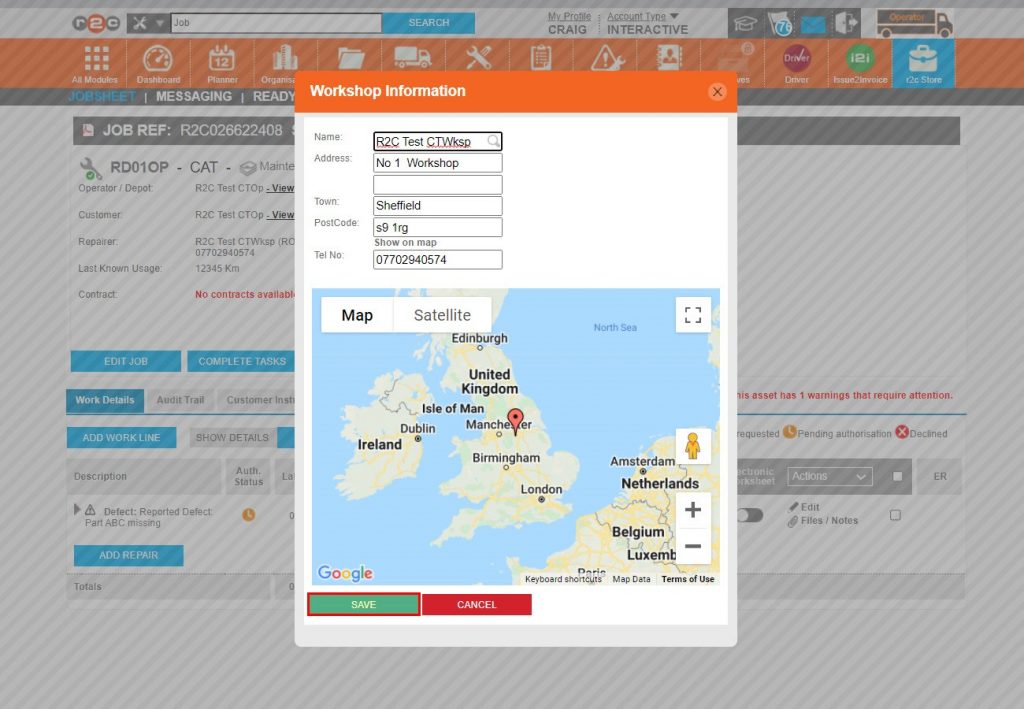
Reallocating Jobsheets – To see the steps taken by the R&M or Operator to reallocate a jobsheet to a different repairer, click or swipe through the 4 steps below.
Note: This is not a Workshop function
Step 1 – Where a jobsheet is required to be reallocated, click ‘View/Edit’ next to the current repairer’s name.
Step 2 – The current repairers name will be displayed for editing.
Step 3 – Begin typing over the current repairer’s name to produce a drop-down list of matching and approved repairers. The required repairer can now be selected.
Step 4 – The new repairers’ details will display for confirmation before clicking SAVE.
Step 5 – The reallocation is now complete, whereby the jobsheet will have disappeared from the original repairers list and reappeared in the new repairers list making it immediately available.
Technical Info & Self Help
Why can't I see a Jobsheet
After confirming that the correct filters have been applied, including dates, the workshop may not be allocated the work, check the workshop’s name on the jobsheet, this will have to be carried out by the R&M/Operator.
A green outline on the account type icon signifies the guide is applicable whereas a red outline signifies it is not applicable to the the respective account type.