The Operator Fleet feature helps you organise and manage your assets by grouping vehicles into logical fleets, such as by vehicle type or region. Please note, user role permissions may affect this.
The Operator Fleet feature allows you to organise your fleet list into meaningful groups based on key criteria such as vehicle type or regional area.
Fleets make it easier to filter, find, and focus on the assets that matter most.
They can be used as a simple way to filter and identify assets, or as a powerful tool to customise the portal view for users. By assigning users to specific fleets, you can limit the information they see to only the assets relevant to their role, improving clarity, efficiency, and control.
Step by Step - Using Fleets to group assets
Creating Fleets and assigning assets – To see the steps taken to create fleets and assign assets, click or swipe through the 11 steps below.
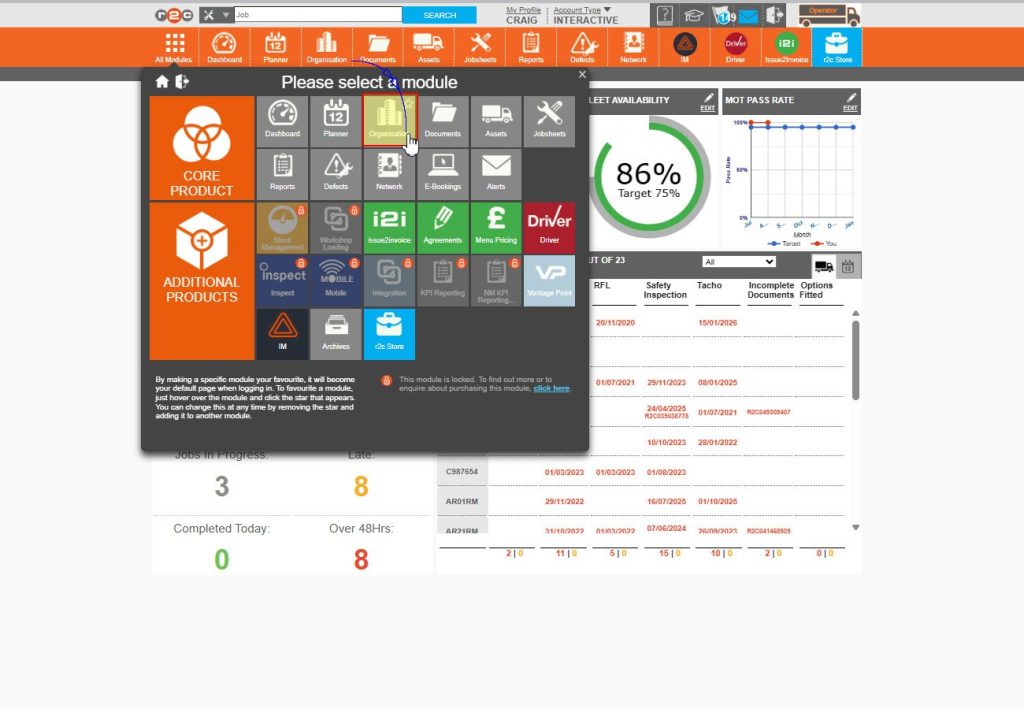
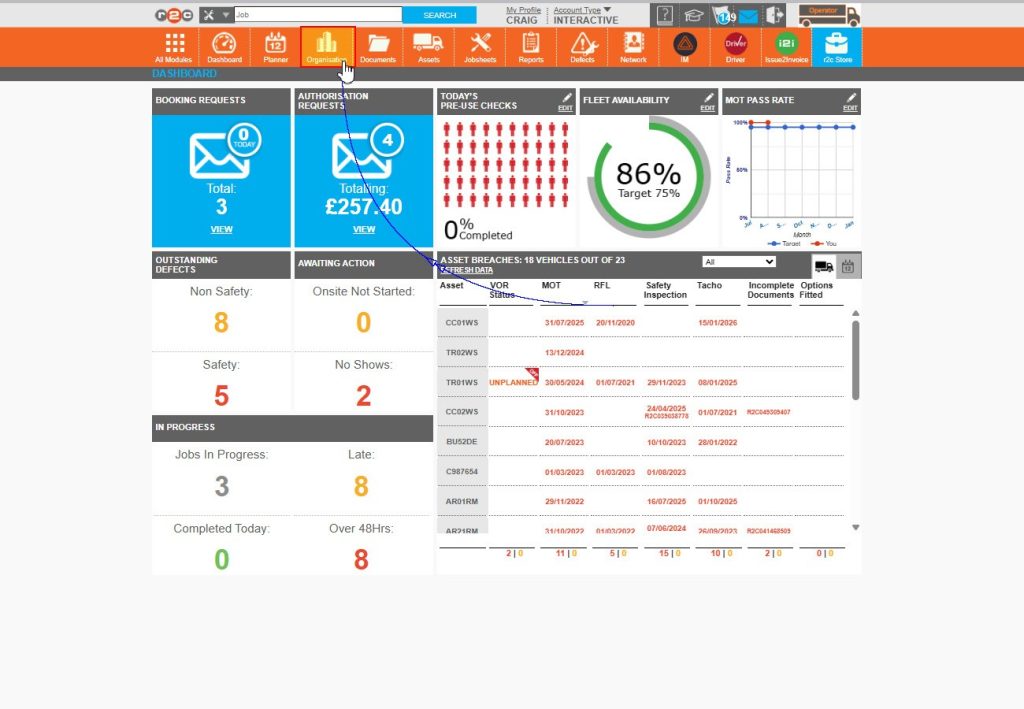
Step 1 – Startt by clicking ‘Organisation’ from the top menu bar or the ‘All modules’ window to open the settings page.
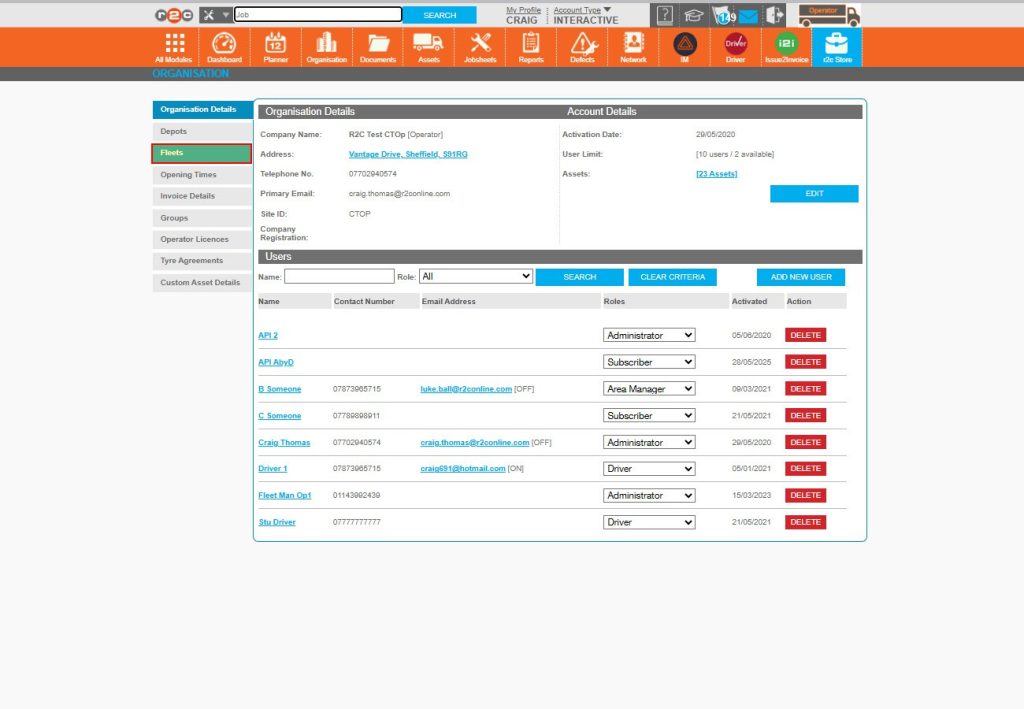
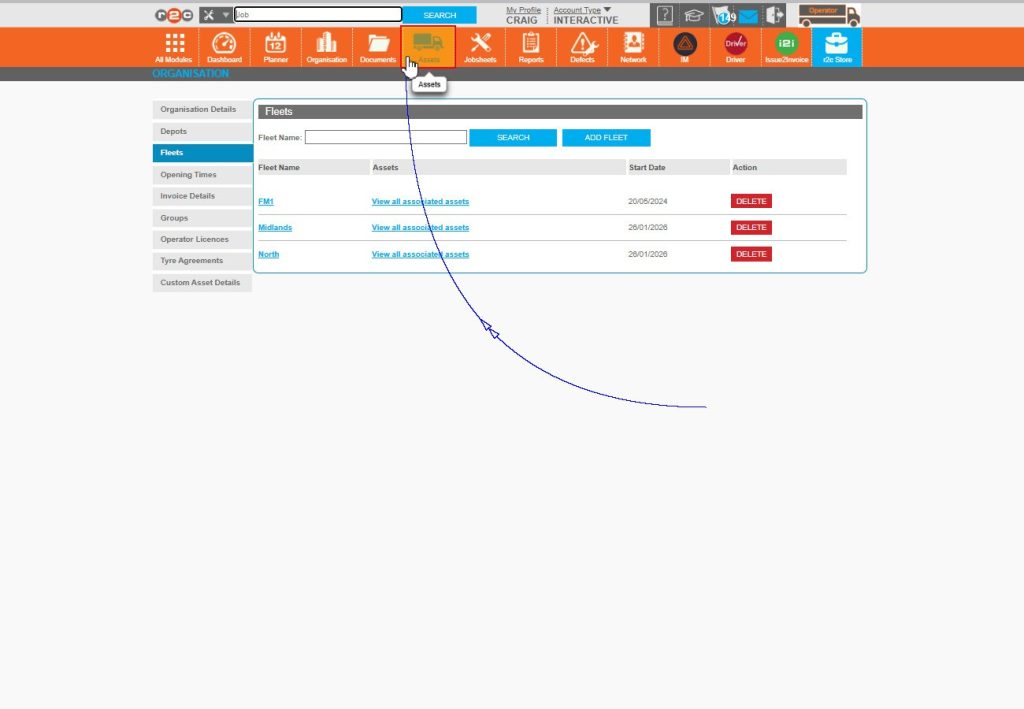
Step 2 – Next, click the ‘Fleets’ tab from the side menu.
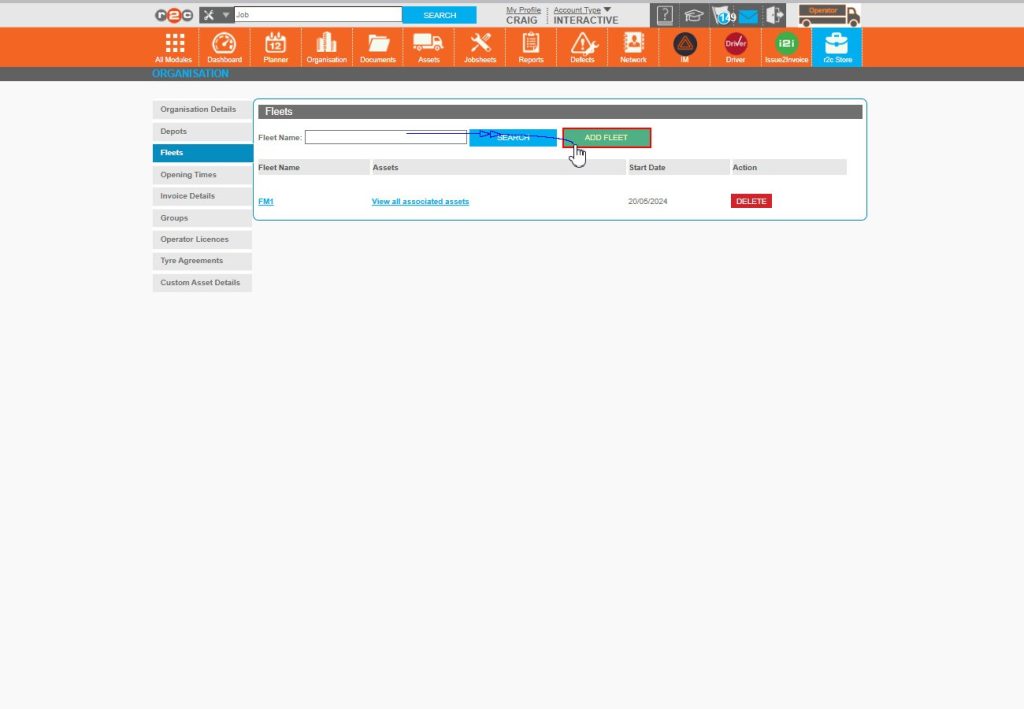
Step 3 – Here you will see any existing Fleet names that have been previously created, click on the ‘Add Fleet’ button to create a new one.
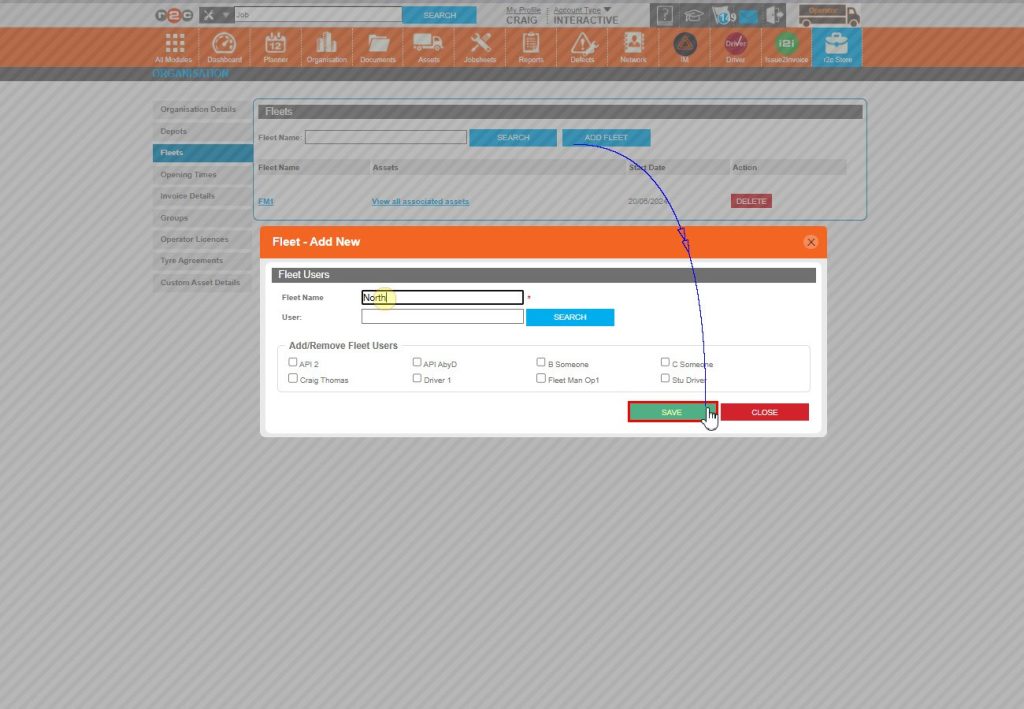
Step 4 – Enter a fleet name and then click ‘save’ to add to the list below. Repeat this process for all the fleet names you wish to add.
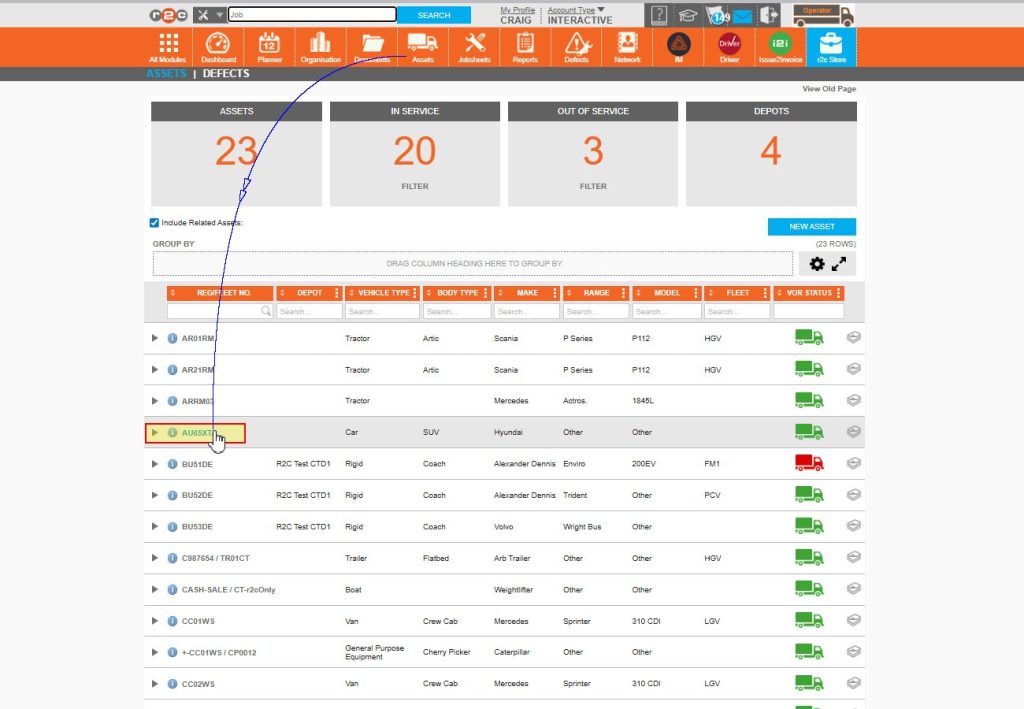
Step 5 – Click on ‘Assets’ from the header bar menu to go to the asset list
Step 6 – Select an asset from the list, click on the vehicle Reg to go to it’s full record.
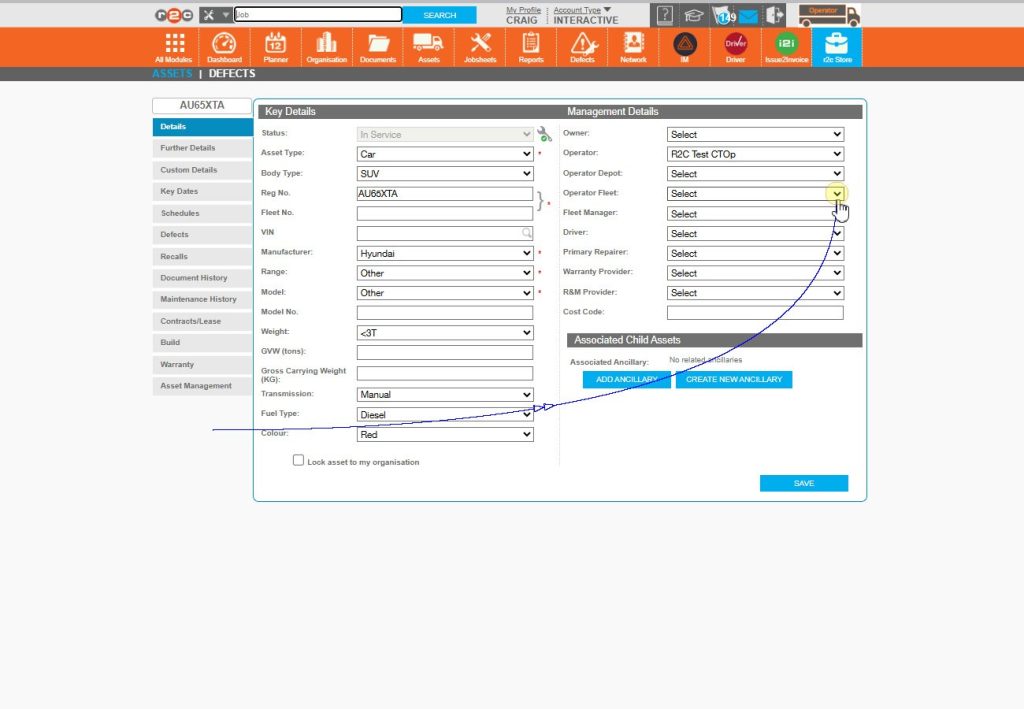
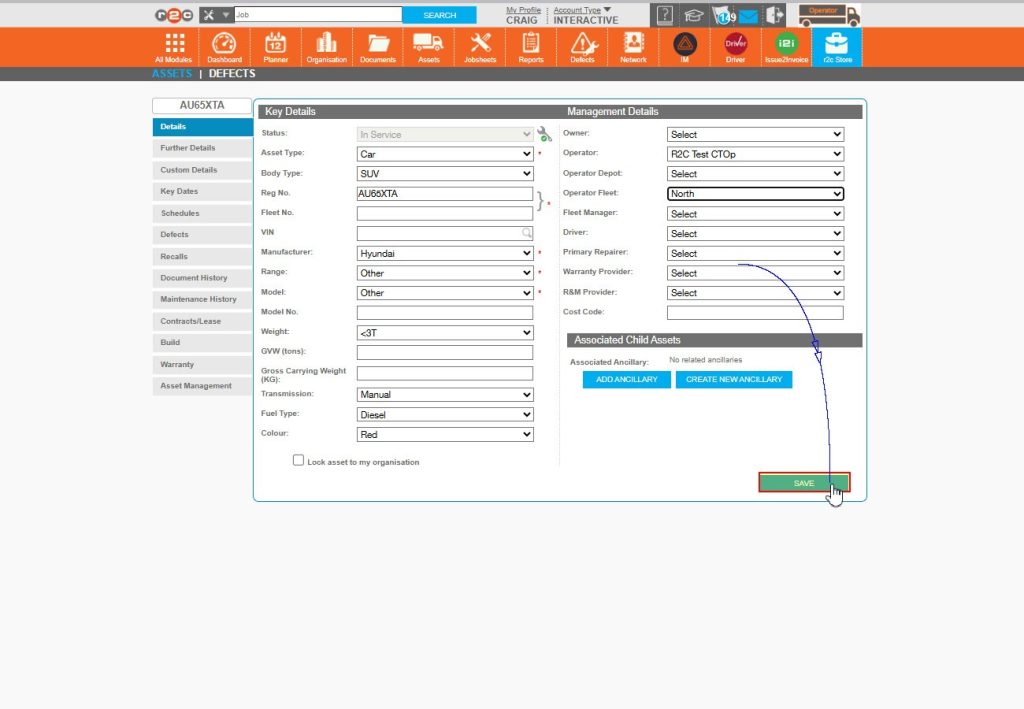
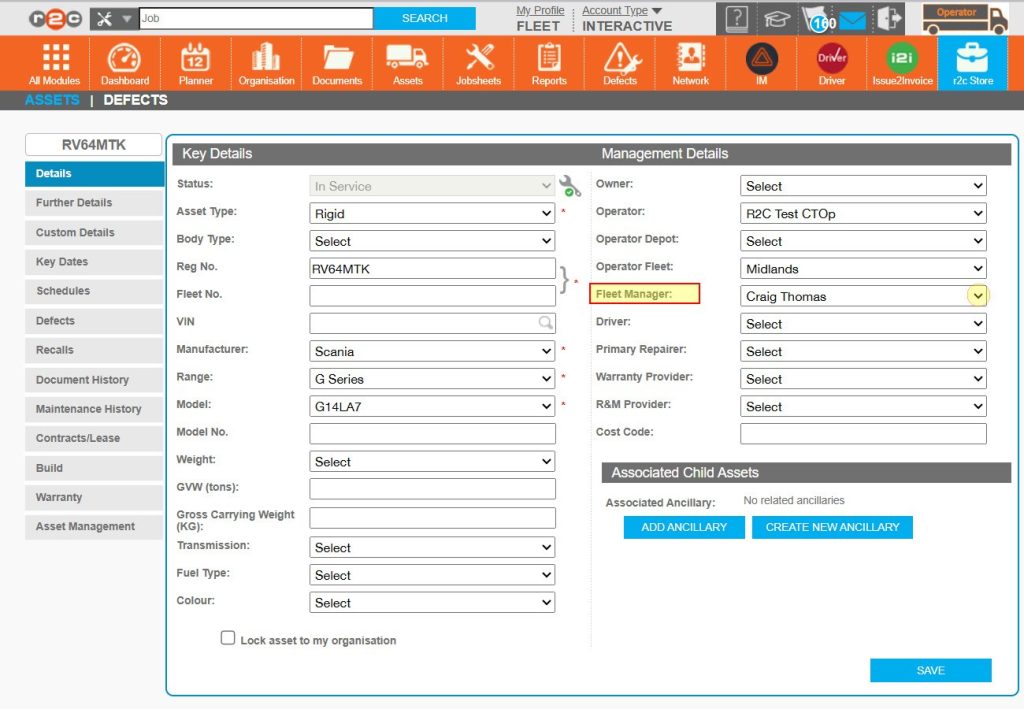
Step 7 – Click the drop down arrow on the ‘Operator Fleet’ field for the asset.
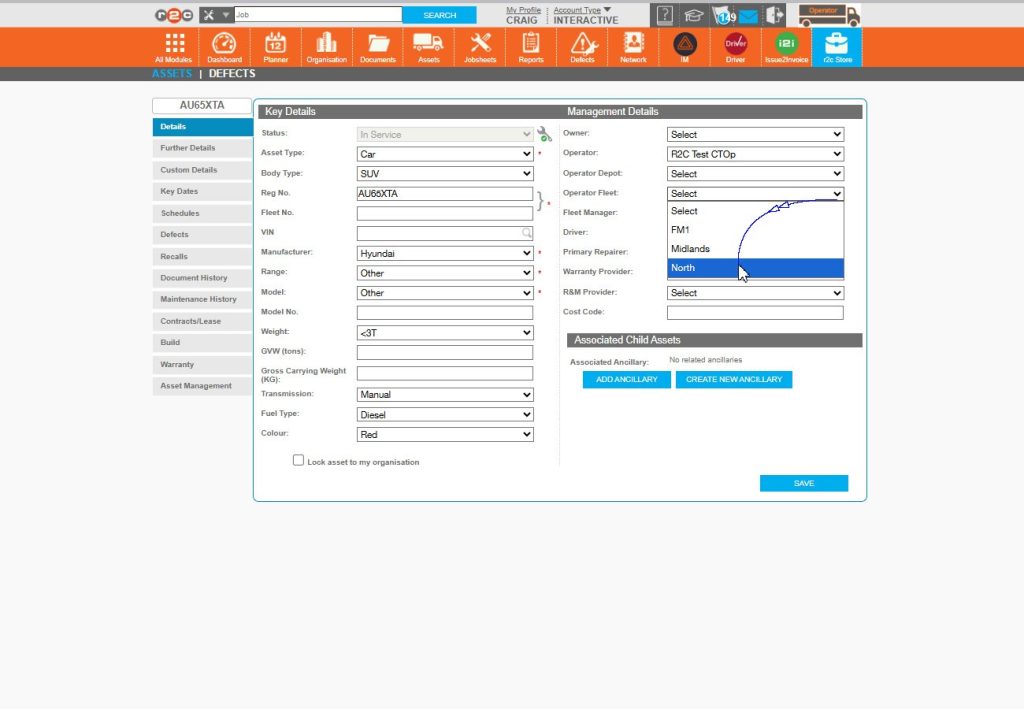
Step 8 – Select from the previously created fleet names to assign a vehicle to the respective fleet.
Step 9 – Click ‘Save’ once done updating the asset record.
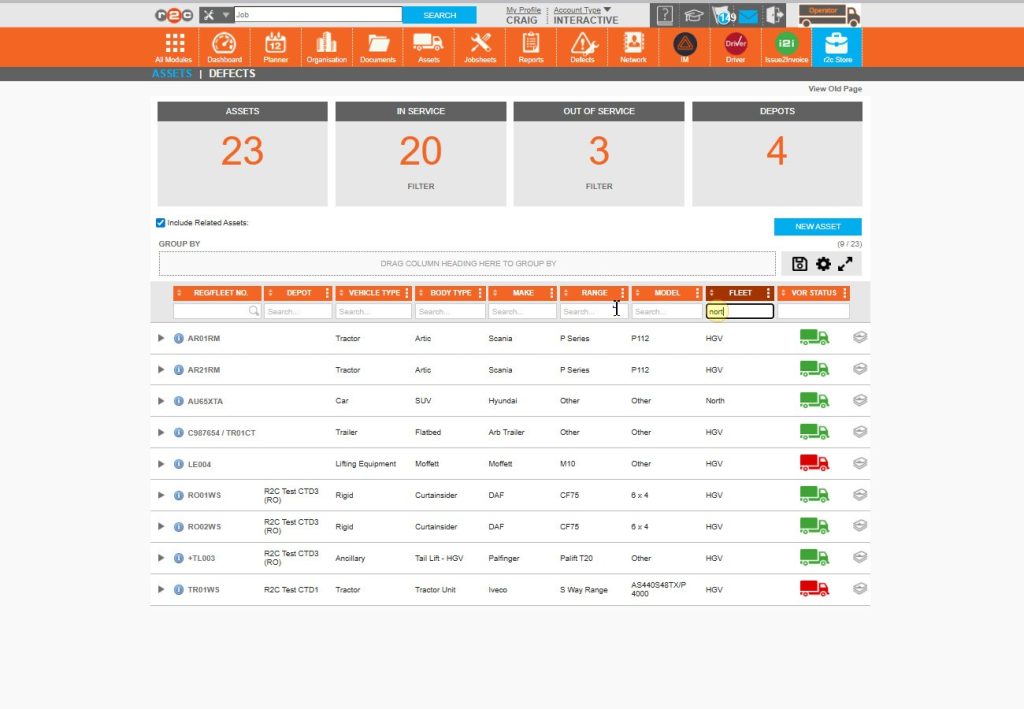
Step 10 – Return to the assets page, using the filter enter the name of the Fleet that you want to view assets for.
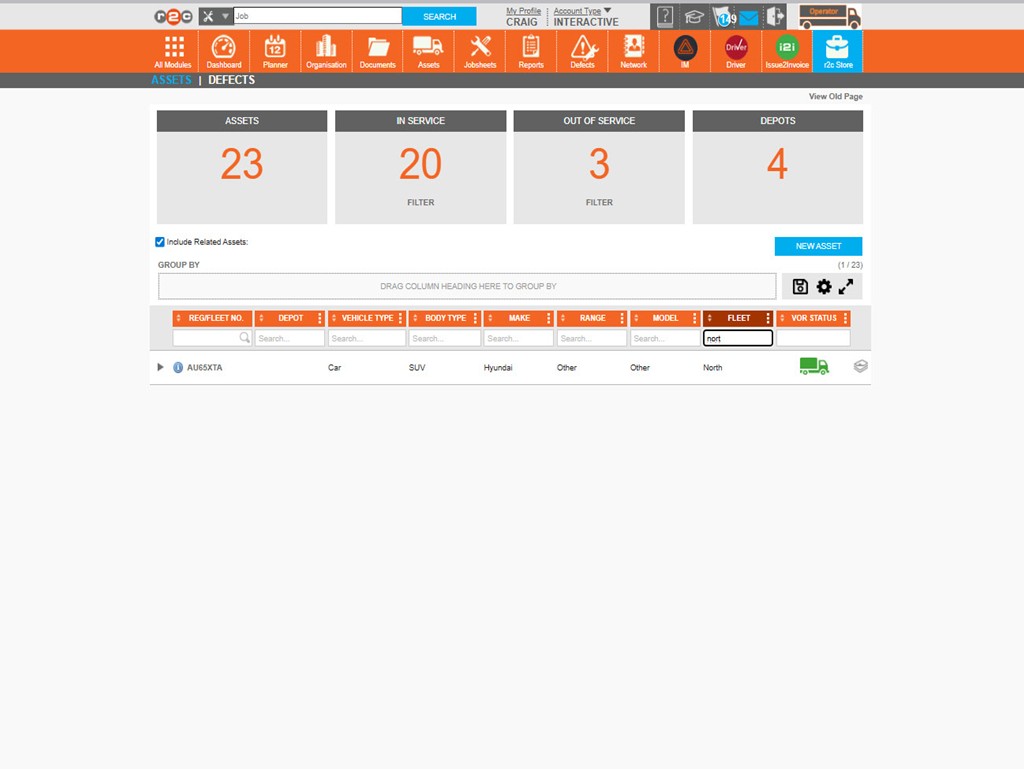
Step 11 – Note, the assets page has now filtered to show you the list of vehicles assigned to that specific fleet only.
Step by Step - Assigning fleets to users
Important: Assigning fleets to specific users should be done with care.
When a fleet is assigned to a user, their portal view is restricted to only the assets within that fleet. This filtering applies across the entire portal, including asset records, dashboards, the planner and job sheets.As a result, all assets outside of the assigned fleet will be hidden from that user.
Using fleets with individual users – To see the steps for assigning specific fleet lists to individual users click or swipe through the 5 steps below.
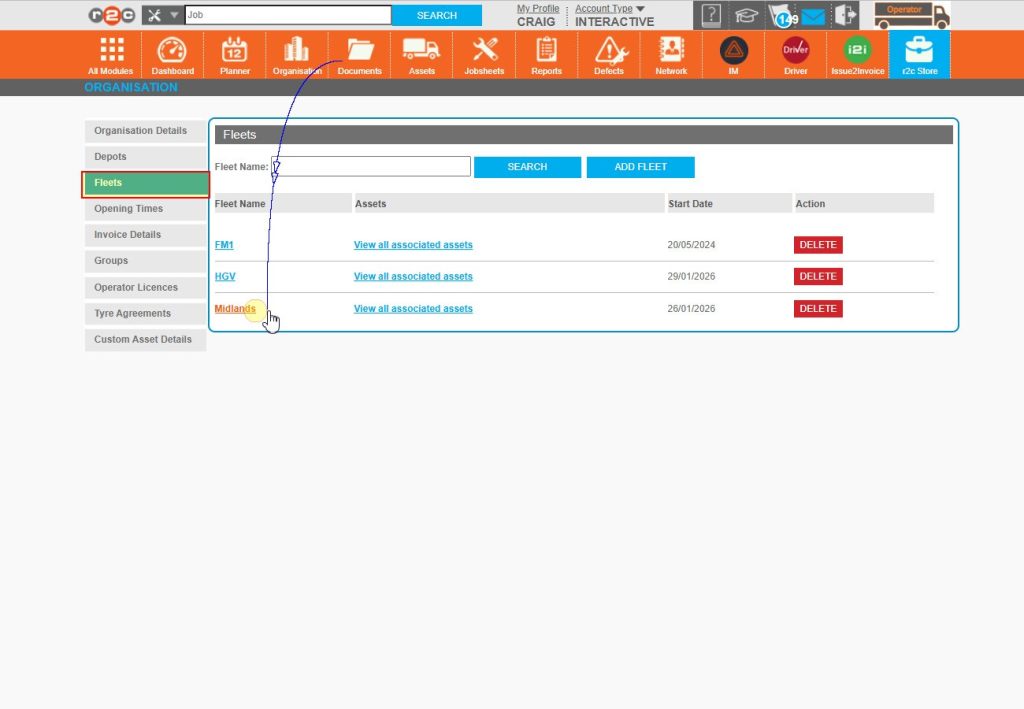
Step 1 – Start by clicking on ‘Organisation’ from the header bar.
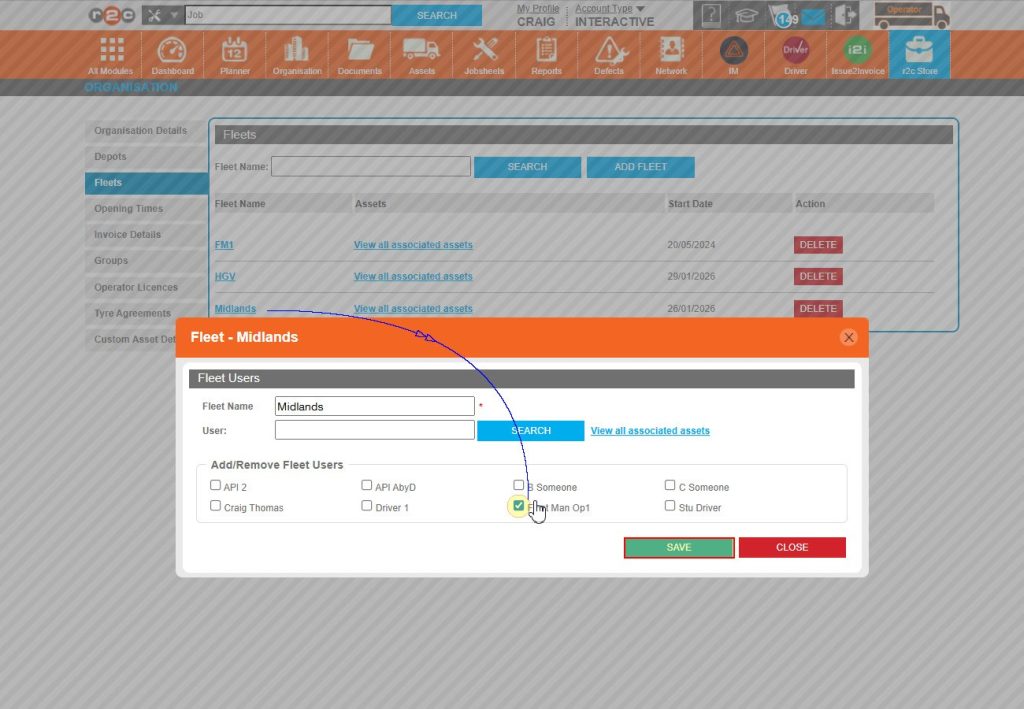
Step 2 – Next, choose ‘fleets’ from the tabs on the left-hand side and then click a Fleet name to open the settings.
Step 3 – Here you can tick the names of any users who ONLY need to see assets associated to this specific fleet and click ‘SAVE’
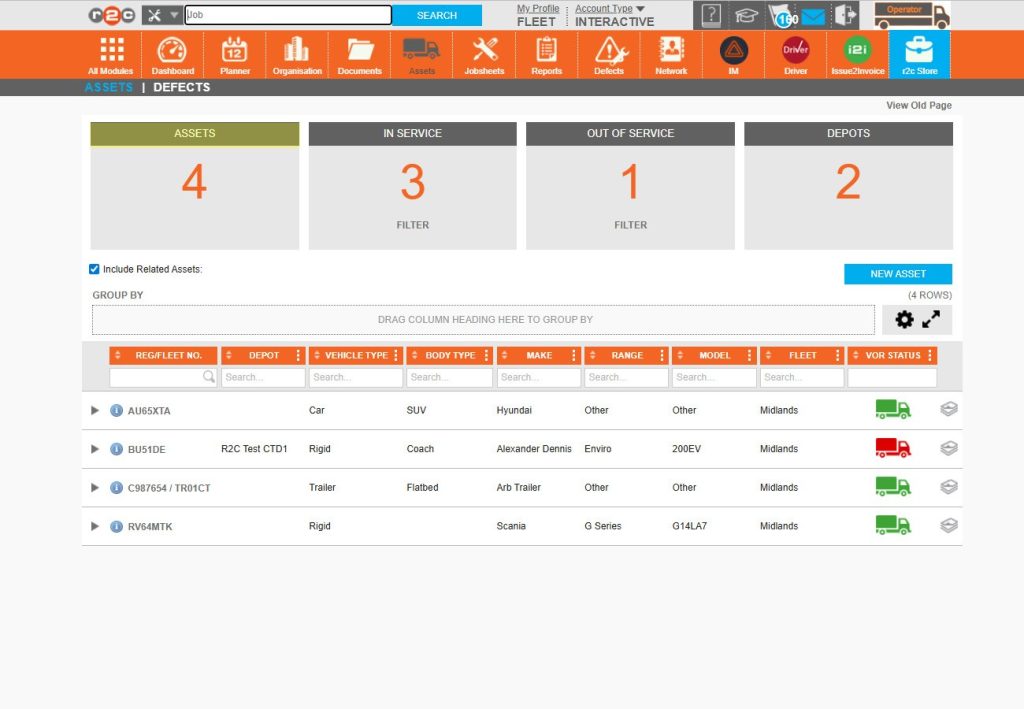
Step 4 – Returning to the asset page, note that the fleet list has now reduced to 4 assets. The view has been restricted to information related to this fleet only.
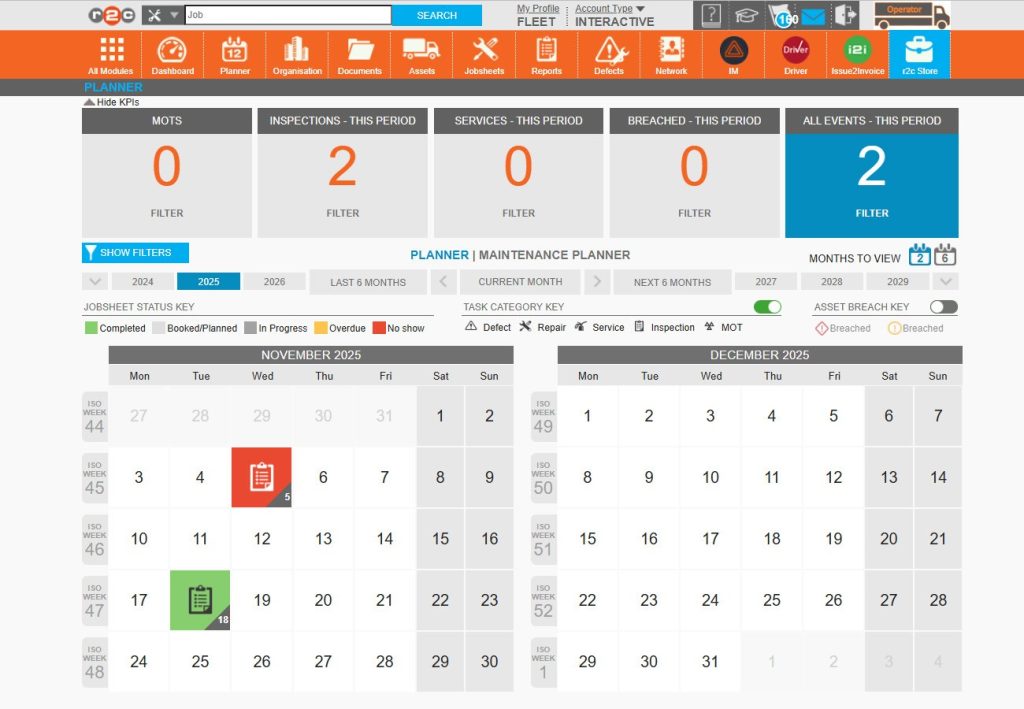
Step 5 – This filtered view also applies to other pages, in this case the planner now shows a reduced number of jobsheets. So that only work items related to the fleet assigned to this user are shown.
Technical Info & Self Help
How to remove a userfrom a fleet?
To remove a user from a specific fleet, simple untick their usernaem from the fleet list.
Can a useraccess multiplefleets?
Users can access more than one fleet. To do this, open a fleet name within the organisation page.Then tick the user that should be assigned to the fleet, repeat this on any additional fleets to add them to the users access list.
What if a user needsaccess to allassets?
If a user need access to complete fleet list. They should not be added to any individual Operating Fleets that have been created. This means their access will remain unrestricted across portal.
Can I usereports to filter assets?
Reports such as the ‘complete fleet list overview’ include the assigned operator fleet name for a vehicle under the column header “‘fleet’ allwoing you to export and filter your vehicle list.
How do I use thefleet manager fieldon assets?
This field is for messaging purposes only and unrelated to the operator fleets functionality.
A green outline on the account type icon signifies the guide is applicable whereas a red outline signifies it is not applicable to the the respective account type.