The E-Booking tool is available for Operators and Repair and Maintenance providers so that they can submit booking requests to their repair network. The repairer can then choose to accept or reject the booking depending on their availability.
Booking requests require interactive workshops to respond by either accepting or rejecting the request for work. Until a request is accepted the booking will not generate an r2c Jobsheet.
Step by Step
Sending an E-Booking – To see the steps taken to submit a booking request, click or swipe through the 10 steps below.
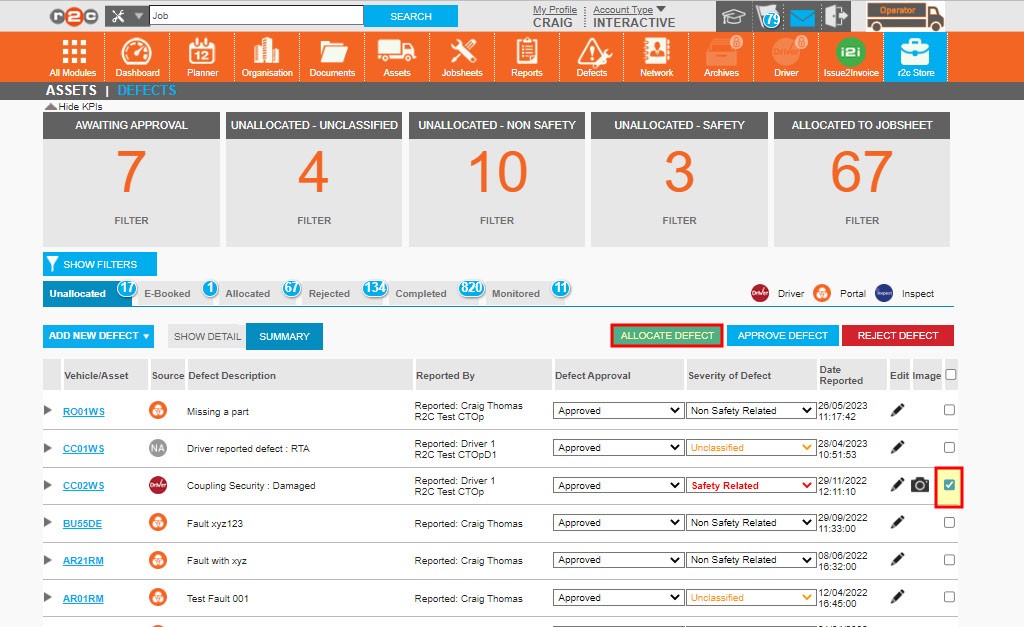
Step 1 – To allocate a defect to a new booking, select the individual defect using the check box and then click ALLOCATE DEFECT
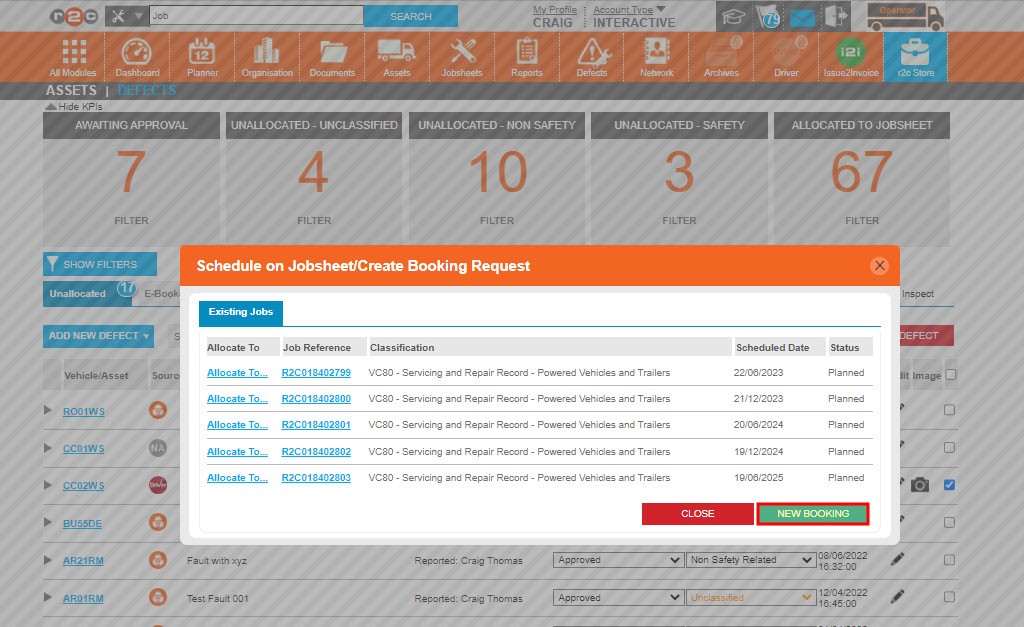
Step 2 – Next choose the NEW BOOKING option.
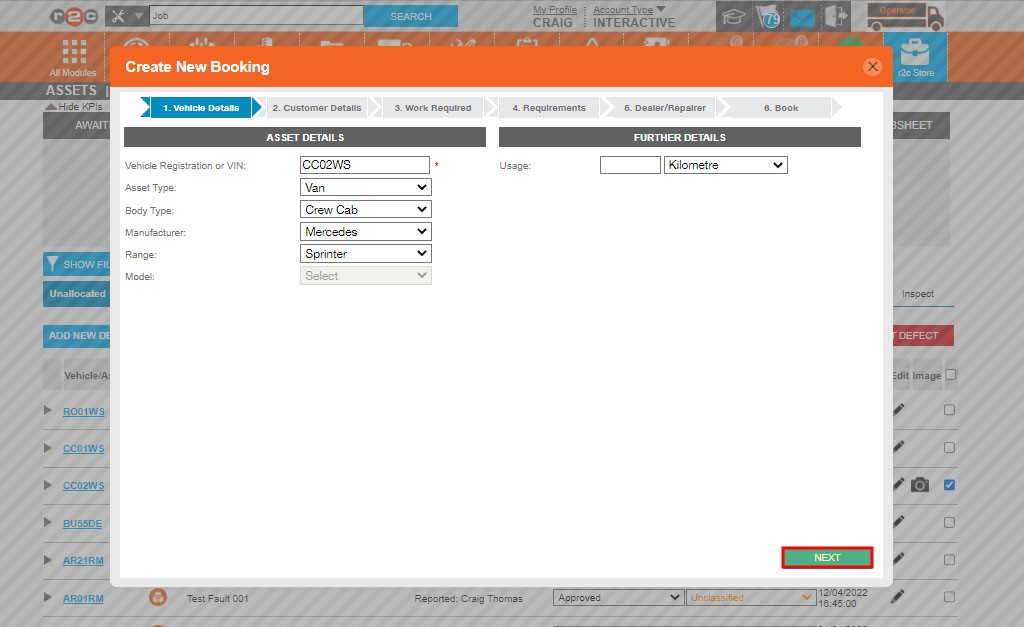
Step 3 – This will open the Booking Request wizard; the first step is to confirm the asset details. Click Next to move on to the next part of the booking.
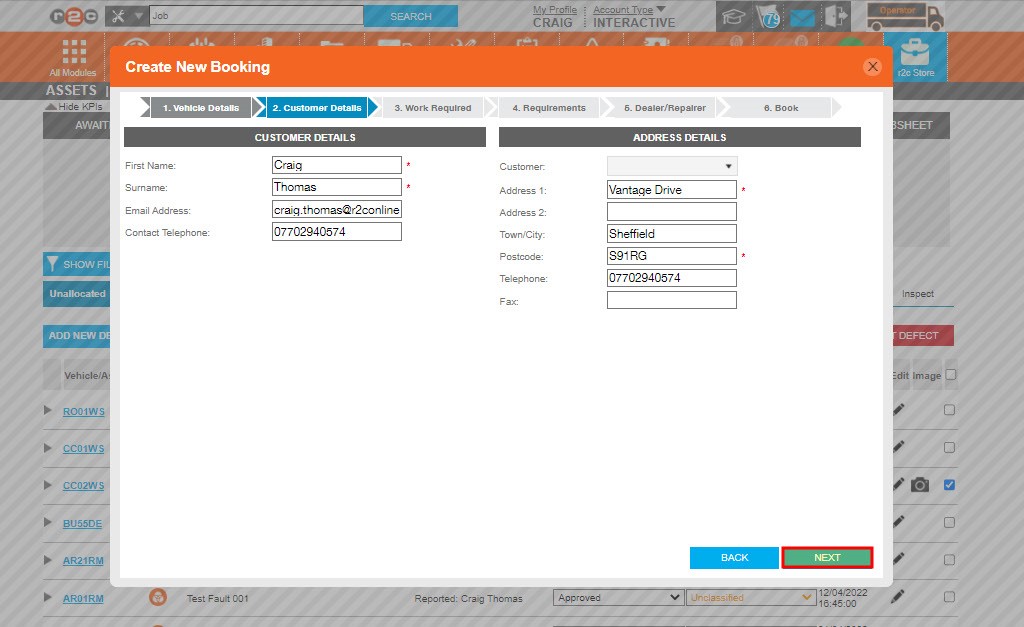
Step 4 – Next review and update the customer details, click NEXT once done
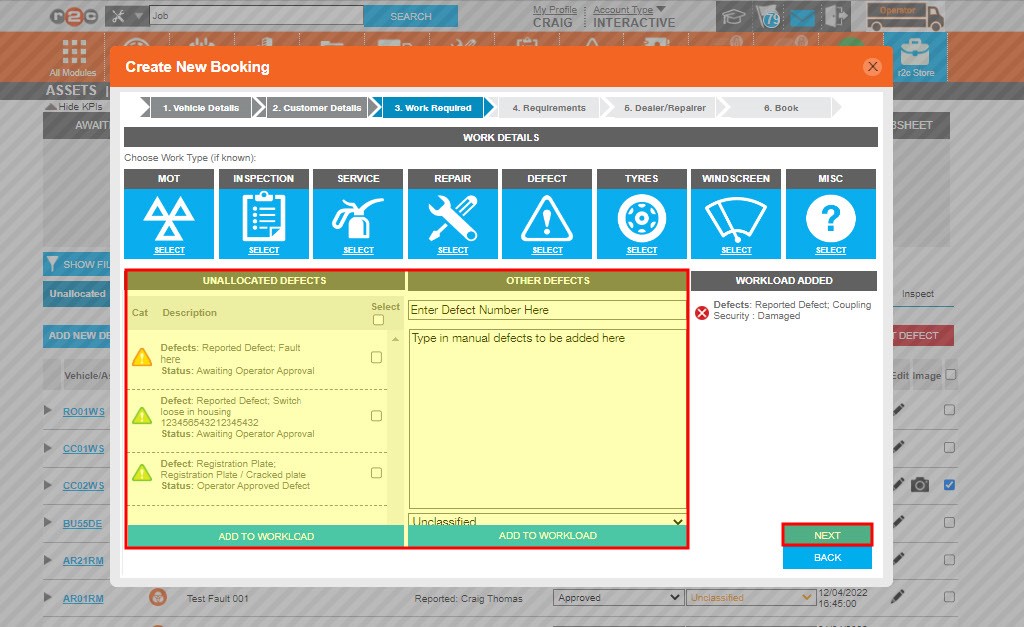
Step 5 – Next, you will see the defect allocated as well as the option to add further work. This can be typed in to add a new defect or you can choose from any other defects available for this asset.
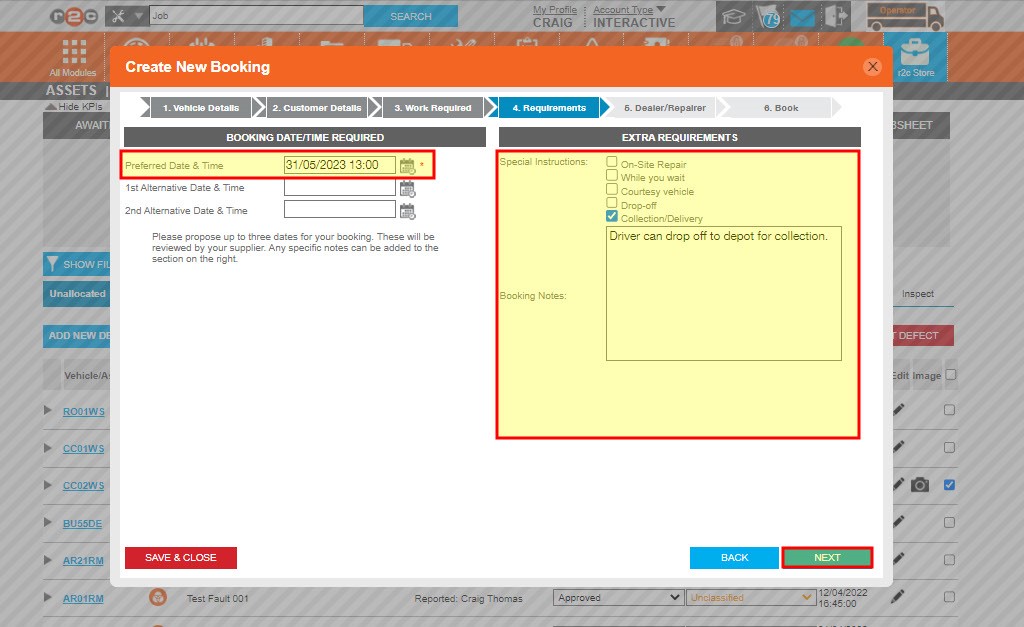
Step 6 – You can then specify up to 3 dates for the booking and enter any additional notes.
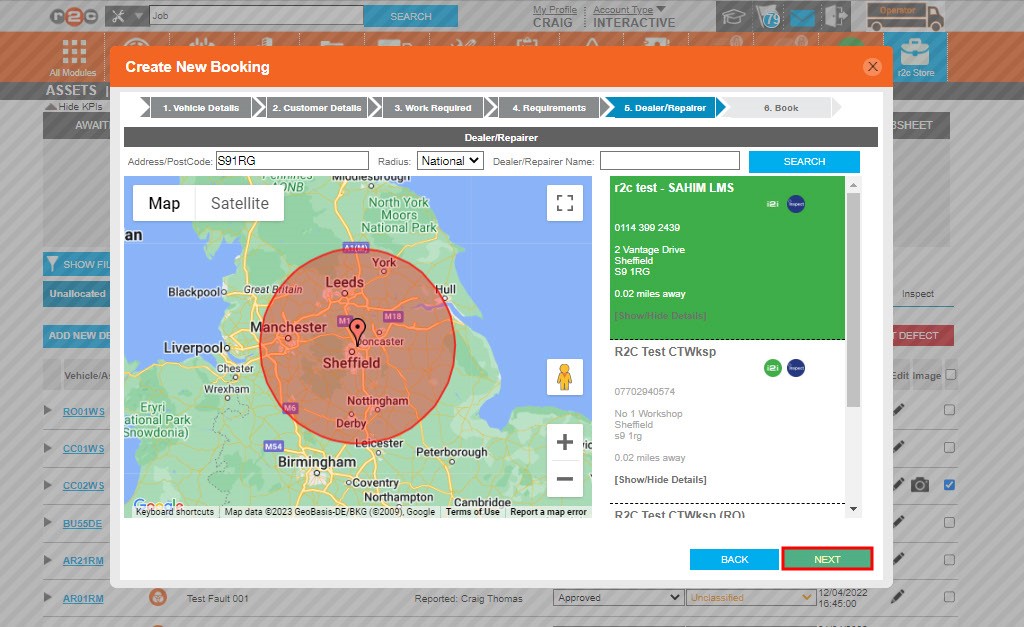
Step 7 – Next, choose the workshop you want to send the Booking request message to.
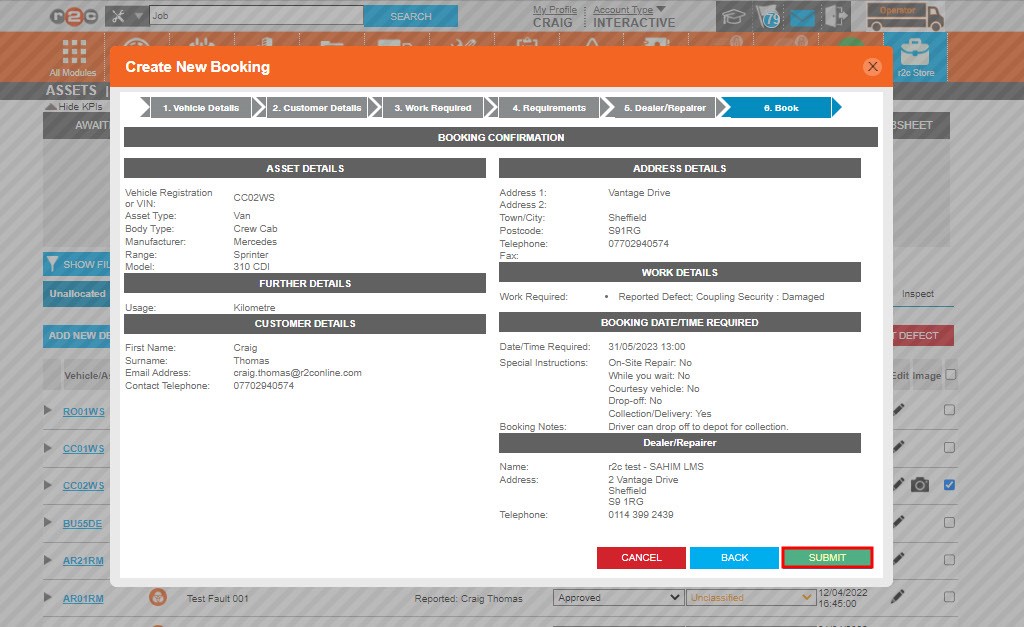
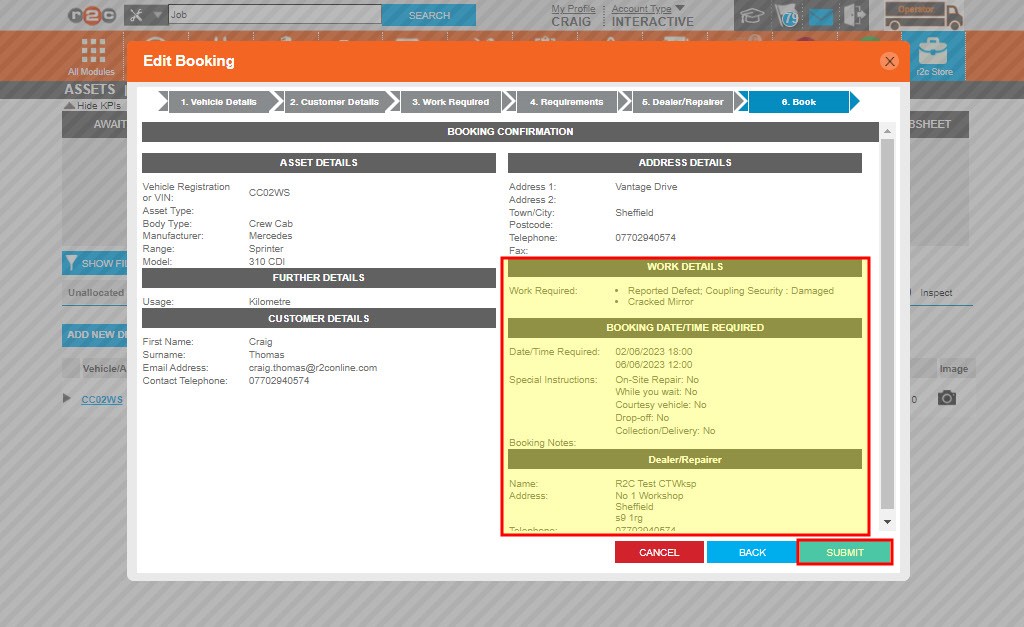
Step 8 – The final step gives you a summary of the details entered. You can return to any of the previous steps to amend the details. Once ready click the SUBMIT button.
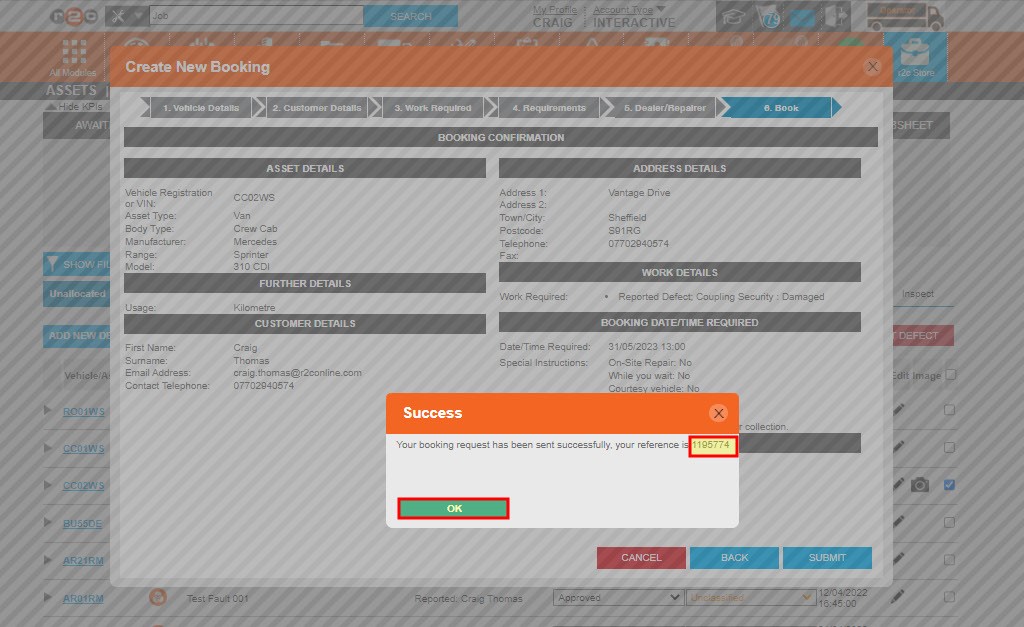
Step 9 – The pop up message confirms the message has been sent and provides a booking request number. Click OK to complete the process.
Step 1 – A defect can be marked as approved using the highlighted drop-down box. Defects that have been approved here are then visible to the workshop who is currently working on the asset. This allows the workshop to select any open defects and add them directly to their job.
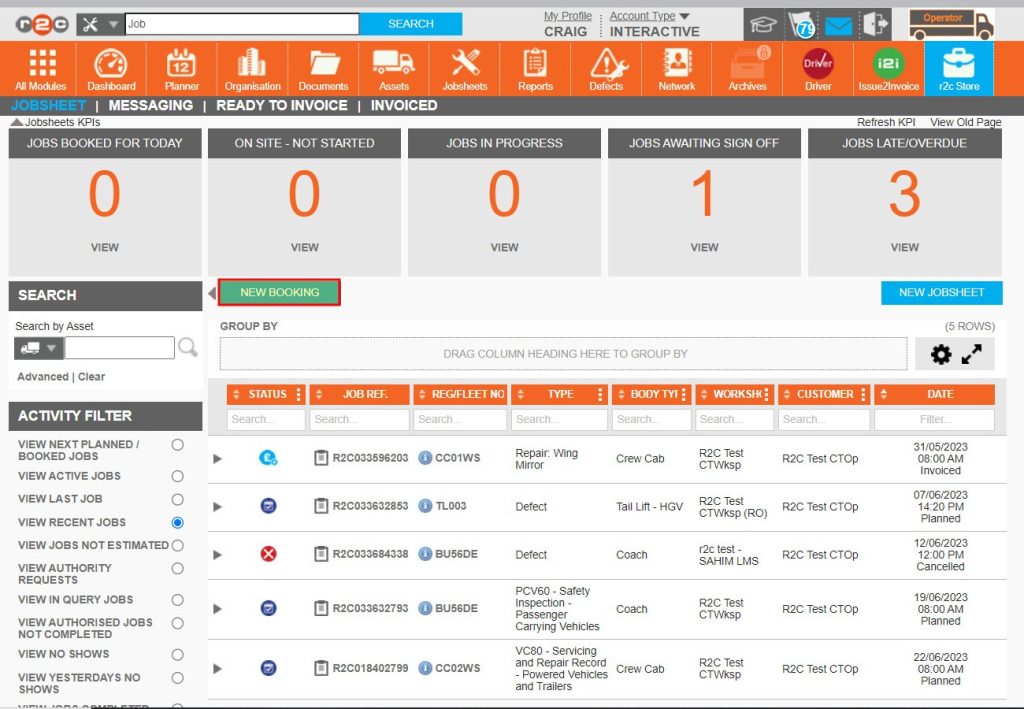
Booking requests can also be submitted for ad-hoc items that are not already in the defect list. To do this use the alternative steps below to launch the E-Booking wizard. This is found on the Jobsheets page.
Step 1: Click the New Booking button from the Jobsheets page
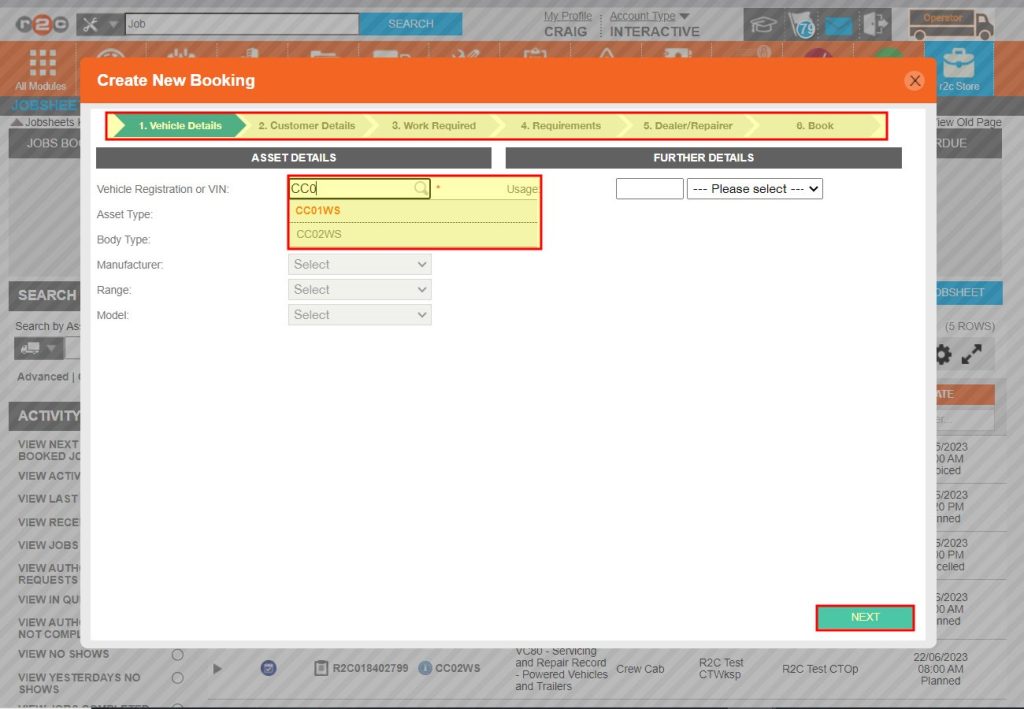
Step 2 - Start by searching for the asset you require amd then repeat the steps as before to submit a booking
Amending a Booking- To see the steps taken to amend a booking request, click or swipe through the 5 steps below.
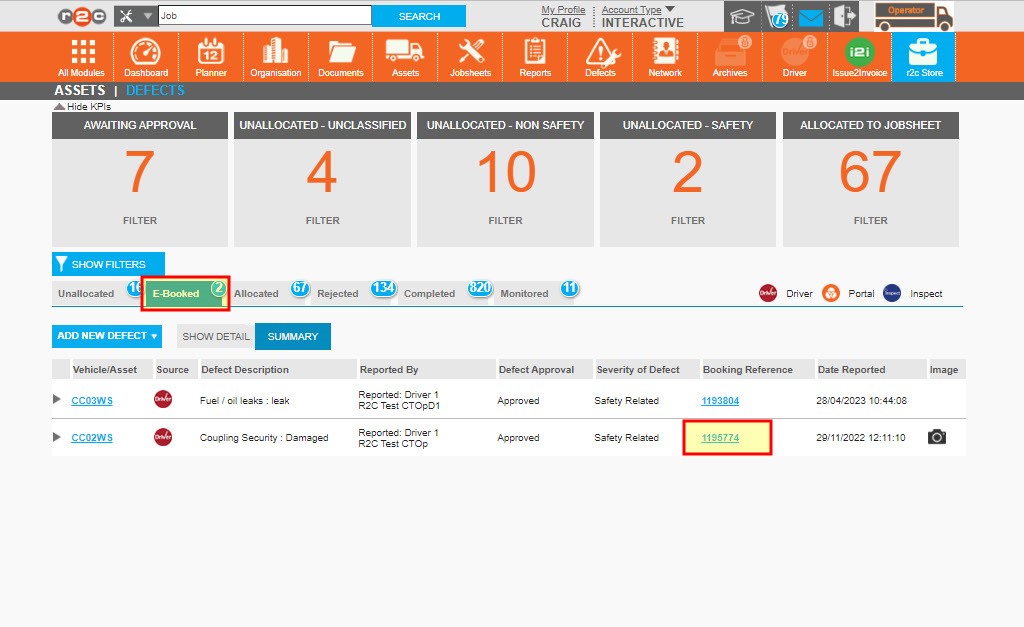
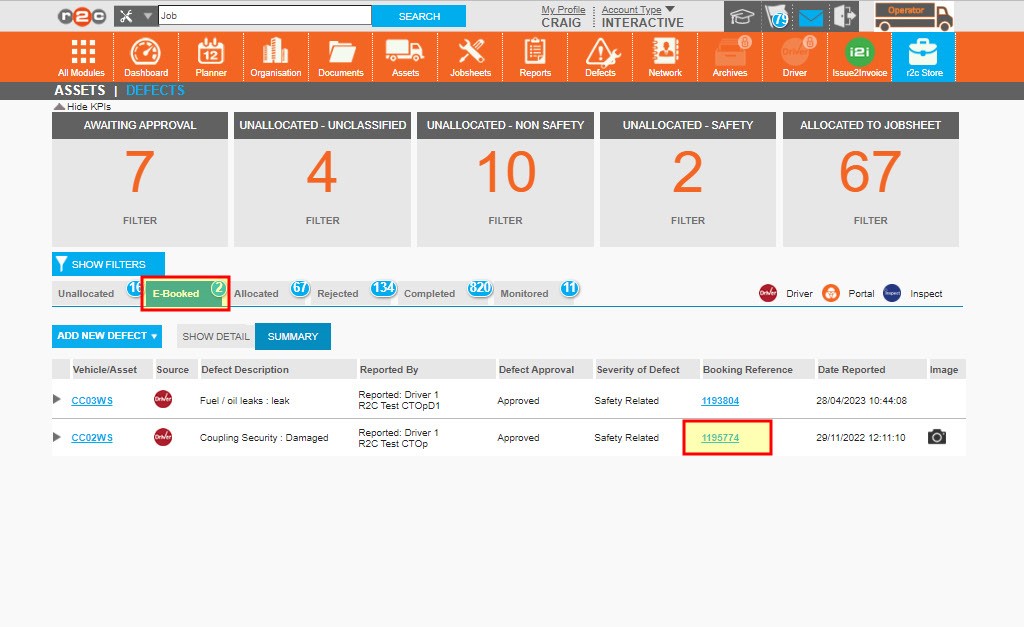
Step 1 – To re-open the submitted request, go to the E-Booked tab and click the booking reference number.
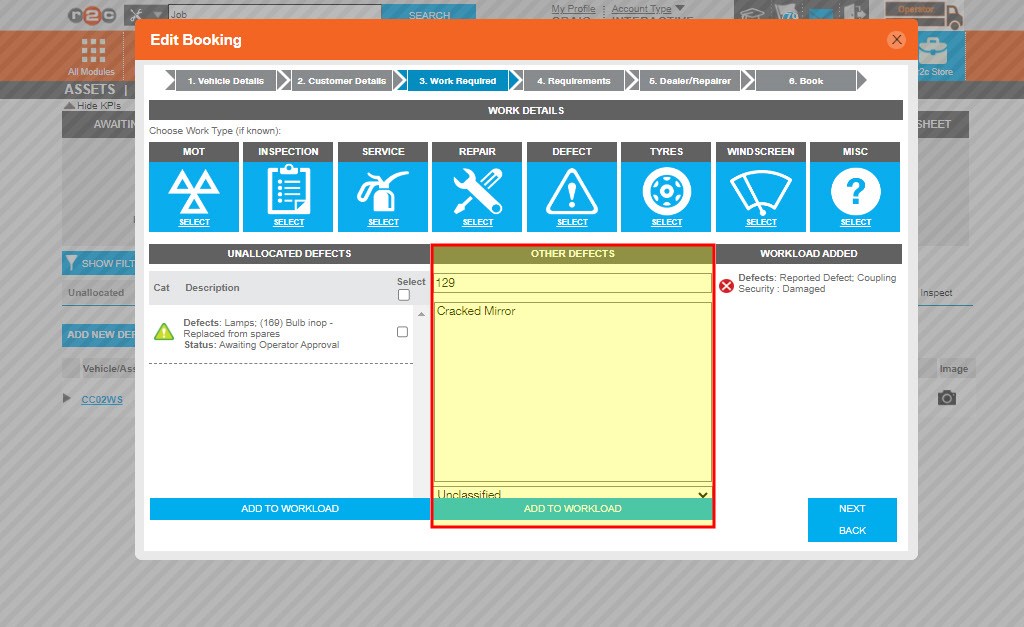
Step 2 – Next go to the relevant E-Booking step in turn and make your amendments such as adding additional work items.
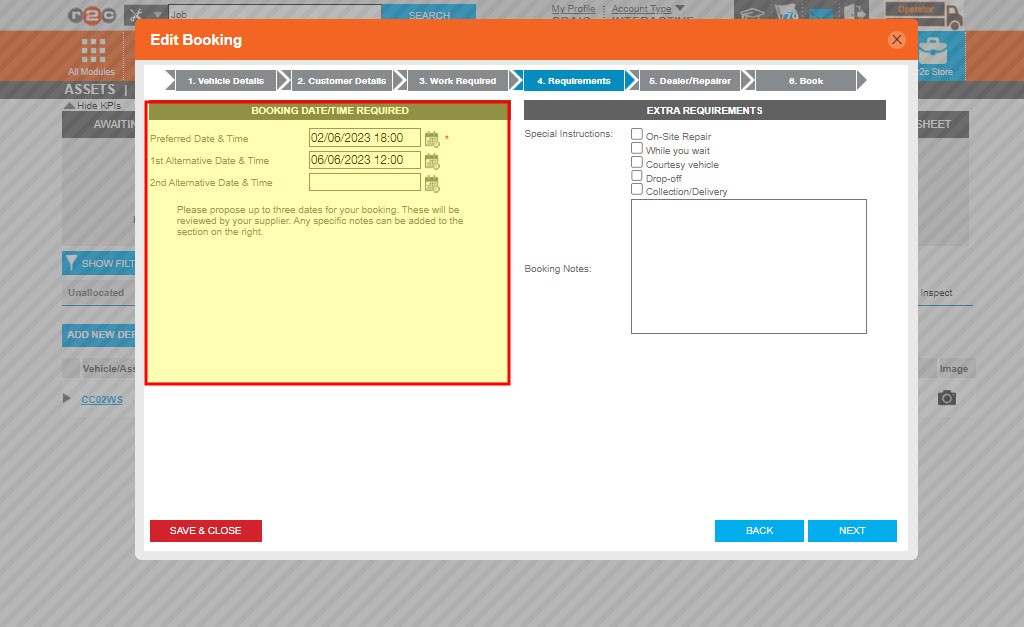
Step 3 – you can also make changes to the proposed dates as needed.
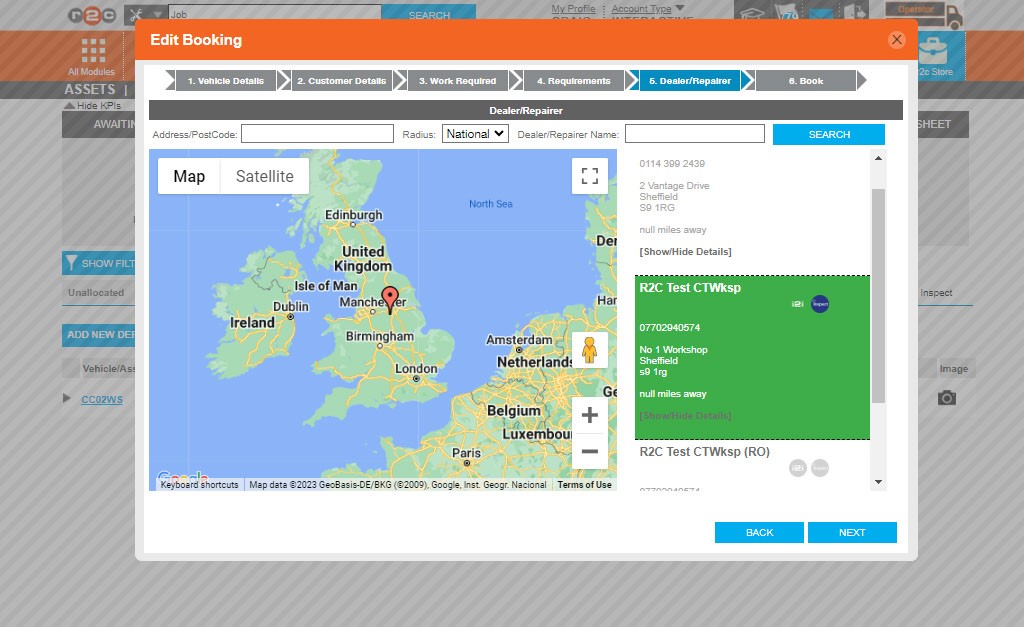
Step 4 – You can also choose to submit the booking to a completely different repairer. This will replace the previous booking that was submitted.
Step 5 – Once you are happy with the changes made, click submit to re-send the booking request message.
Cancel a Booking- To see the steps taken to cancel a booking click or swipe through the X steps below.
Step 1 – Go to the E-Booked tab and click the booking reference number
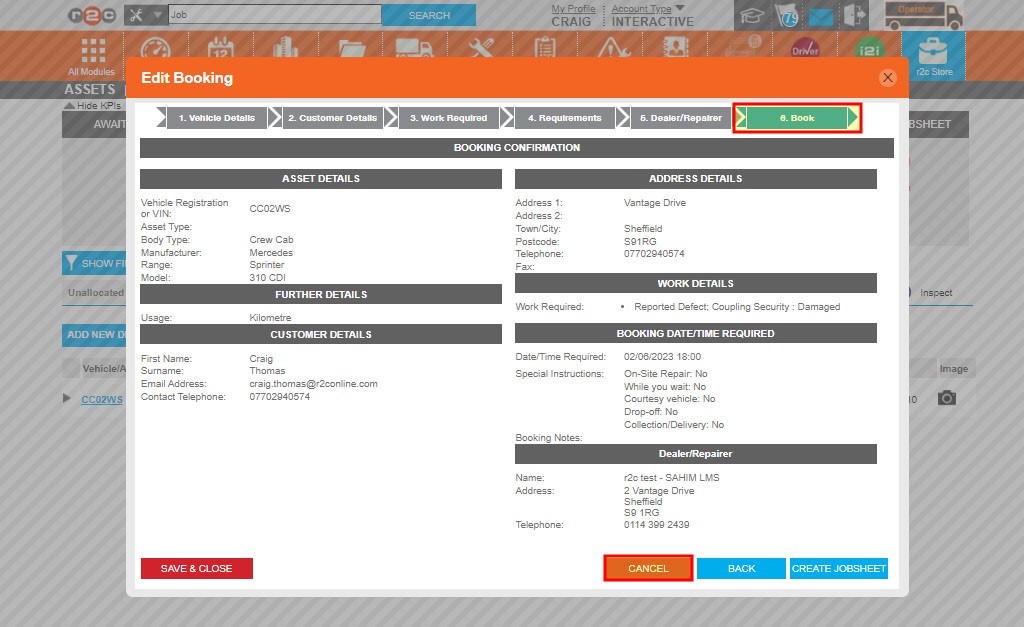
Step 2- Once the E-Booking wizard re-opens click step 6 to go to the final part of the process. Then click CANCEL. This will return the defect to the unallocated tab to be re-booked when needed.
Technical Info & Self Help
What if I use aninternal repairer?
Internal workshops – if your agreed process with the internal workshop eliminates the need for the workshop users to review an accept booking requests. You can utilise the ‘create jobsheet’ option.
This will force generate a job from your booking on their behalf. This feature should not be used for external repairers in the network.
See the 2 steps below on how to do this.
Step 1 – Go to the E-Booked tab and click the booking reference number
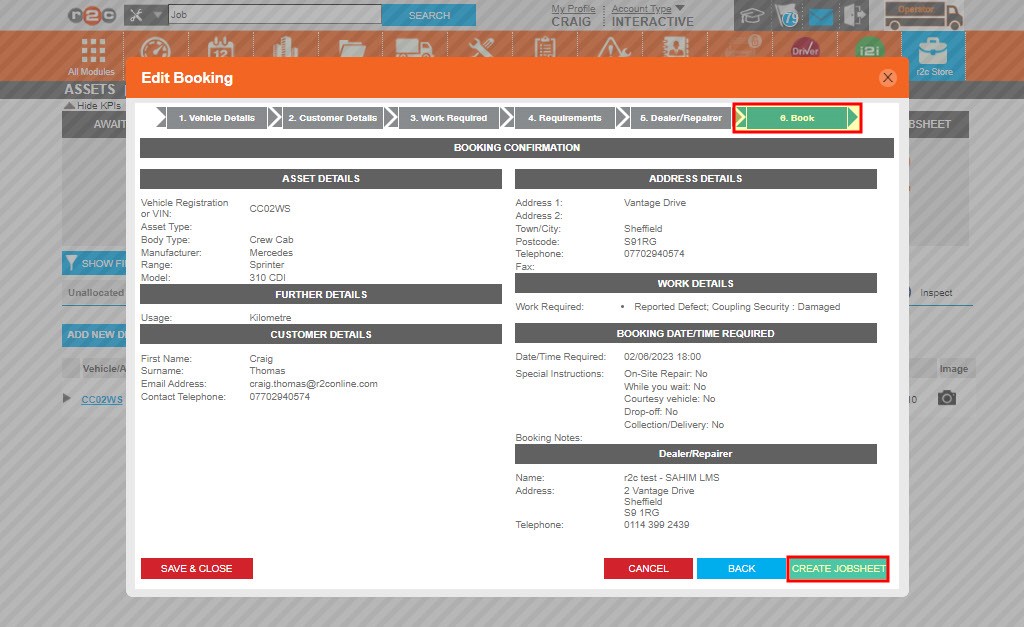
Step 2 -Once the E-Booking wizard re-opens click step 6 to go to the final part of the process. Then click. CREATE JOBSHEET to accept the booking on the workshop’s behalf. This will generate a job sheet ready for the internal workshop to pick up.
A green outline on the account type icon signifies the guide is applicable whereas a red outline signifies it is not applicable to the the respective account type.