



Introduction
In situations where the customer does not have the i2i module but you would still like to load costs to a jobsheet for your own records, additional settings can be applied to your account to enable ‘self-authorisation’.
In this instance you will need to contact the customer outside of the system for authorisation. You can then add this information to the jobsheet, and it will default to authorised. However, the costs and Invoice PDF will not be visible in portal to the customer.
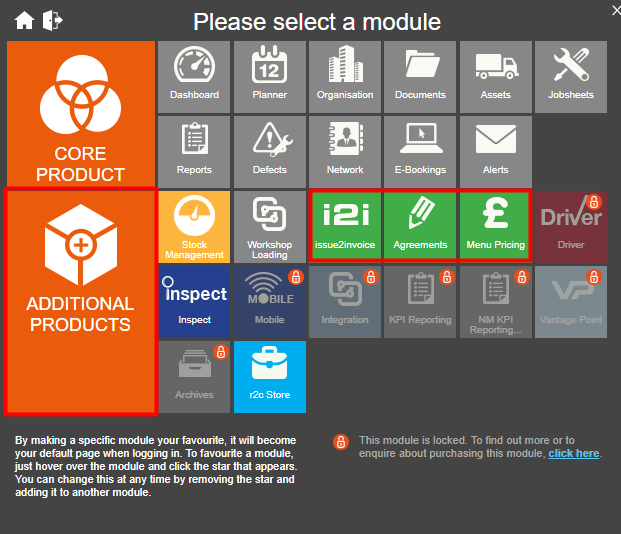
When customers have additional modules. The icons are displayed here. In this example the customer does not have the i2i Module.
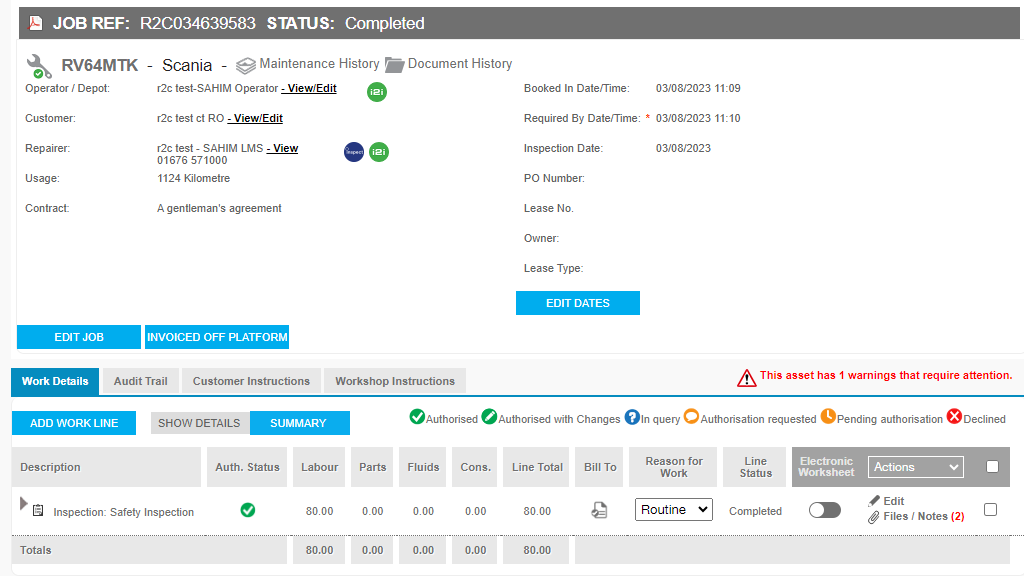
The status of a line will always default to Authorised. As the customer does not have the i2i functionality to respond and approve costs.
The job can be marked as Invoice off Platform for your own reference.
How does the Self-authorisation apply to your account?
Self-authorisation is available upon request to all interactive accounts that use the i2i module. Use the slides to explore how it may be used by your account type.*
*Please note this functionality can affect your monthly r2c subscription costs.
Technical Info & Self Help
Can all my customers view the Invoice?
As i2i is an additional module for interactive accounts to purchase. Only interactive customers who have the i2i module enabled, will see the invoice details in portal.
How do I create a self authorised jobsheet?
Self Authorisation jobsheets are created in the same way however, they will default to authorised when the customer does not have i2i.
Where a customer does have the i2i module. The self-authorisation settings will not apply and the normal authorisation request process will need to be followed.
Can all users create self authorised jobsheets?
In order for the work lines to update as self-authorised. A user must have the Authorisation Officer Role enabled.
Users must also be set up in an Authorisation group with a limit. This is only applicable for Operator and R&M users.
Where a user does not have these roles enabled, the costs will need to be authorised by another user on the account wit these permissions.