Invoice Integration is a tool designed to seamlessly transfer r2c invoices to your finance tool. this is an additional module and is not part of the core product. Please note, your r2c contract may affect this as well as user role permissions.
The invoice integration settings are only accessible by the finance administrator roles in the workshop or R&M provider accounts. Once configured these settings will only need to be updated when a nominal code changes or a new customer added. Note: If you do not have the finance administrator role, please get in touch with your account manager.
Invoice Integration will only populate for users with the correct user role.
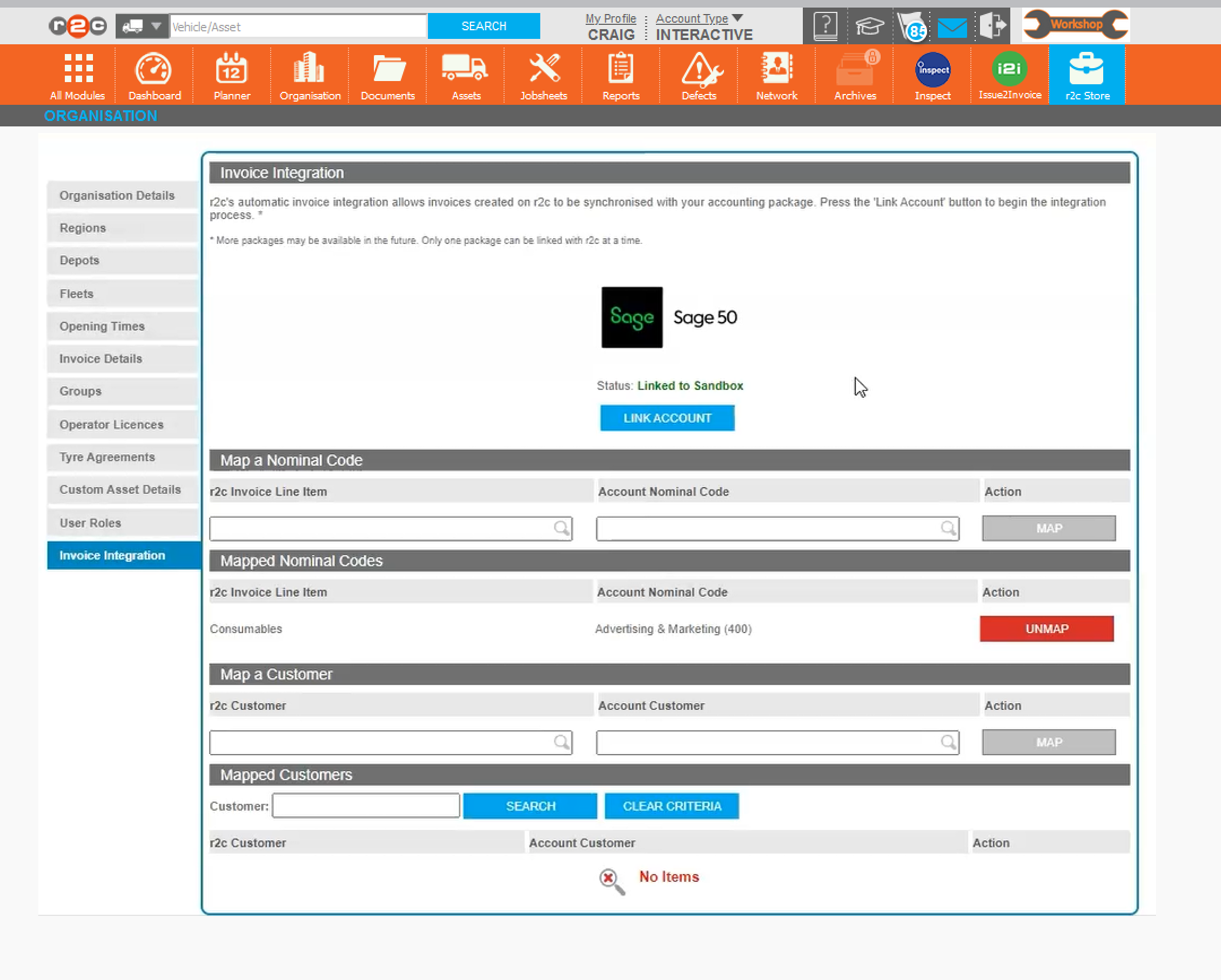
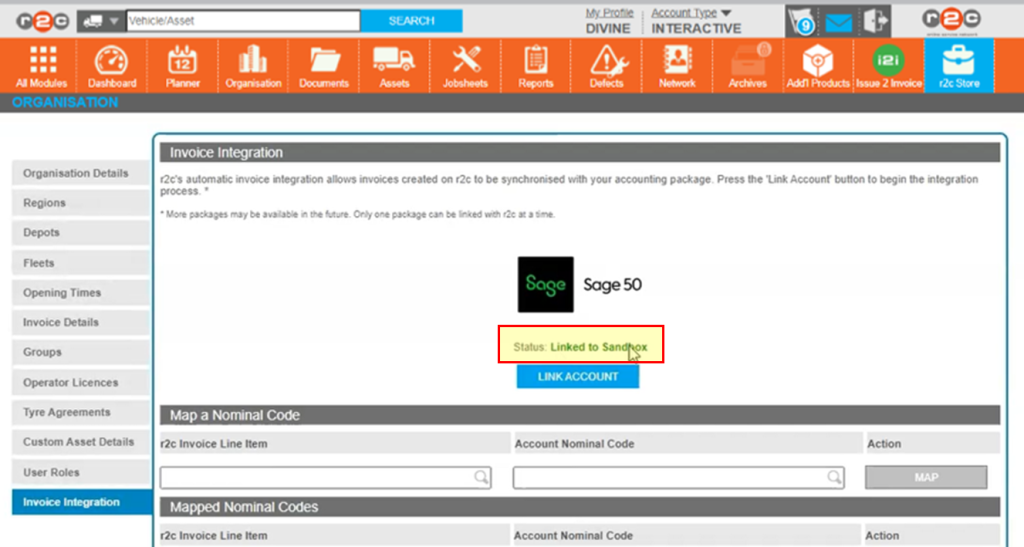
The Linked Status will be displayed here or a new link can be established via the LINK ACCOUNT button.
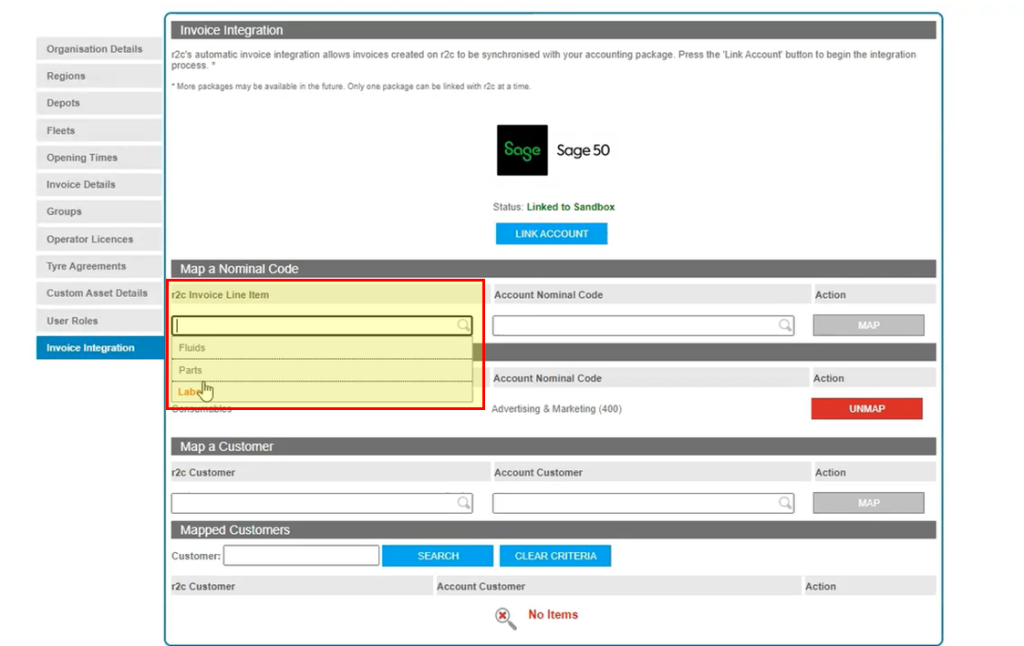
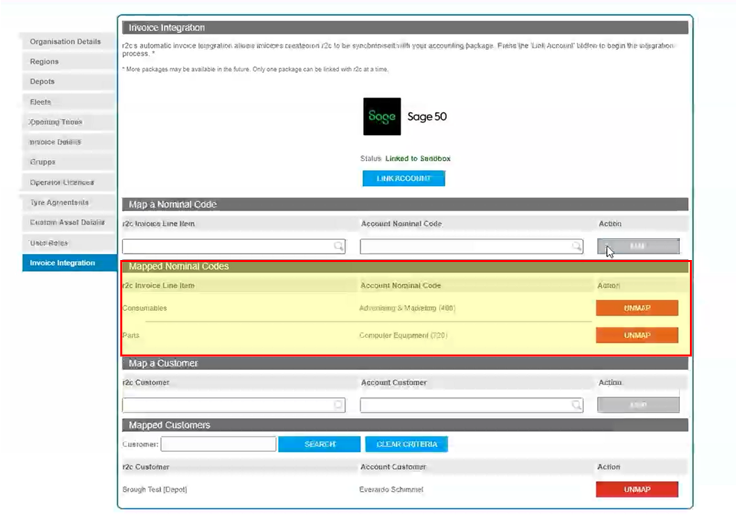
The Map & Mapped Nominal Codes area allows for the mapping of invoice lines and displays the existing mapped lines.
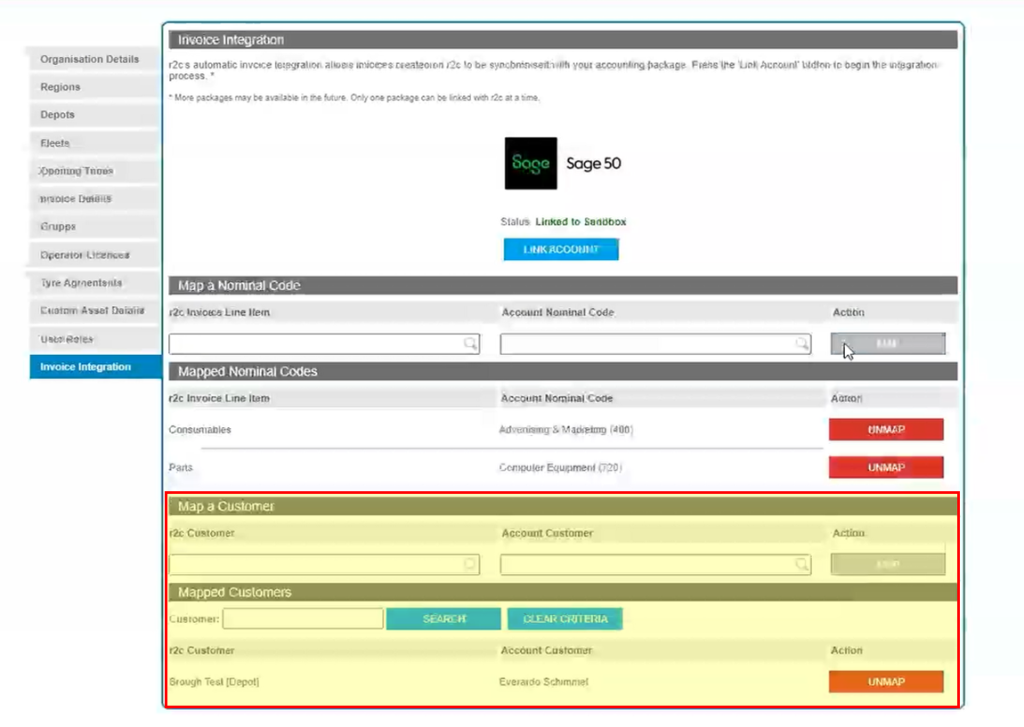
The Map & Mapped Customers area allows for the mapping of r2c customers and displays the existing mapped customers with the addition of a search function.
Step by Step
User Configuration – In order to maintain the Invoice Integration module, an additional role is required to be allocated to the appropriate user. For further information on user roles see Managing Workshop Users The additional roles are;
• Finance Administrator: This role allows the user to link to the accounting package and map nominal codes and customers.
Linking to Accounting Package – To see the steps taken to link r2c to a finance accounting package, click or swipe through the 6 steps below.
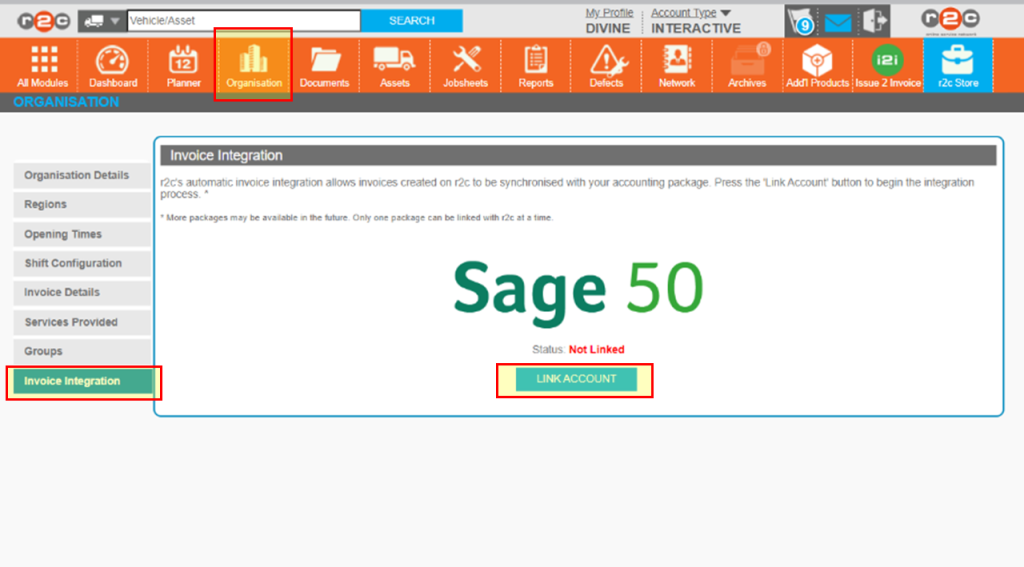
Step 1 – From the Organisation page and Invoice Integration tab, select 'LINK ACCOUNT'
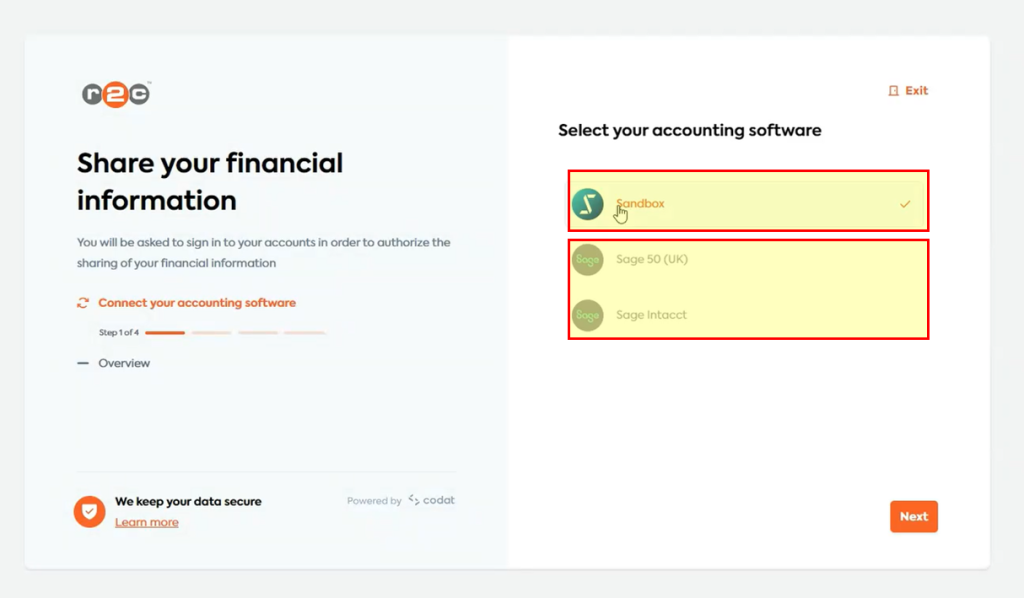
Step 2 – Select the accounts package you wish to link to then click Next.
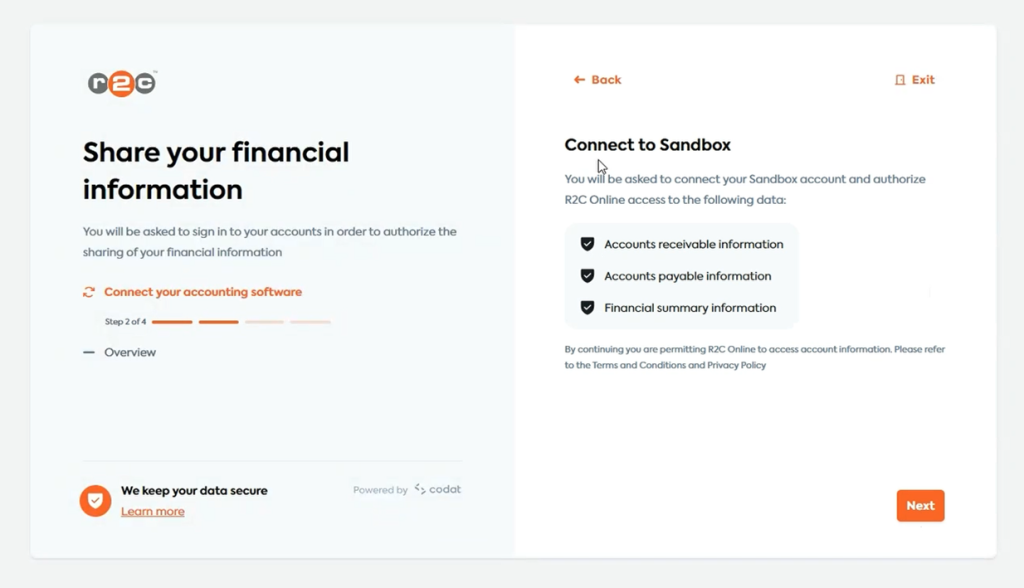
Step 3 – Click Next on the account confirmation screen.
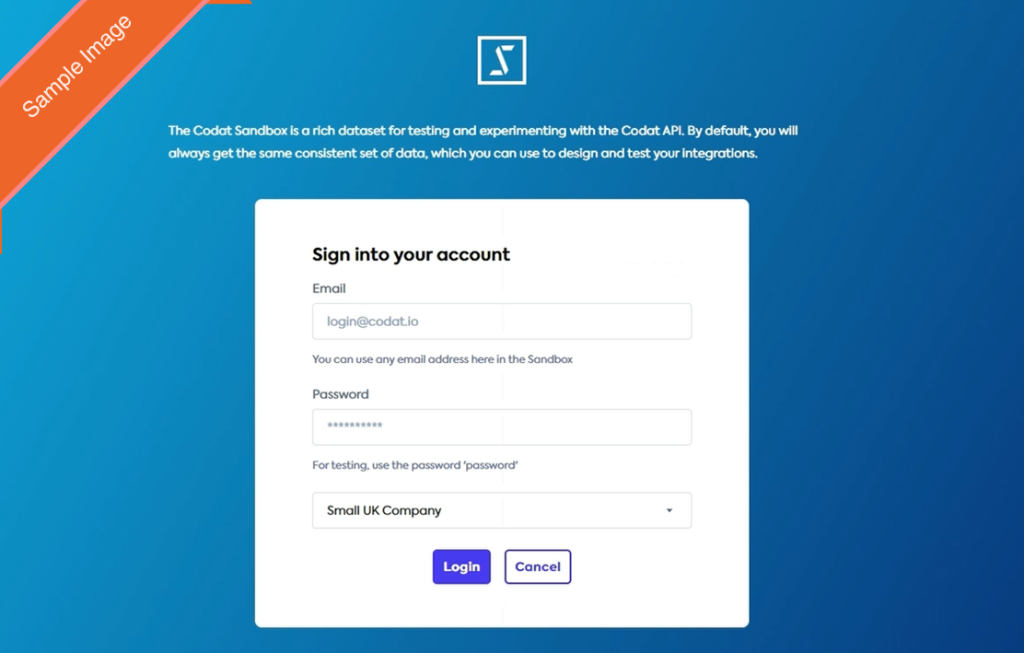
Step 4 – Login to the accounting package, before allowing access.
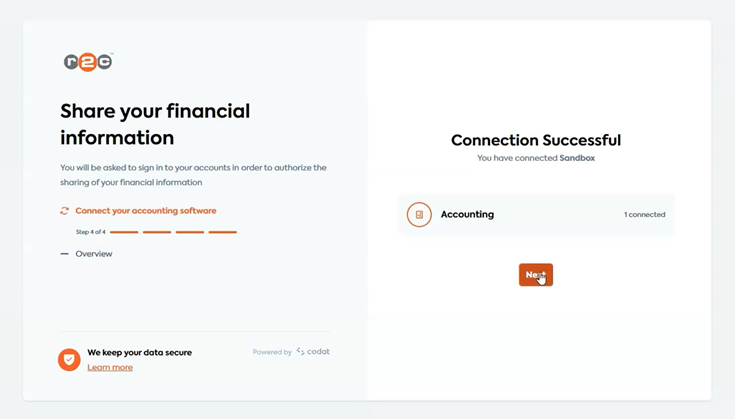
Step 5 – Once the connection has been established click Next and Finish to return to the r2c portal.
Step 6 – The status on the Invoice Integration tab will now read as linked, and the mapping fields visible.
Mapping – To see the steps taken to map nominal codes and customers, click or swipe through the 4 steps below.
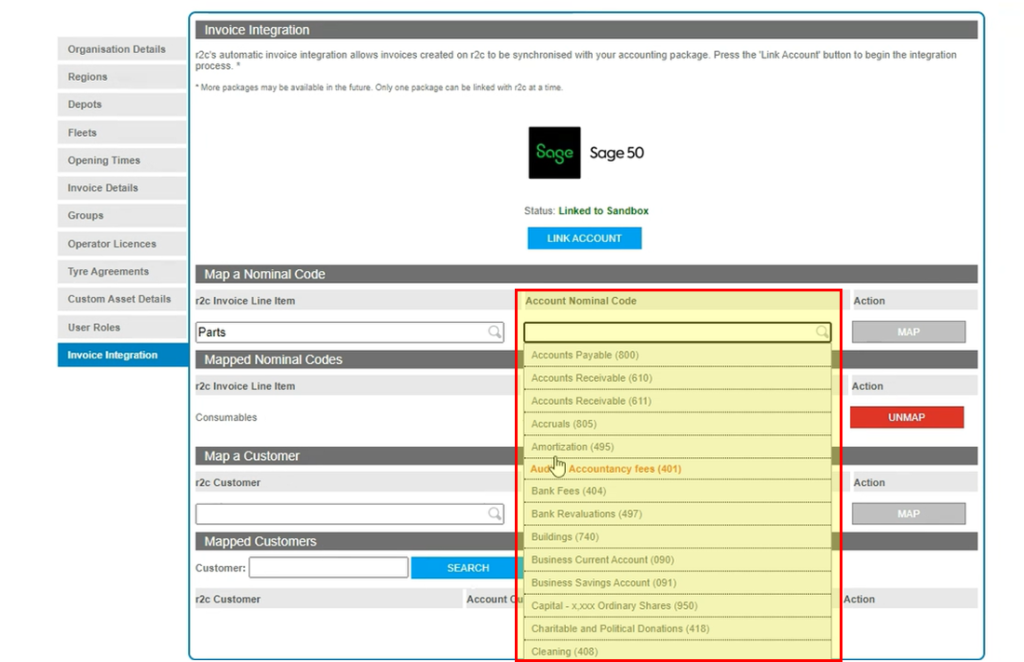
Step 1 – To begin mapping the nominal codes, first select the r2c Invoice Line Item field and select an option from the drop-down list.
Step 2 – The equivalent account package nominal code can now be selected from the Account Nominal Code field drop down list before clicking MAP.
Step 3 – The Mapped Nominal Codes area allows for mapped codes to be review and where necessary UNMAPPED.
Step 4 – Mapping customers is carried out in the same way as mapping nominal codes, the mapped customer area also provides the additional functionality of being able to search mapped customers.
Invoicing – To see the steps taken to invoice a job, click or swipe through the 2 steps below.
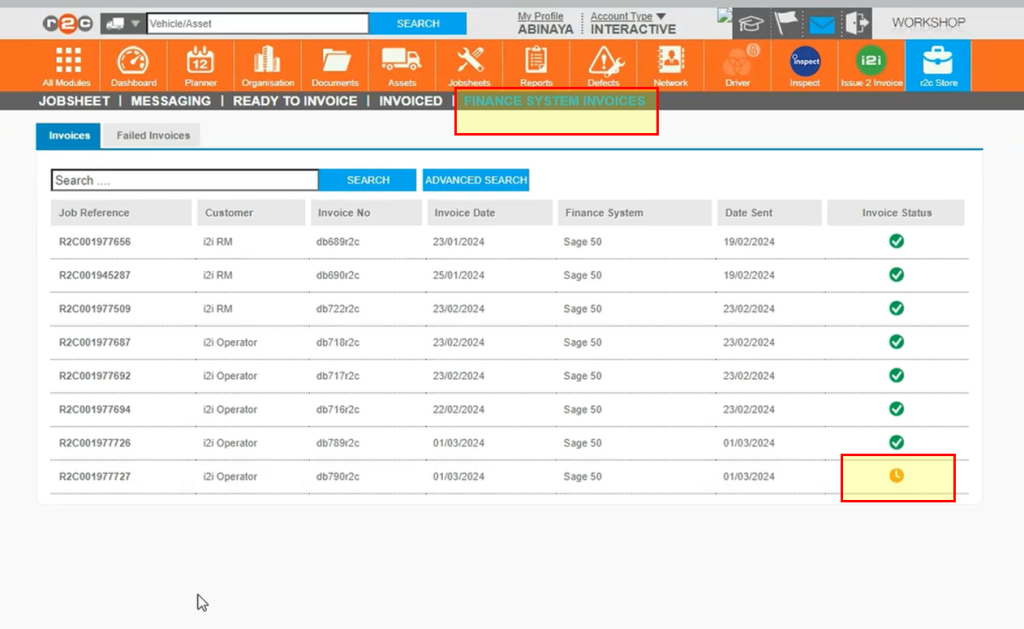
Step 1 – Once the job has been invoiced, either through the jobsheet or via the READY TO INVOICE page, the new FINANCE SYSTEM INVOICES page with show confirmation that the invoice has been passed to the accounting package. Any pending statuses should complete within the minute.
Step 2 – The invoice can now be found in the finance accounting package.
Sage 50 - Example Steps
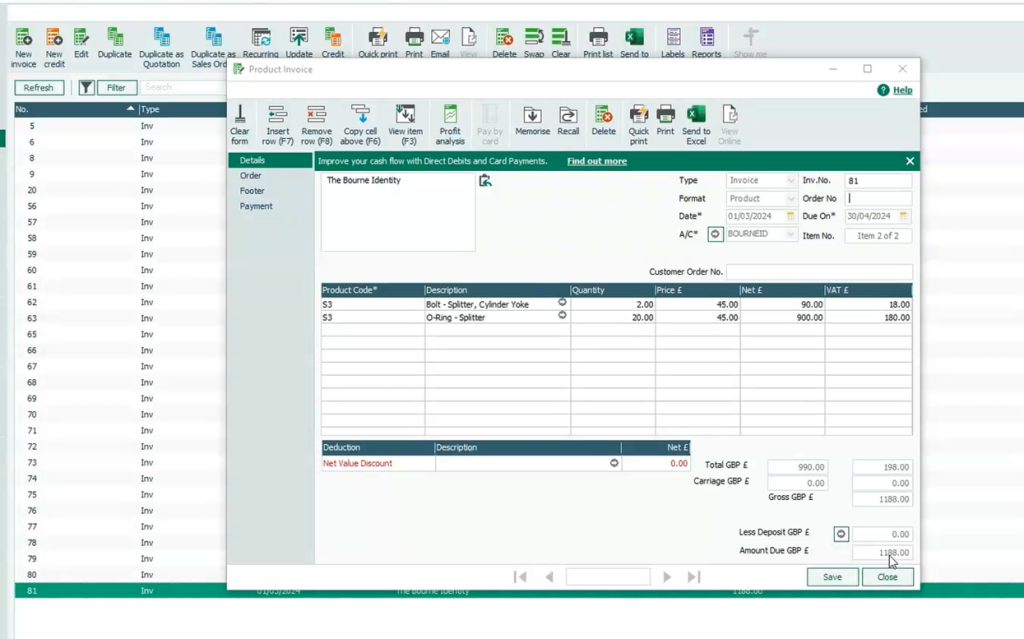
Linking to Sage 50 – To see the steps taken to link r2c to the Sage 50 accounting package, click or swipe through the 11 steps below.
Please note these steps may vary depending on your package set up.
Step 1 – From the Organisation page and Invoice Integration tab, select 'LINK ACCOUNT'
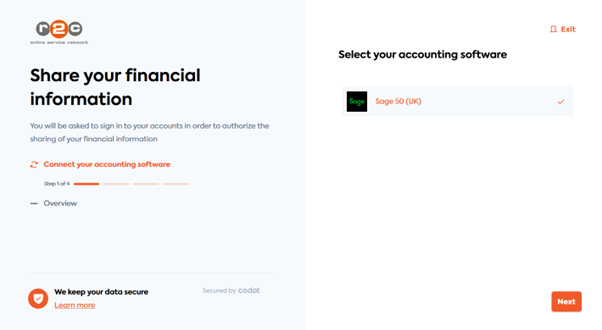
Step 2 – Select the Sage 50 accounts package then click 'Next'.
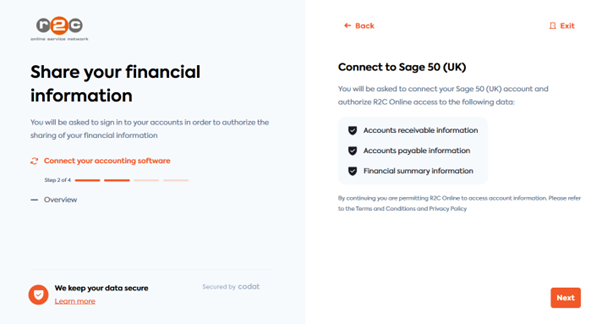
Step 3 - Click 'Next' to confirm you happy to share your data with r2c
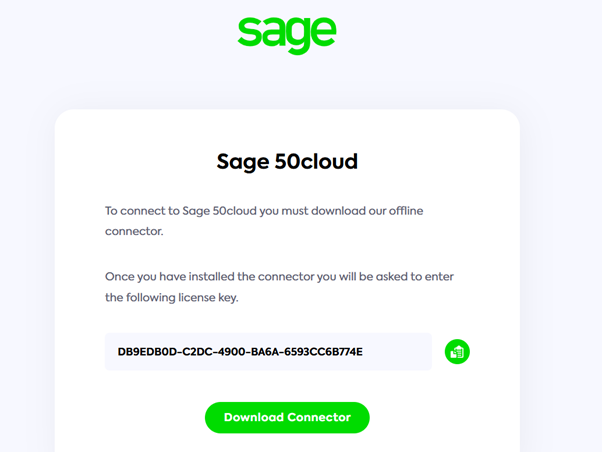
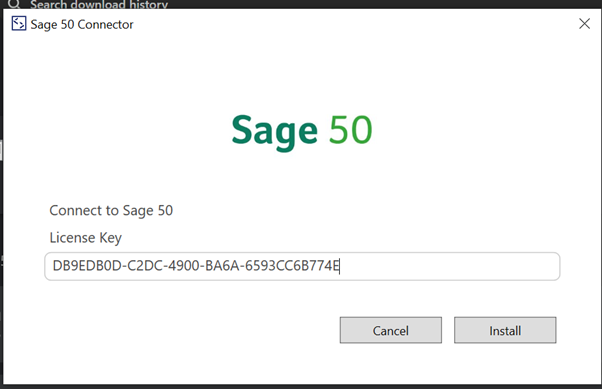
Step 4- A new tab will open, download the connector and make a note of the license code in a notes app or MS Word.
Step 5 - Once downloaded, open the connector and paste in the license code. Click Install to continue.
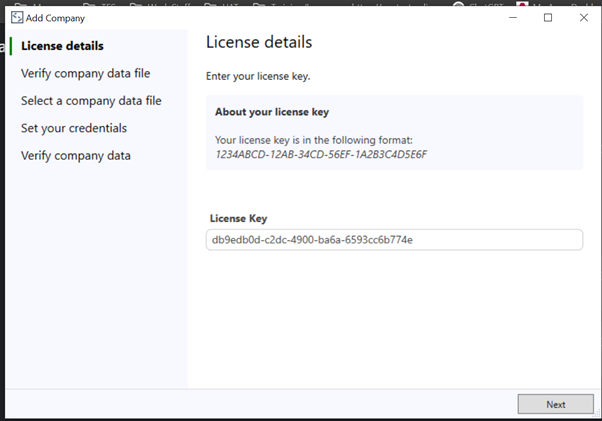
Step 6 - Paste in the license code, and click 'Next'
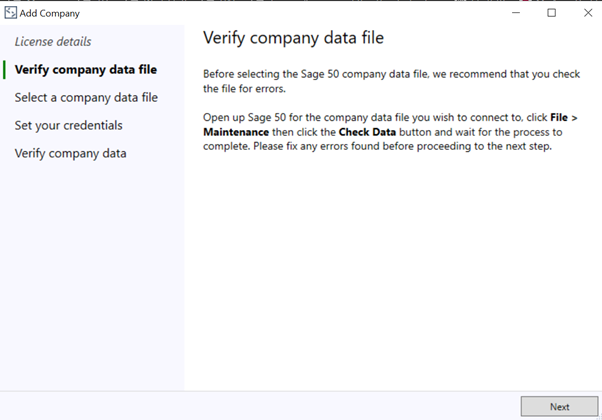
Step 7 - In Sage, Verify the data file to check for any errors before proceeding. Make note of the file path for the data file on a notes app or MS Word. You can do this by clicking Help> about > data directory. Once the process has been completed, close Sage and return to the Connector window.
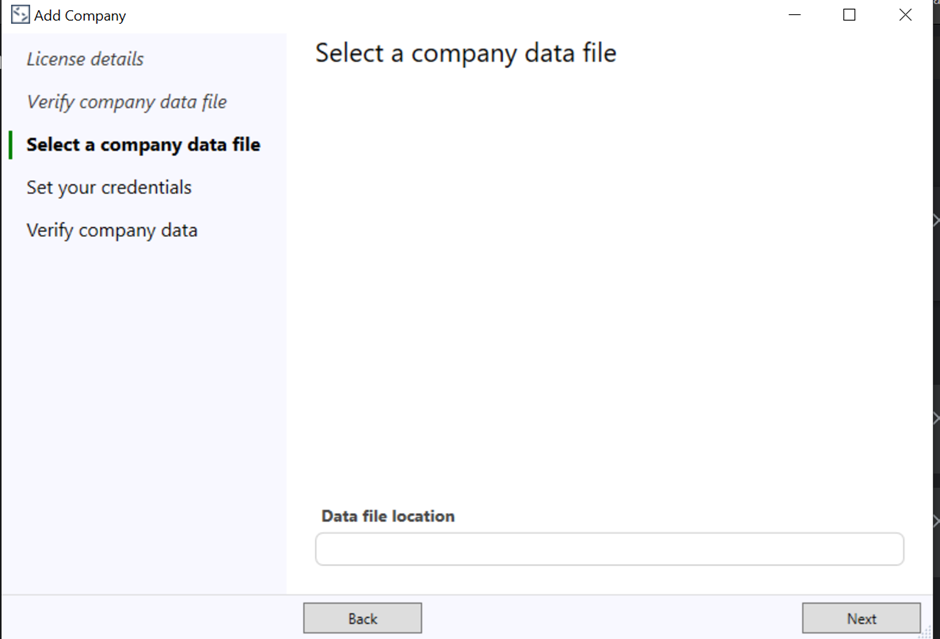
Step 8 - Enter the file path that was noted in the previous steps and click 'Next'
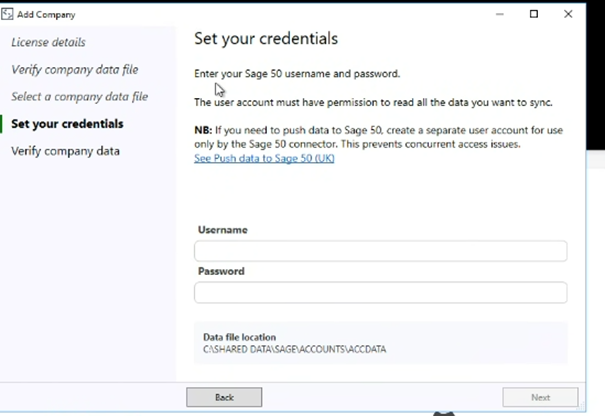
Step 9 - Use your Sage credentials to login and click 'Next'
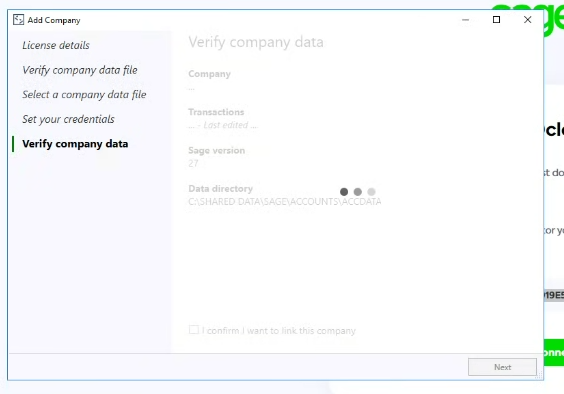
Step 10 - Confirm your details and wait for the link request to be processed.
Step 6 – The status on the Invoice Integration tab will now read as linked, and the mapping fields visible.
Technical Info & Self Help
Whatfault codesmight I see?
Non-Existent or Incorrect Mapping
Customer Id not found in customer mapping.
Task Category not found in nominal code mapping.
VAT Band Value not found in tax code mapping.
Customer Reference is mandatory, but was not set.
Currency is mandatory, but was not set.
Account Reference is mandatory, but was not set.
Tax Rate Reference is mandatory, but was not set.
Accounting Platform ‘{platformName}’ not found in static validation
Sage limitations
Please note integration will fail if an instance of sage is open on the same terminal
We use Codat to help us process your data on our Invoice Integration Module. You can find out more about Codat here ➜
What happens tomy data?
Please note, this module is only available to workshops at present and is compatible only with Sage 50 at this time.
A green outline on the account type icon signifies the guide is applicable whereas a red outline signifies it is not applicable to the the respective account type.