N/A
Home » Guides » i2i Recharging Jobsheets

i2i Recharging Jobsheets

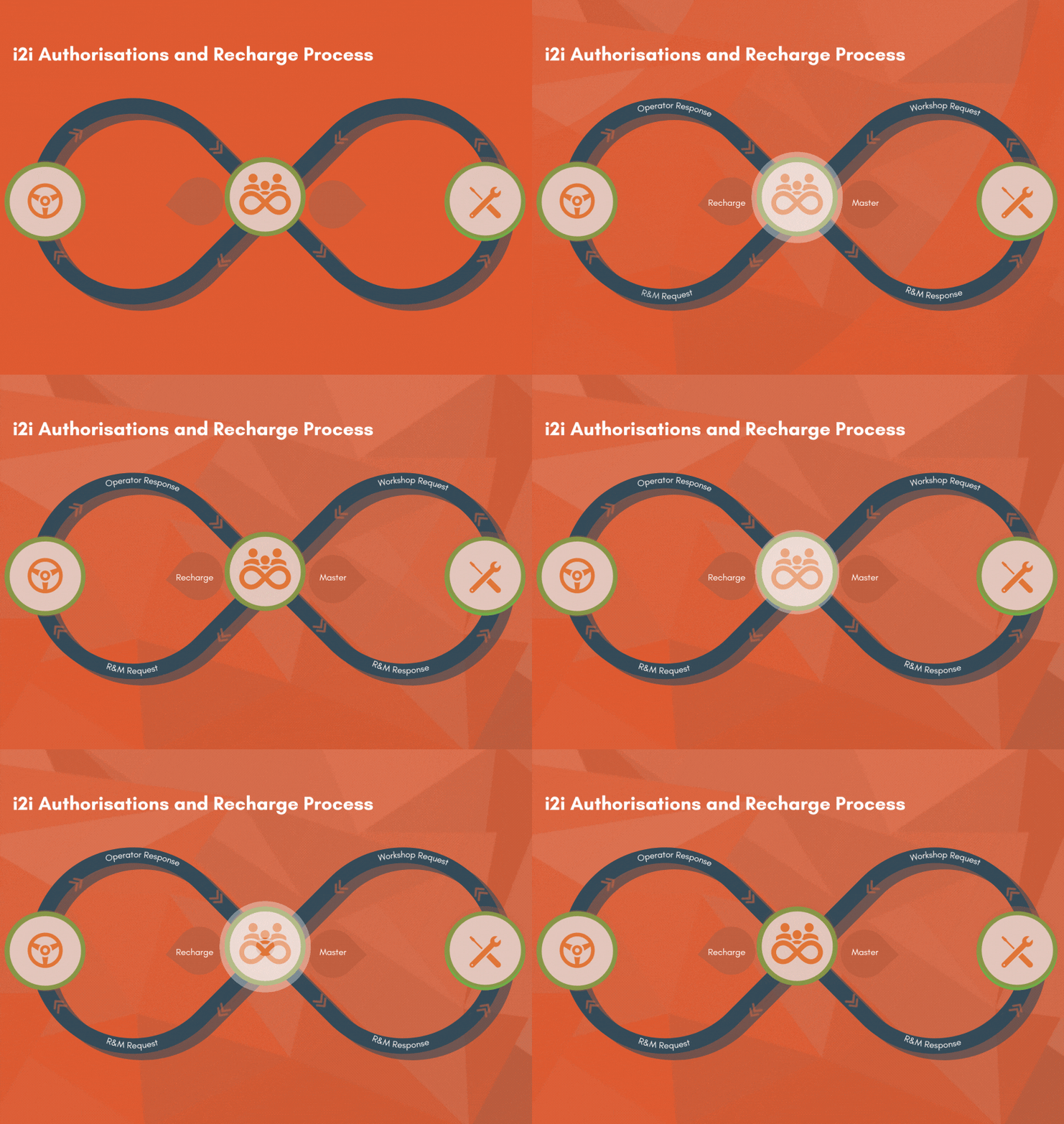
The recharge process can be used by interactive customers  who have an Operator or R&M account and use the the i2i module, This is an additional module and is not part of the core product. Please note, your r2c contract may affect this as well as user role permissions.


Table of Contents

Introduction

The Recharge option allows costs incurred outside of the agreed service scope to be billed back to the client

R&M Providers can:
 
  • Create a recharge jobsheet and invoice for their customer to recover costs related to workshop repairs, damages, and other non-contractual expenses.

 Operator can:

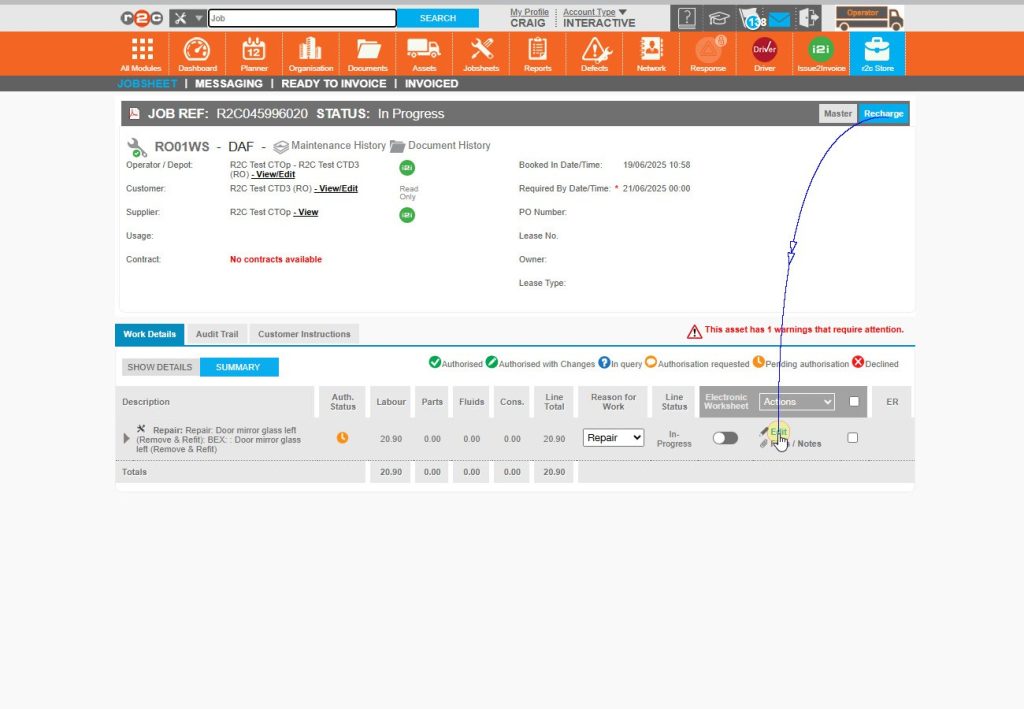
  • Create a recharge jobsheet and invoice to a depot that is read-only or not using the r2c platform. This enables cost tracking for internal records and accountability.

User Configuration – In order to authorise and approve requests. Users must have the authorisation role allocated and an authorisation limit must also be configured on the organisation page. This can be done by an Administrator.

See the  Organisation – Managing Op Users guide for more details. on updating user roles. 

Step by Step

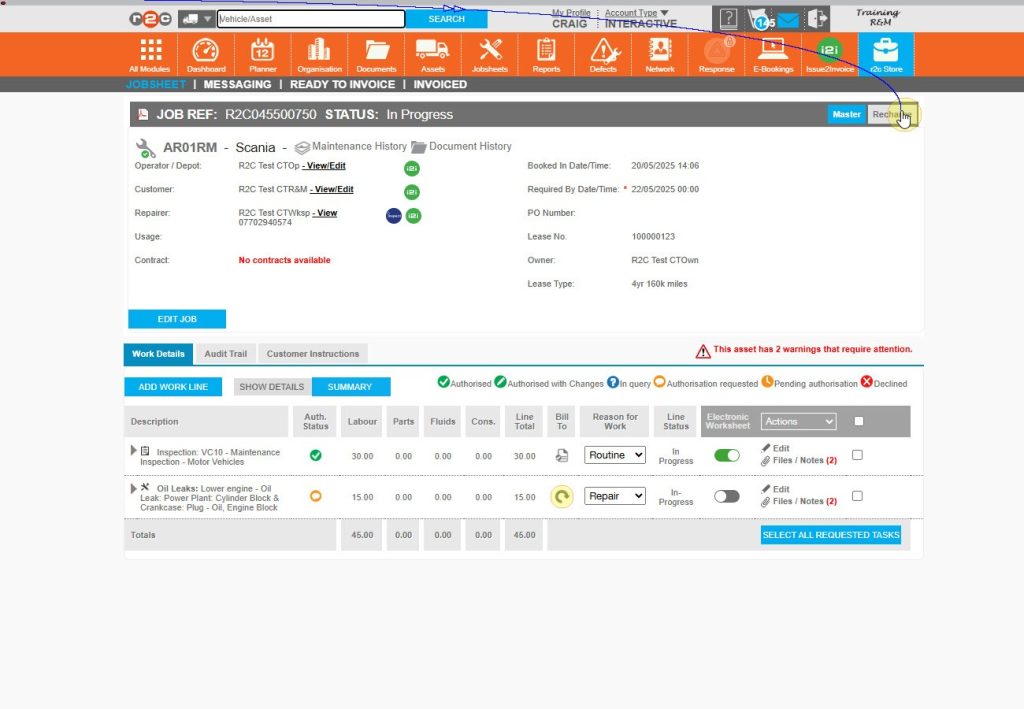
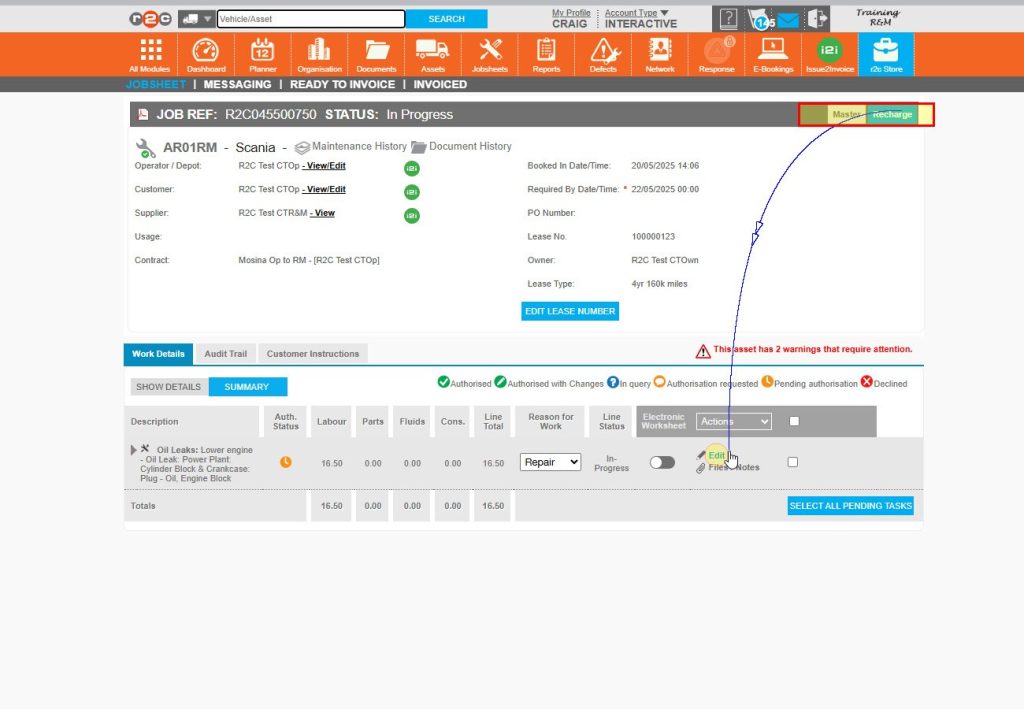
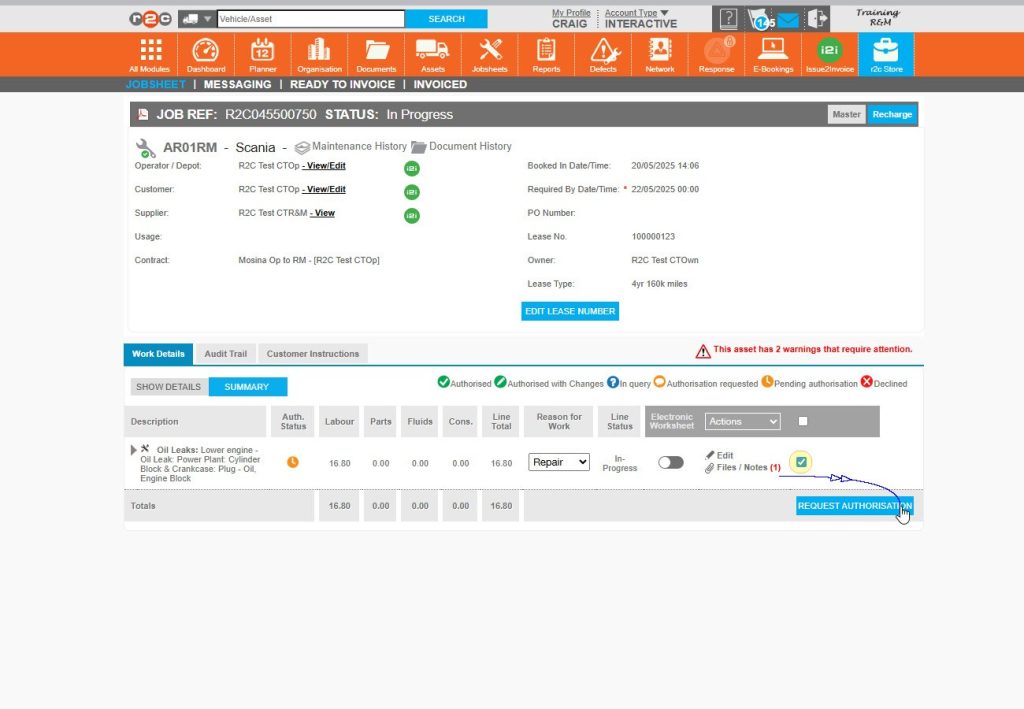
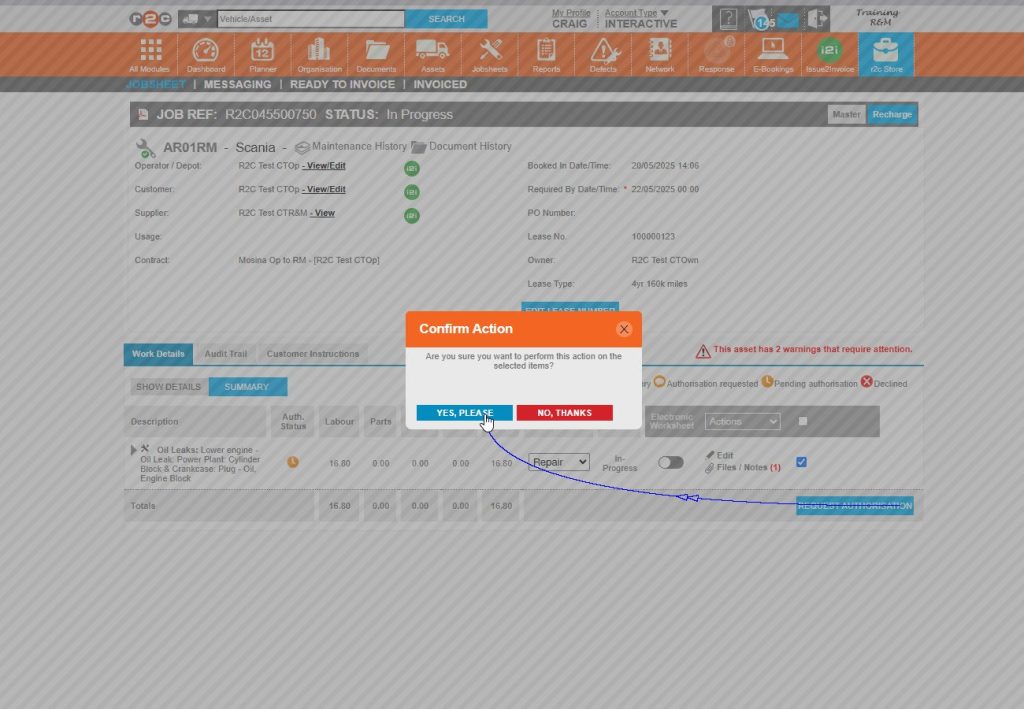
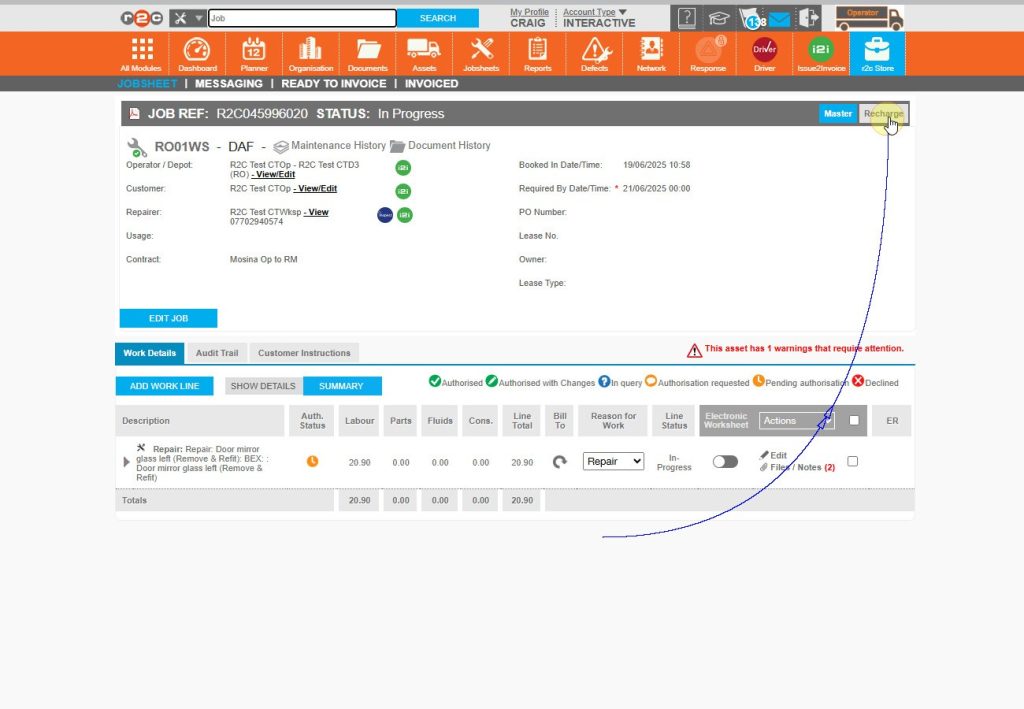
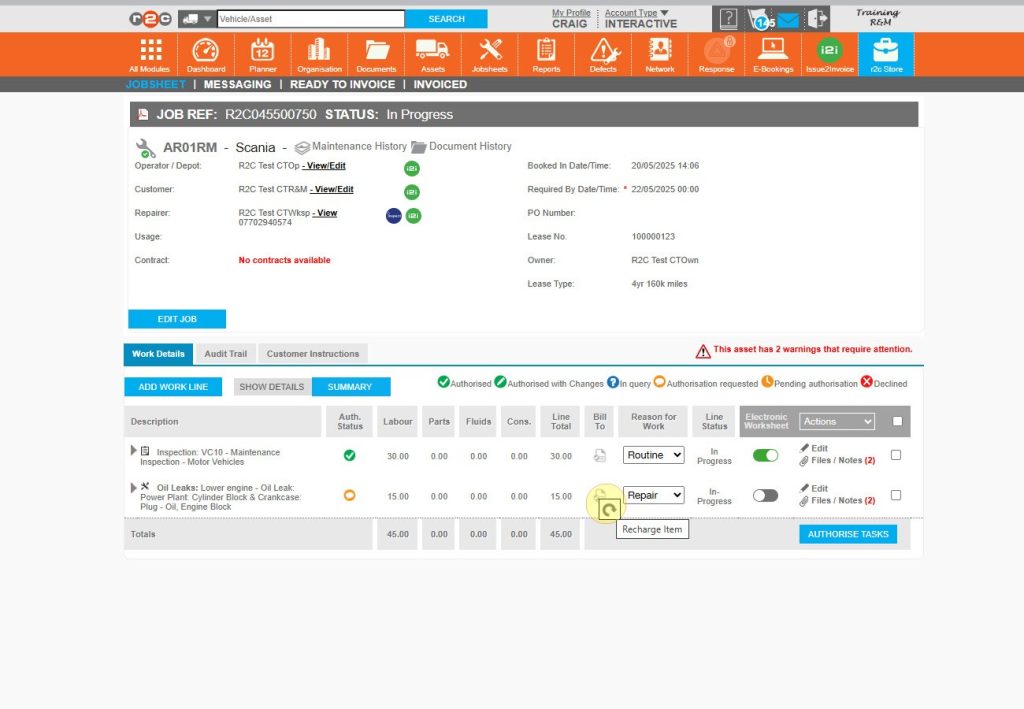
R&M Initiate the Recharge Process

These steps are initiated when a request from a workshop is received for costs outside the agreement. These costs can then be sent back to the Operator for approval before commencing. 

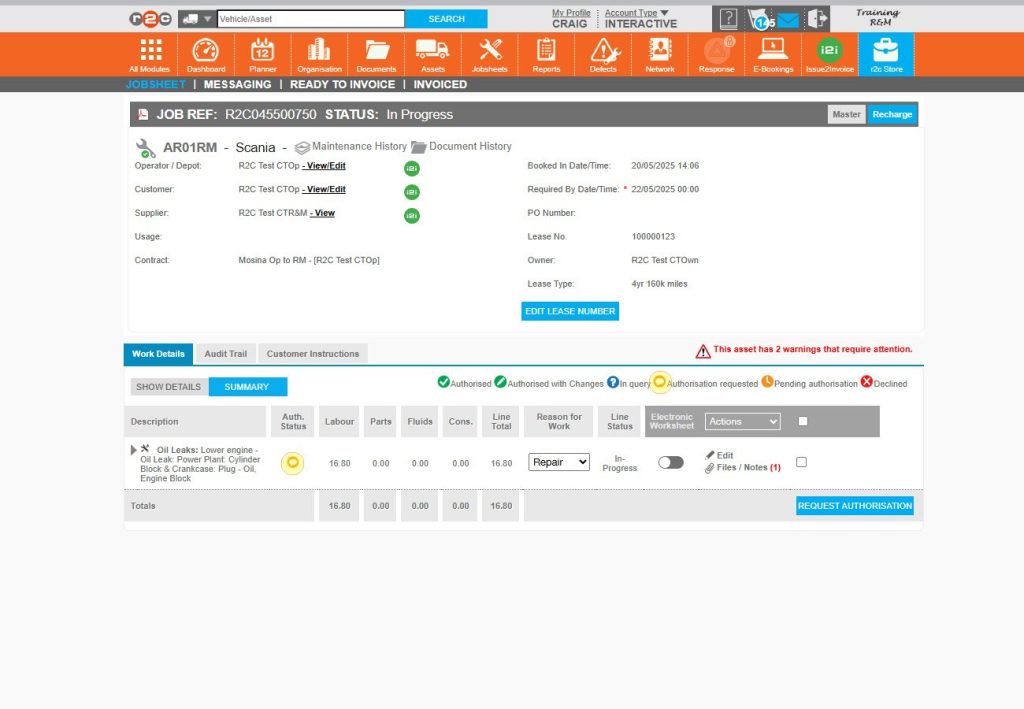
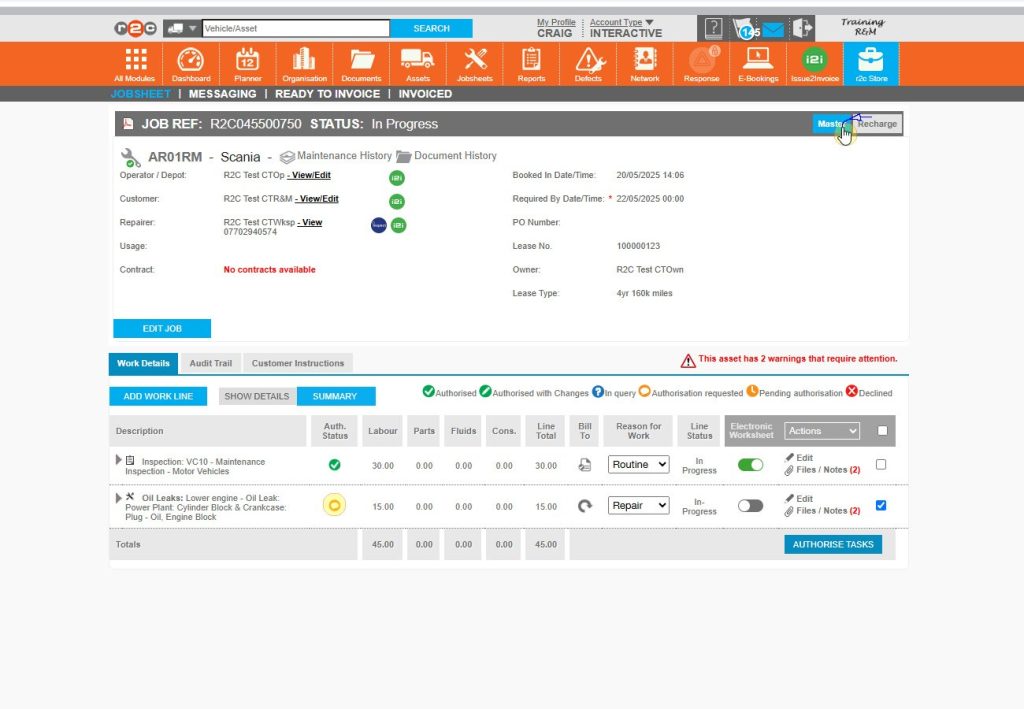
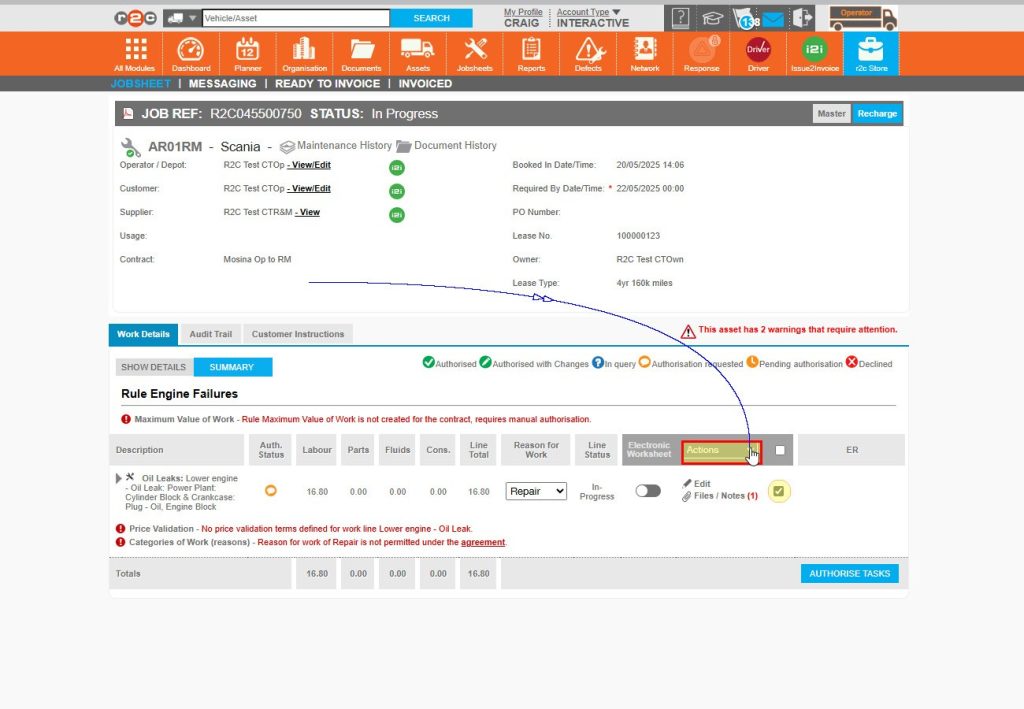
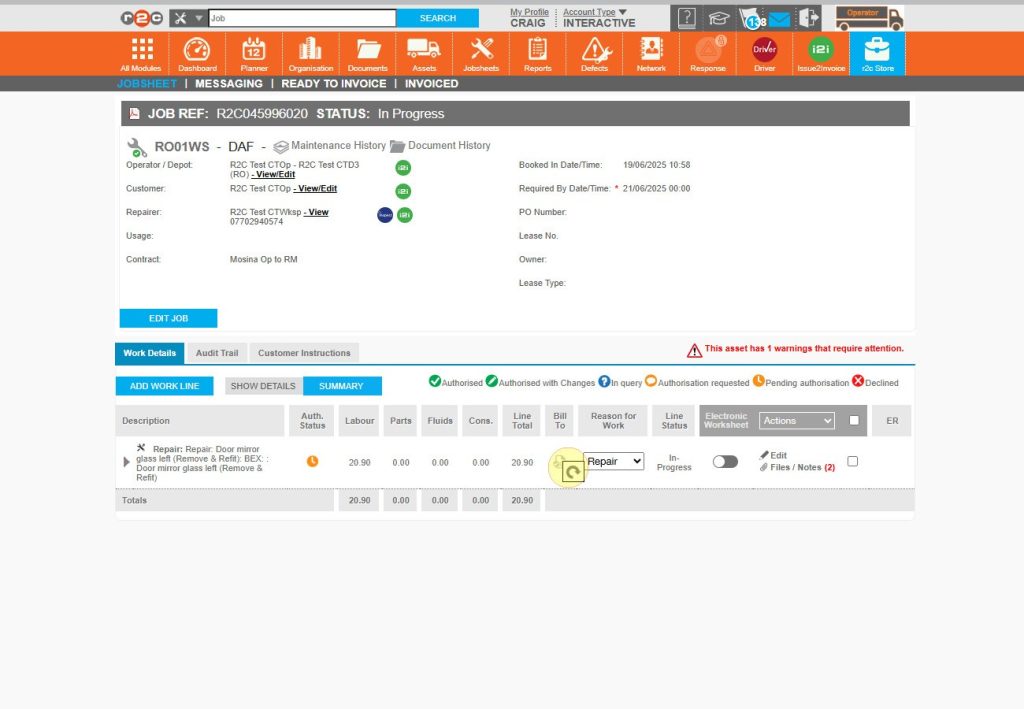
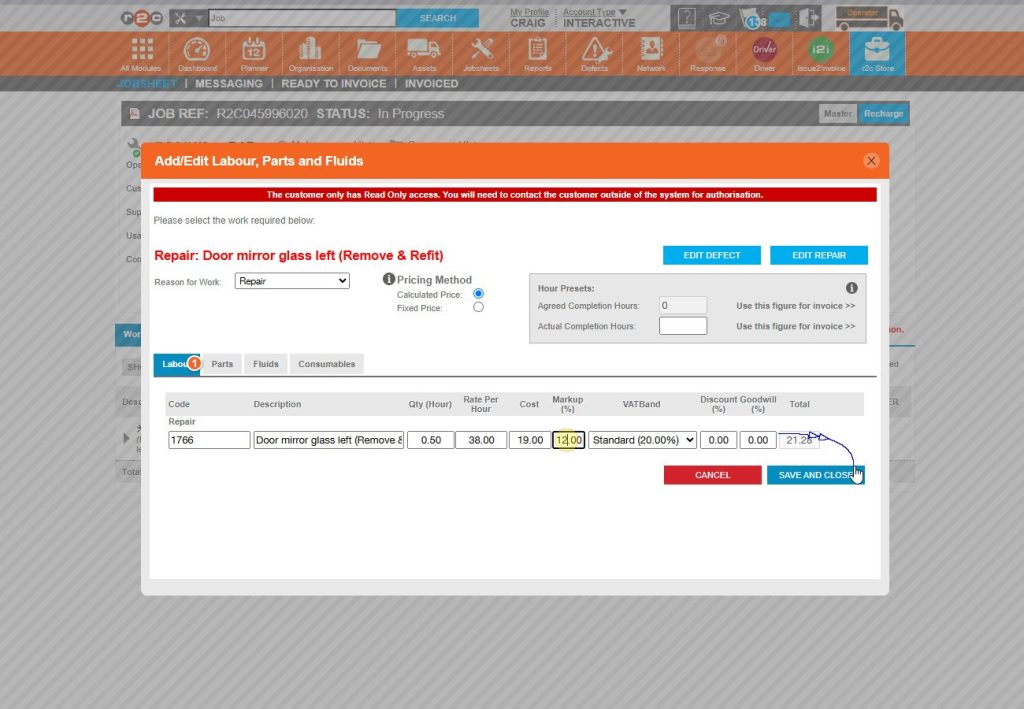
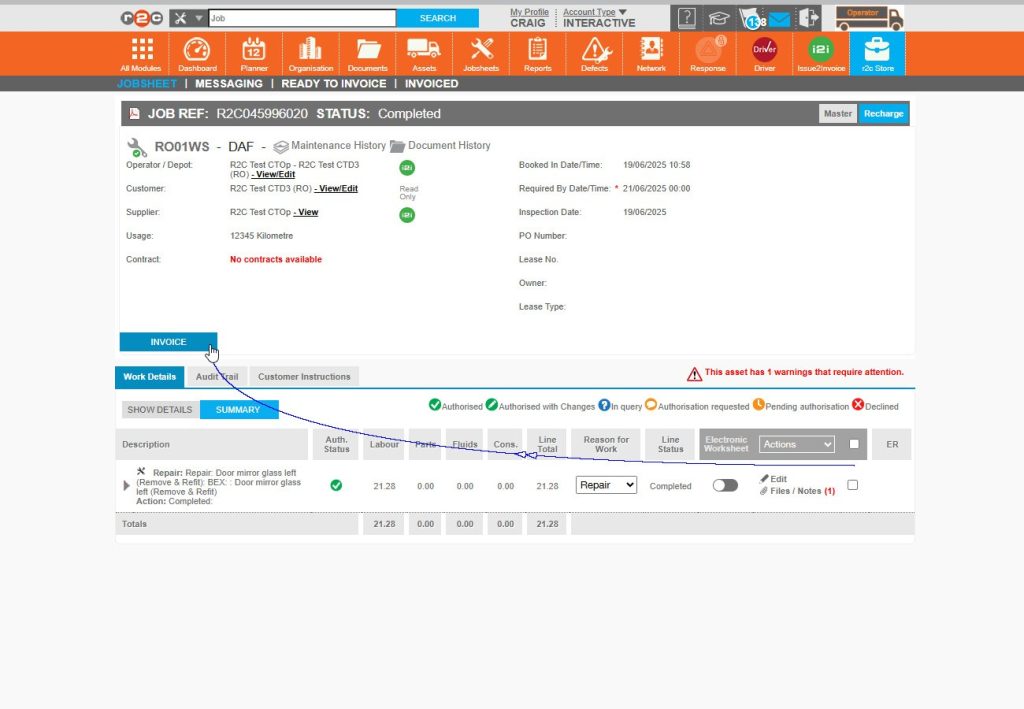
To see the steps taken to create a recharge click or swipe through the 10 steps below.

Tasks that fall under existing agreements should not be recharged — these tasks will remain on the Master Jobsheet

Please note, to ensure all work is recharged as needed. It is best practice to invoice the recharge jobsheet only after the master has been completed and finalised.

Operator Recharge process

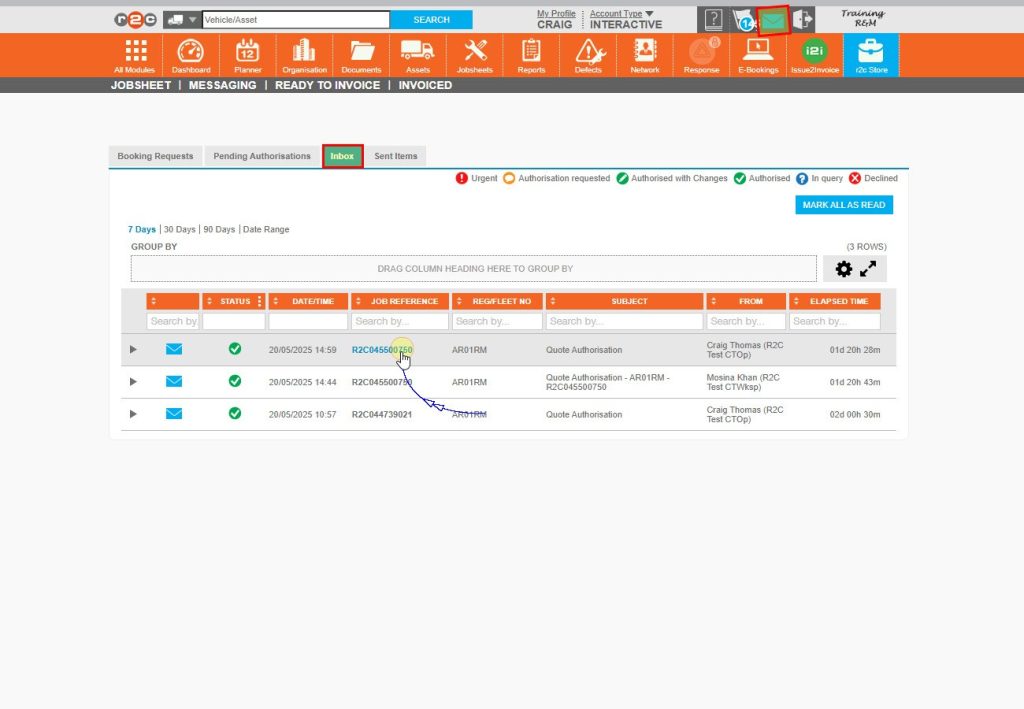
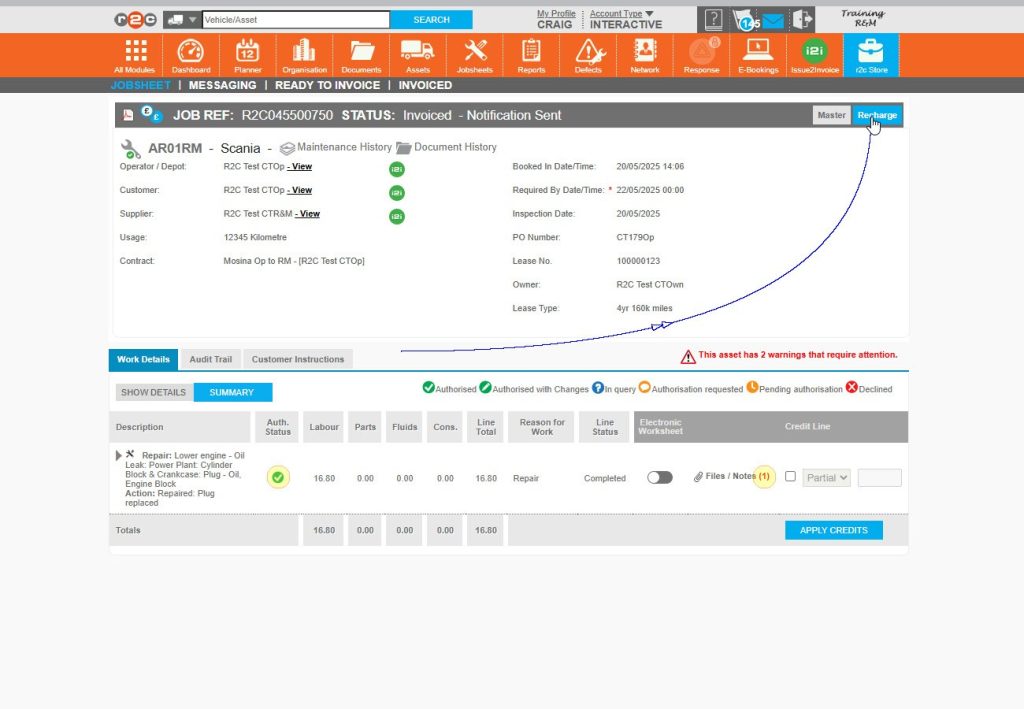
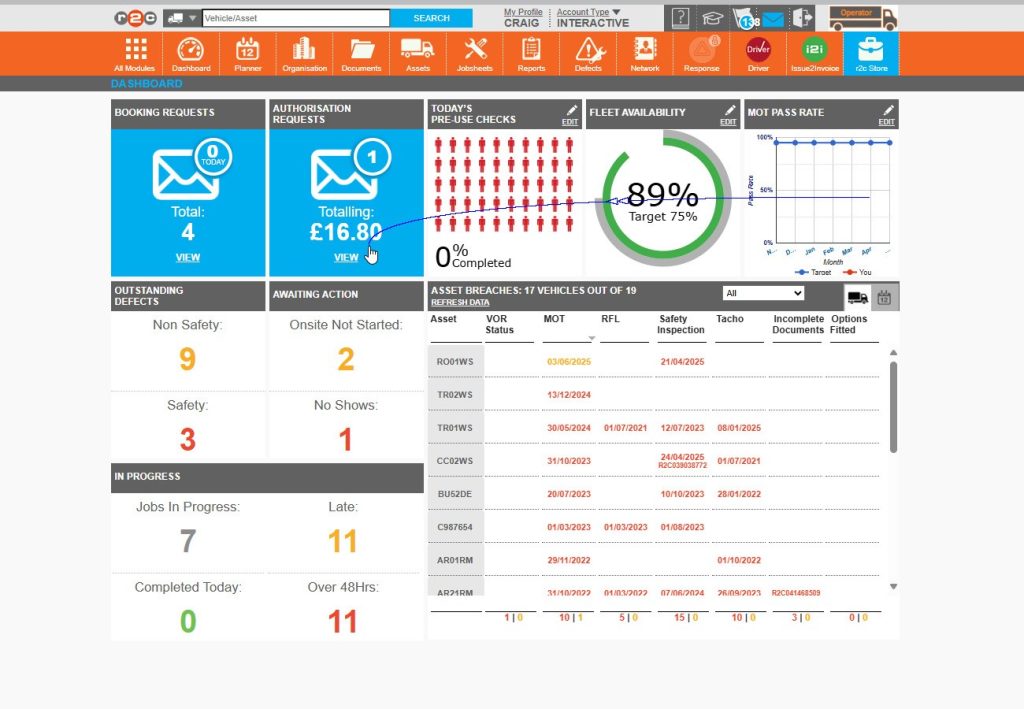
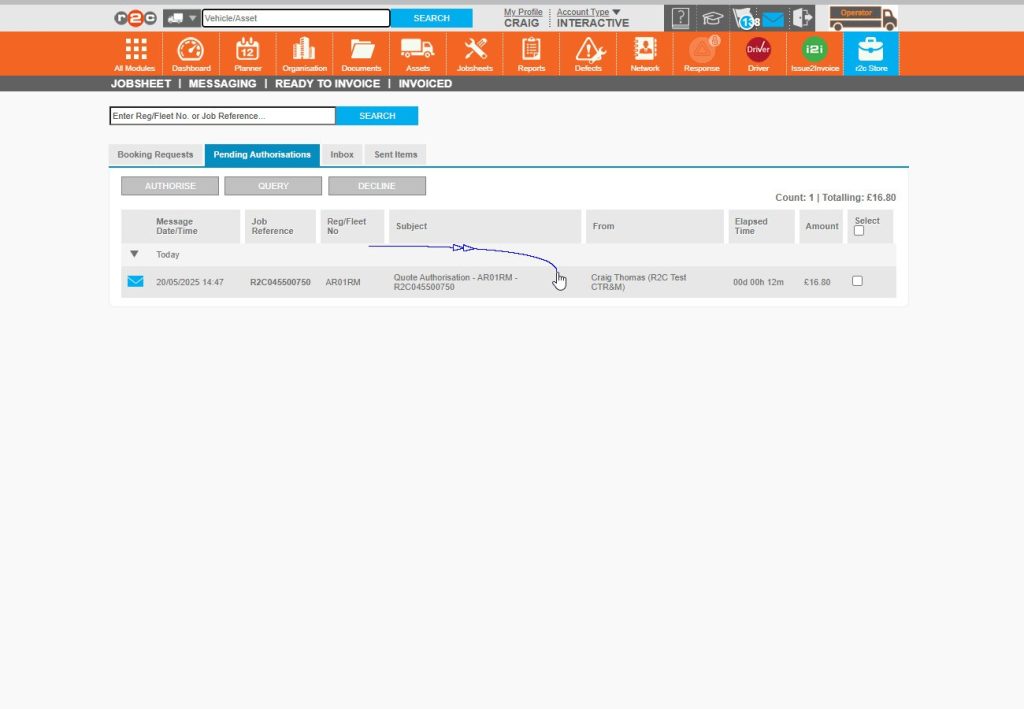
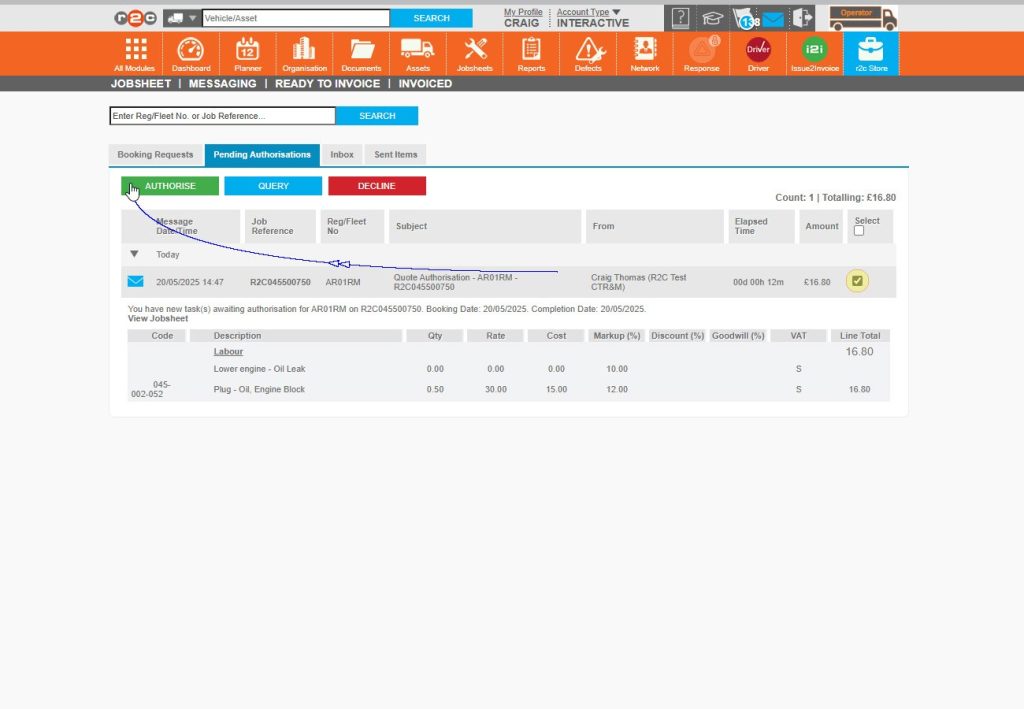
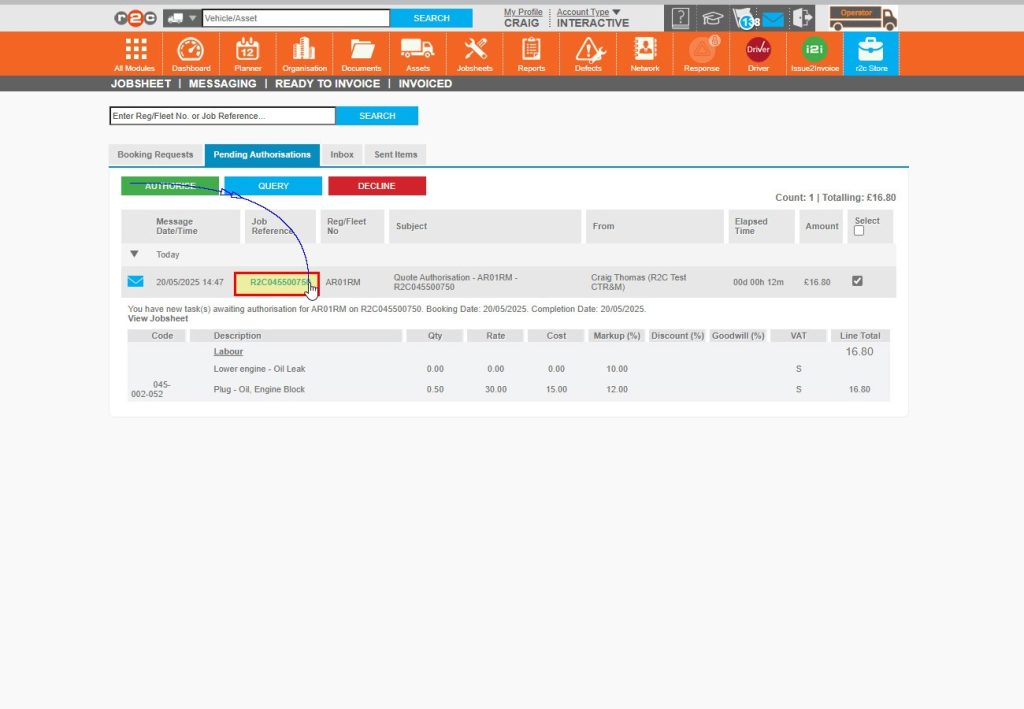
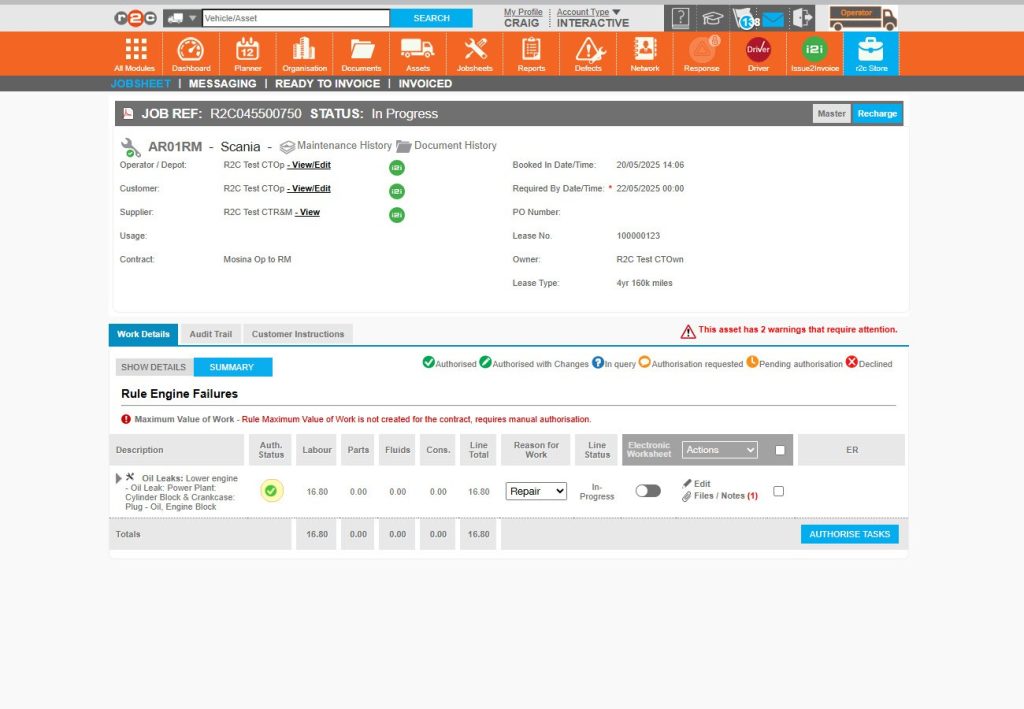
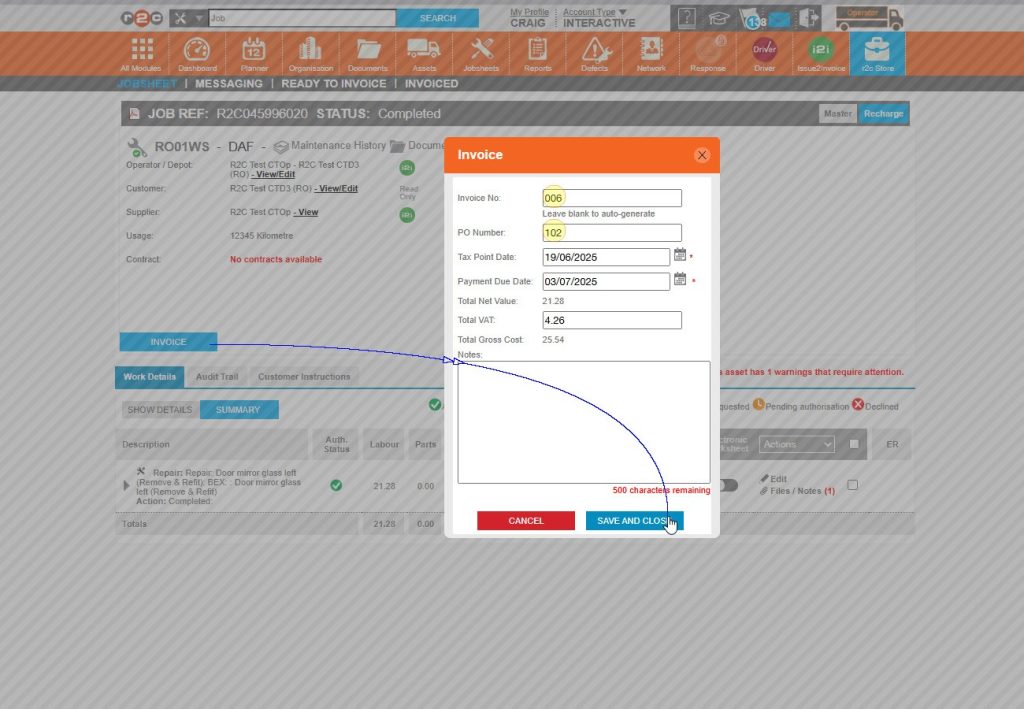
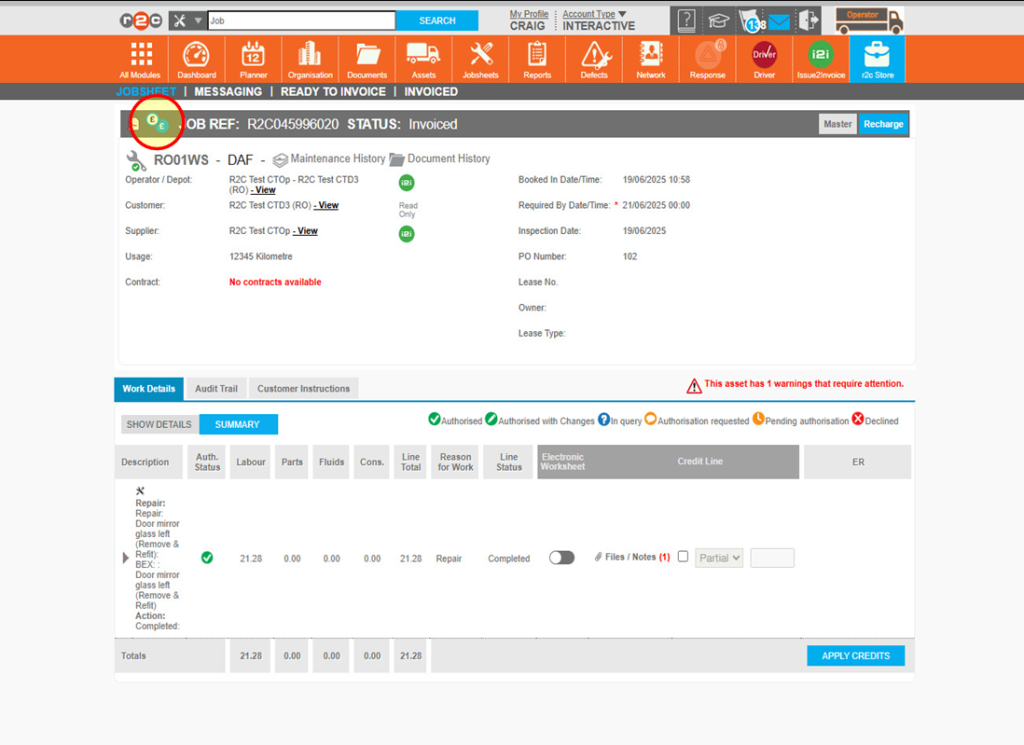
To see the steps taken to view and respond to a recharge click or swipe through the 10 steps below. 

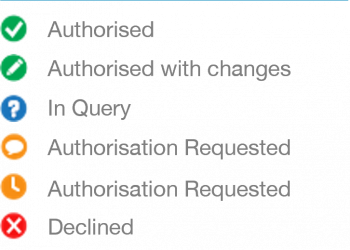
Icons

Authorisation Officers at both R&M and Operator accounts are able to respond to requests for approval with a range of responses e.g. items can be marked as ‘In Query’ to add comments and request clarification prior to approval. 

Operator Recharge process for Operating Depots

To see the steps taken to create a recharge where items need to be recharged back to a depot location. Depots can also be third party locations that you work closely with, where assets are assigned.

Click or swipe through the 8 steps below. 

Please note, this process only applies when depots do not use r2c themselves and are set up as read-only placeholders.  If a depot location is actively using r2c with the i2i module, the standard recharge process should be followed, allowing authorisation requests to be managed directly within the platform.
Technical Info & Self Help

How can I remove a recharge request?

If you need to undo a recharged line, you can  simple click the ‘bill to’ icon again to reverse the request. 

How does the jobsheet view differ per account type?

Operator View

Operator users can view the workline descriptions on the Master but do not have visibility of the associated costs managed by the R&M provider.

The Recharge view displays the costs that have been passed back to the Operator for review and internal tracking.

R&M View

R&M users can view both the workline descriptions and associated costs on the Master and Recharge jobsheets.

The Master shows the costs billed from the workshop to the R&M provider.

The Recharge displays the costs passed from the R&M provider back to the Operator.

Please note, to ensure all work is recharged as needed. It is best practice to invoice the recharge jobsheet only after the master has been completed and finalised.

Did you find this page useful?

Overall did you find what you were looking for?

Page Rating
Radio Buttons

Account Icon Key

A green outline on the account type icon signifies the guide is applicable whereas a red outline signifies it is not applicable to the the respective account type.

Repair and Maintenance Provider

Operator

Workshop

Is something broken or missing?

Let us know here

Report an Issue Form