N/A
Home » Guides » Defect Management

Defect Management

Introduction

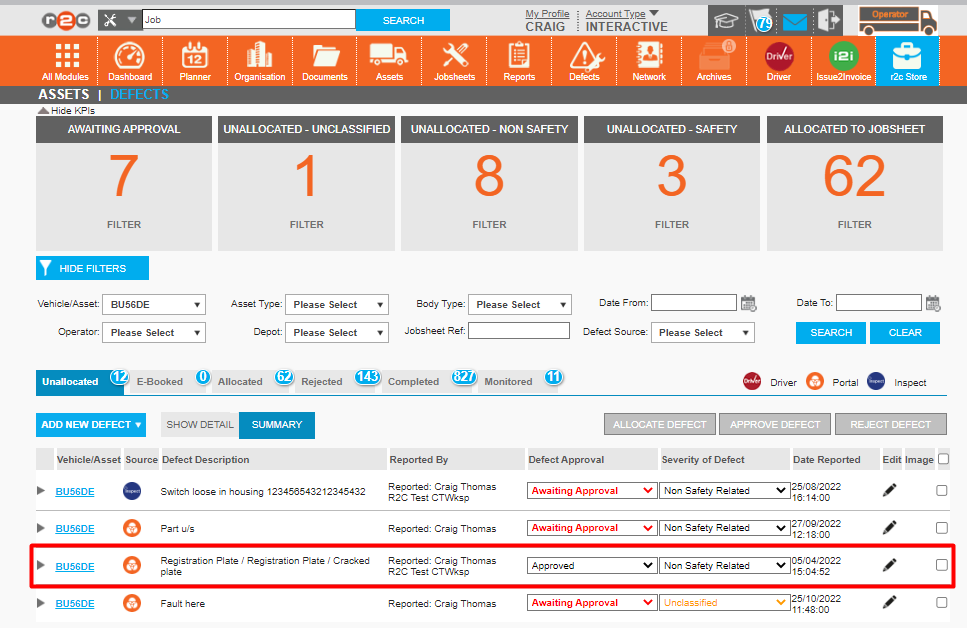
The defect management page is available for Operators to get an overview of defects currently on the fleet. From here defects can be reviewed, actioned or rejected. This area is also visible to Repair and Maintenance providers so that they can manage defects on fleets for their respective customers, if this has been agreed between them.

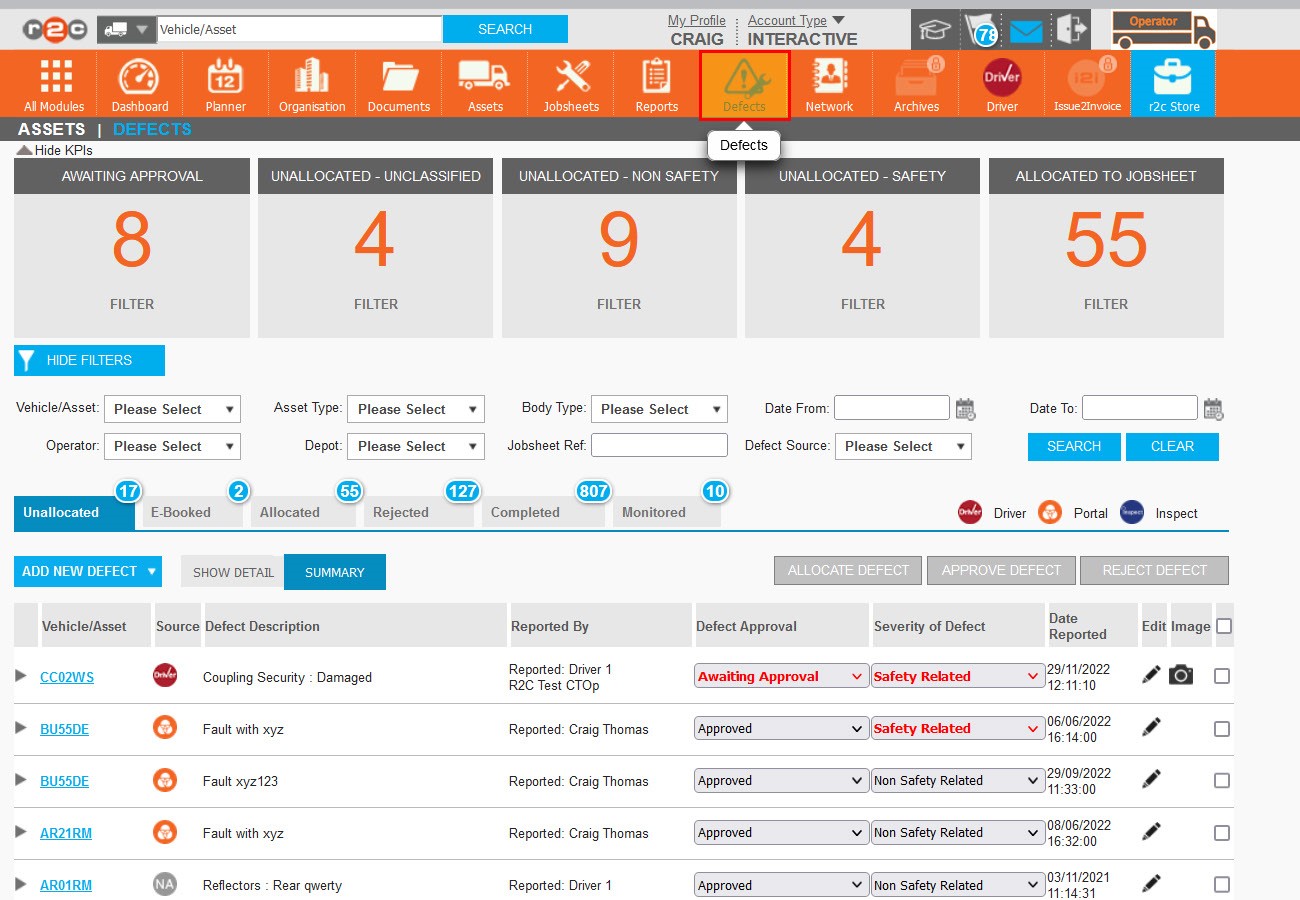
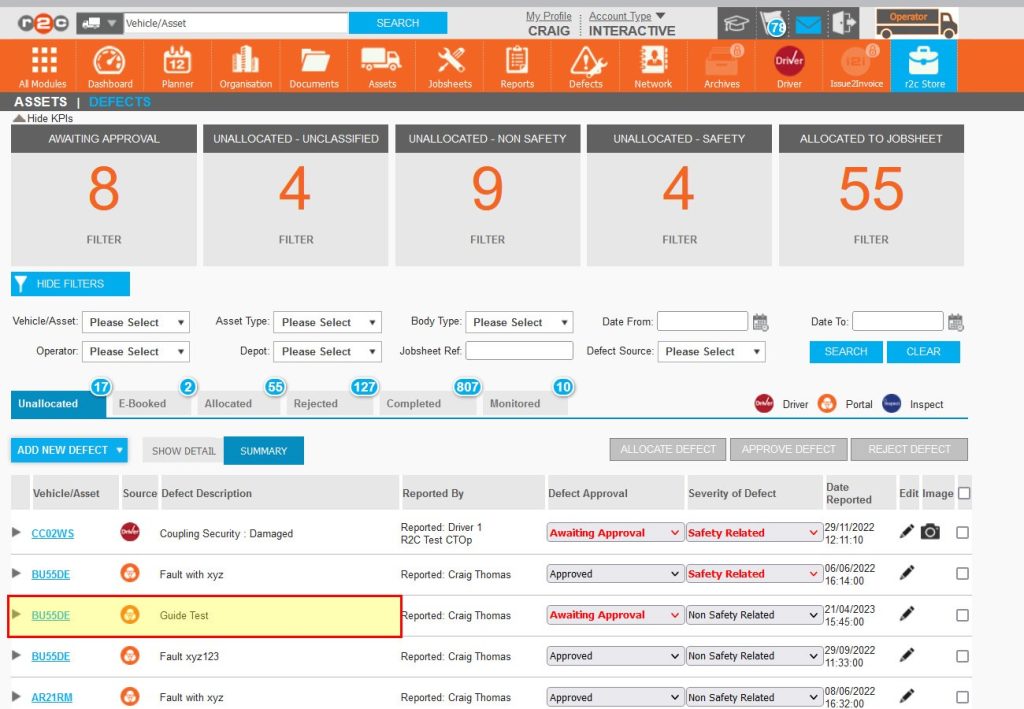
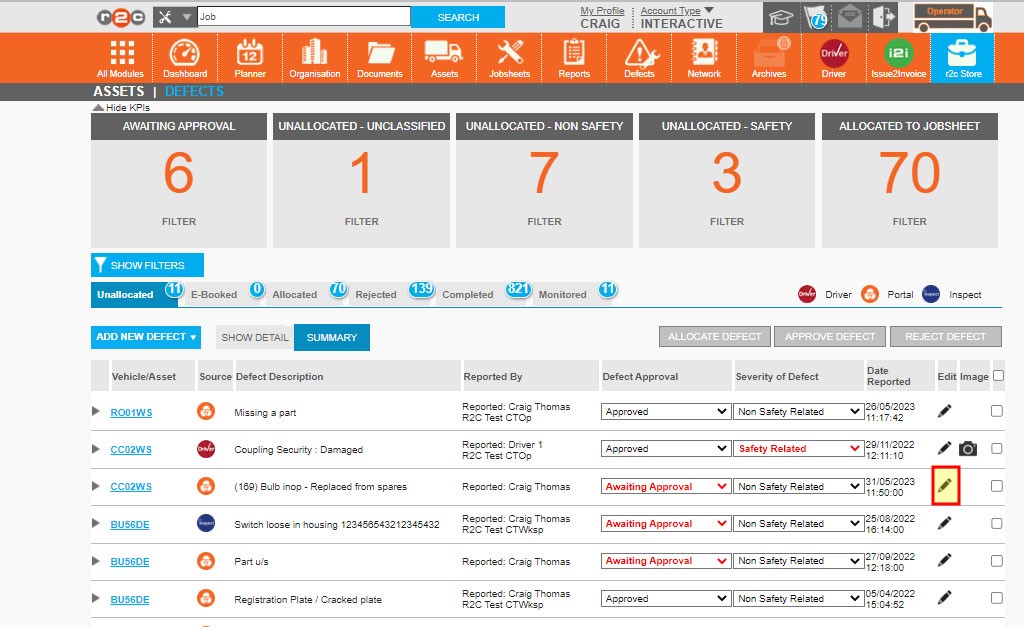
The AWAITING APPROVAL KPI highlights those defects that have not yet been  assessed to be legitimate defects.

The UNALLOCATED - UNCLASSIFIED KPI is the number of unactioned issues within the fleet that have not been classified by the reporting party, these should be considered as important as some of the defects could be safety related.


The UNALLOCATED - NON SAFETY KPI is the lowest priority filter but would be processed in the same way.

The UNALLOCATED - SAFETY KPI is the number of unactioned safety related issues within the fleet and should be considered as priority.

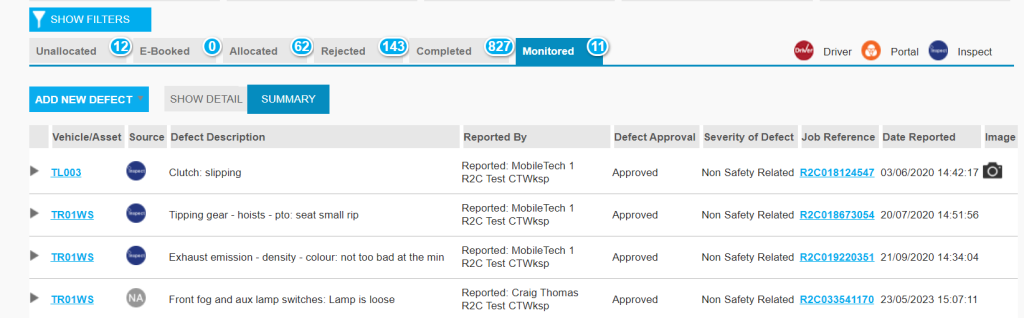
All defects can be found within one of the tabs, depending on the status of the defect. The three main tabs to be monitored are Unallocated, E-Booked and Allocated, these are the outstanding or live defects.

The ALLOCATED TO JOBSHEET KPI indicates the number of defects currently waiting to be actioned by the allocated workshop on a jobsheet. This KPI filter should be monitored to ensure that allocated defect jobs do not exist in the past (missed), resulting in No Shows.

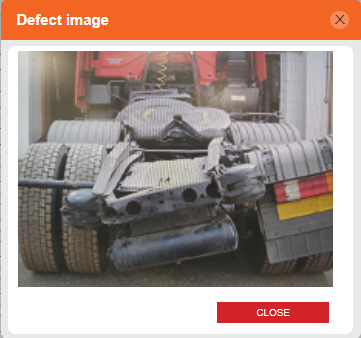
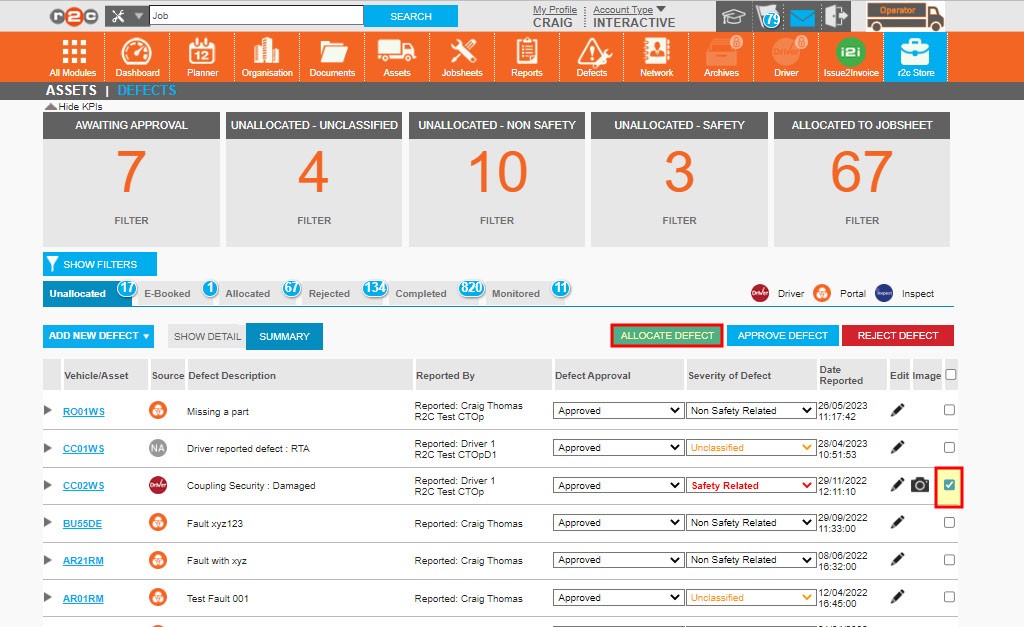
If a driver has submitted an image, this can be viewed using the camera icon

Additional, granular filters can also be applied to assist with larger lists.

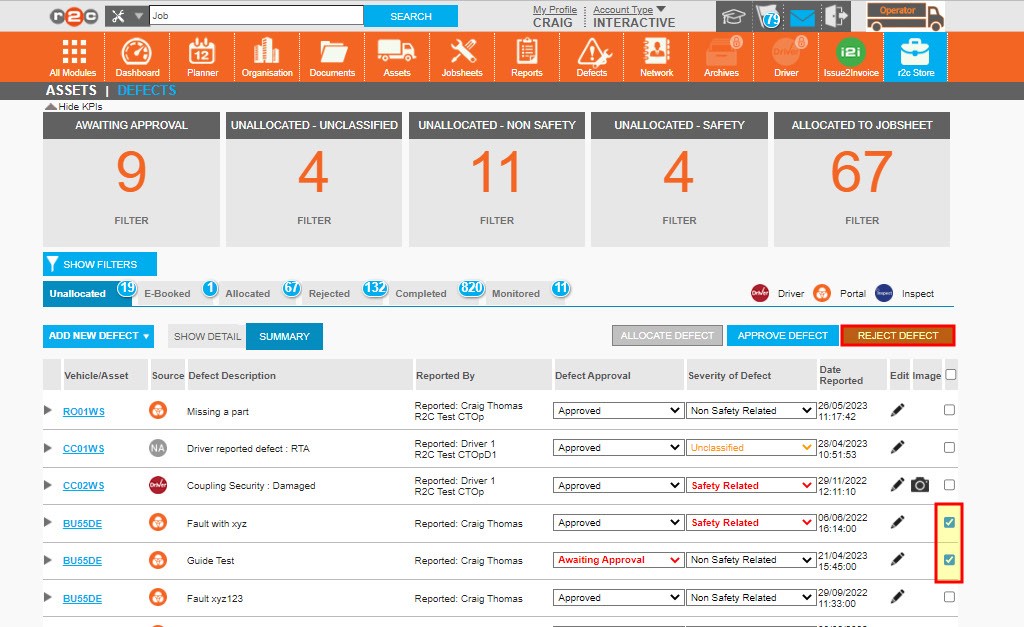
The Rejected Tab lists any defects that were removed e.g. a driver had submitted a defect multiple times or it was not a legitimate issue. 

Monitored defects are items that have been noted by repairers on the r2c inspect system that have been marked as open by the workshop and could potentially develop into an advisory/defect..  

Sources of Defects- Defects can be raised by drivers through the driver walk round check app, by interactive workshops who use the r2c Inspect system or by the Operator/R&M themselves in portal.


Step by Step

Defect Management – Once a defect is created it would usually follow the below process. 

  • Stage 1: Review the defect details to ensure the information is accurate and valid. 
  • Stage 2: Check if the defect is still outstanding or if it has been rectified locally. 
  • Stage 3: Allocate the outstanding defect to a job or booking. 

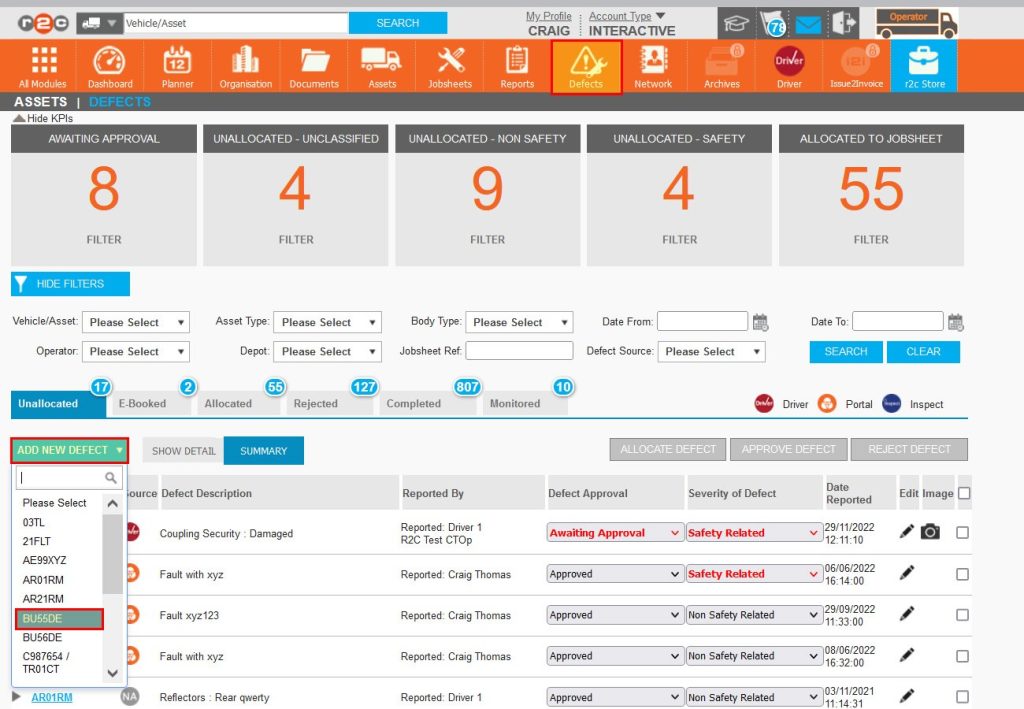
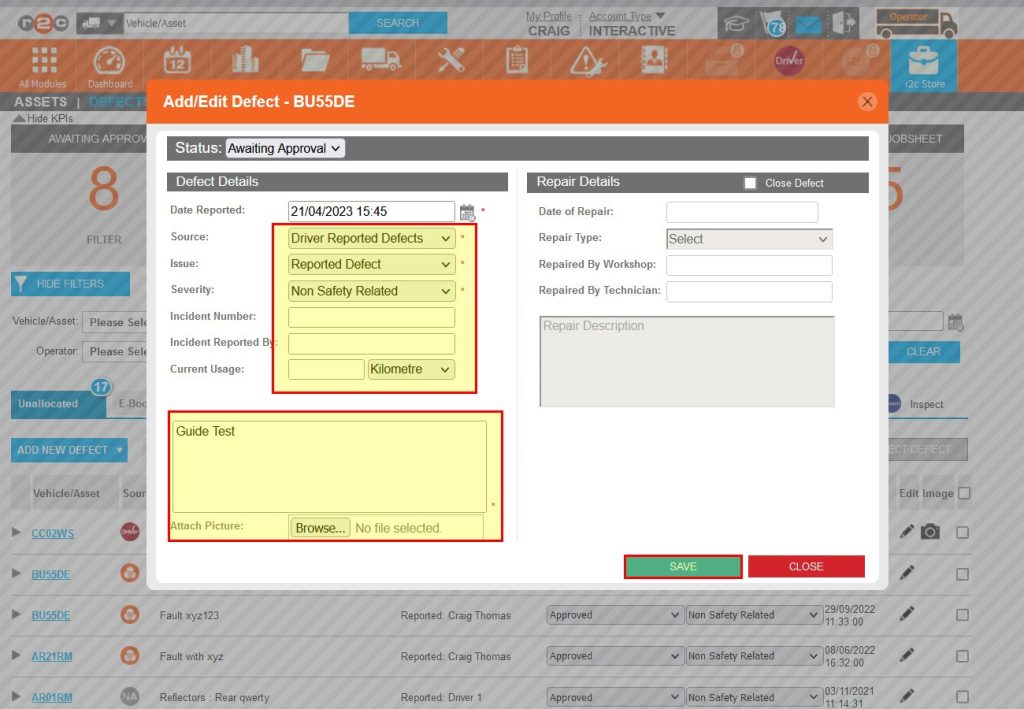
Adding Defects in Portal – To see the steps taken to add a defect, click or swipe through the 13 steps below.

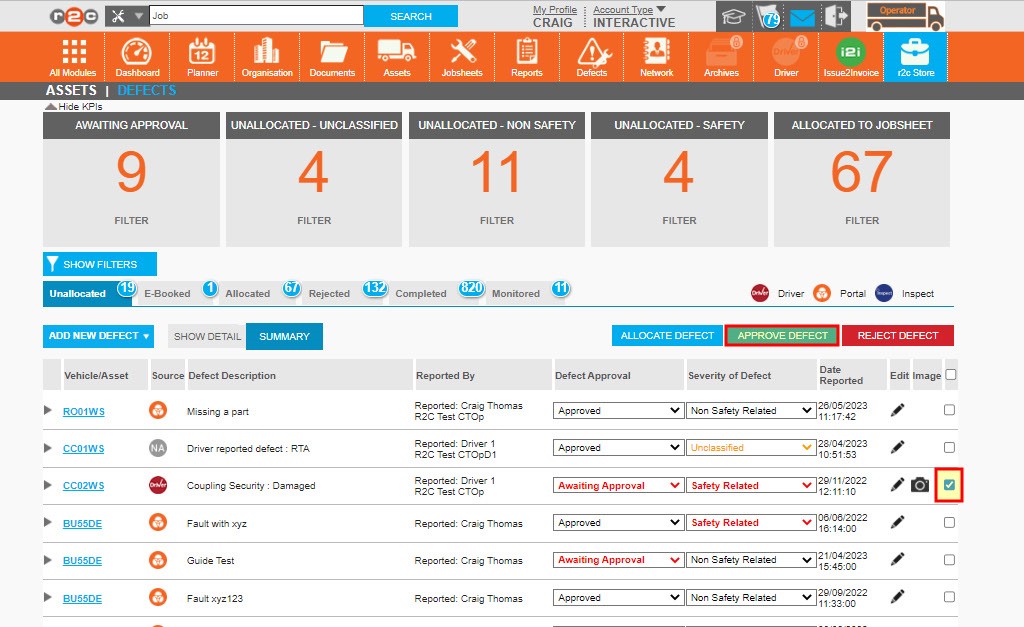
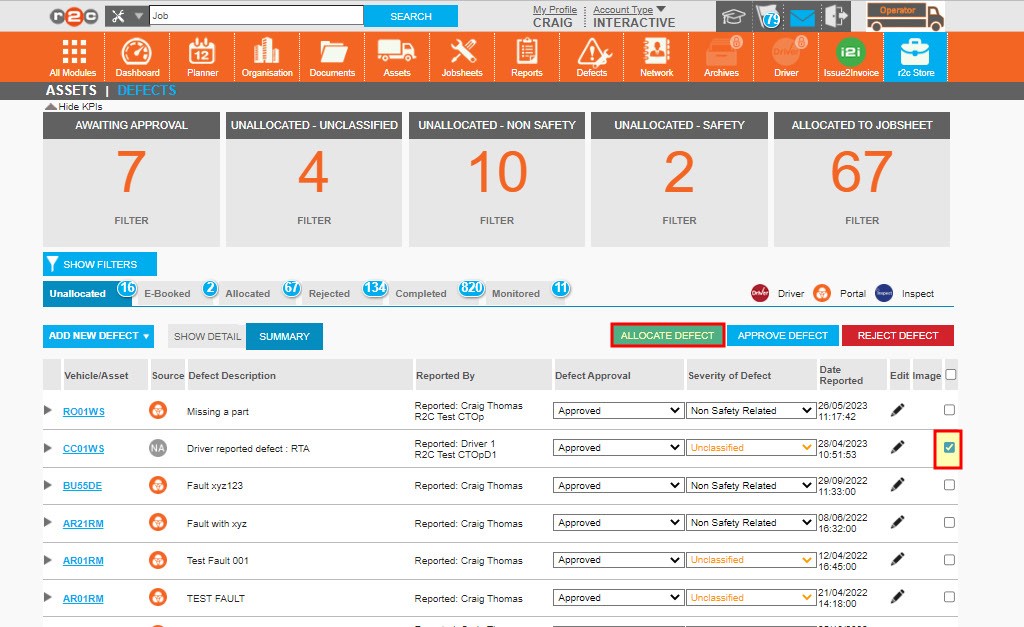
Reviewing unallocated defects – To see the steps taken to review unallocated defects click or swipe through the 2 steps below

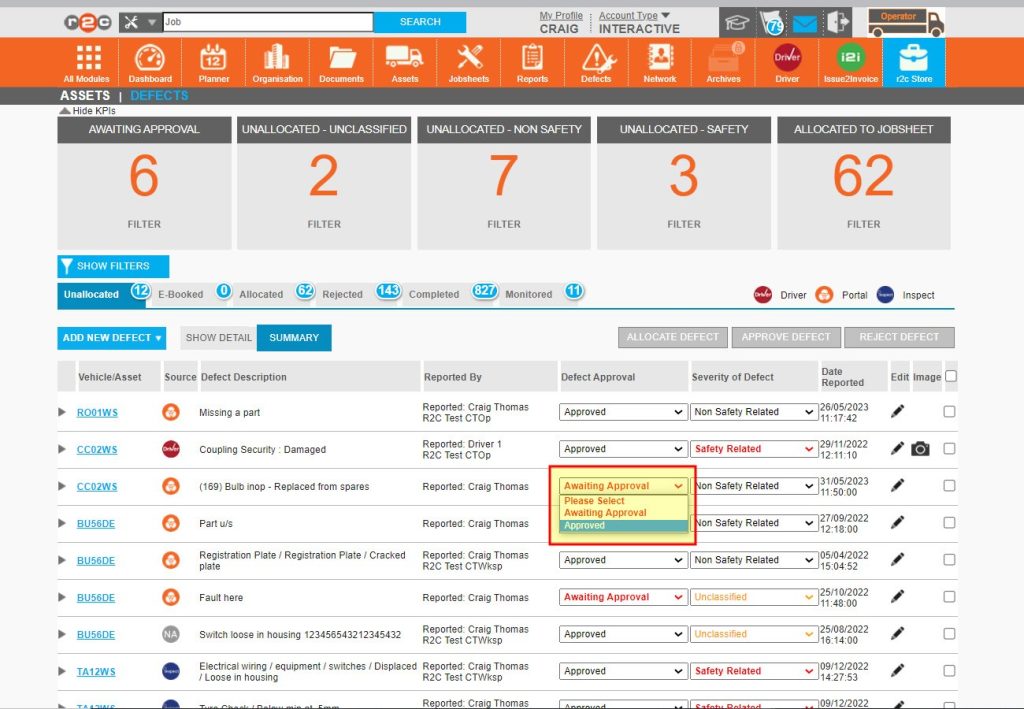
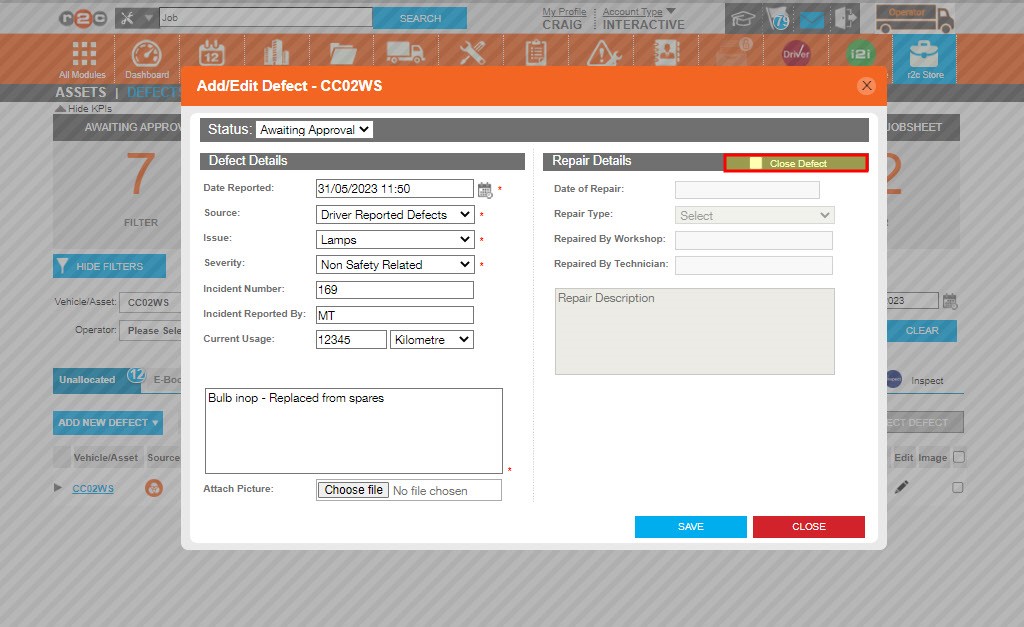
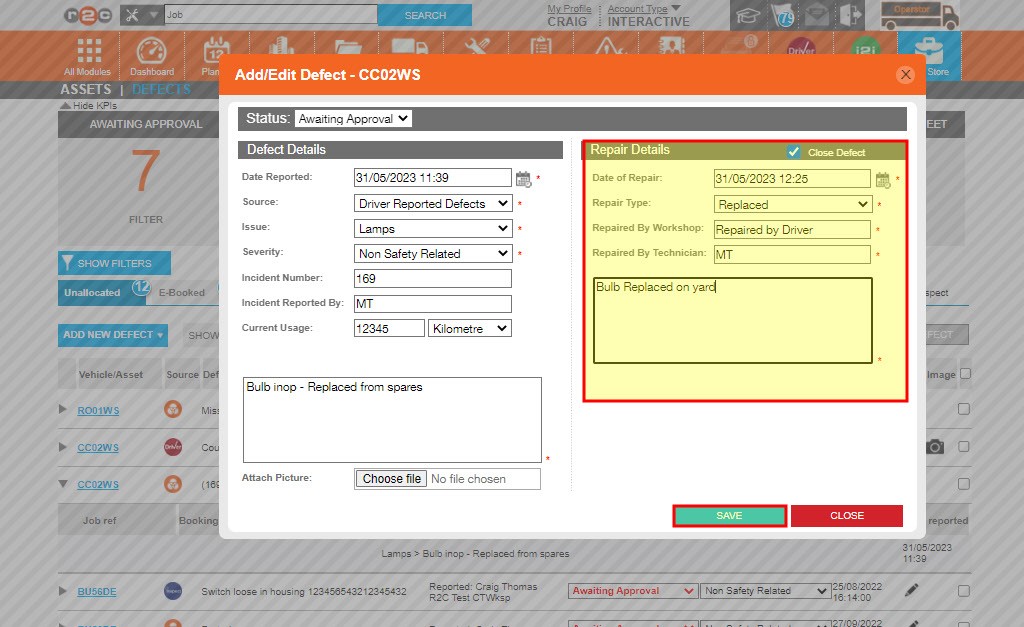
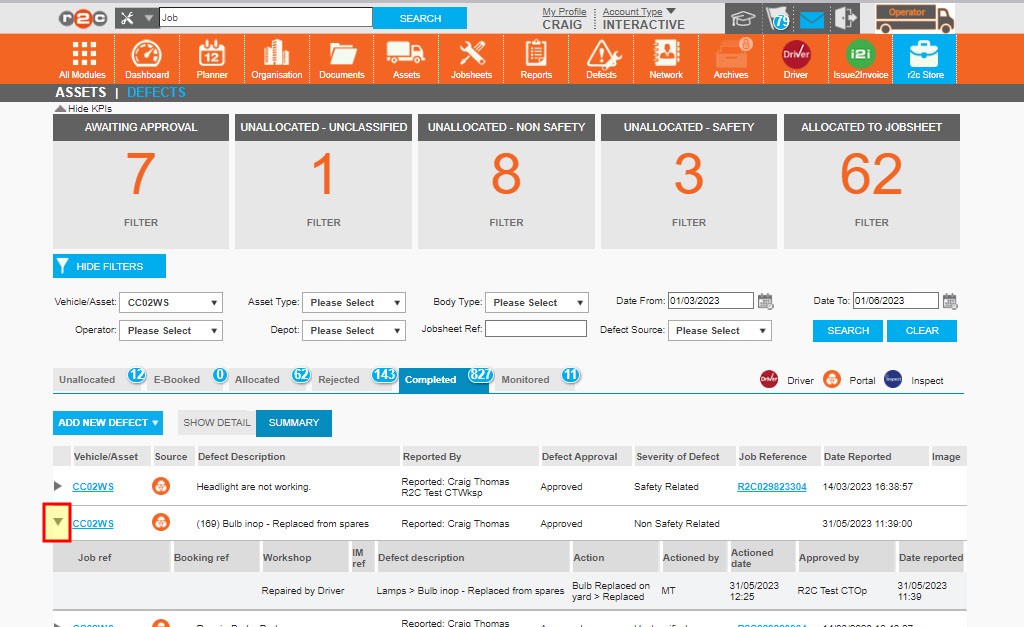
Actioning defects that have already been resolved – To see the steps taken to update defects that have already been rectified locally, click or swipe through the 4 steps below.

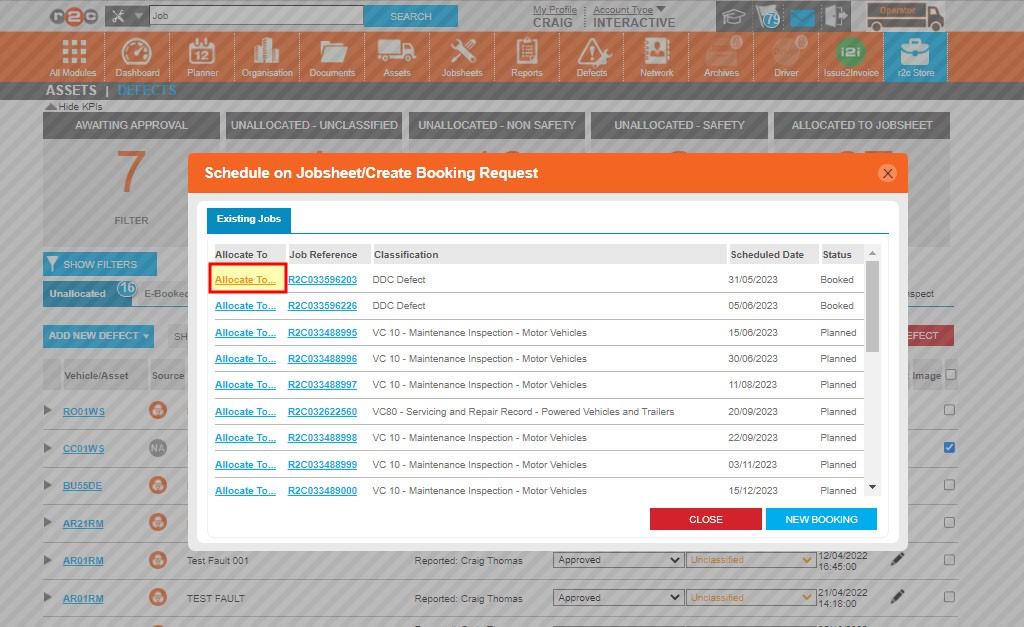
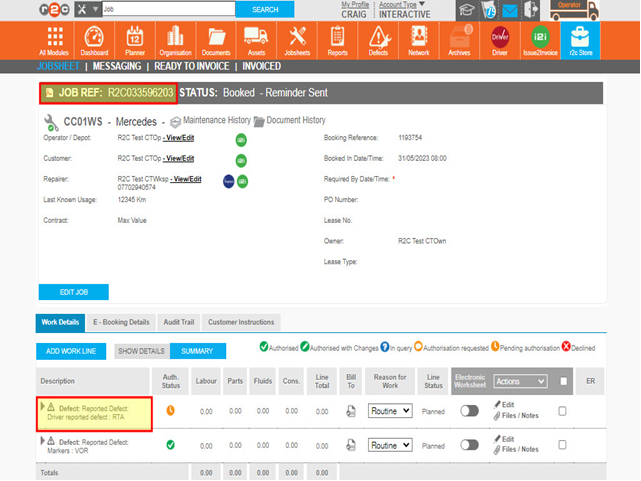
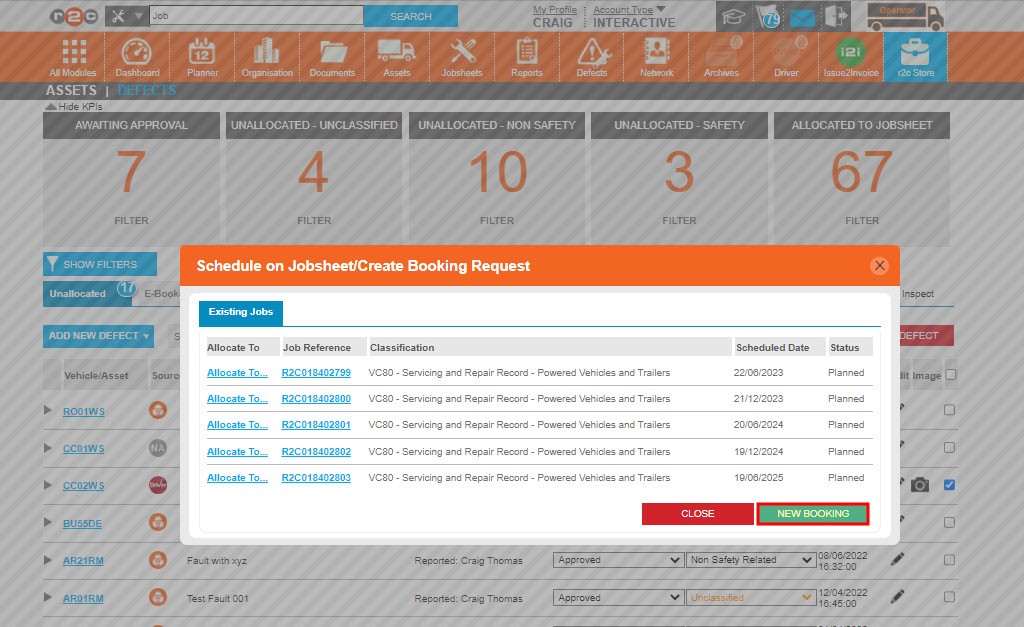
Allocating defects to an existing  job – To see the steps taken to book defects, click or swipe through the 3 steps below.

Defects can also be picked up directly on a jobsheet. Please see the Ad-hoc Jobsheets guide for further details on this. 

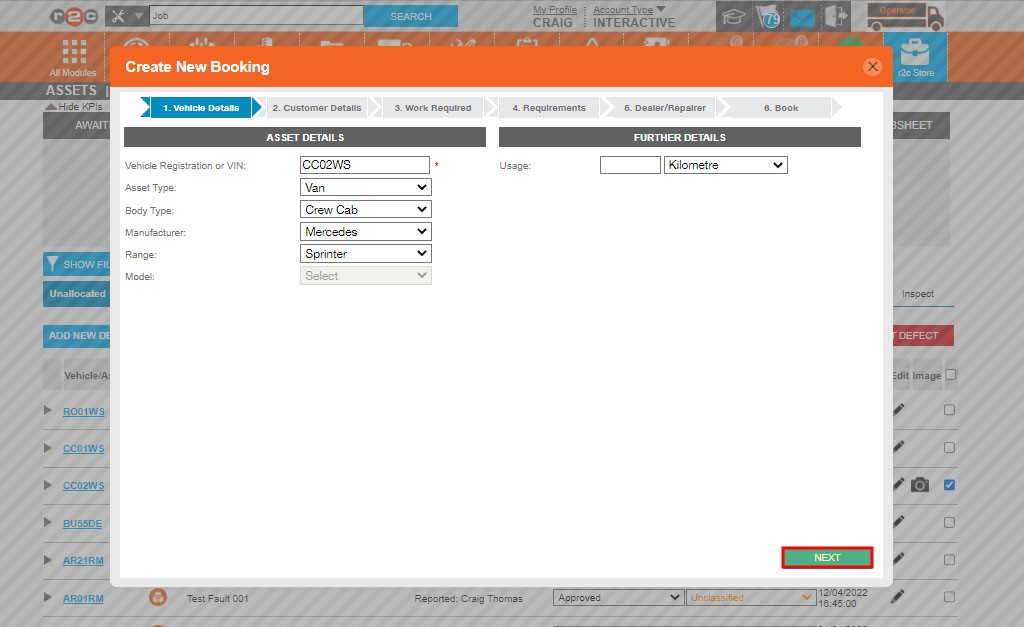
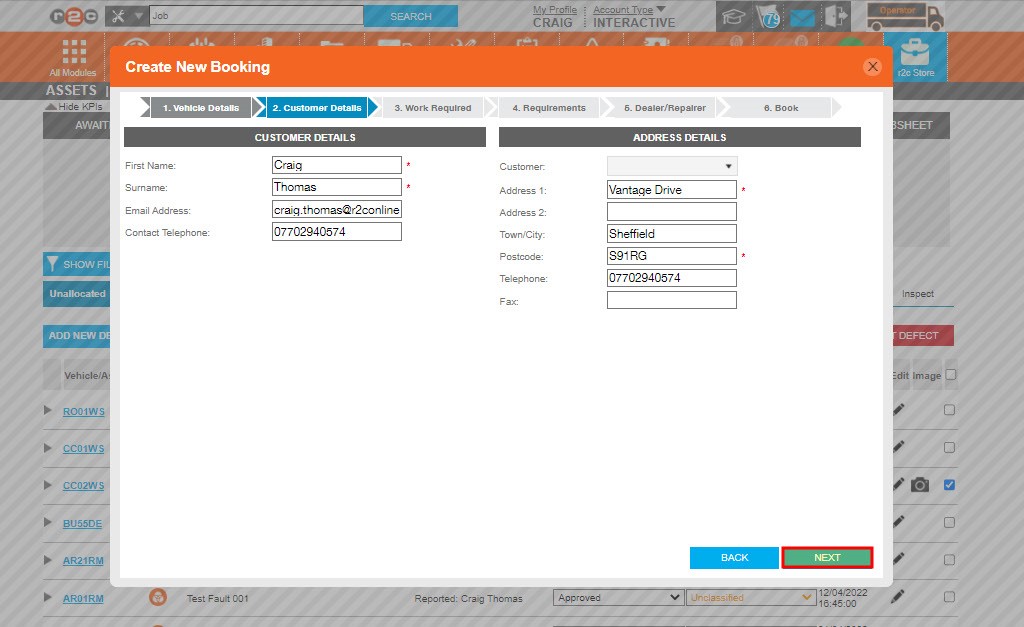
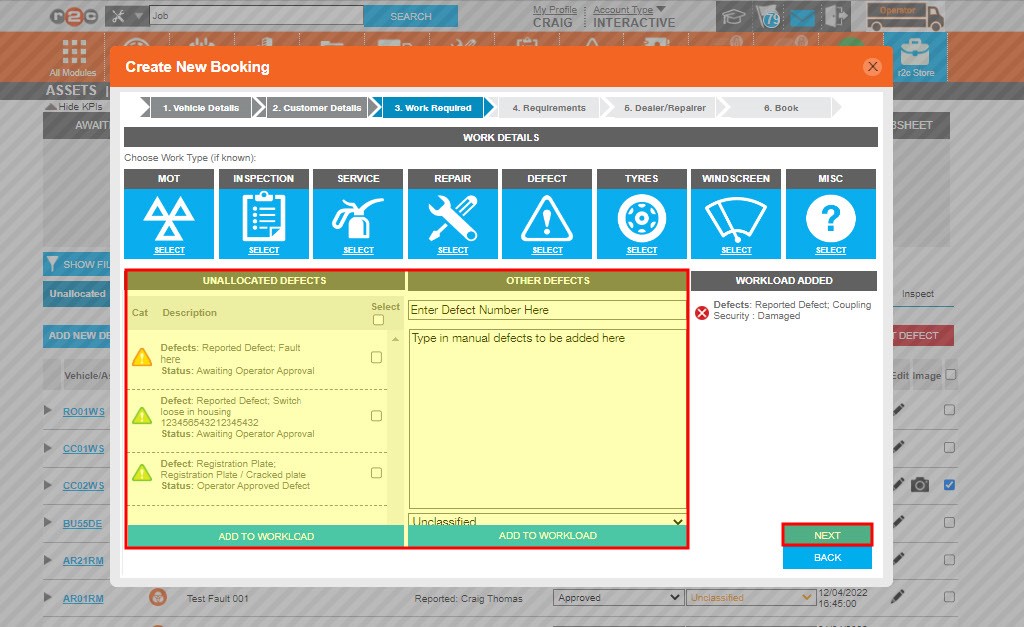
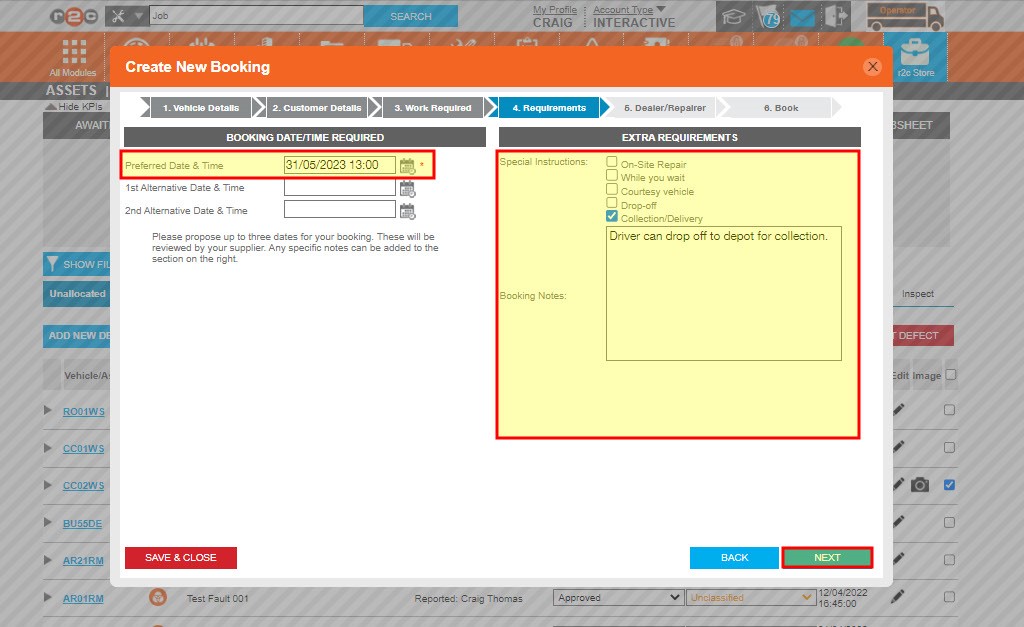
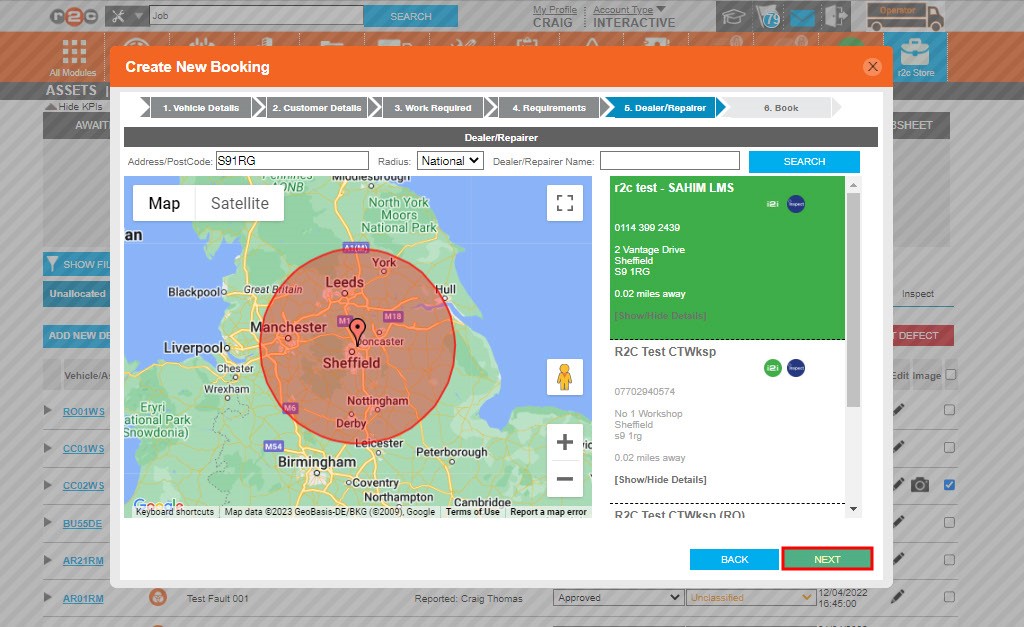
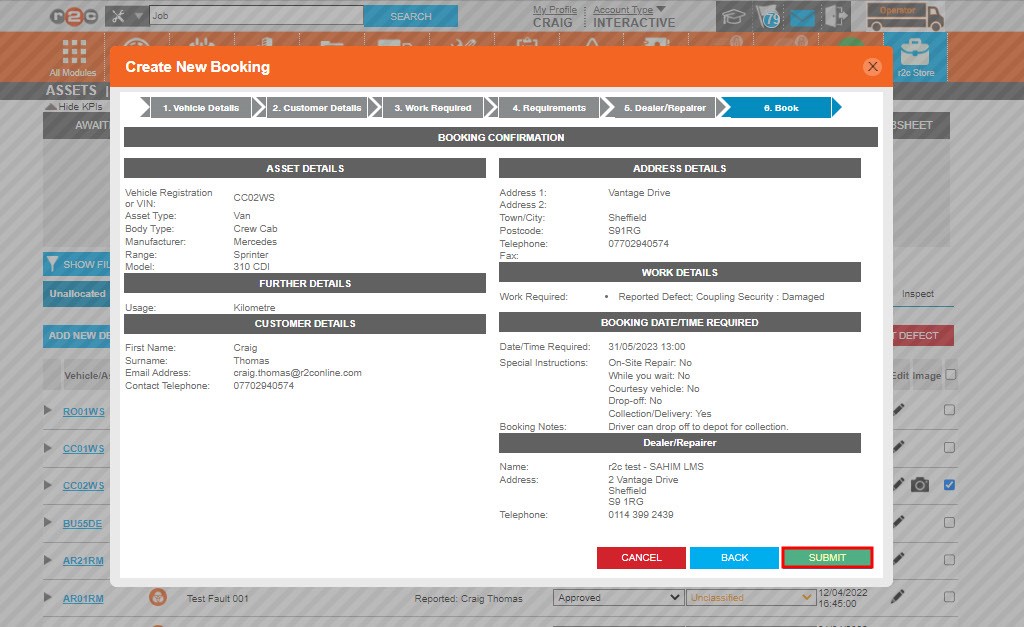
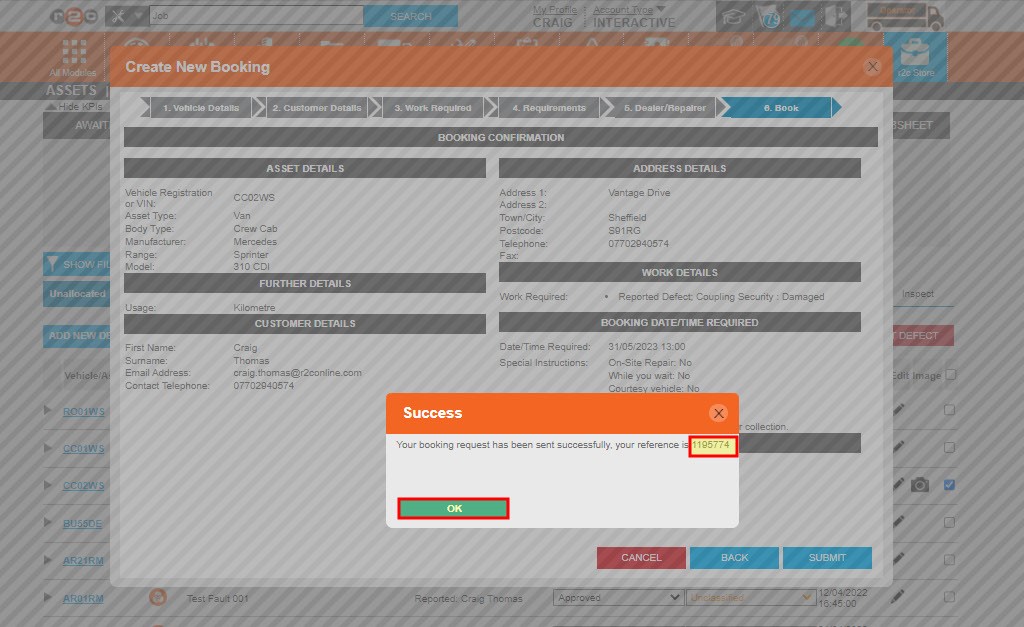
Allocating defects to a new booking – To see the steps taken to book defects, click or swipe through the 10 steps below.

Technical Info & Self Help

Why can't I edit monitored items?

Monitored Items are advisory items raised by workshops on the r2c inspect system. These cannot be edited directly and are listed for your reference. Monitored items can be updated as needed by the workshop whilst completing a jobsheet. At which point they will move to the relevant tab e.g. completed. 

Can I remove a defect already allocated to a jobsheet?

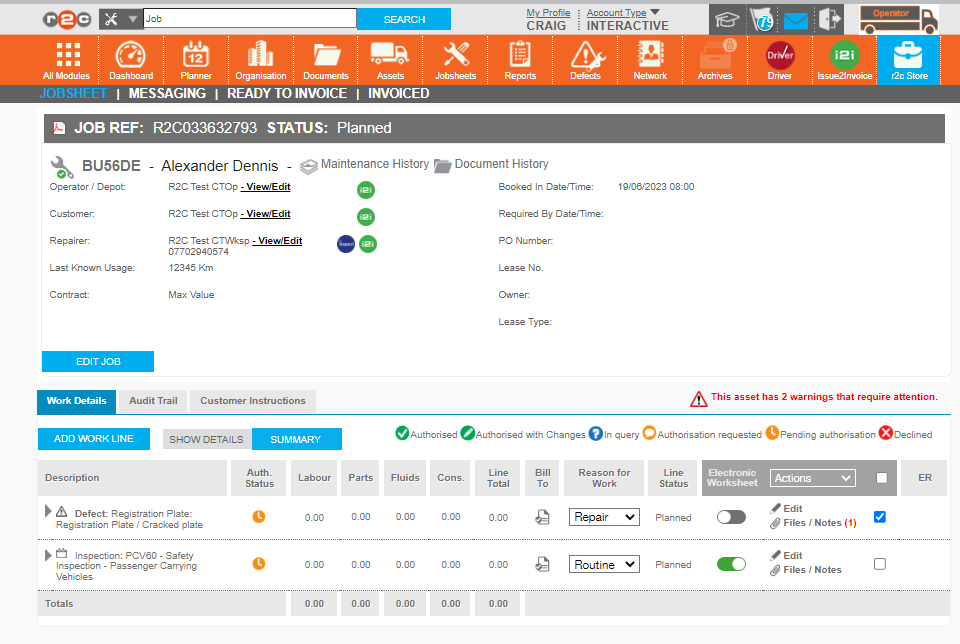
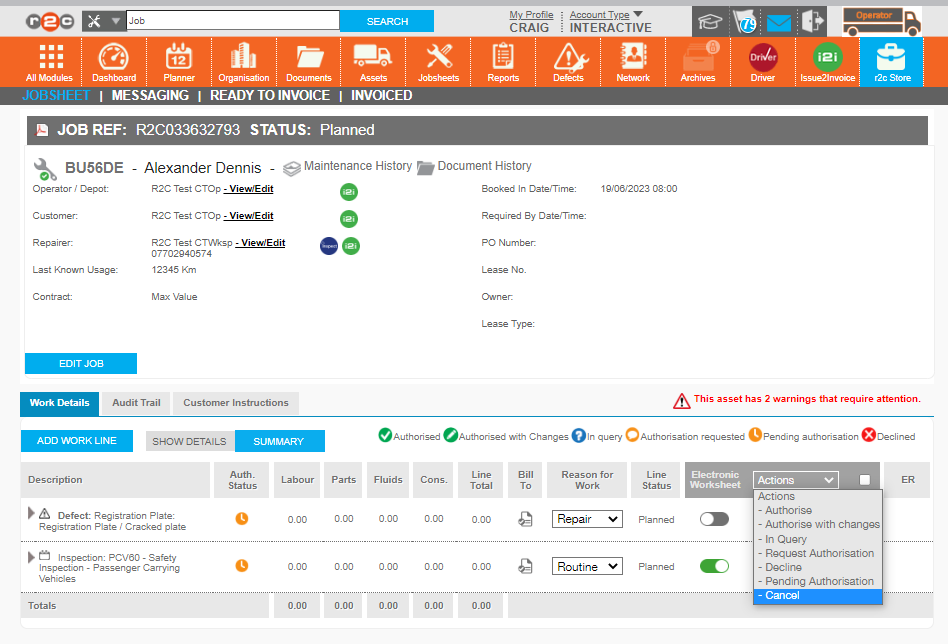
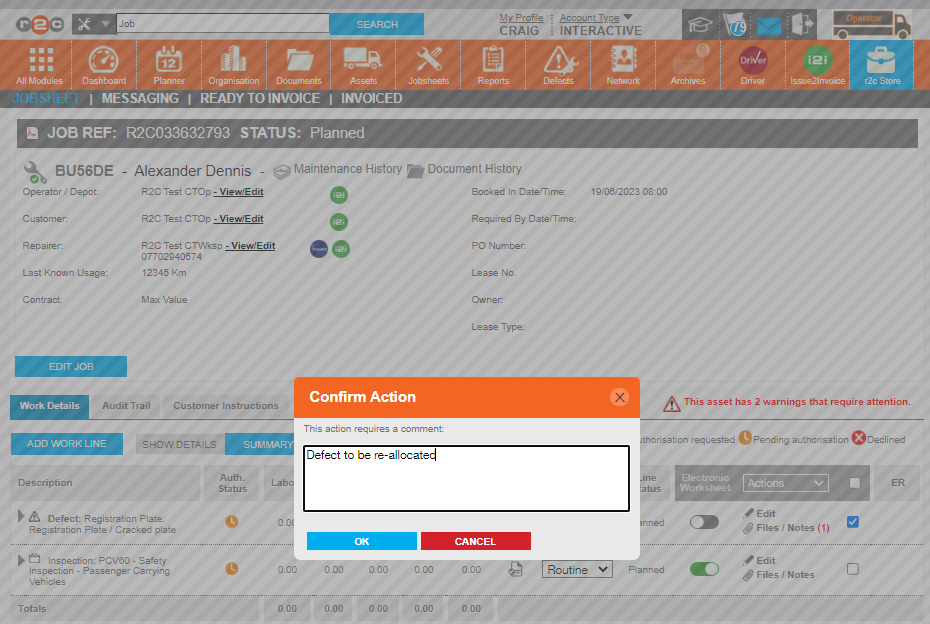
If you chose to allocate a defect to an existing jobsheet and need to re-allocate this to a different job or booking. You can cancel the individual  work line. This will return the defect to your unallocated defect list so it can be picked up again when needed.  See the 4 steps below on how to do this. 

How can I amend an E-booking

When defects are allocated to an active E-Booking the booking request can be re-opened and amended. For more information on editing booking requests please see the links below. 

Defects Explained
DVSA Deficiency CategorisationR2C Deficiency CategorisationClosed vs Open
• Minor – deficiencies having no significant effect on the safety of the vehicle/trailer or impact on the environment and other minor non-compliances. If only defects of a minor nature are present, a test certificate will still be issued. • Not Safety Related - As per DVSA A closed defect indicates that the defect has been rectified and no further action is required. An open or deferred defect for this level of defect can be thought of as an advisory.
• Major – deficiencies that may prejudice the safety of the vehicle/ trailer, have an impact on the environment, put other road users at risk or other more significant non-compliances.• Safety Related - As per DVSAA closed defect indicates that the defect has been rectified and no further action is required. An open or deferred defect for this level of defect will force the technician/foreman to sign the job as unroadworthy.
• N/A• Monitored - is used to identify a potential future defect, the monitored flag is primarily a workshop tool, used as a reminder every time the asset goes to the workshop.A monitored defect is locked in the open position due to the action taken i.e. monitor the potential issue.

Note: Dangerous Defects are not directly covered within R2C, however, where required the asset can be set to VOR, this is a manual process and is not linked to an unroadworthy inspection.

• DVSA Dangerous – deficiencies constituting a direct and immediate risk to road safety or having an impact on the environment.

Did you find this page useful?

Overall did you find what you were looking for?

Page Rating
Radio Buttons

Account Icon Key

A green outline on the account type icon signifies the guide is applicable whereas a red outline signifies it is not applicable to the the respective account type.

Repair and Maintenance Provider

Operator

Workshop

Is something broken or missing?

Let us know here

Report an Issue Form