N/A
Home » Guides » Completing a Jobsheet (non-digital)

Completing a Jobsheet (non-digital)

These steps for non-digital jobs are only applicable to Operator and R&M accounts. For guidance on non-digital Jobsheets as a workshop please click here

Table of Contents

Introduction

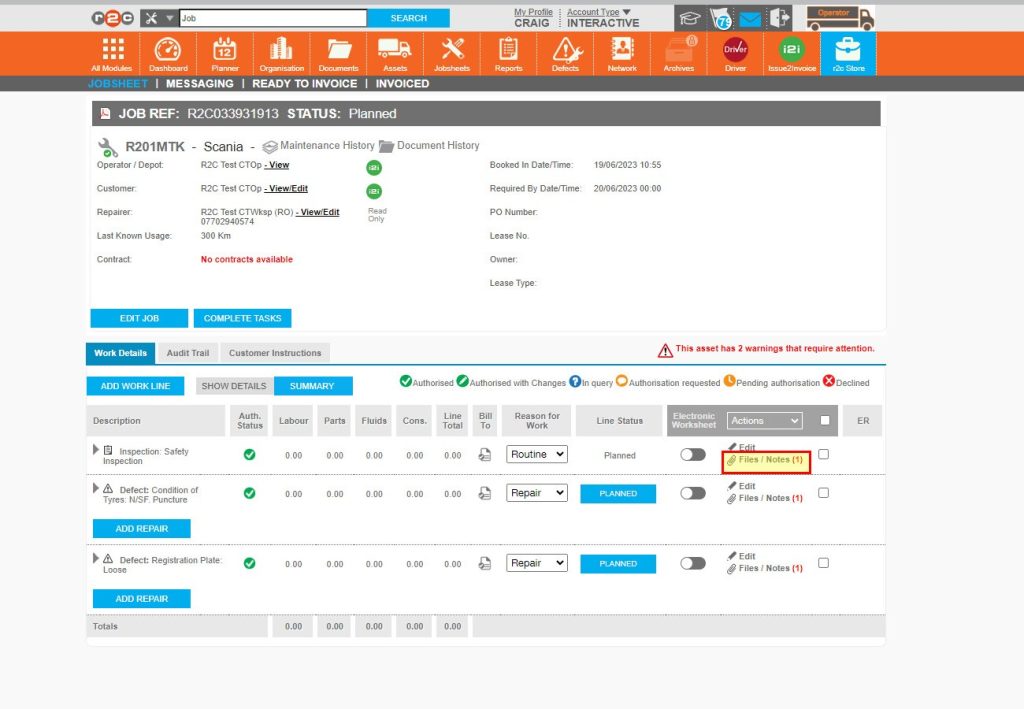
 When a jobsheet has been done outside of the r2c system, non-digital jobs can be created. These jobs can be updated within portal, with scanned documents attached where applicable. 

However, this only applies to jobs where the repairer does not have access to r2c at all. These accounts are called read-only workshops.  For these situations, you can complete a jobsheet on their behalf for your own records. 

Use the hotspots below to see how to identify jobs where the repairer is read-only.

Step by Step

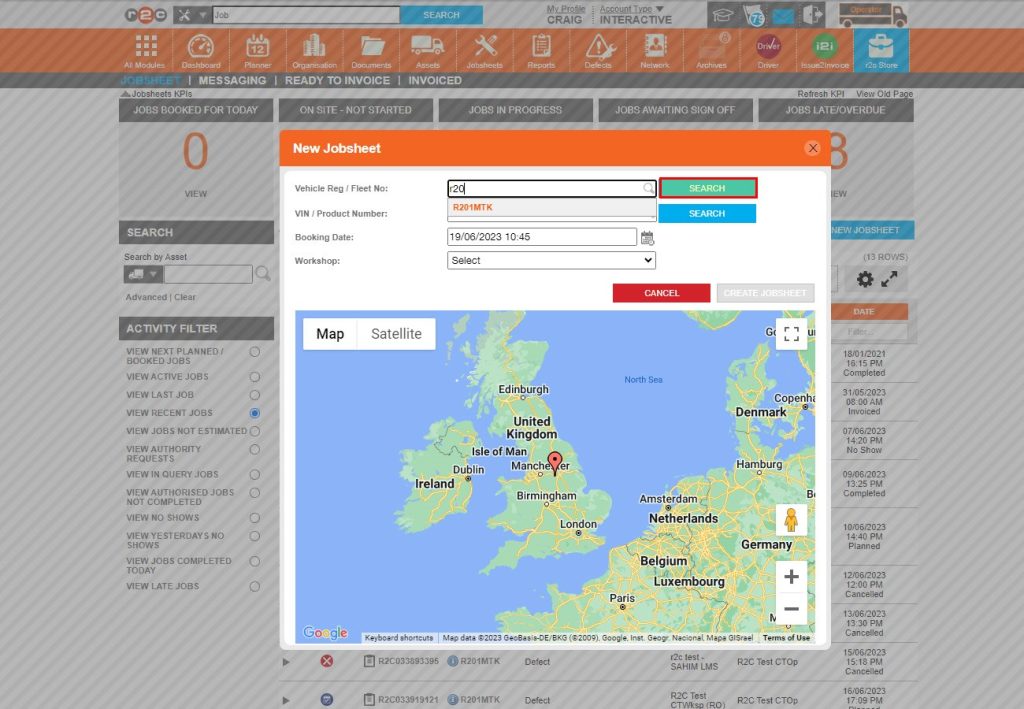
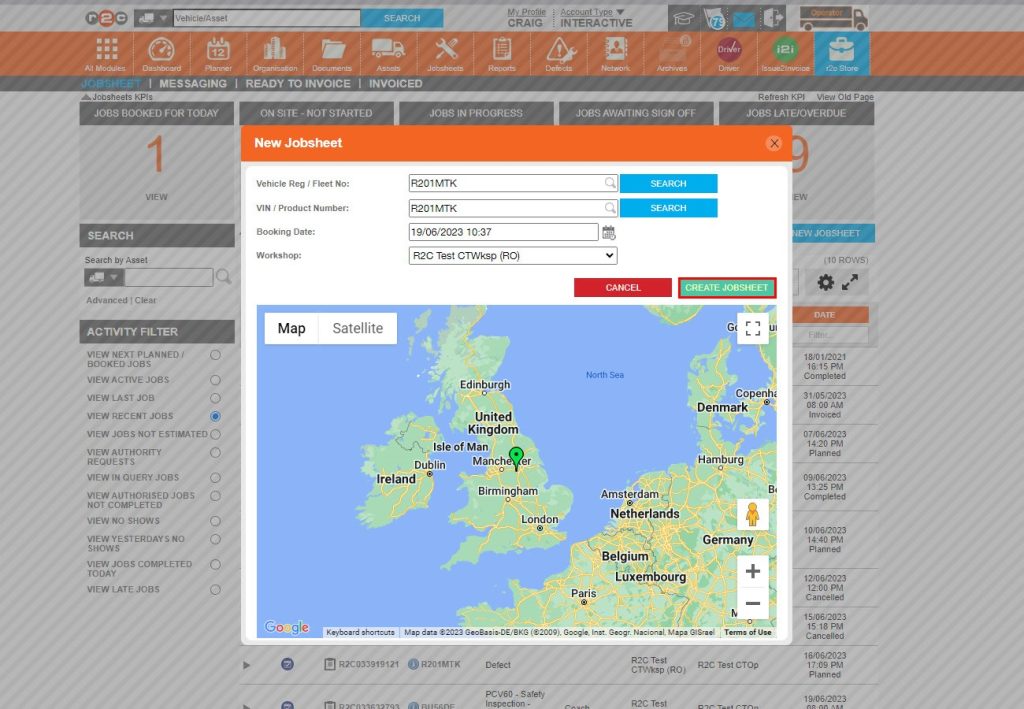
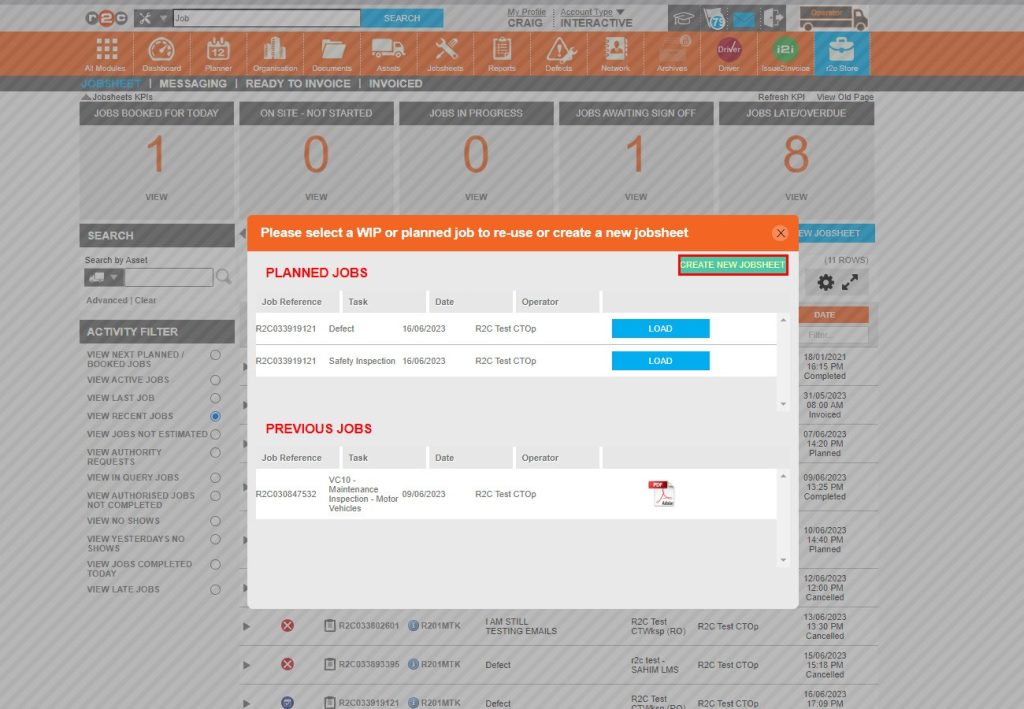
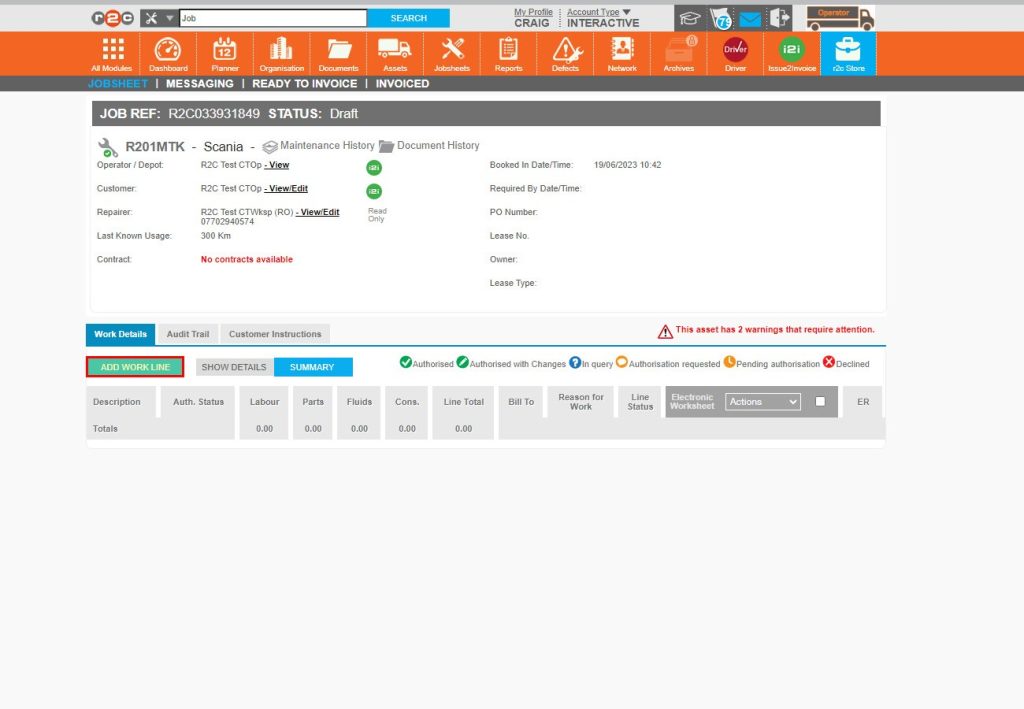
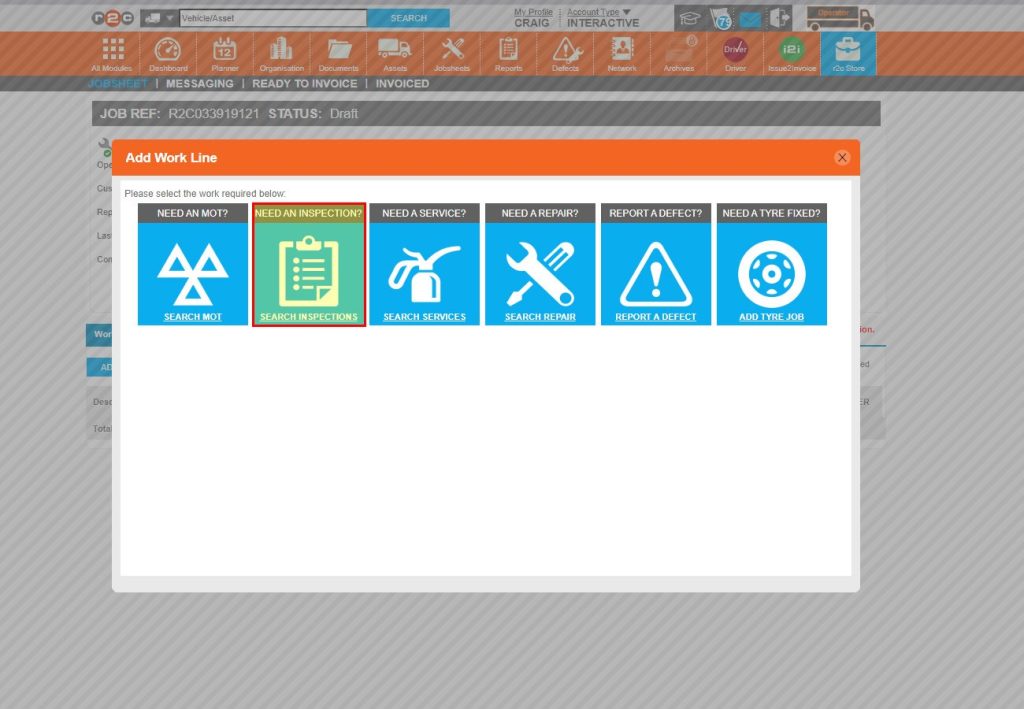
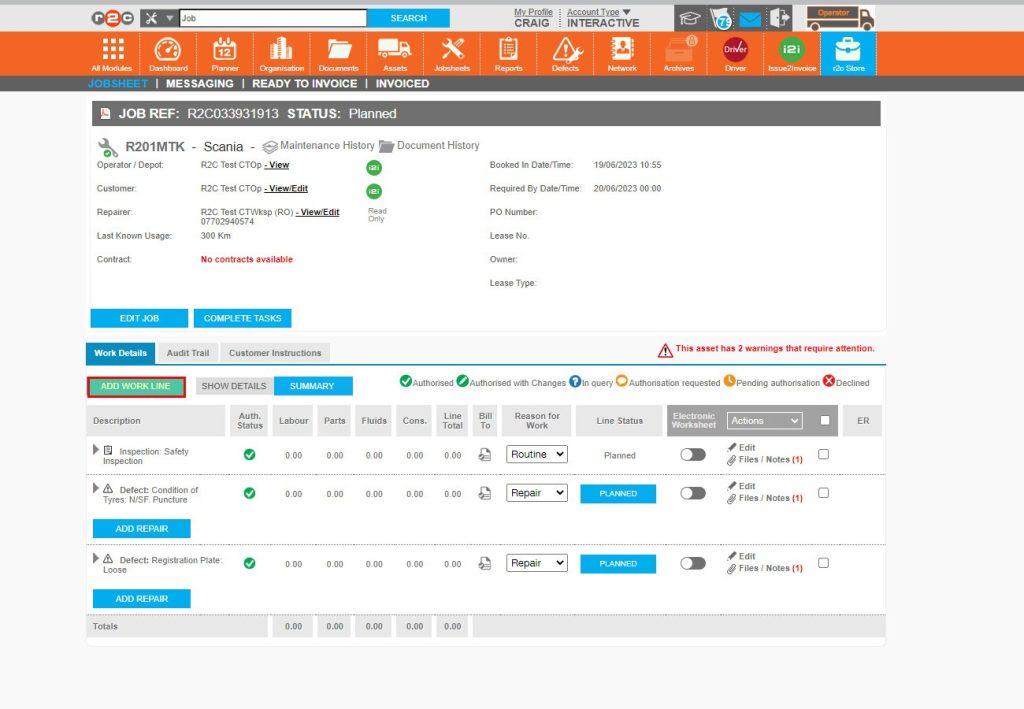
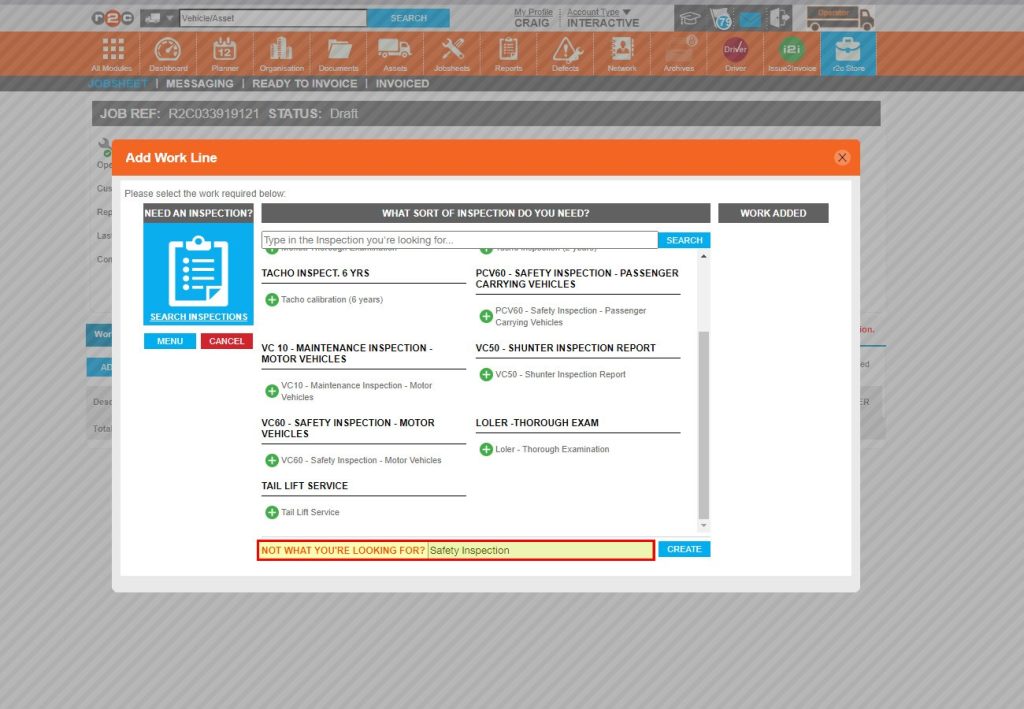
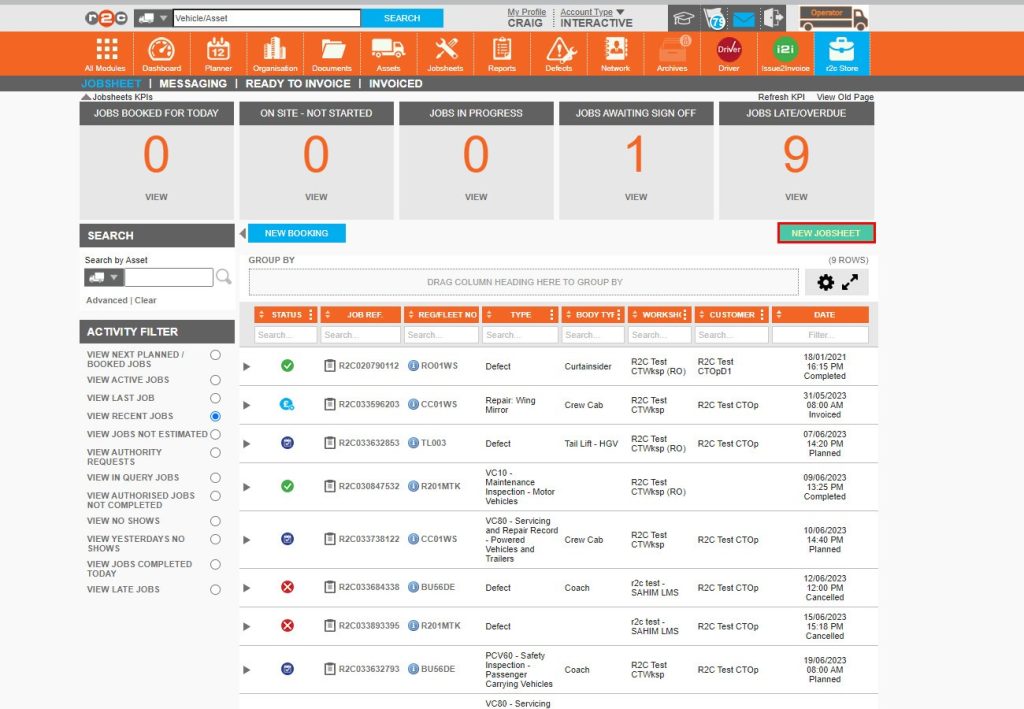
Create a non-digital job- To create a non-digital job, click or swipe through the 8 steps below.

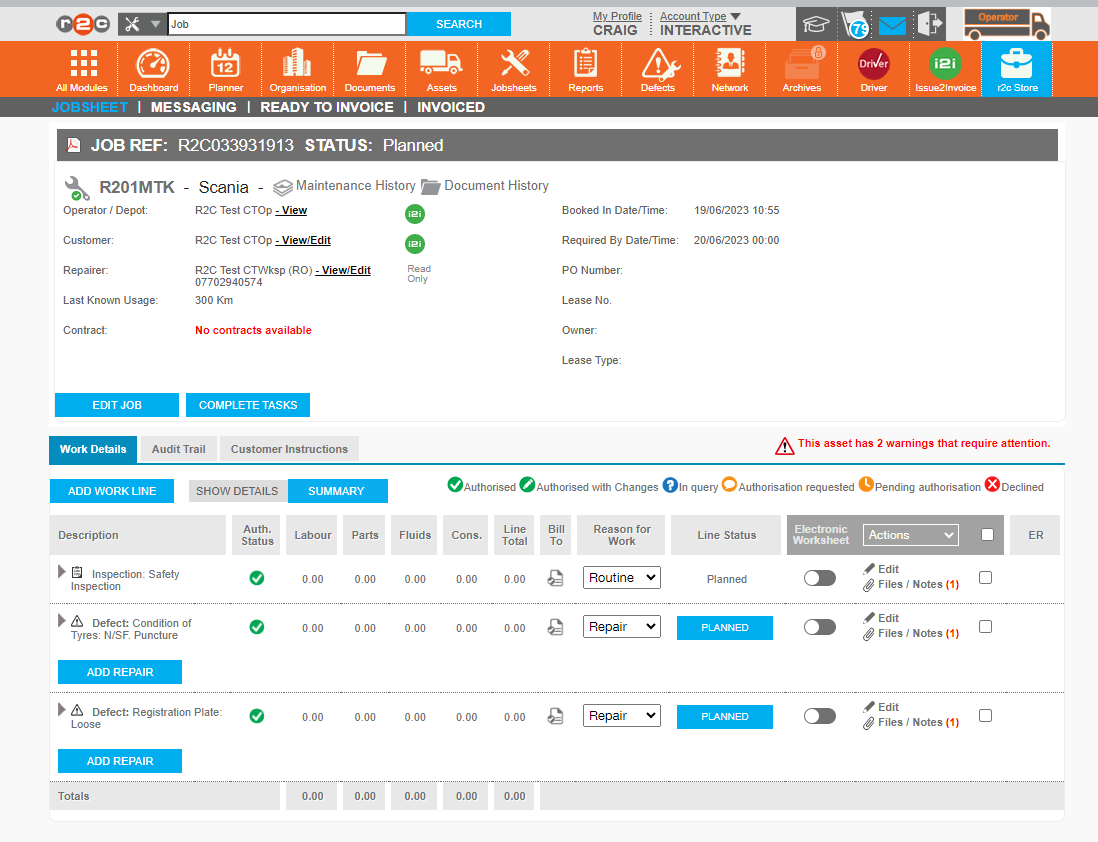
Read Only workshops do not have access to the r2c system. Therefore there are no module icons and the Read Only label is visible. 

When a repairer is read-only, all work lines will be non-digital. The electronic worksheet toggle symbol will be off.

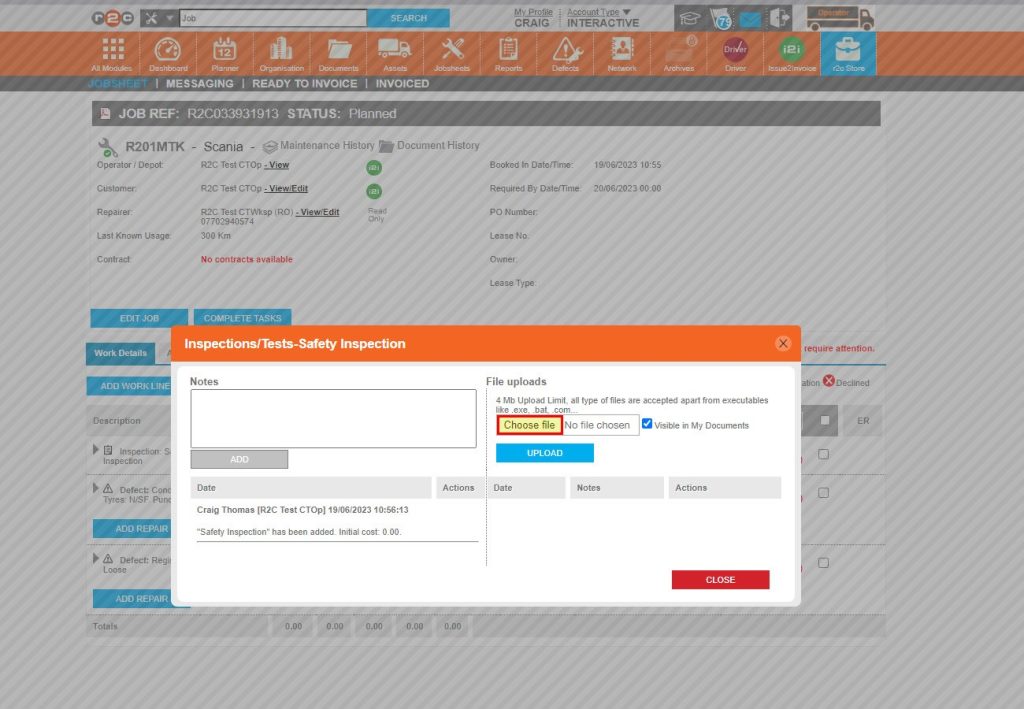
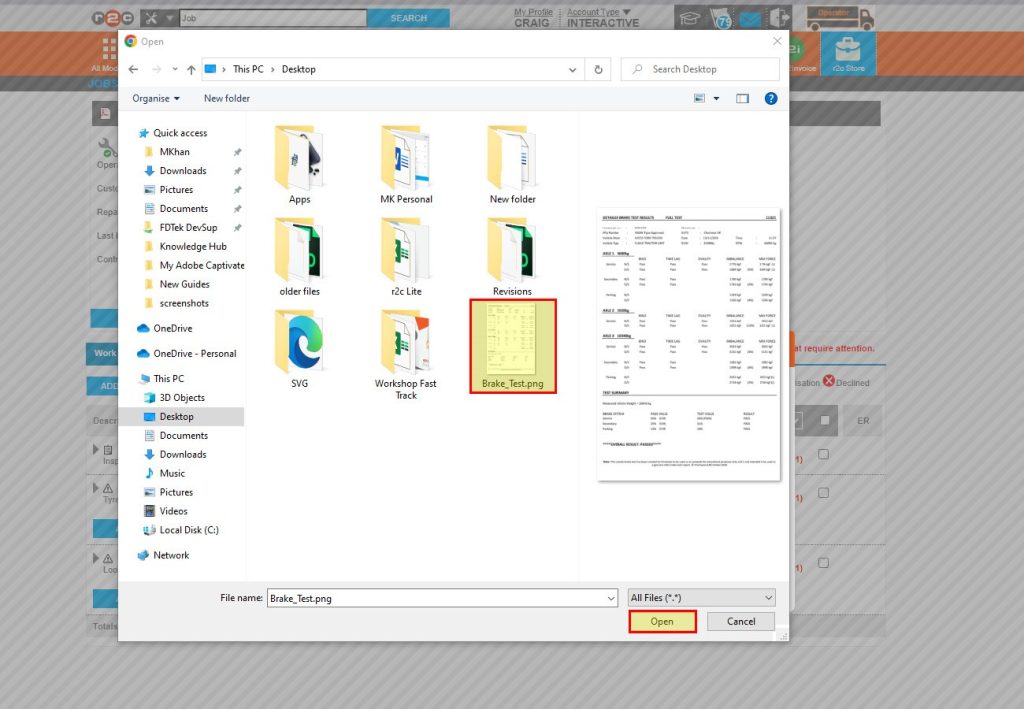
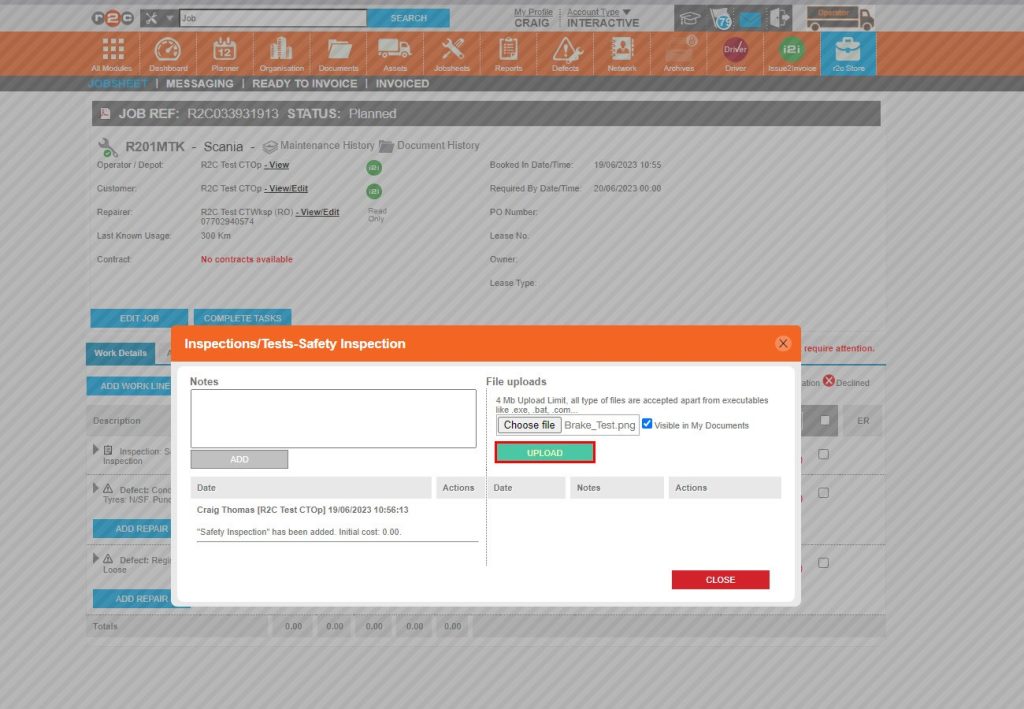
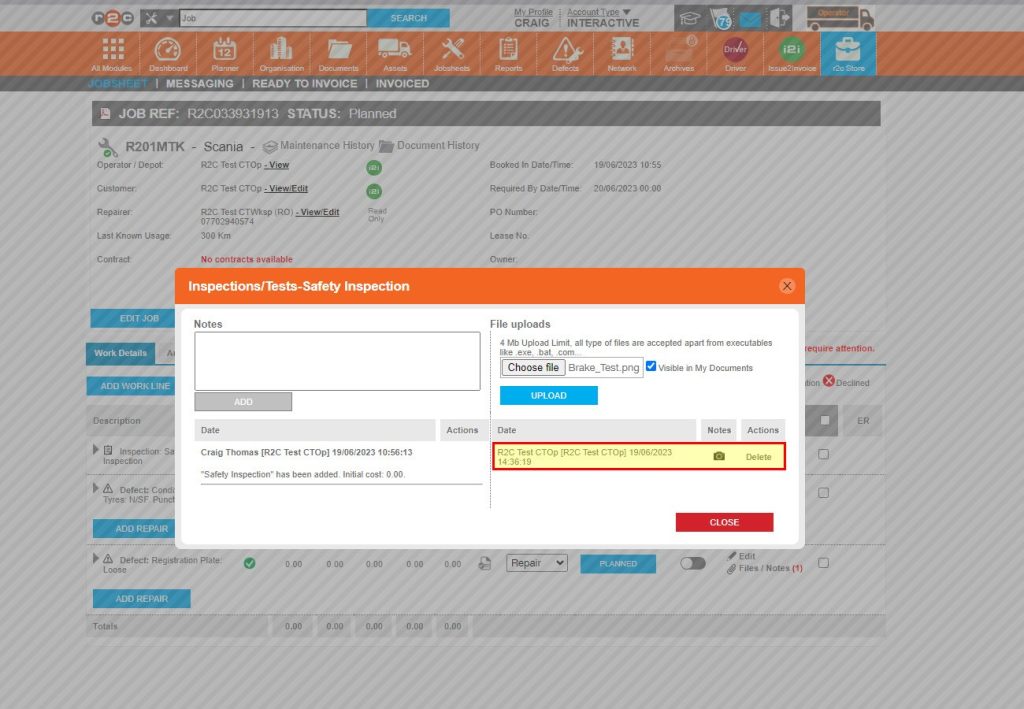
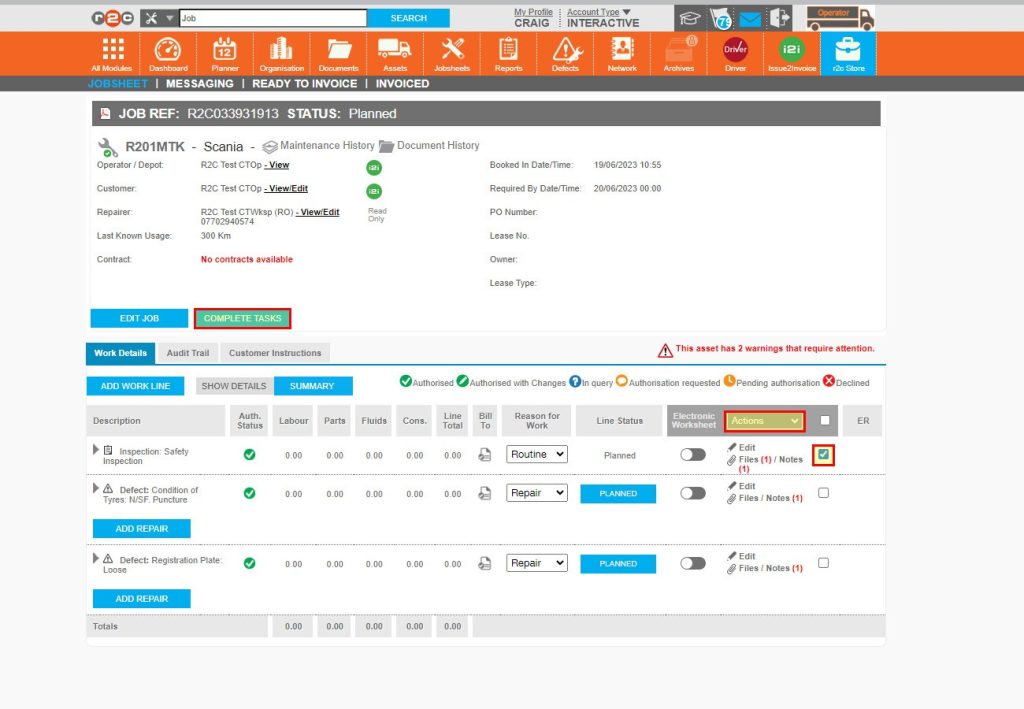
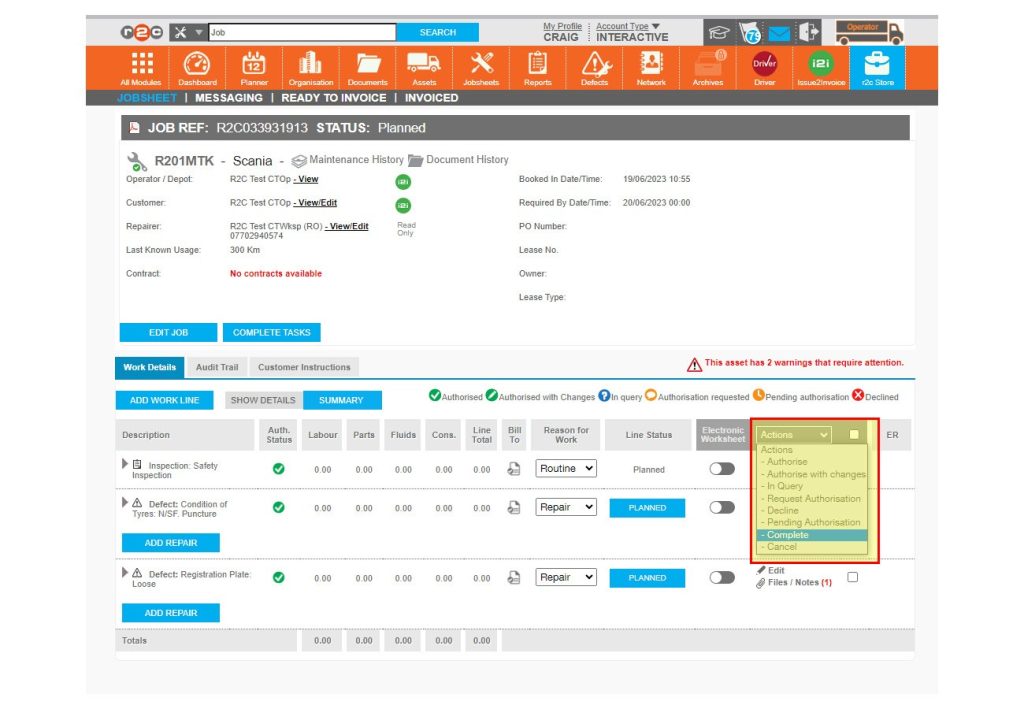
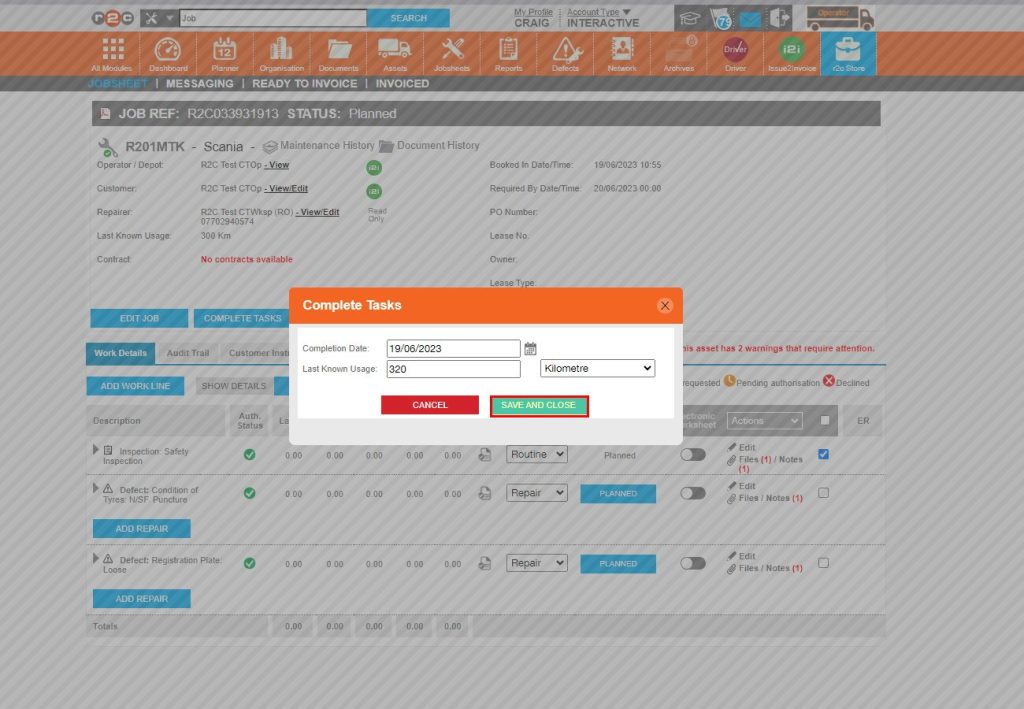
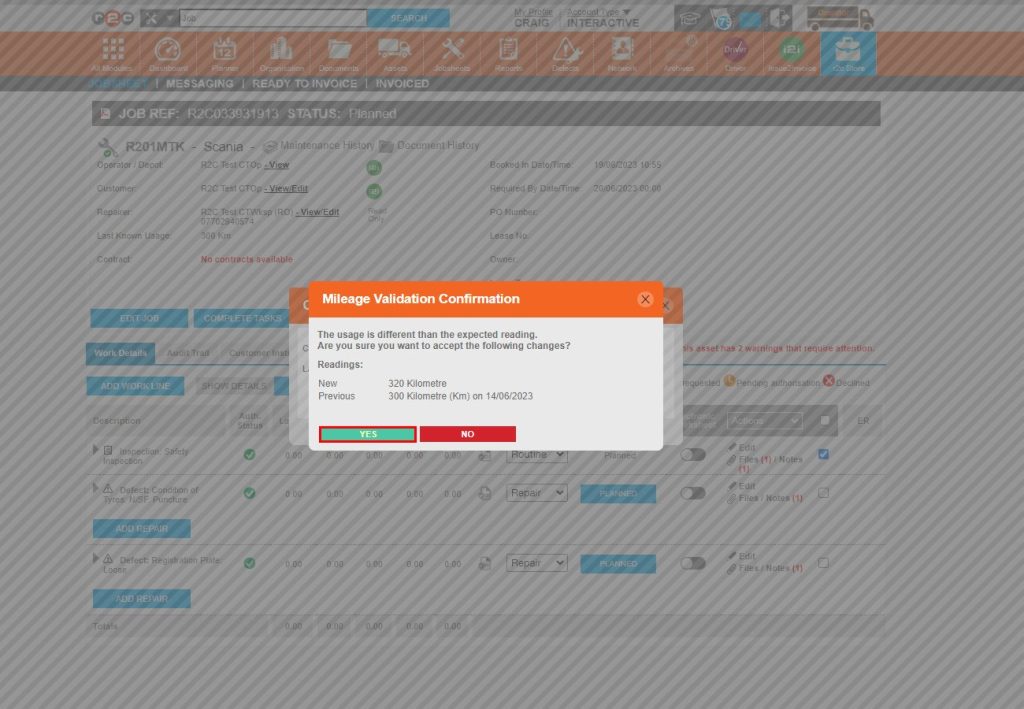
Complete a job- To complete a non-digital job, click or swipe through the 9  steps below.

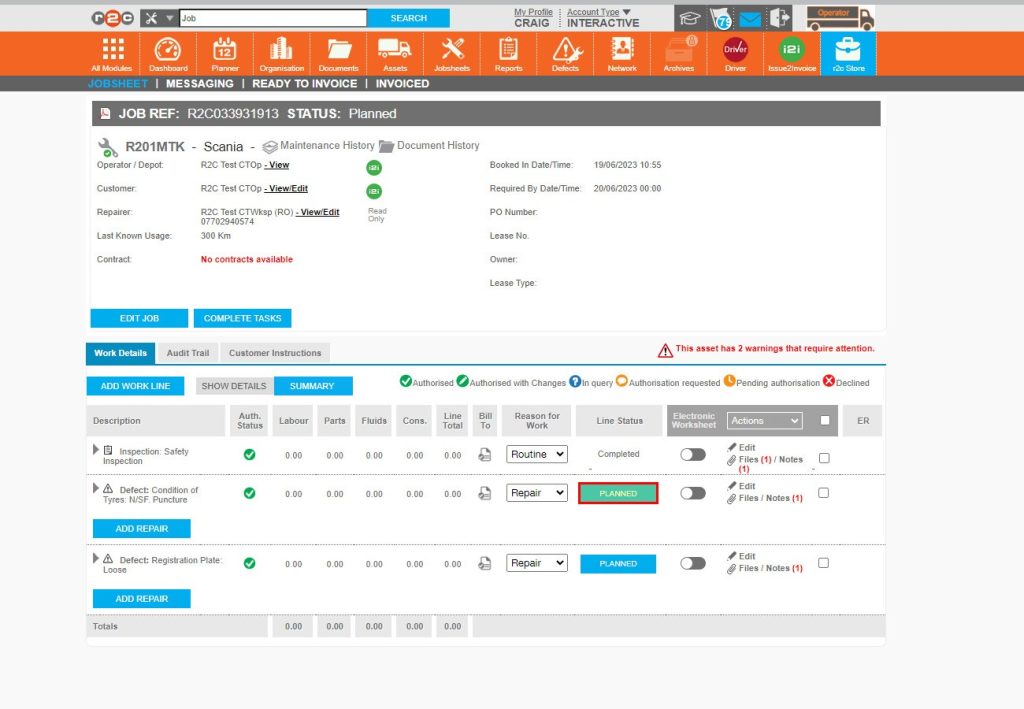
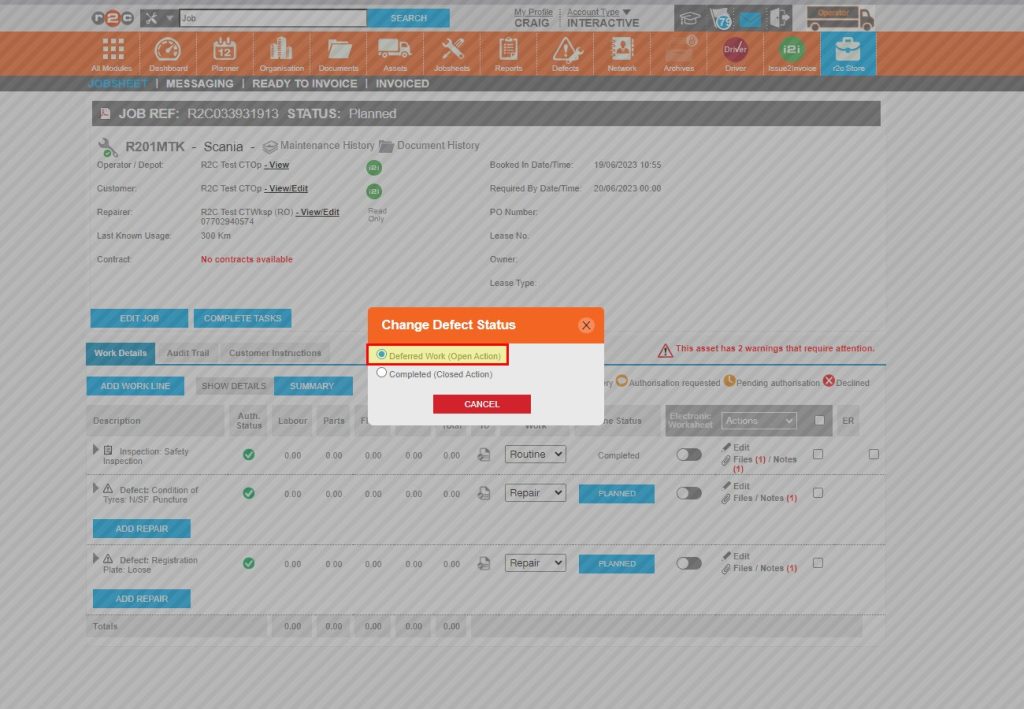
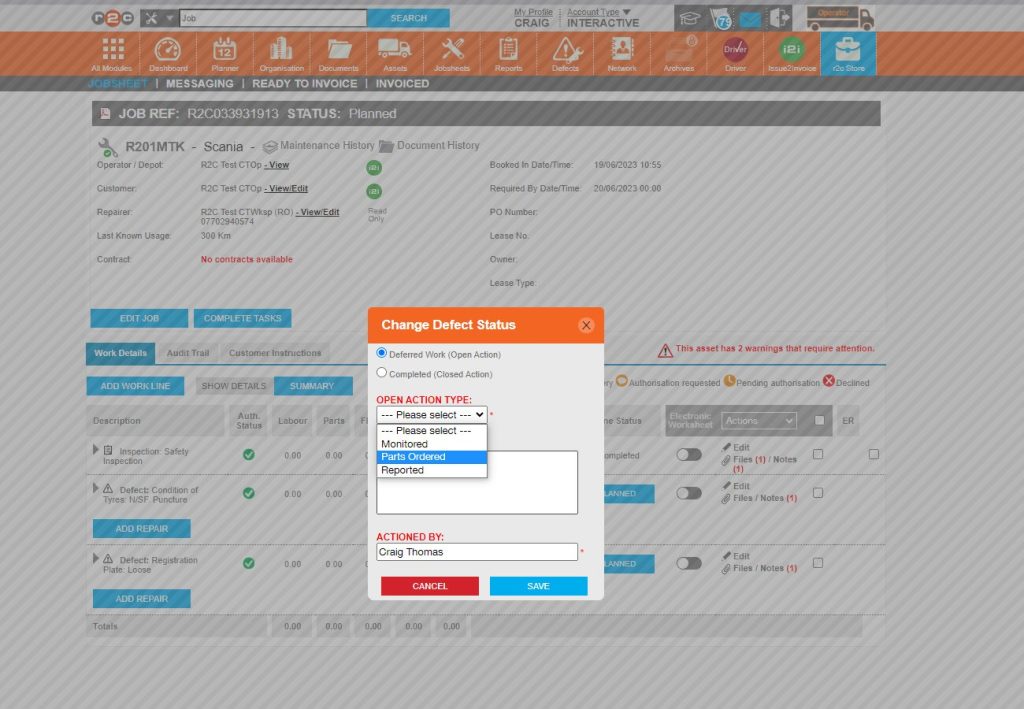
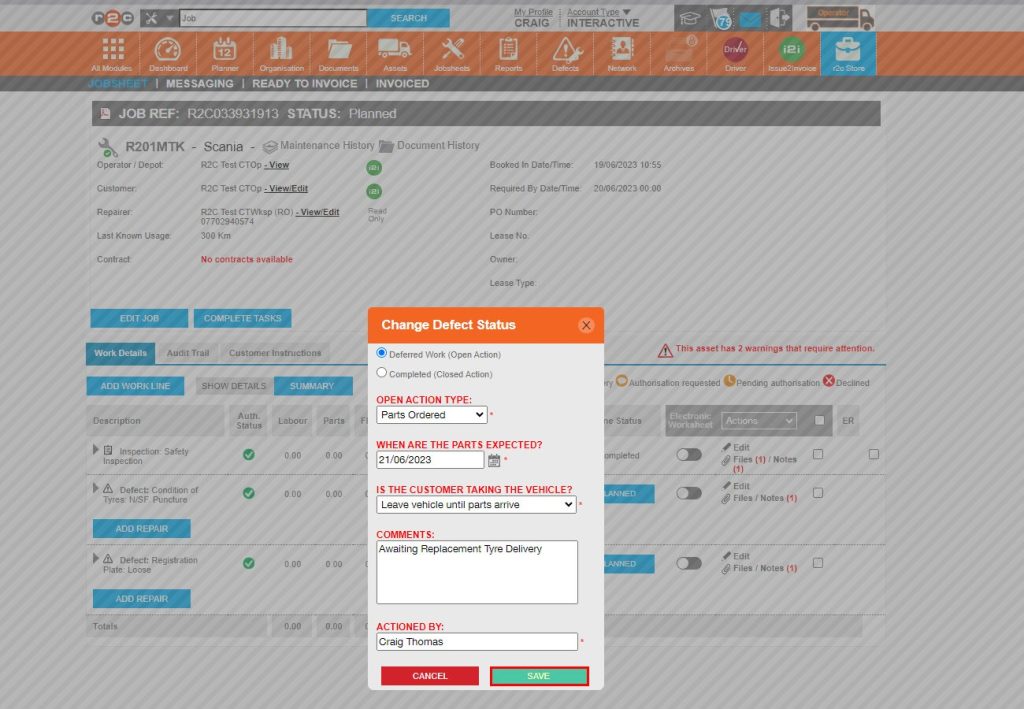
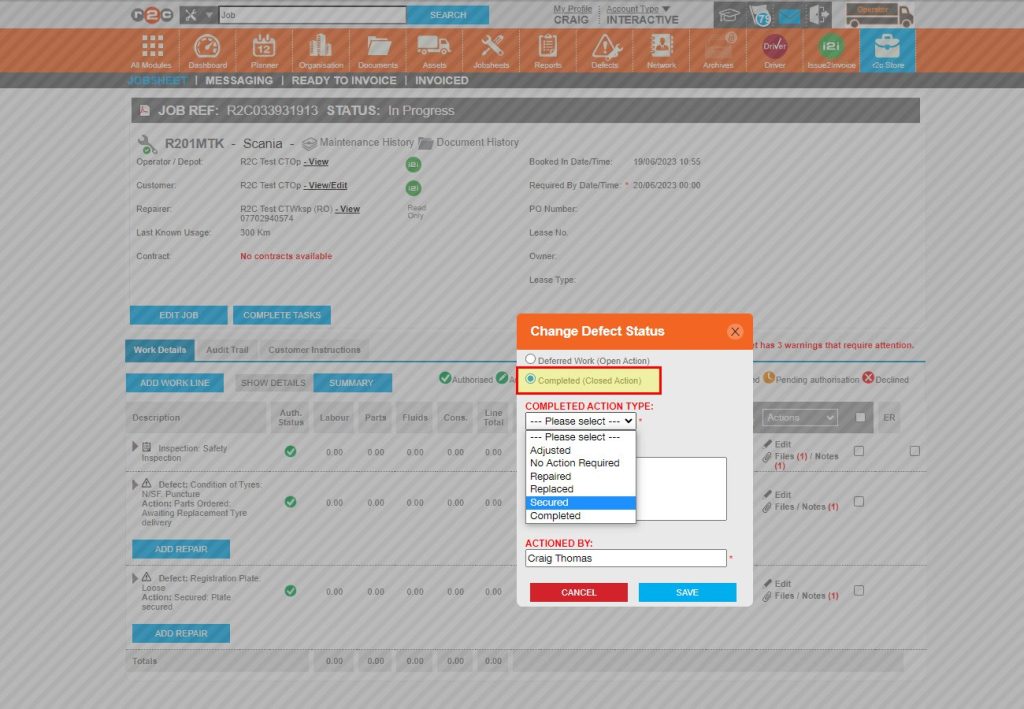
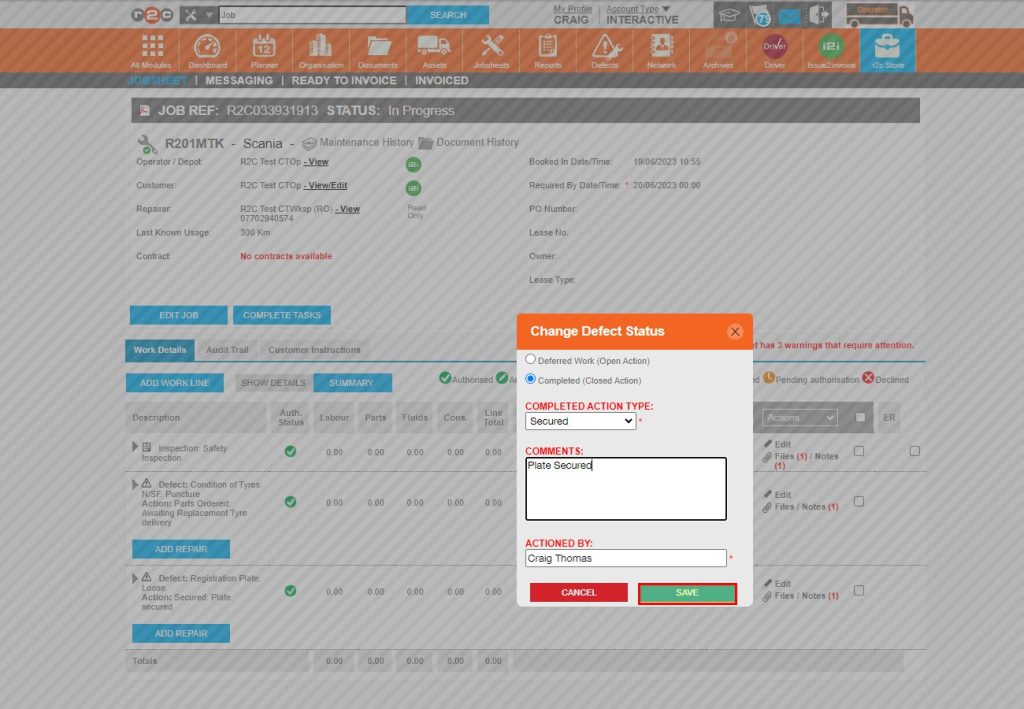
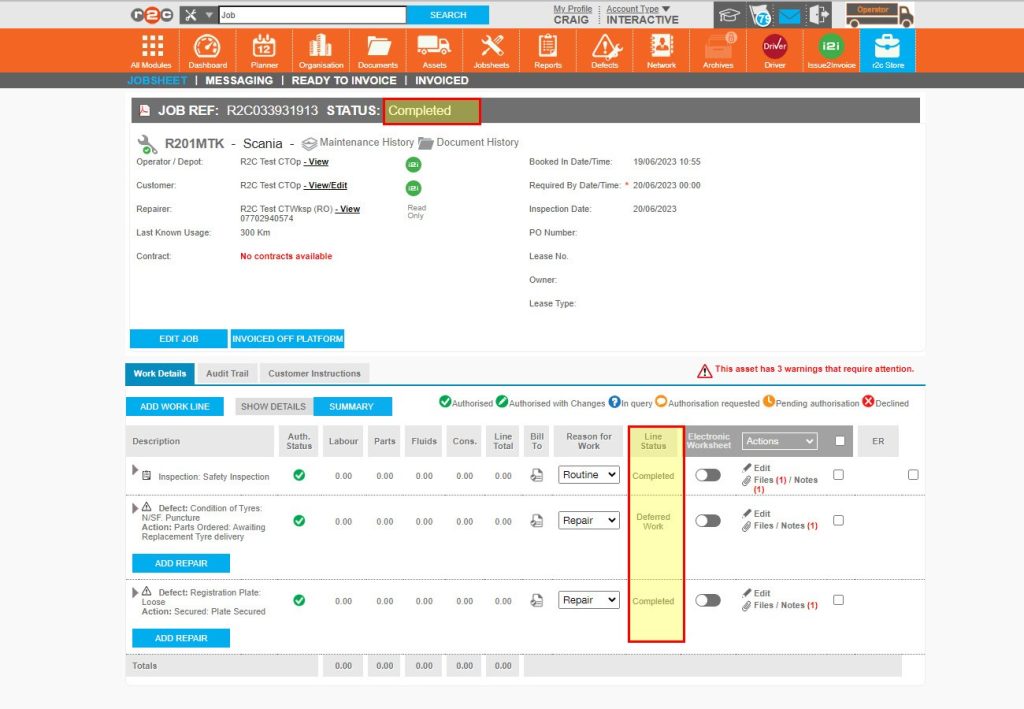
Completing Defect lines – To see the steps taken to complete defect lines within portal, click or swipe through the 7 steps below.

Did you find this page useful?

Overall did you find what you were looking for?

Page Rating
Radio Buttons

Account Icon Key

A green outline on the account type icon signifies the guide is applicable whereas a red outline signifies it is not applicable to the the respective account type.

Repair and Maintenance Provider

Operator

Workshop

Is something broken or missing?

Let us know here

Report an Issue Form