These steps for only applicable to interactive Operator and Repair and Maintenance accounts that have the additional i2i module enabled. Please note, your r2c contract may affect this as well as user role permissions.
With the i2i module as the customer you can receive requests from workshops for the approval of costs. Once the job is completed and approved, the jobsheet can then be invoiced. This allows all parties to track the process within the r2c portal in real-time.
Please note, this interaction is only possible when both the customer and the workshop have the i2i module add-on.
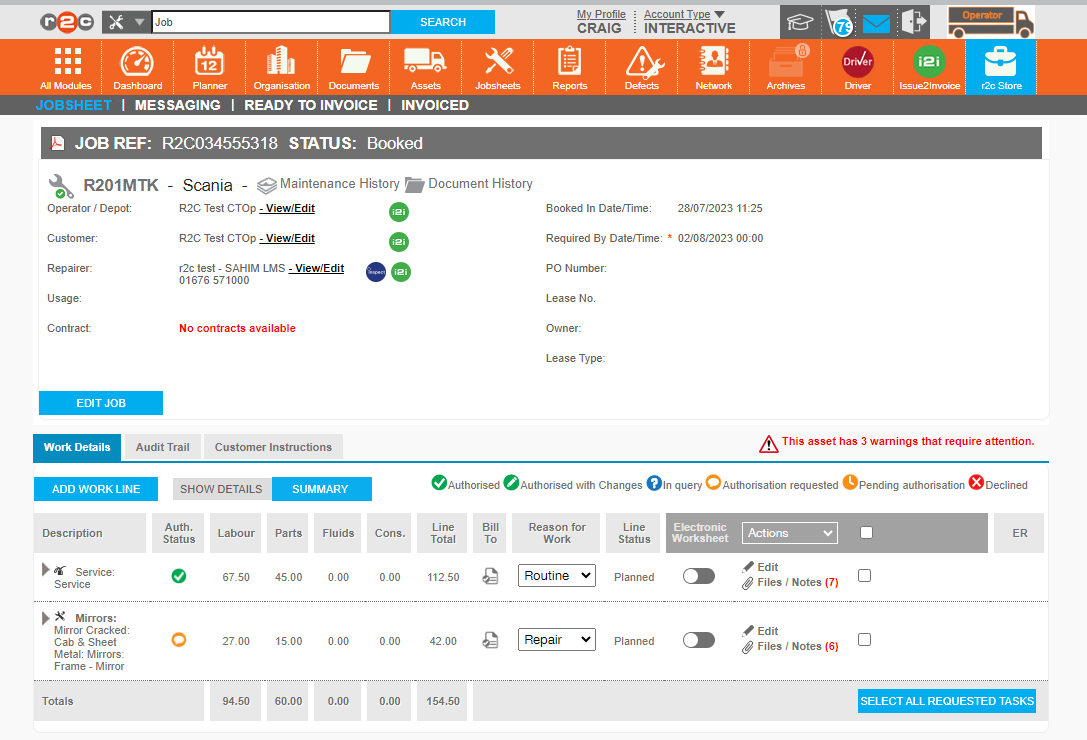
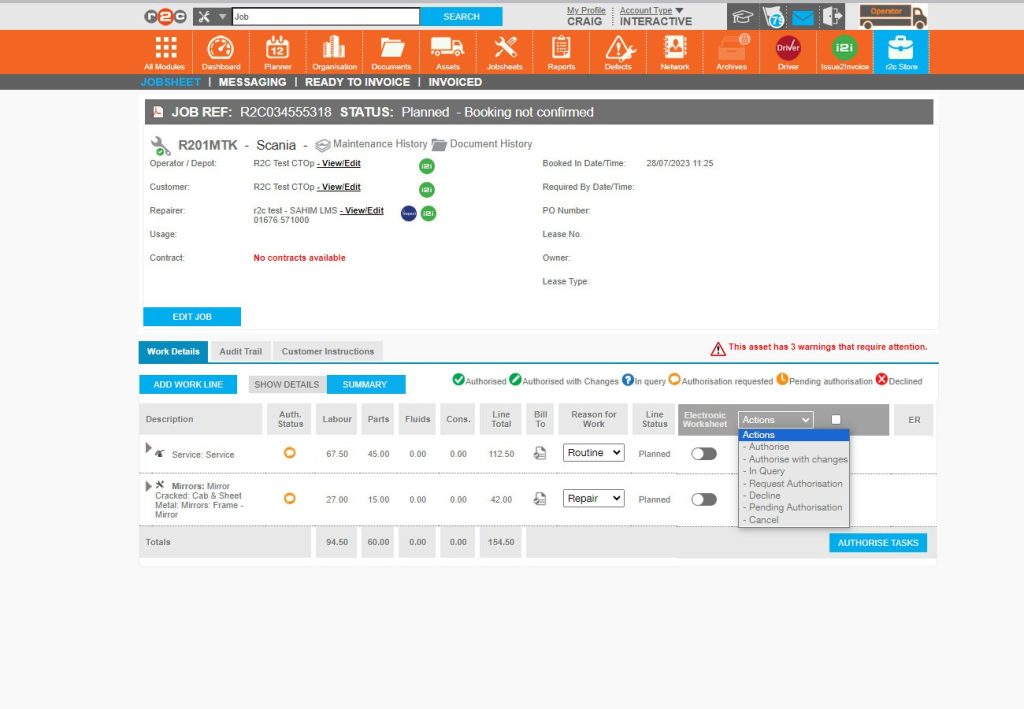
When customers have additional modules. The icons are displayed here. In this example all parties have the i2i module enabled.
The Authorisation status of a line is shown through these colour coded symbols.
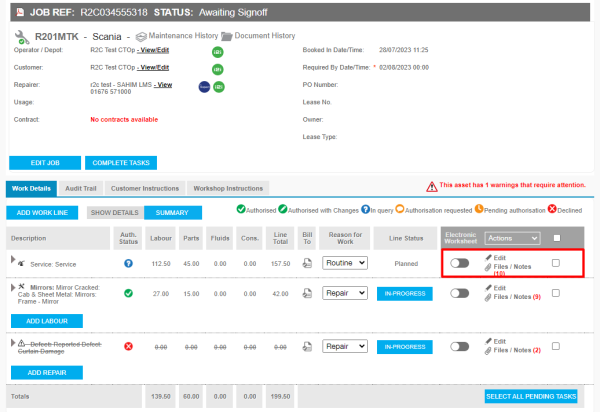
The current Authorisation status of a line is shown here.
User Configuration – In order to authorise and approve requests. Users must have the authorisation role allocated and an authorisation limit must also be configured on the organisation page. This can be done by an Administrator.
Stage 3: Respond to the requests by approving or decliningwork.
Stage 1
Authorisation Groups– To set up permissions using authorisation groups click or swipe through the 5 steps below.
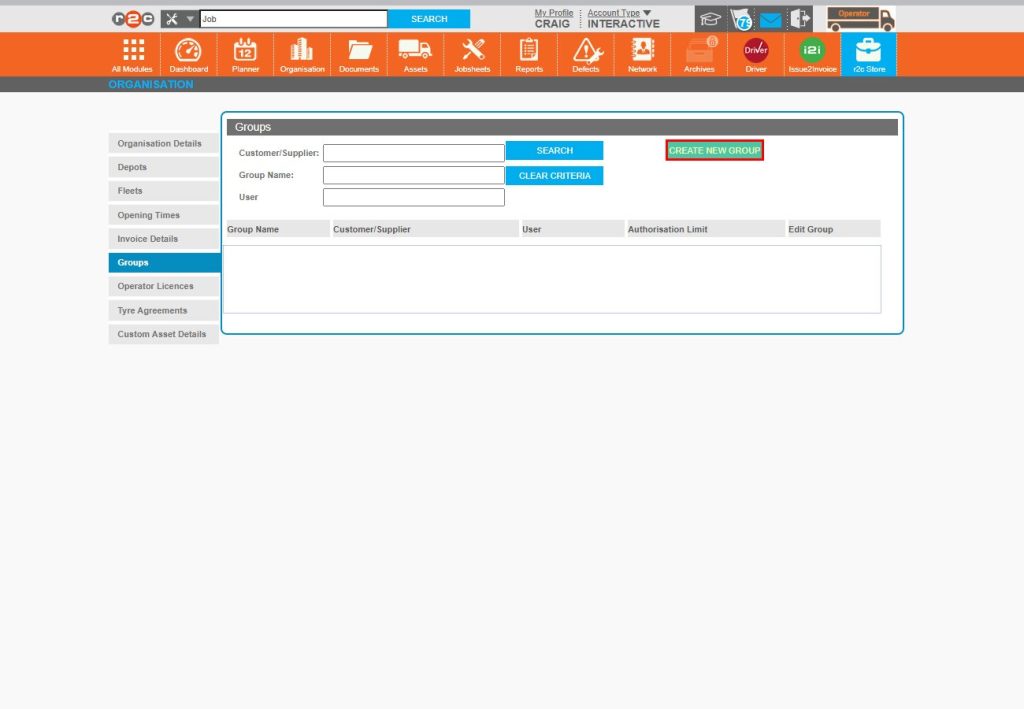
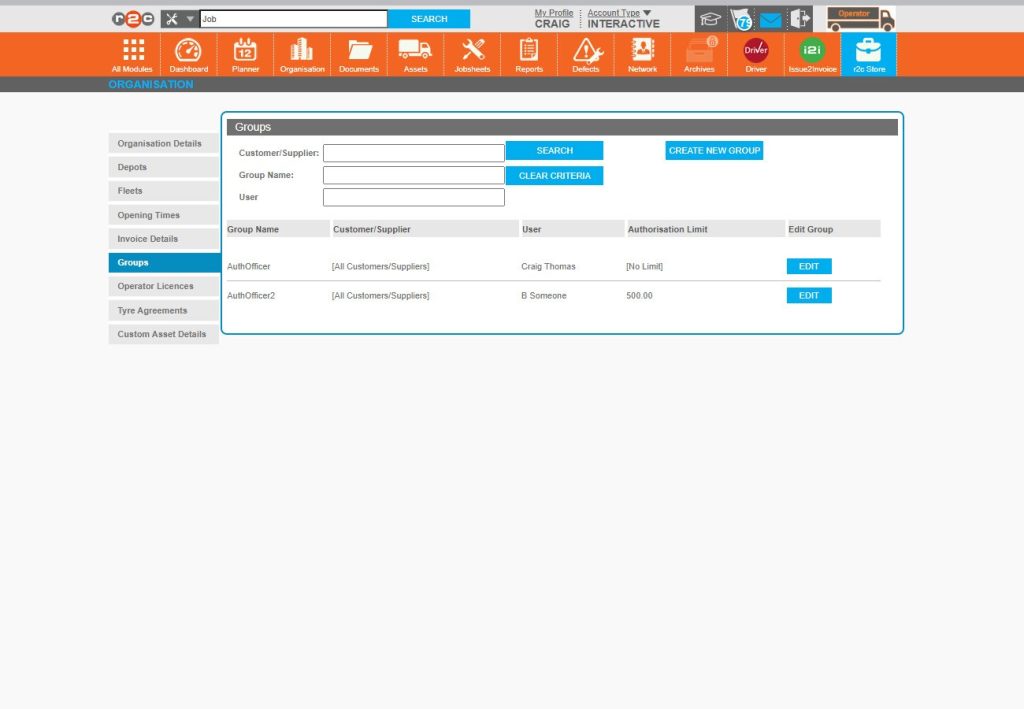
Step 1 - To access the Authorisation Group settings, start by clicking Organisation on the header bar and then the Groups Tab.
Step 2 - Next, click CREATE GROUP
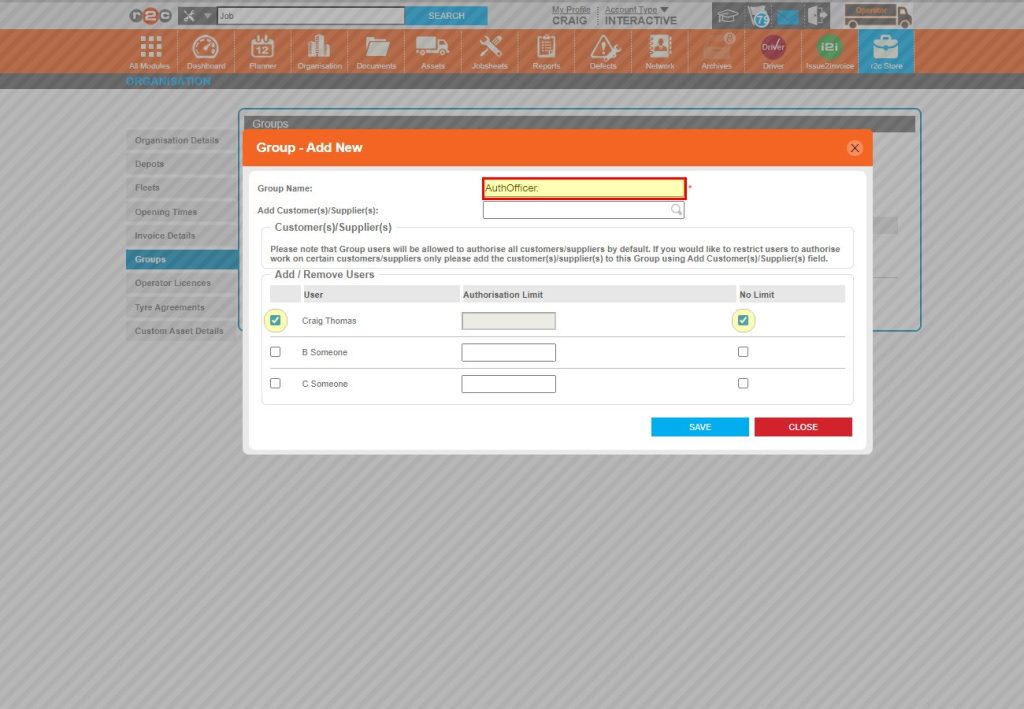
Step 3 - Start by giving the group a name and then selecting the users that are part of this group. In this example the ‘No Limit’ option has been ticked. This means the user can approve jobs of any value. Click SAVE once done.
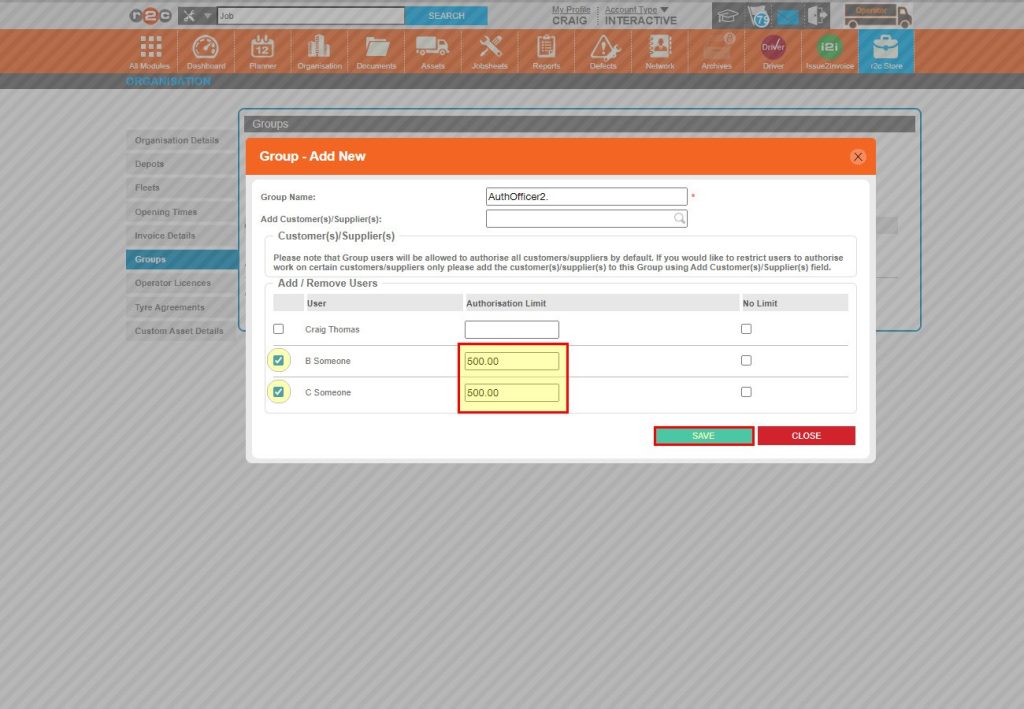
Step 4 - In this example, two users are able to authorise jobs up-to the value of £500 only. Click SAVE once done.
Step 5 - Once a user has been assigned to a group, they can begin receiving and authorising requests. The groups can be amended from here anytime by an administrator.
Stage 2
Monitor Requests –To see where you can find outstanding authorisation requests
Click or swipe through the 2 steps below.
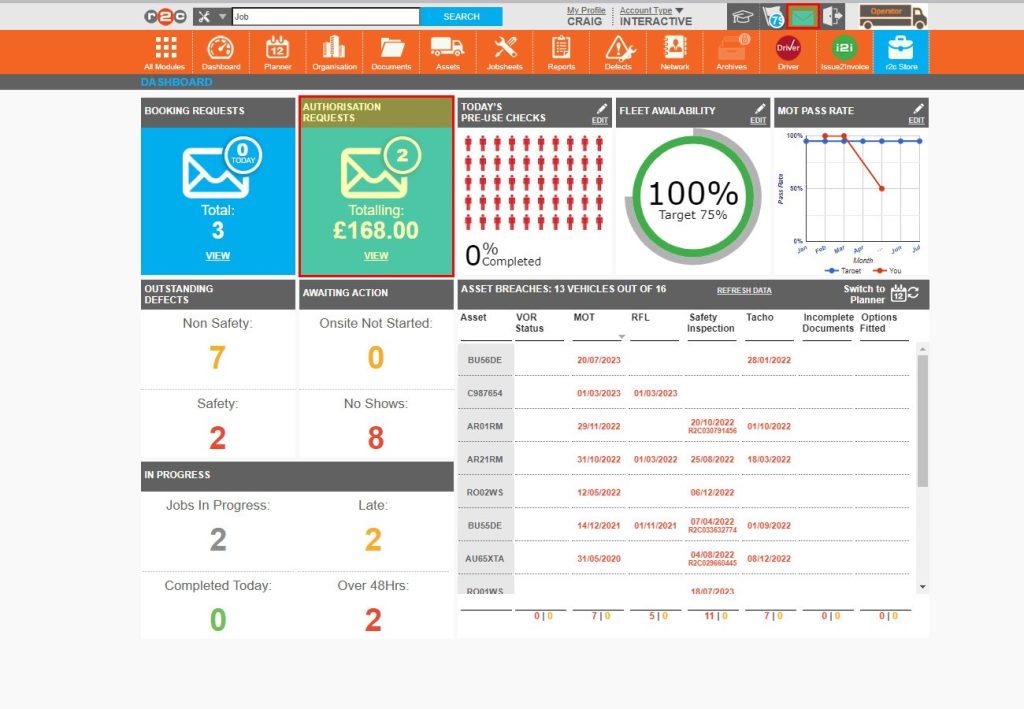
New requests can be monitored from the dashboard and the messages area.
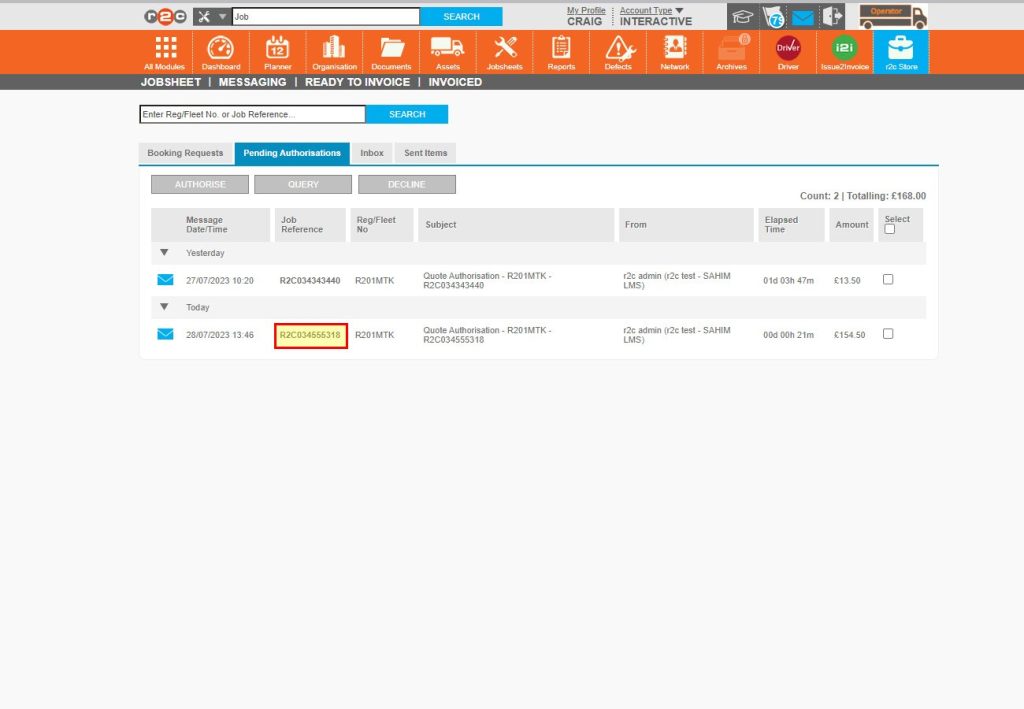
Requests are listed in the pending Authorisatons tab of the messages area. Click on a job number to open the jobsheet.
Stage 3
Responding to requests – To respond to an authorisation request, click or swipe through the 6 steps below.
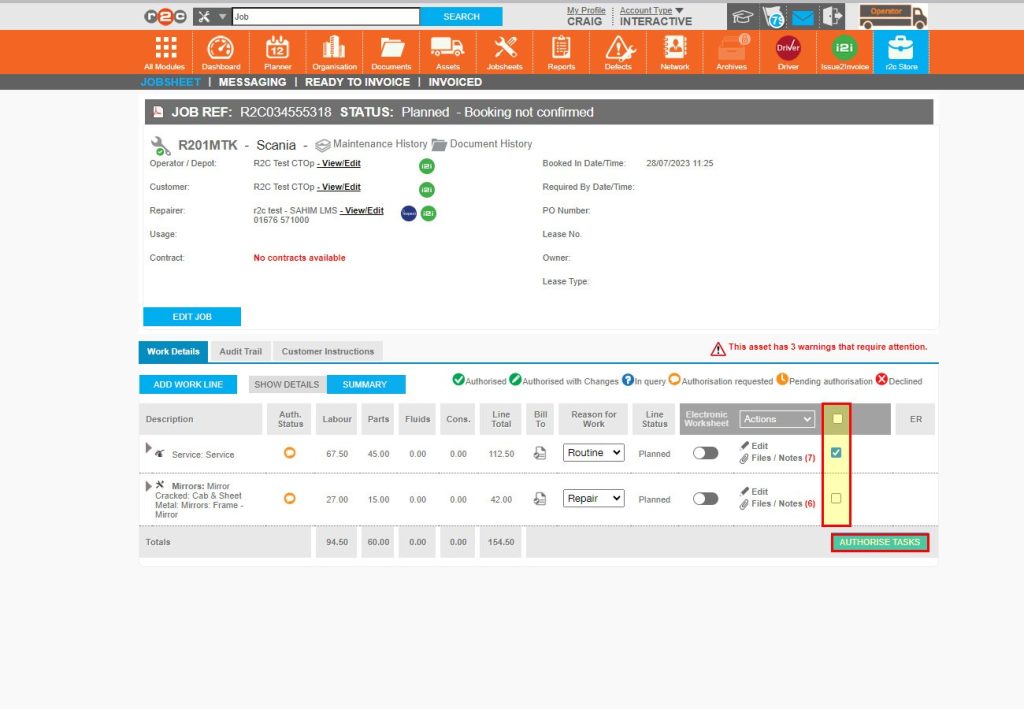
Step 1- You can select an individual line or multiple using the checkbox and then click AUTHORISE to approve the costs.
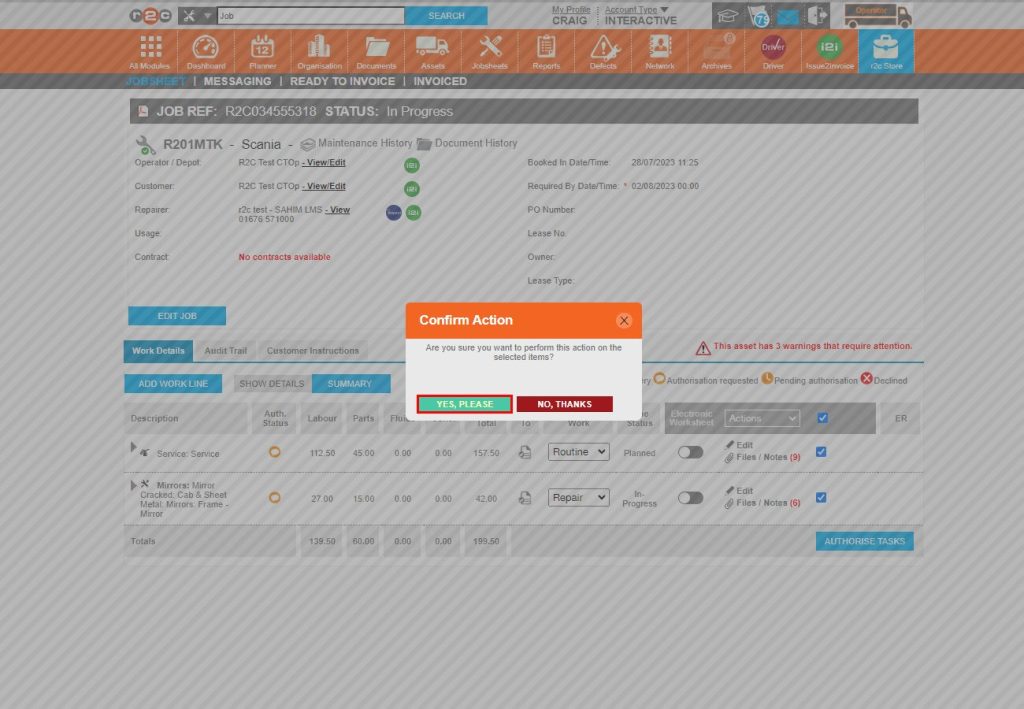
Step 2 – Next, confirm the action
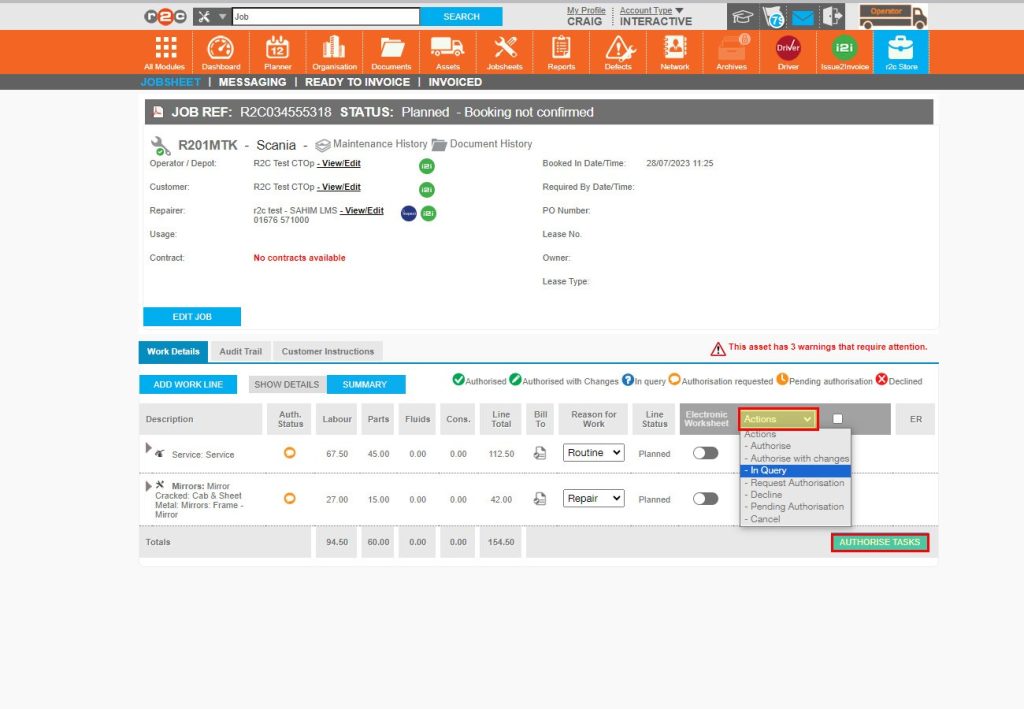
Step 3 - Alternatively, after selecting a line you can click the ‘Actions’ menu should you need to provide a different response. Such as putting a line in Query.
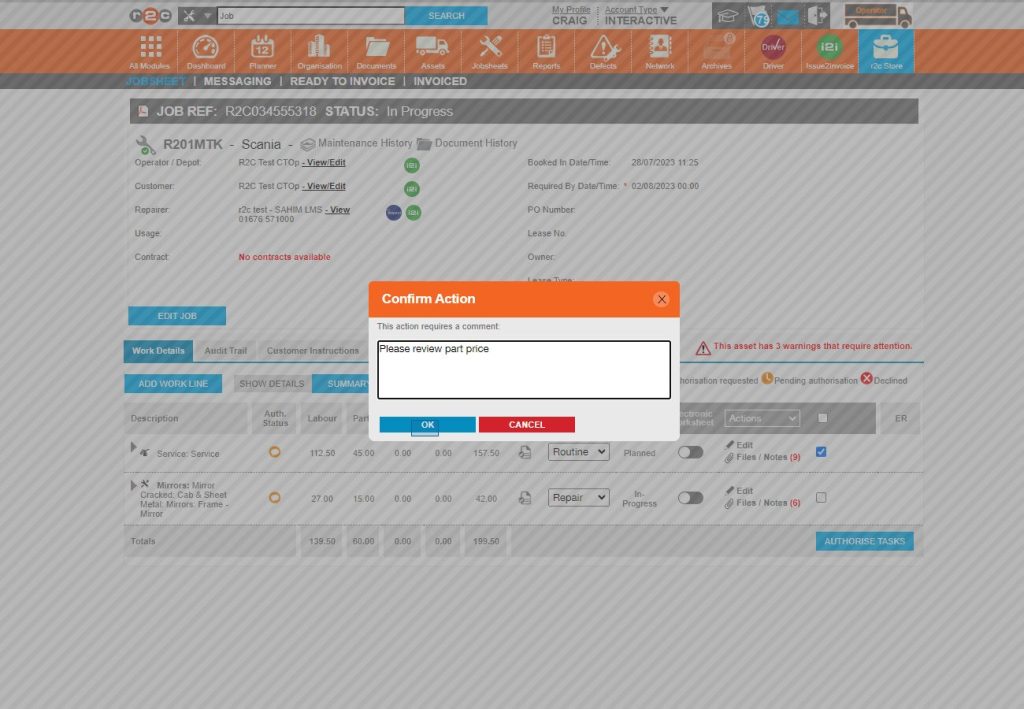
Step 4 - Next, you are required to add a comment. This will be sent to the workshop along with the In Query Notification.
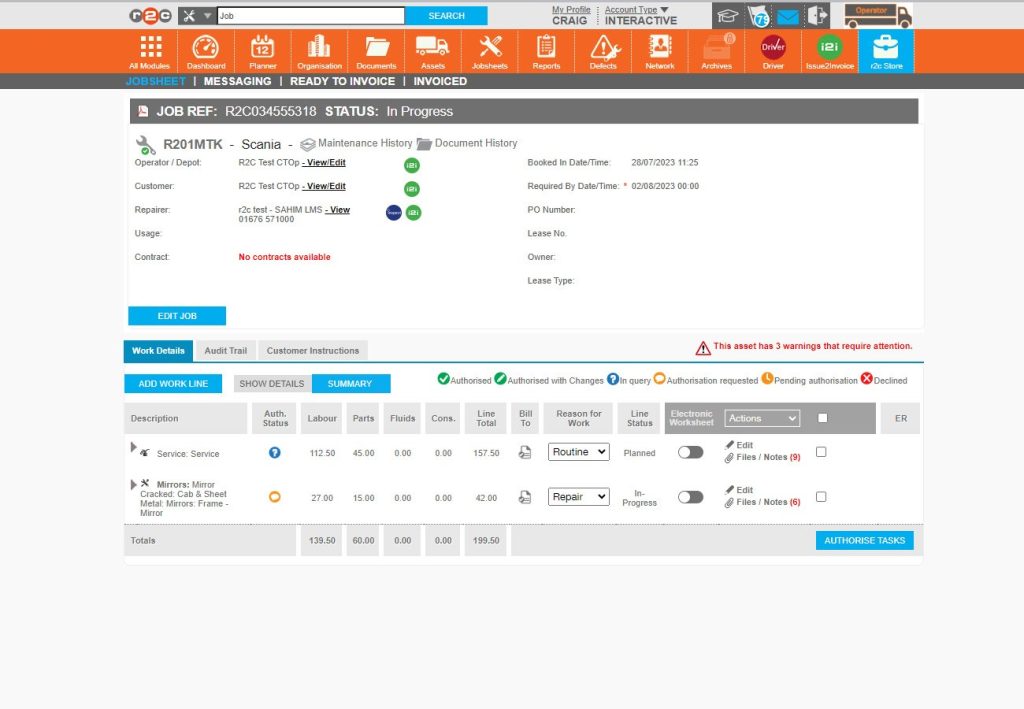
Step 5- The line status will show the update in the and the workshop will be able to see and respond from their account with a new request.
Step 6- This process can be repeated and the actions menu lists the various responses that can e sent back to the workshop, lines can be authorised, authorised with changes, put into query or declined.
Technical Info & Self Help
Why can't Iauthorisejobs?
To authorise jobs you must have the correct user role and group permissions enabled, see steps here.
Please note, once the permissions are granted you can only authorise work going forward. The permissions do not apply to requests that had already been sent prior to this.
How do I seecomments and notesrelated to authorisations?
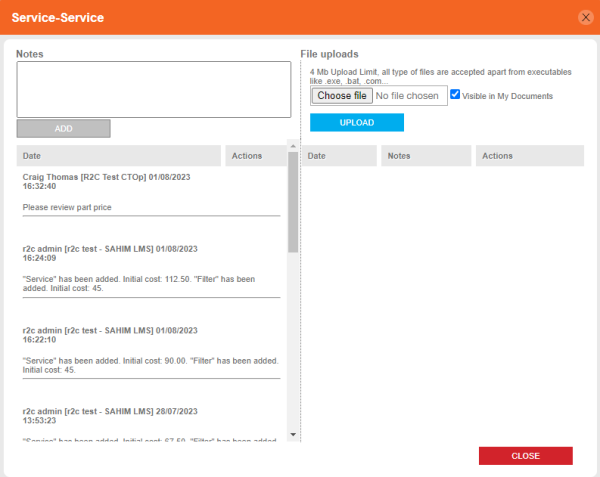
Notes and comments are available to view for each work line using the Files/Notes link.
Please note, adding a comment does not automatically generate a notification for the supplier or customer. This needs to be accompanied with an authorisation status action e.g. putting a line in query, or marking it as authorised.
1. Click Files/Notes and the end of the workline
2. Here you will see a timeline of the costs added as well as any comments.
A green outline on the account type icon signifies the guide is applicable whereas a red outline signifies it is not applicable to the the respective account type.