The R2C Scheduler allows you to create a schedule of up to 10 years for a particular asset. The encompassing term ‘asset’ means to include all vehicles, ancillaries etc. This is due to the functionality within R2C which allows you to create a maintenance schedule for any asset, and not just a vehicle. The schedule you commit is then filtered through to all relevant parties, such as the Operator of the asset as well as the Repair Workshop where the asset is maintained.
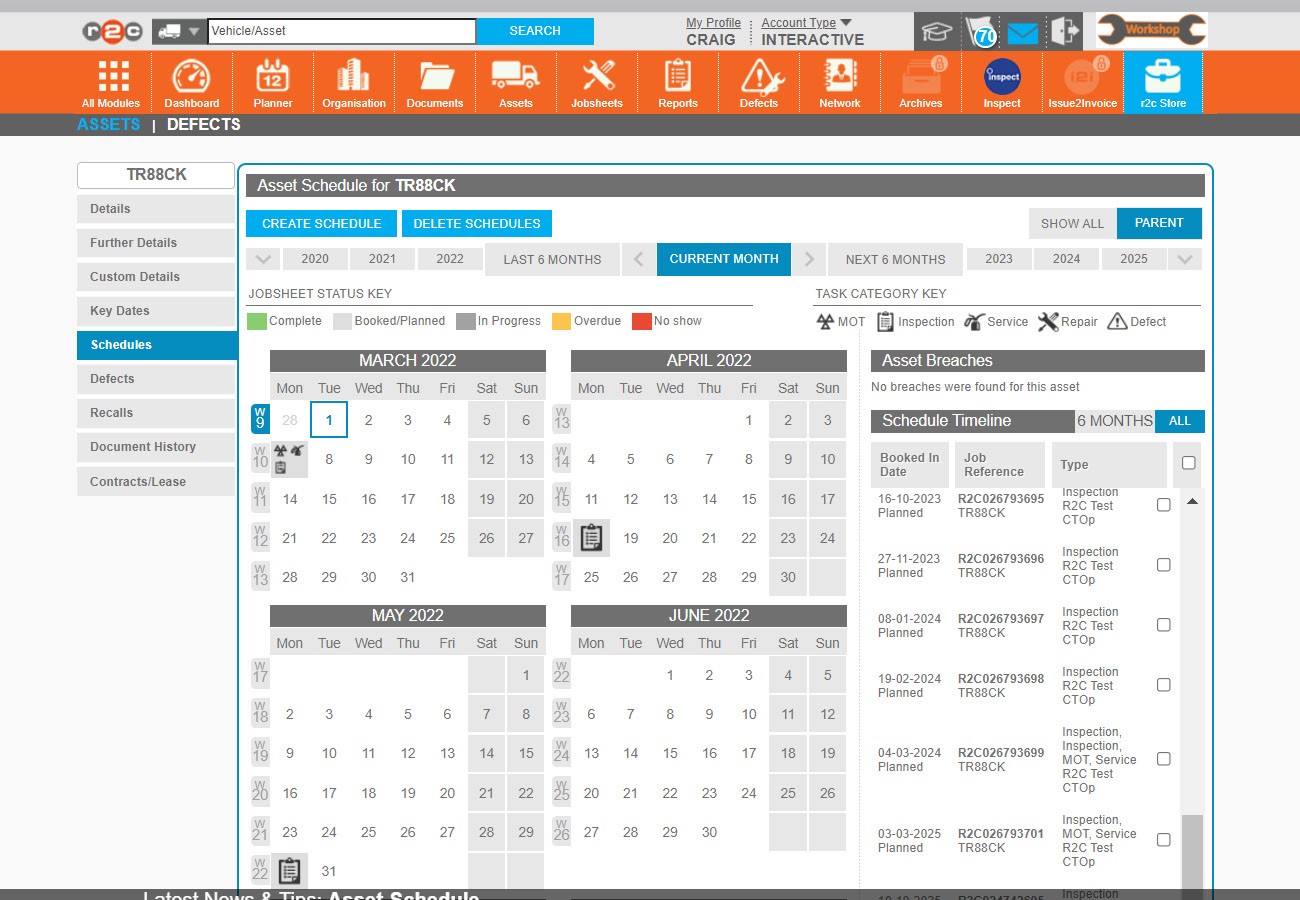
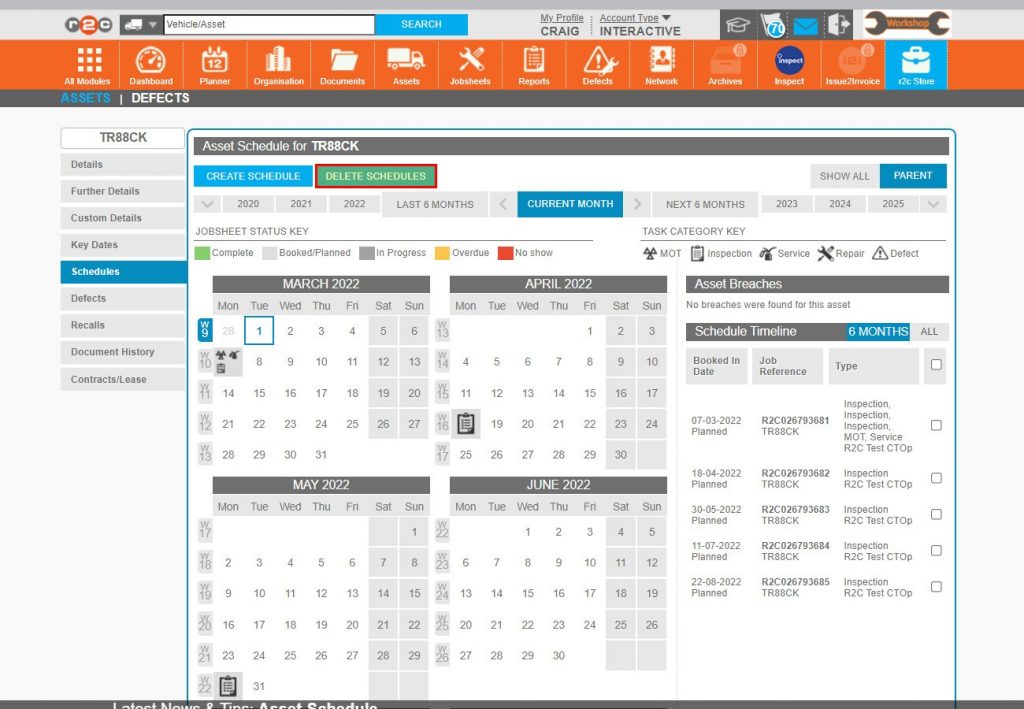
Any existing schedules will show here in 'Schedule Timeline' list.
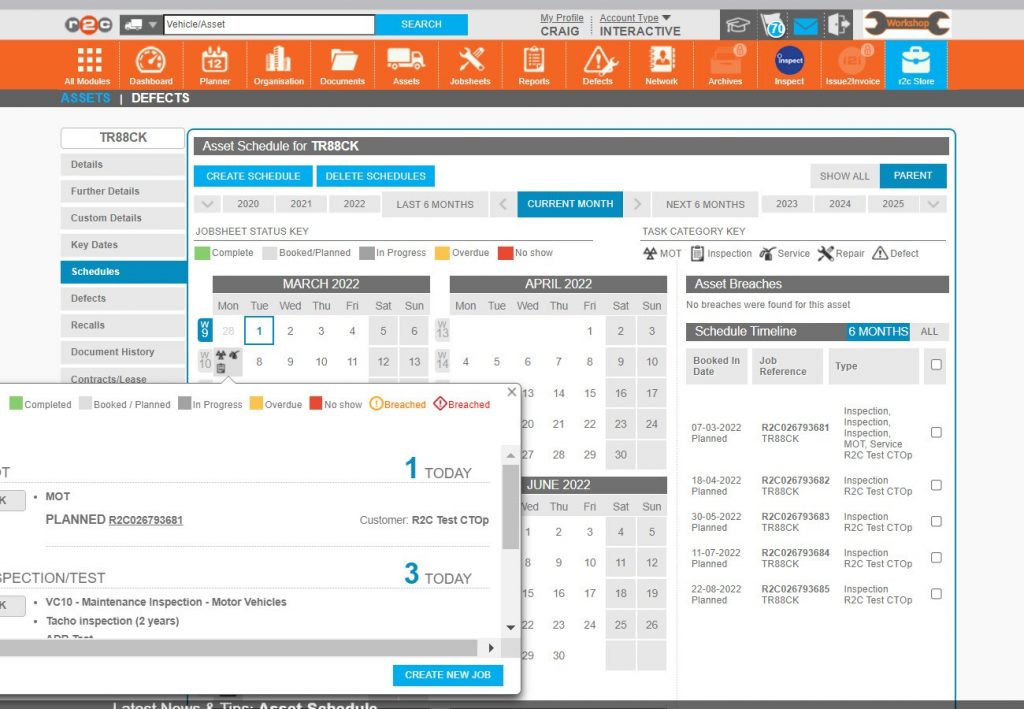
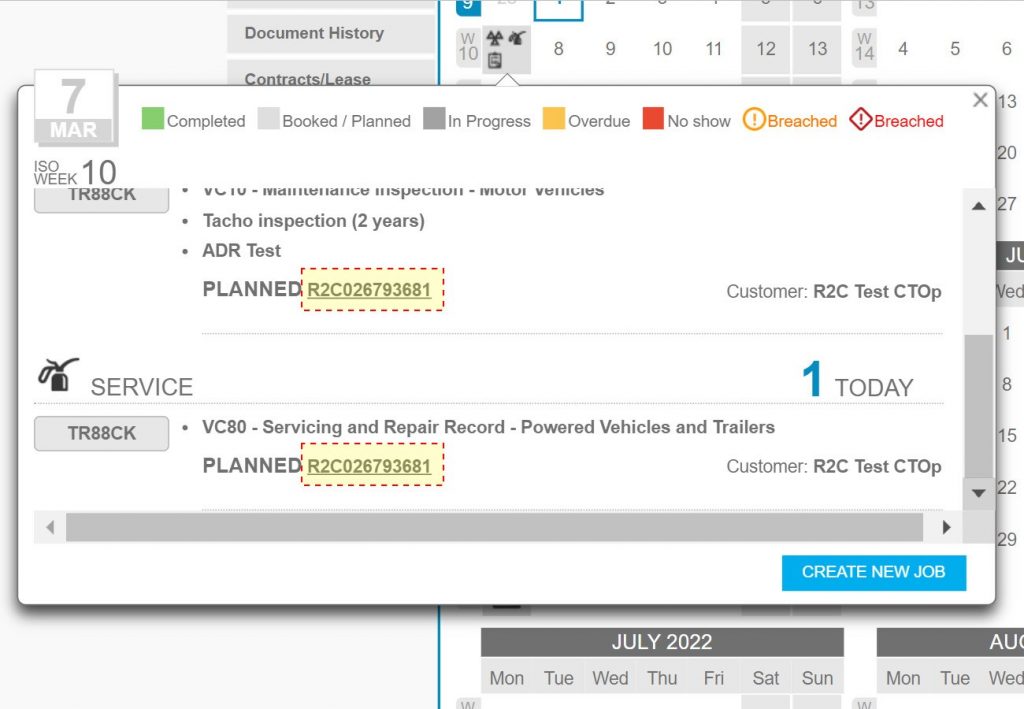
Days with any events will show up on the calendar. Click on these to show the tasks scheduled for that day.
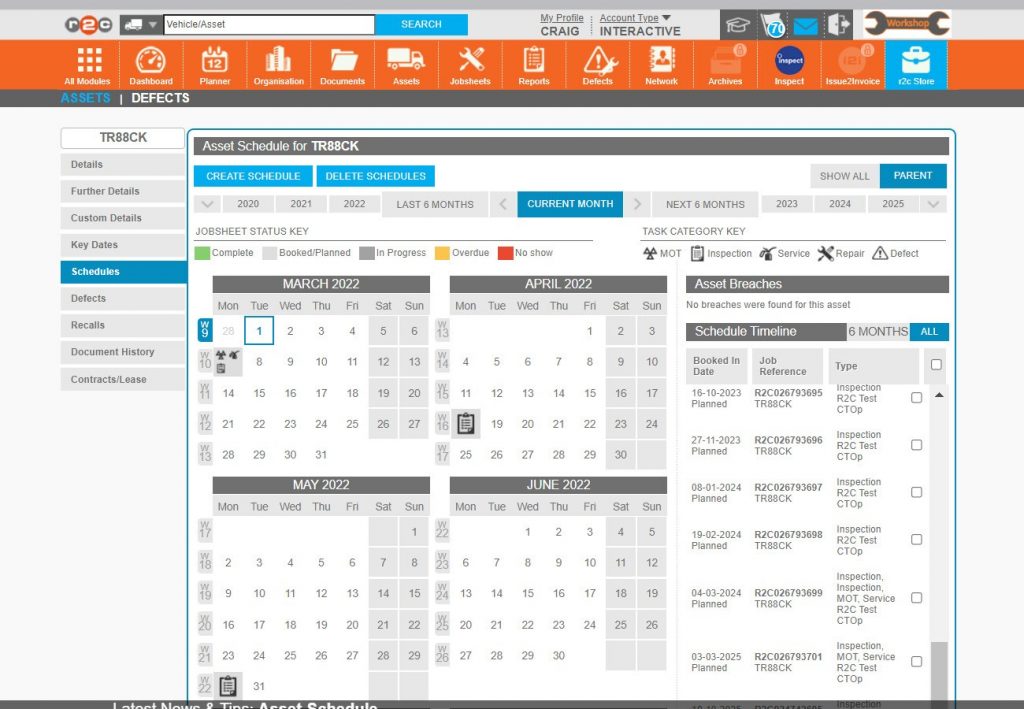
To see the entire scheduled list, switch from 6 MONTHS to ALL.
Switching from PARENT to SHOW ALL will also display any child asset schedules.
Step by Step
Inspection Schedule – To see the steps taken to create the inspection schedule for an asset, click or swipe through the 17 steps below.
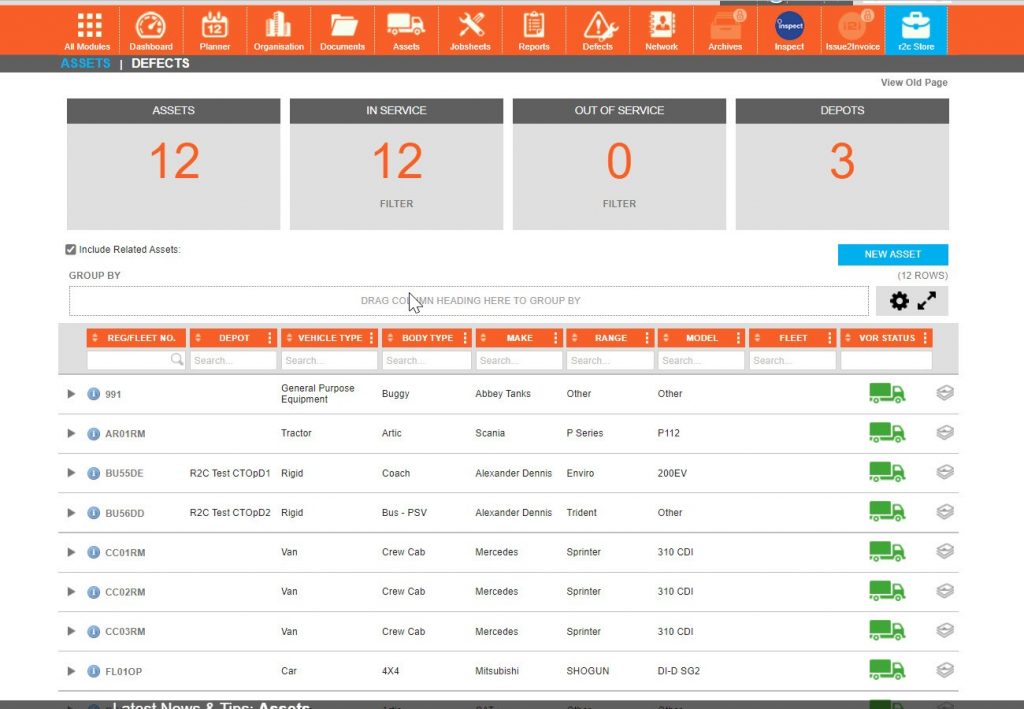
Step 1 – Locate the asset to be scheduled from the assets page.
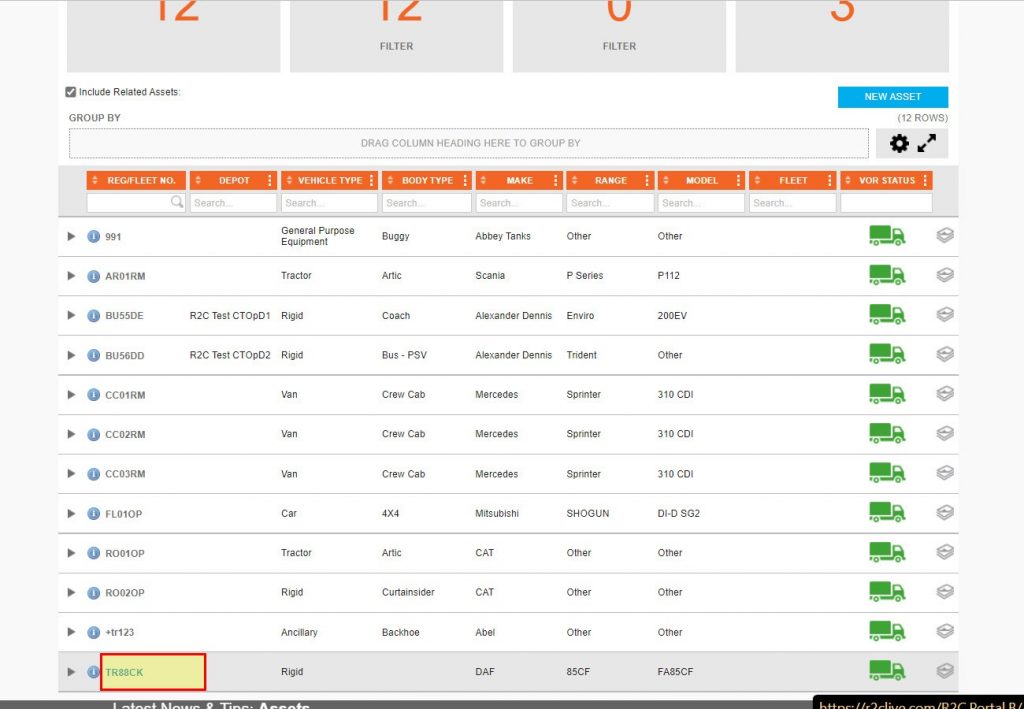
Step 2 – Click on the asset ID to open the asset details.
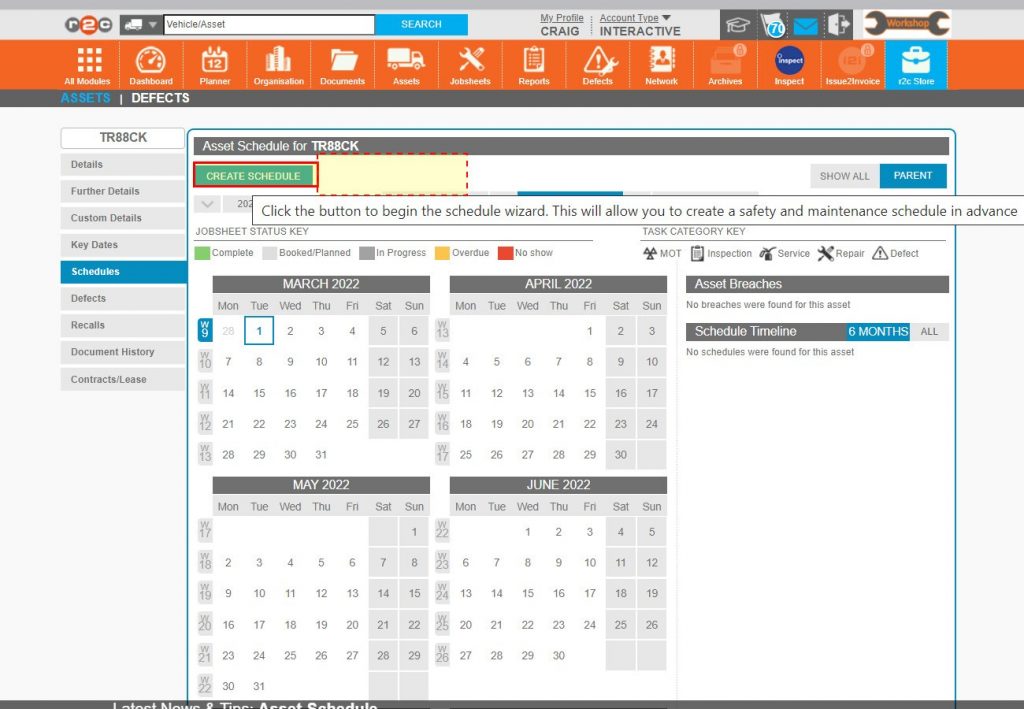
Step 3 – On looking at the ‘Schedules’ page we can see that there is no existing schedule as there is no delete button, to create a new schedule click CREAT SCHEDULE.
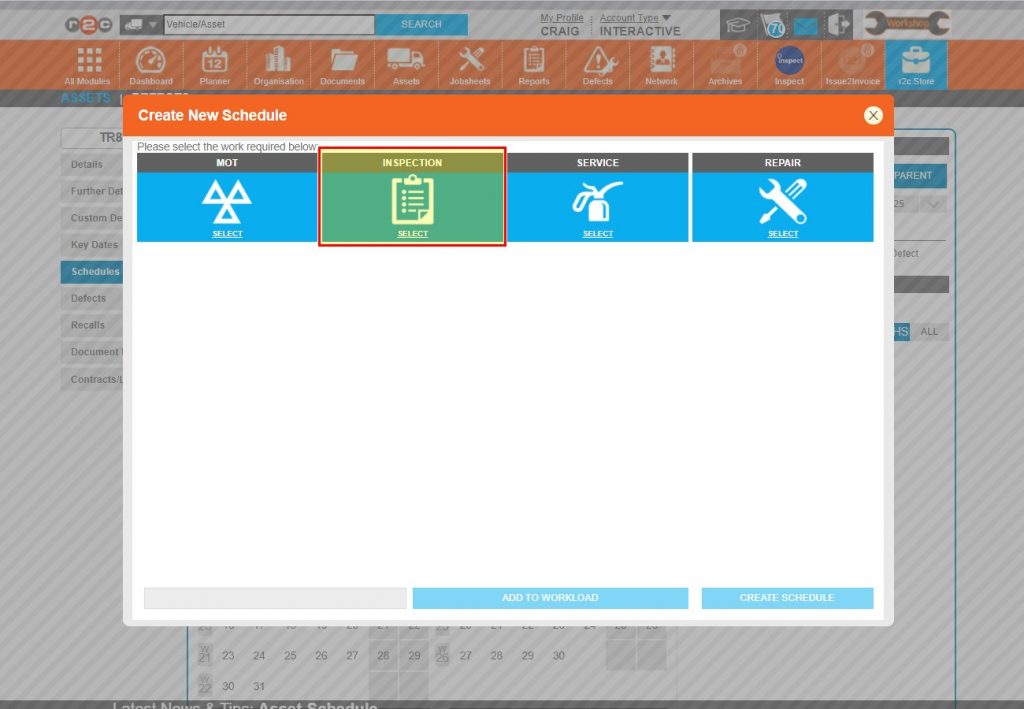
Step 4 – There are four main types of schedules that can be created, the highest priority is likely to be inspections, click INSPECTION.
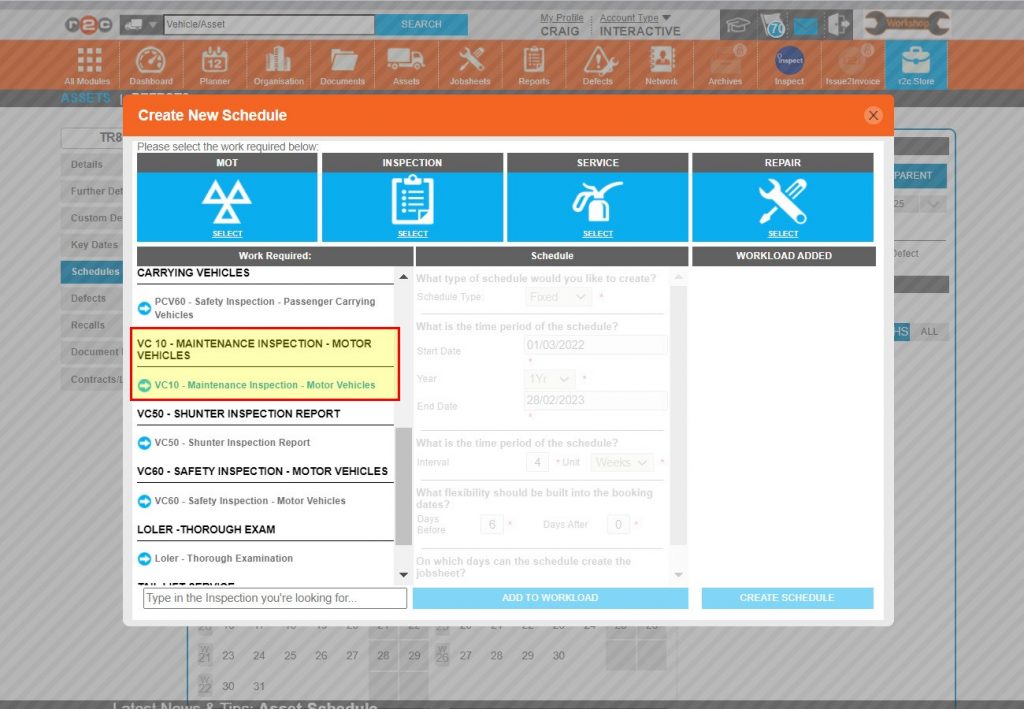
Step 5 – The primary inspection type can now be selected, click ‘VC10 Maintenance Inspection’.
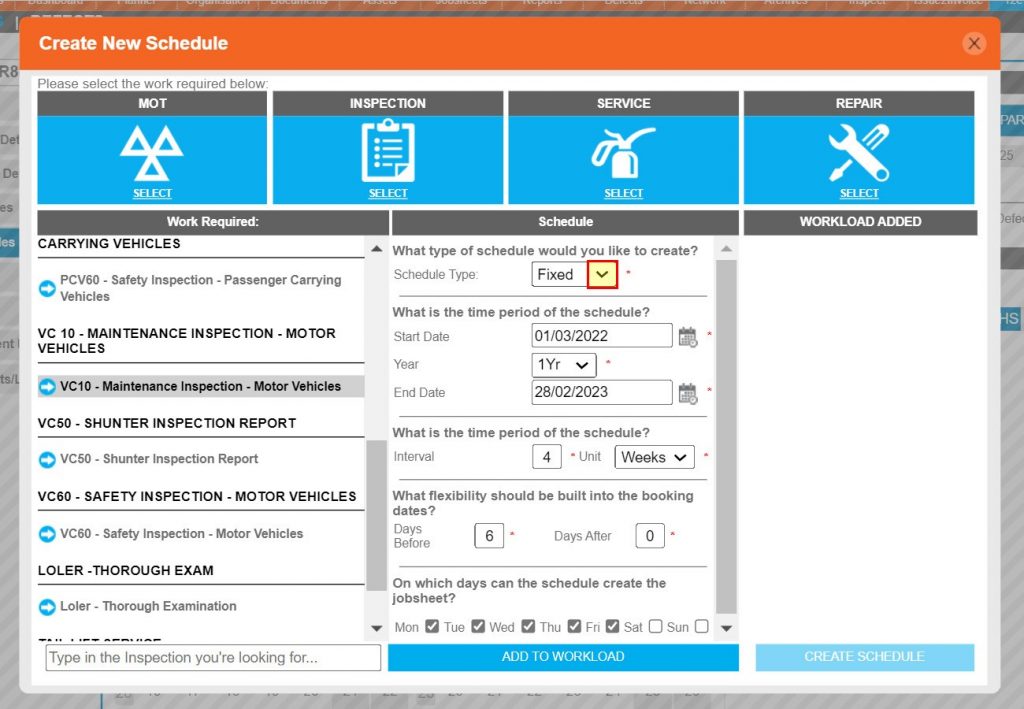
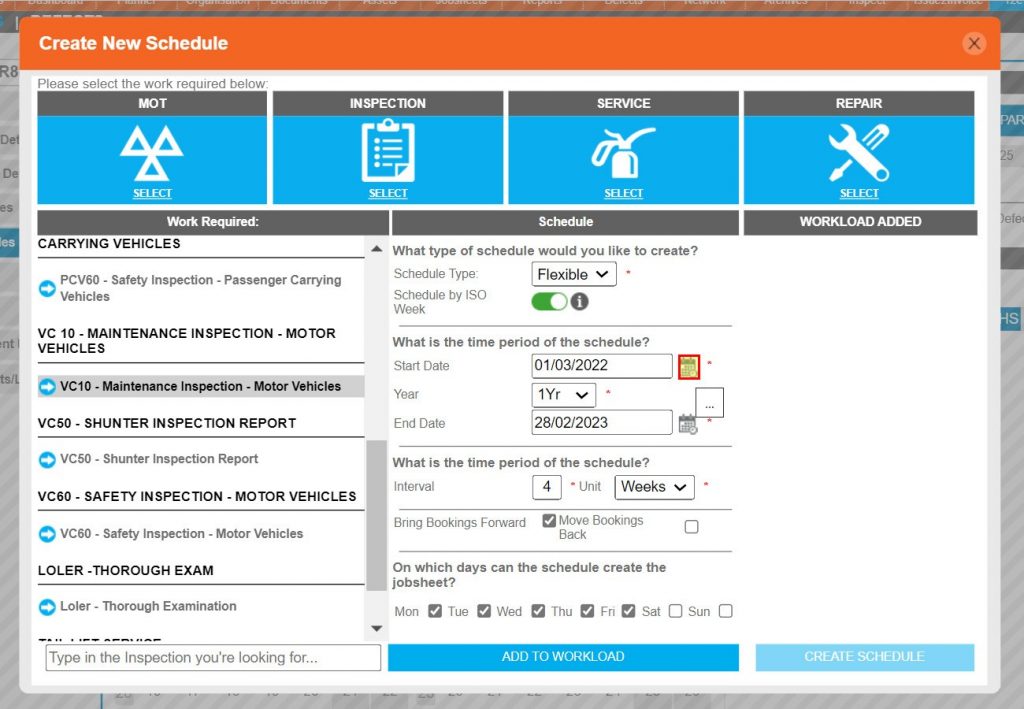
Step 6 – You are now presented with the details of the schedule, the first option being Fixed or Flexible.
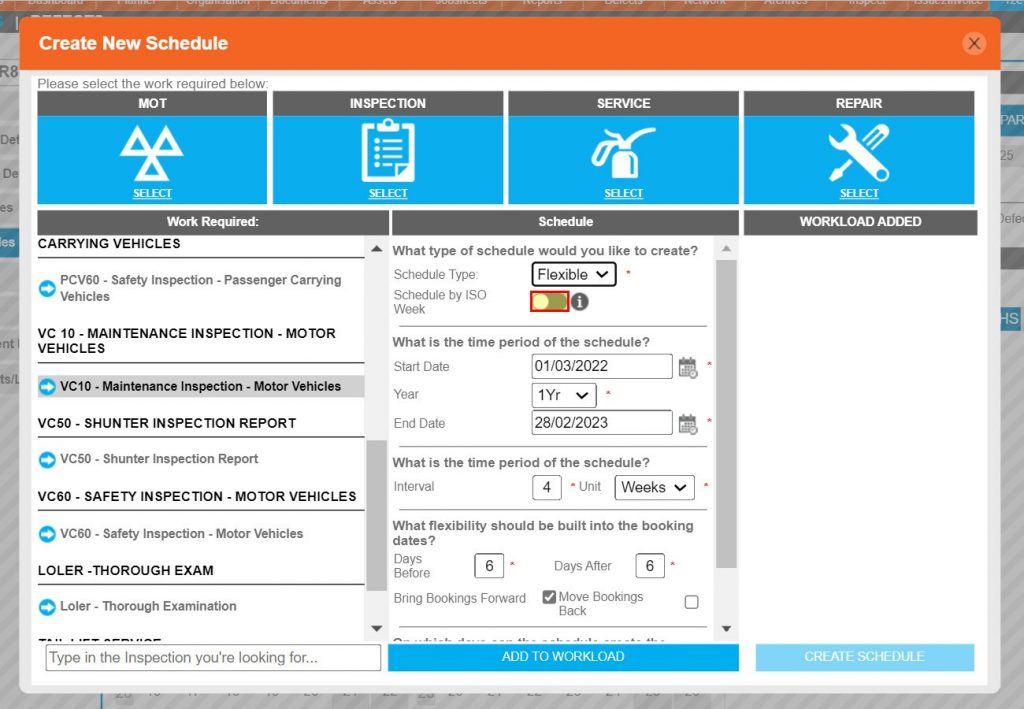
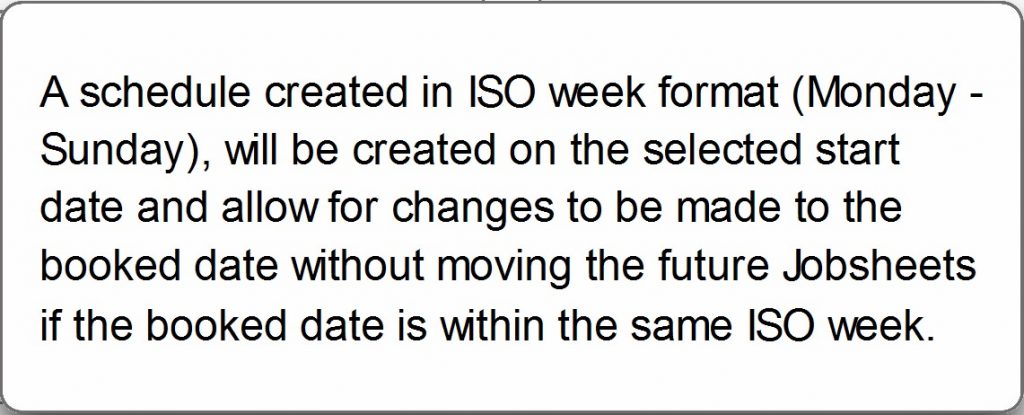
Step 7 – Where flexible has been selected for a compliance type schedule, the additional tolerance selection of ISO week also becomes available. Click the toggle switch to make active.
Step 8 – The start date should now be entered with the use of the date picker, this date will be taken from the assets documentation and can only be in the future.
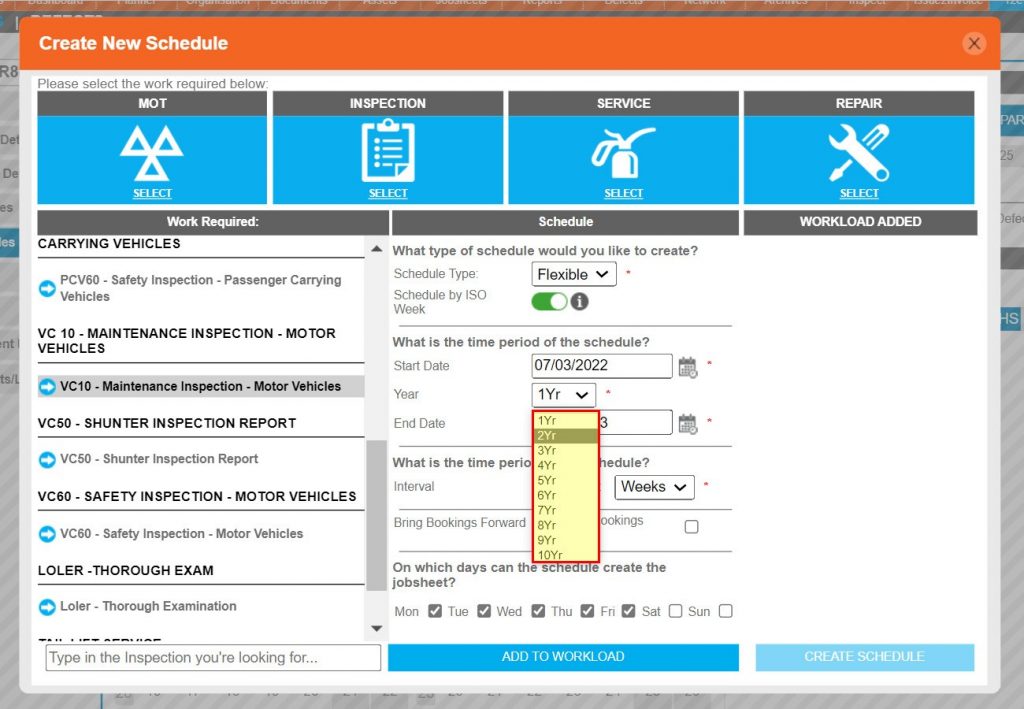
Step 9 – The year option indicates how long the schedule is to be run for, up to 10 years. i.e. if the vehicle is on lease for 2 years, then 2 years should be selected.
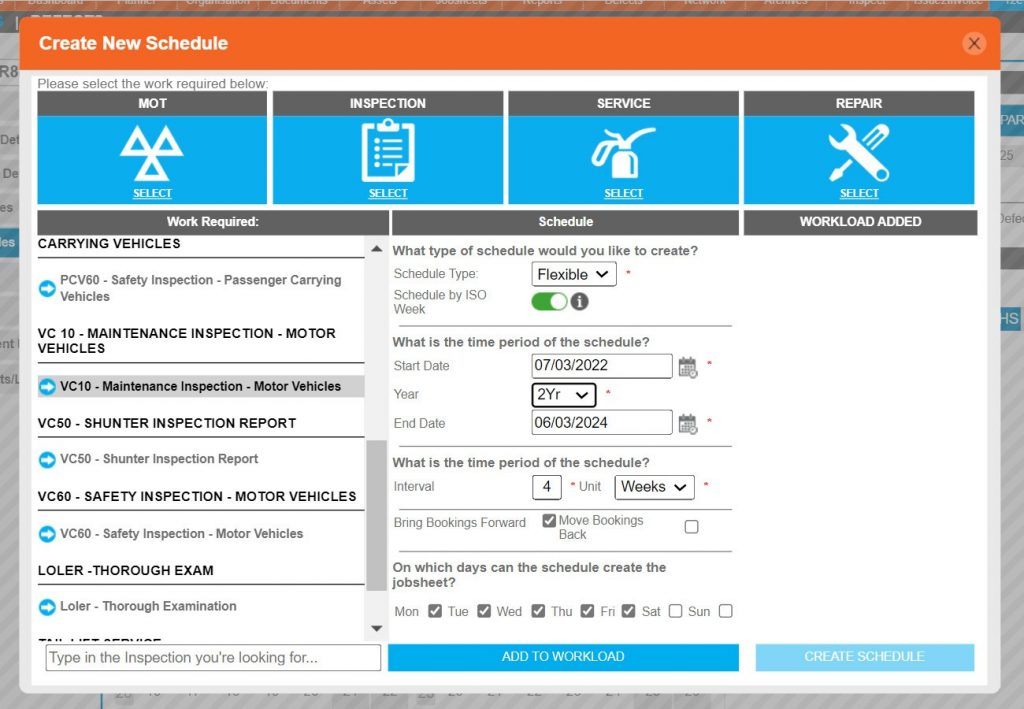
Step 10 – The end date is then automatically calculated. If a specific end date is known, then it can be entered using the date picker which will the take precedence and the year field will be ignored.
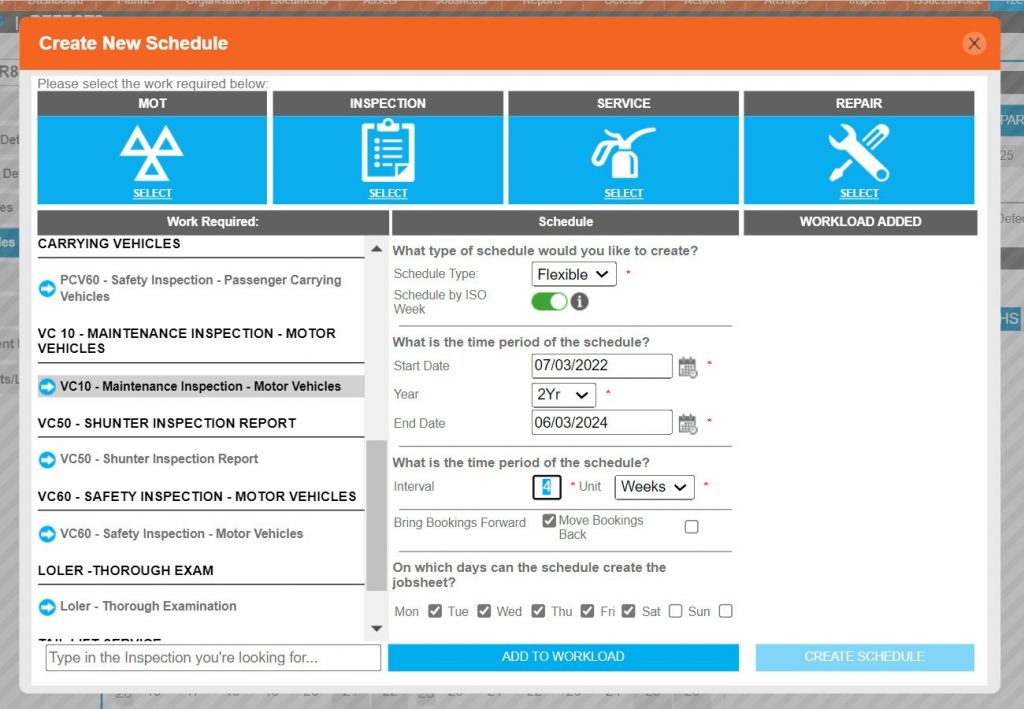
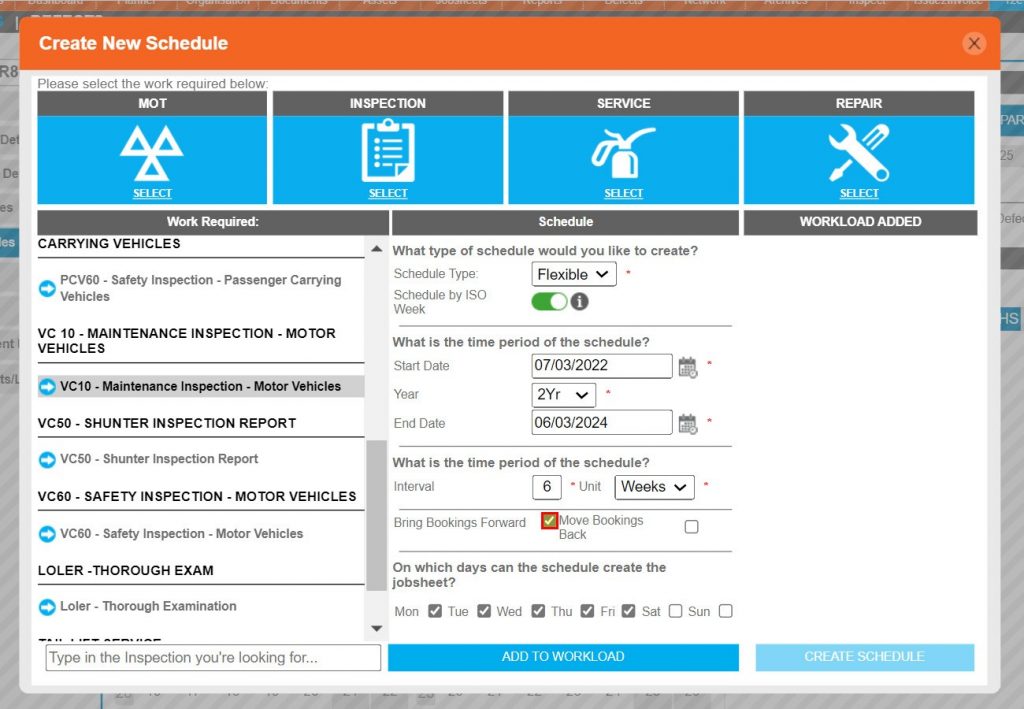
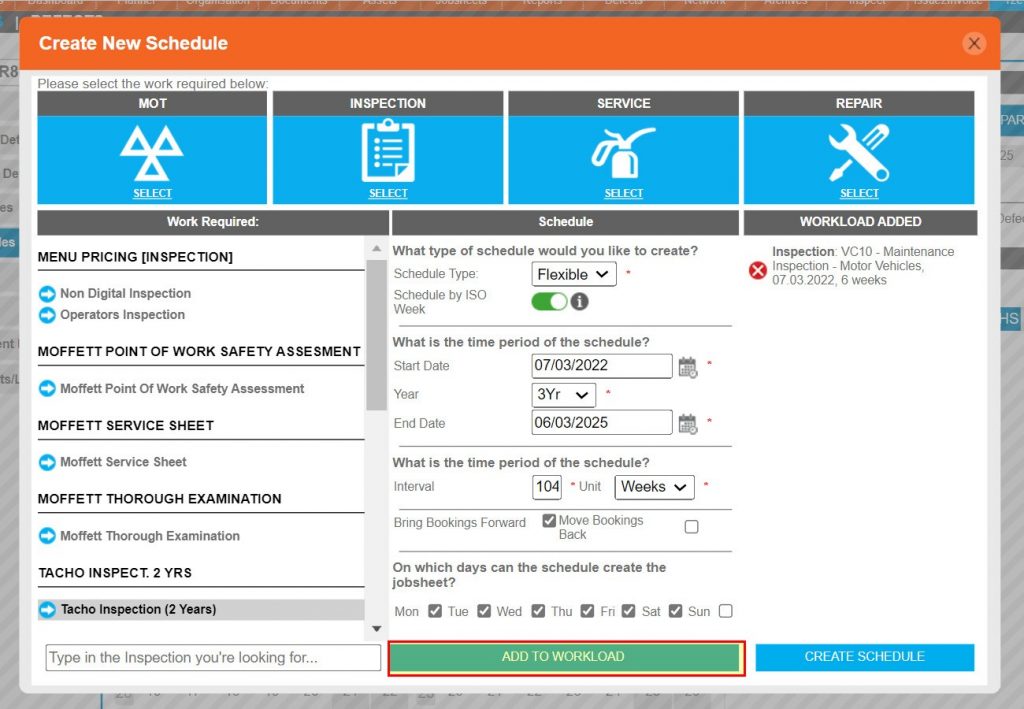
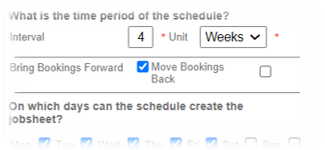
Step 11 – The interval period is a free text field and should reflect the actual interval of the asset.
Step 12 – Bring bookings forward and move bookings back depends entirely on local business processes.
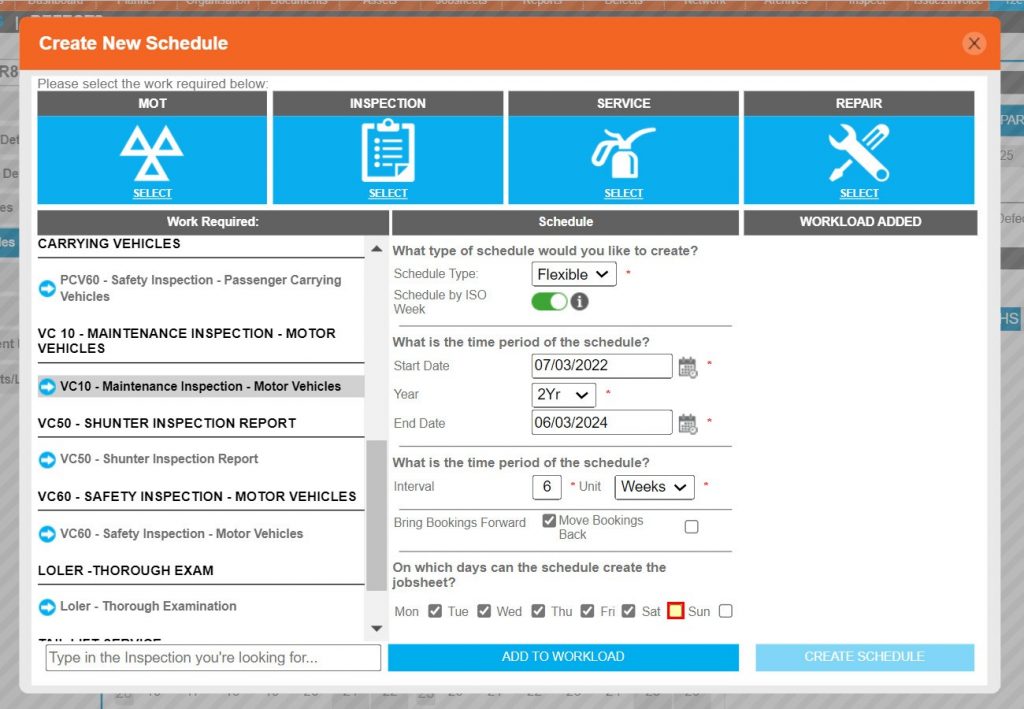
Step 13 – The last option refers to the days of the week the repairer can action a jobsheet and whether the scheduler should create the job or move it to within the week.
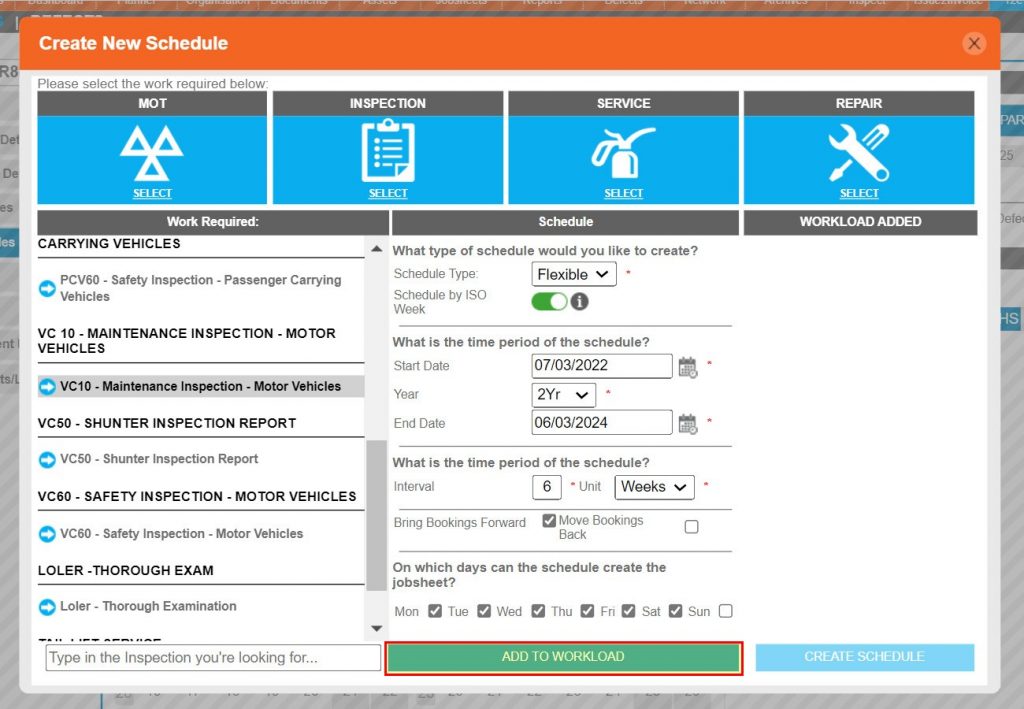
Step 14 – Once all the options have been set, click ADD TO WORKLOAD.
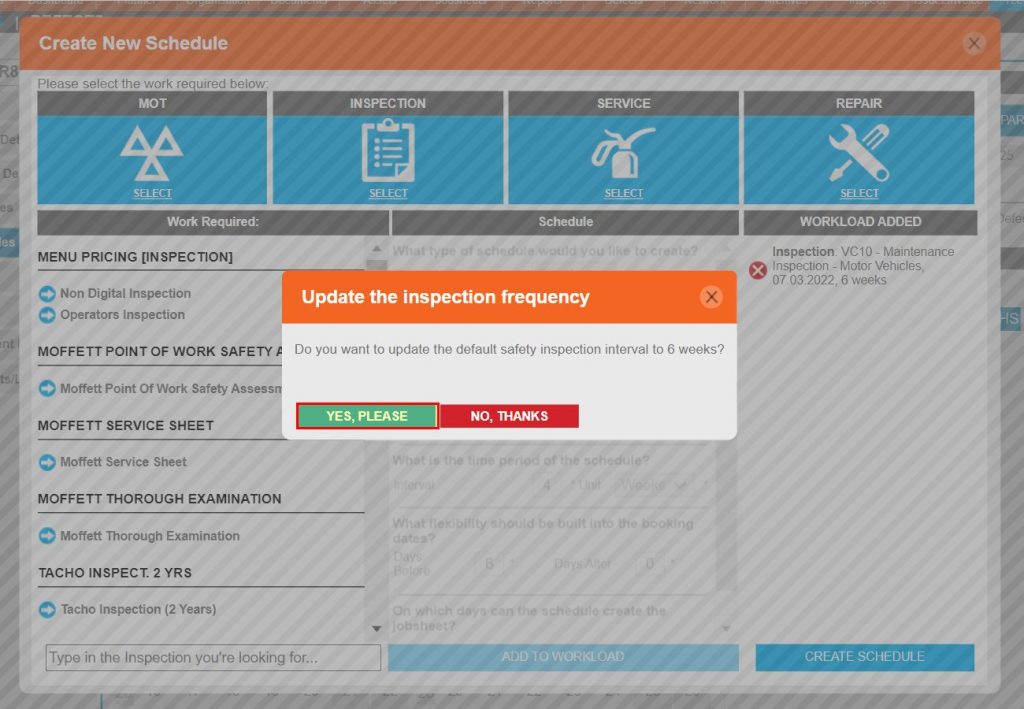
Step 15 – As this is the Primary safety inspection for this asset, it should be set as the default interval. Click YES, PLEASE
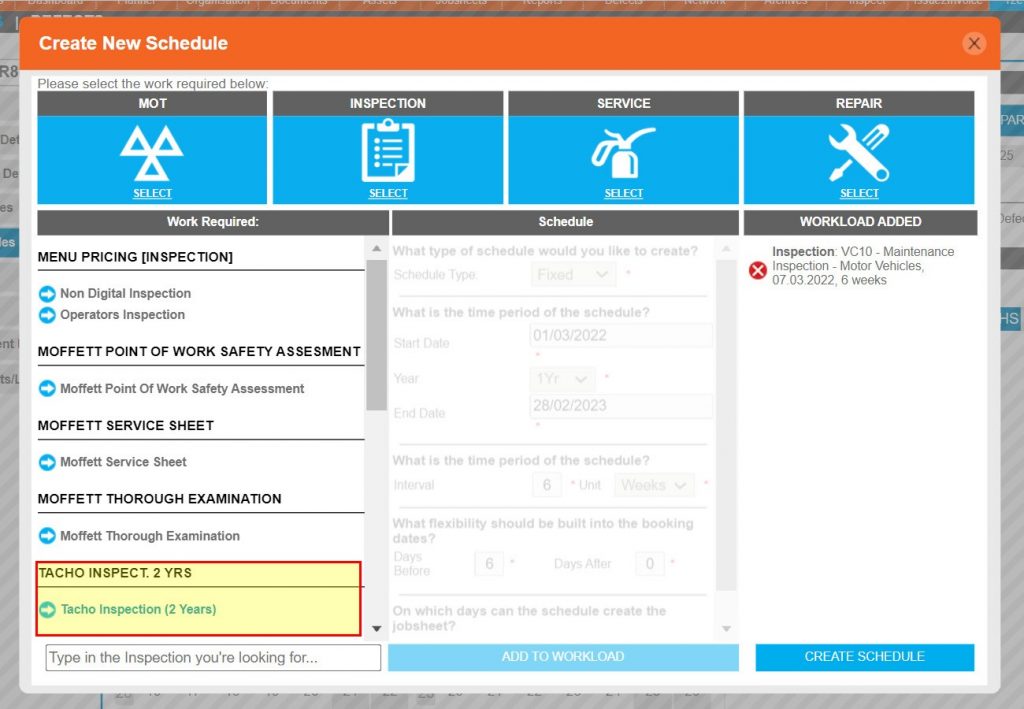
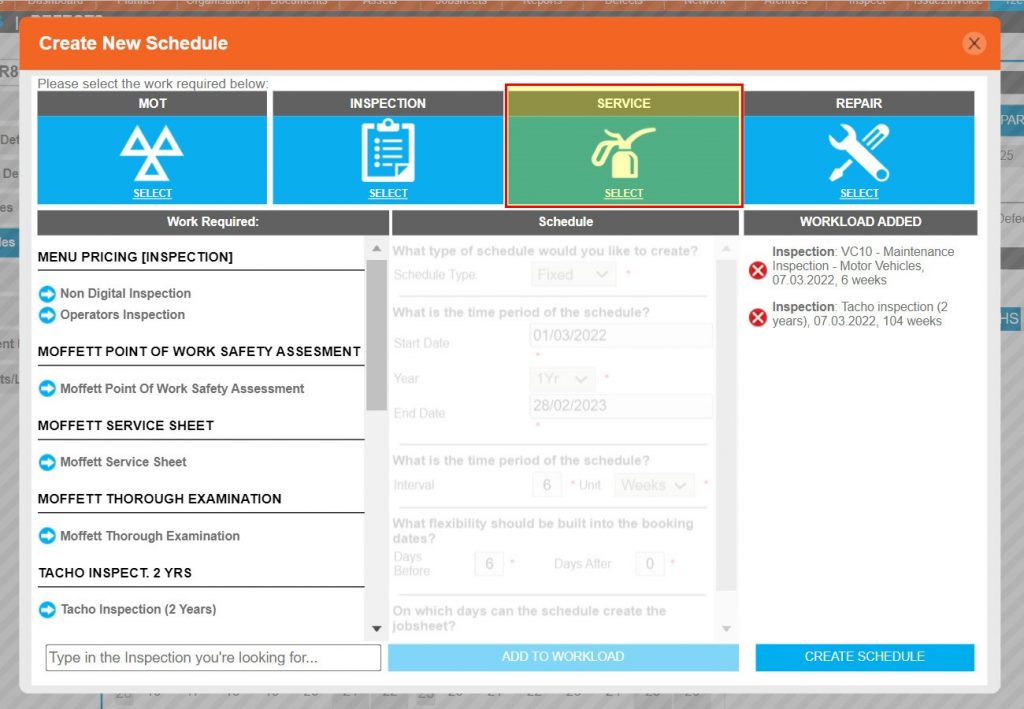
Step 16 – The next inspection type can now be configured in the same way.
Step 17 – Care should be taken when setting the interval, i.e. if the inspection is a 2 yearly the interval will be 104 weeks. Additionally, this should not be set as the default safety inspection.
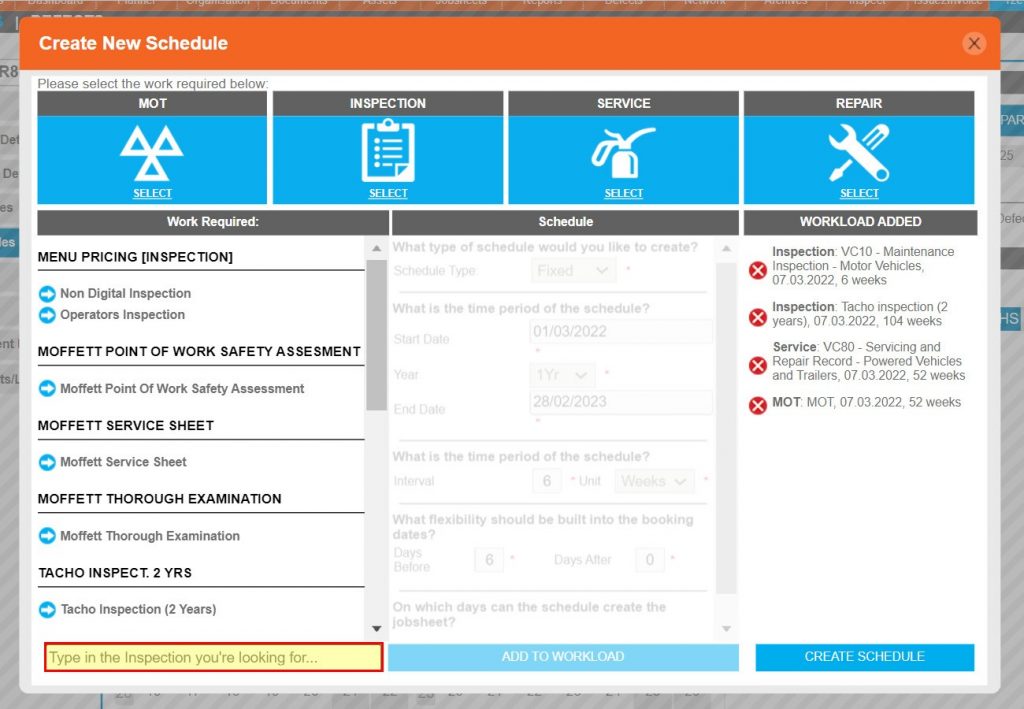
Servicing, MOT’s and Custom Schedules – To see the steps taken to create a servicing, MOT, or a custom schedule, click or swipe through the 8 steps below.
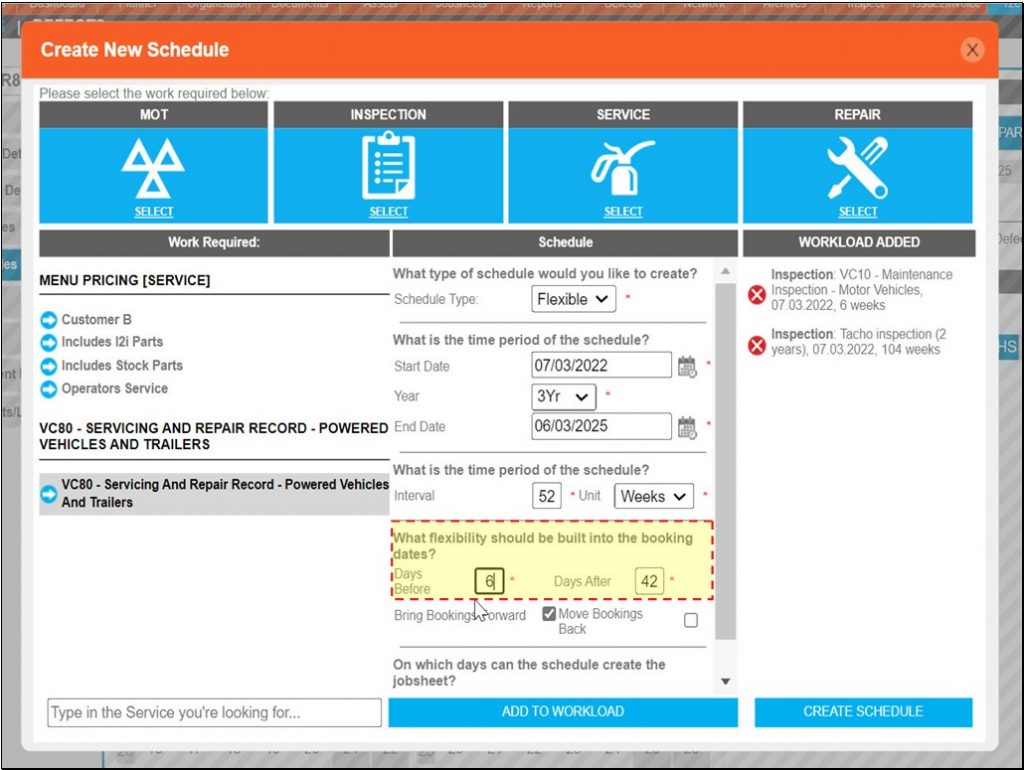
Step 18 – Servicing schedules can be created in the same way, by first clicking SERVICE.
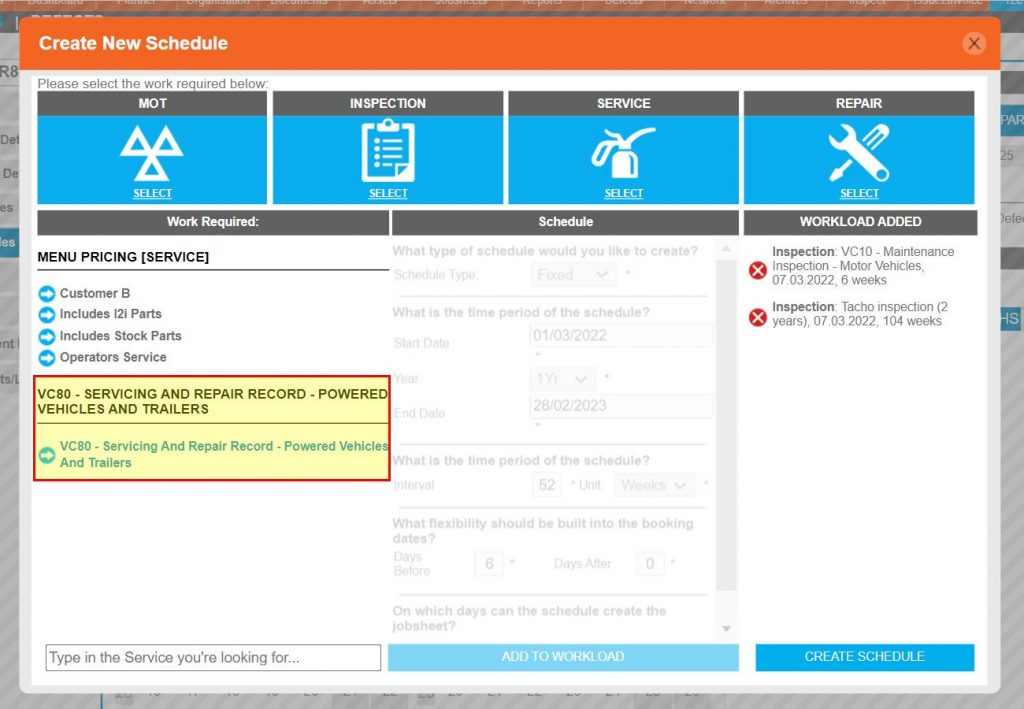
Step 19 – Unless additional servicing sheets have been purchased, the default is the VC80 – Servicing And Repair Record.
Step 20 – Where a flexible schedule is selected for non-compliance work, the tolerance of an ISO week is not relevant, therefore the tolerance is defined by the user in the form of days before and days after.
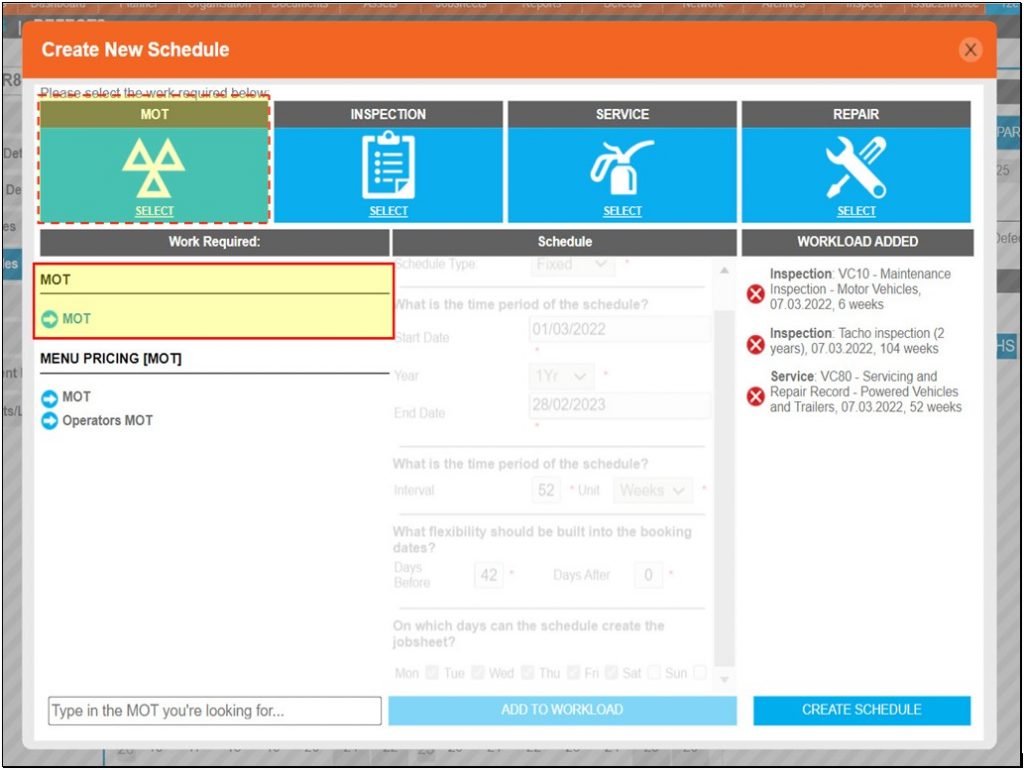
Step 21 – The last type of schedule may be an MOT.
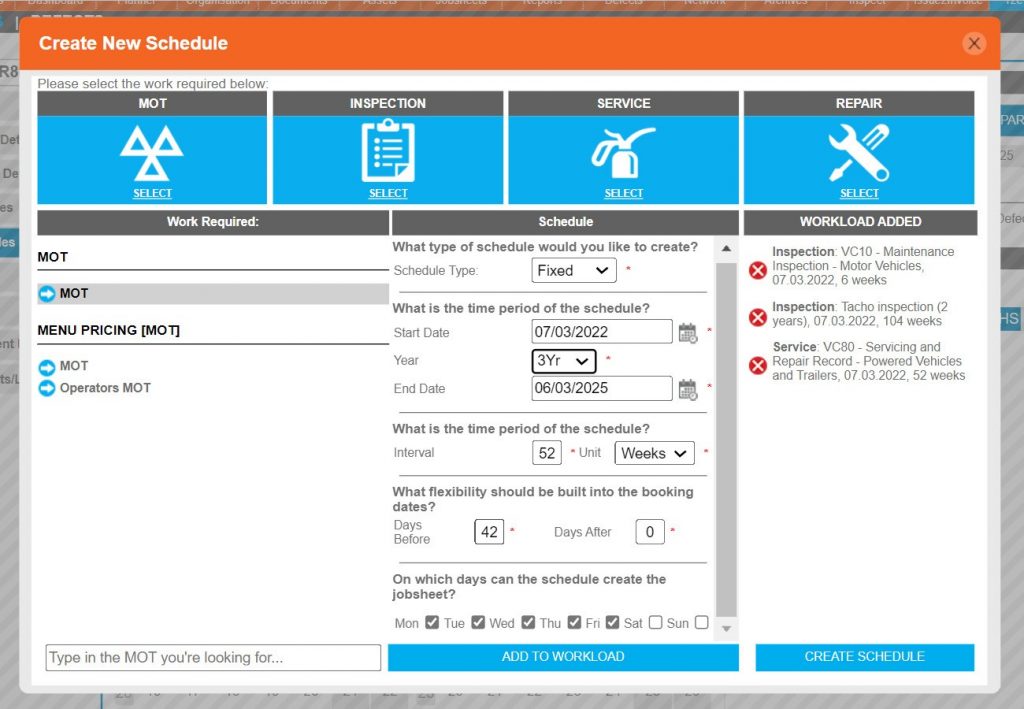
Step 22 – MOT’s or any other type of schedule can also be built as Fixed whereby the normal rules apply.
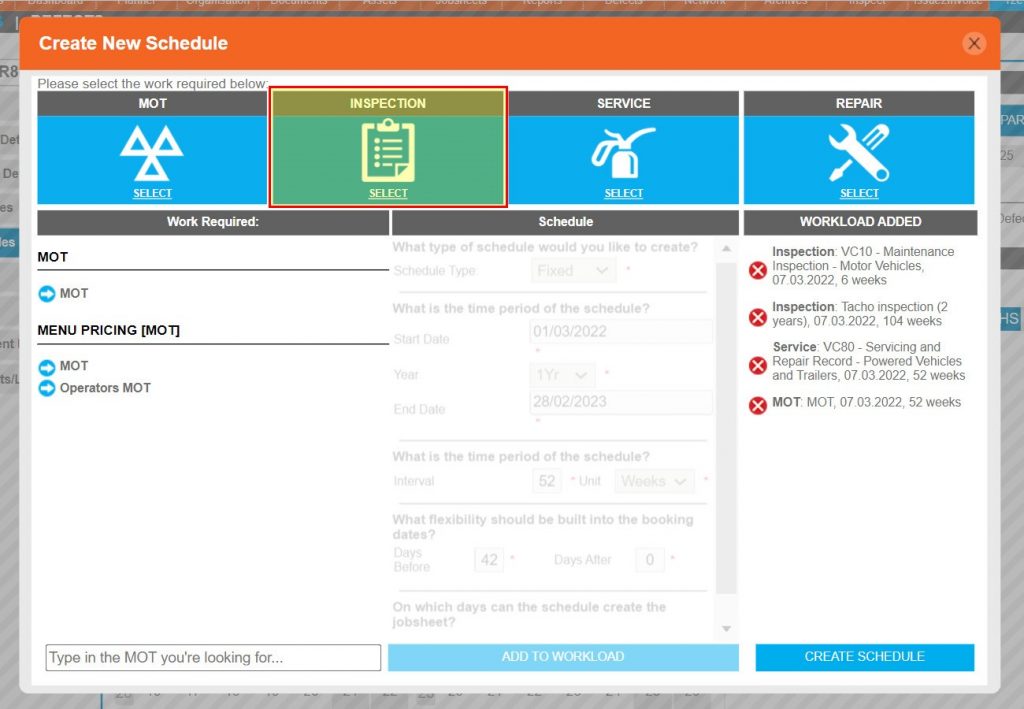
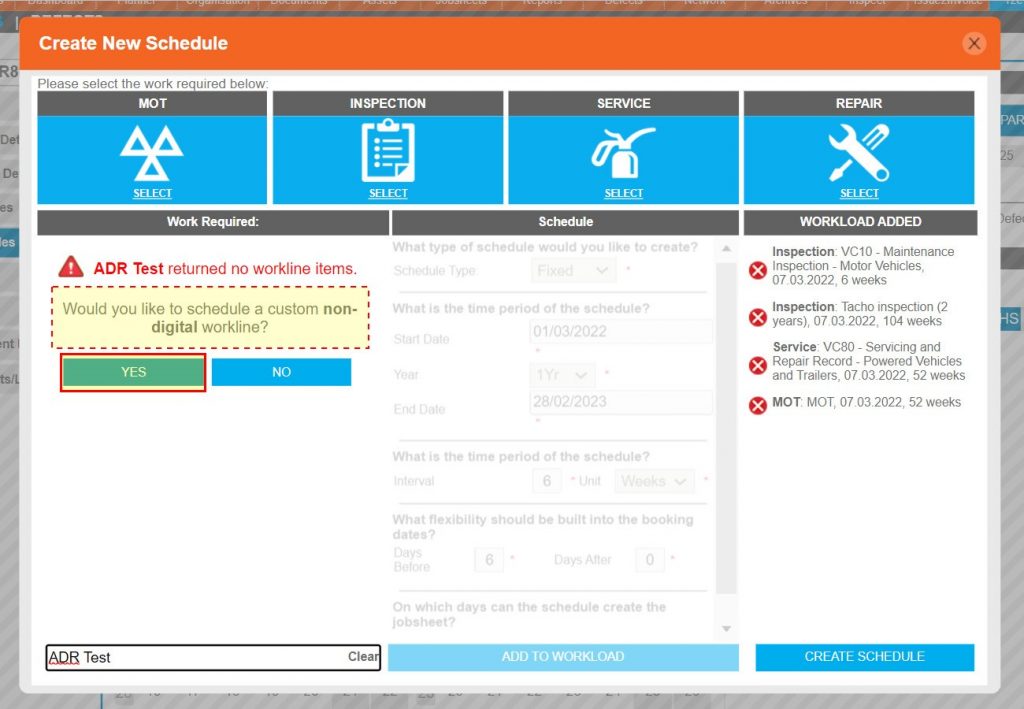
Step 23 – To create a custom schedule first click INSPECTION.
Step 24 – The name of the schedule can now be typed in the free text box under Work Request column.
Step 25 – Custom schedules will not provide an electronic worksheet to be used with inspect but can be configured and utilised in the same way in all other aspects.
Completing and Confirmirmation – To see the steps taken to complete and check the schedule, click or swipe through the 6 steps below.
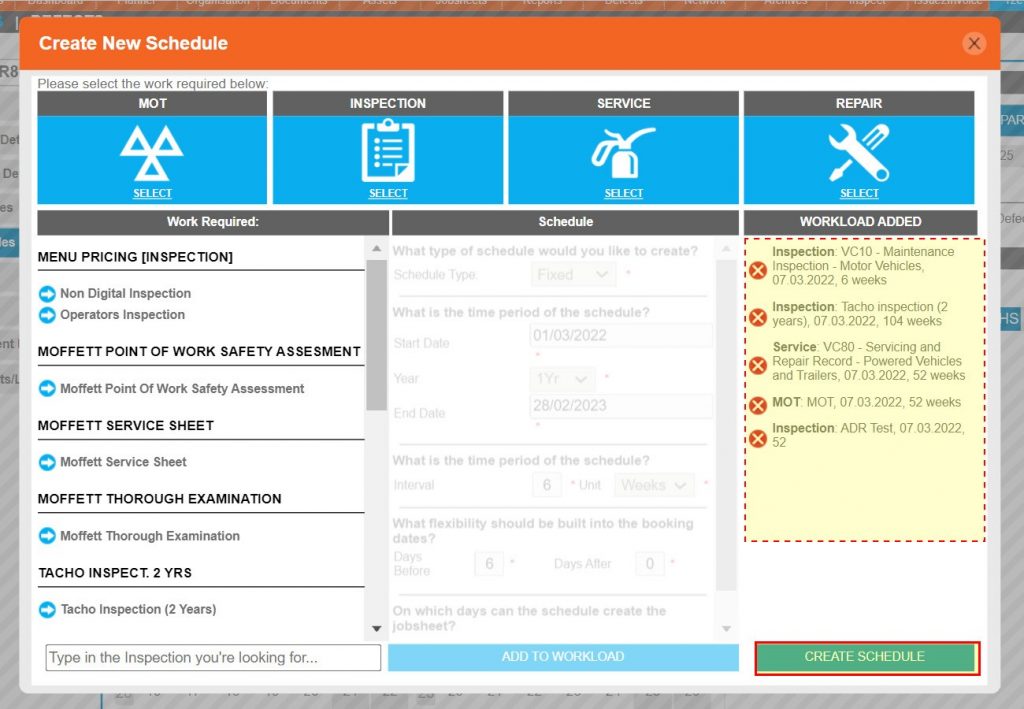
Step 26 – Once all the required schedules have been added to workload, click CREATE SCHEDULE.
Step 27 – The scheduled jobs can now be viewed via the schedule planner view by clicking on the tiles with a job icon.
Step 28 – Multiple jobs occurring on the same day will appear on the same jobsheet although in this view they will occupy their own line depending on their task type.
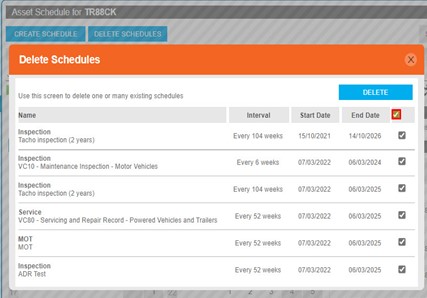
Step 29 – As confirmation, the DELETE SCHEDULES button is now active indicating that schedules exist.
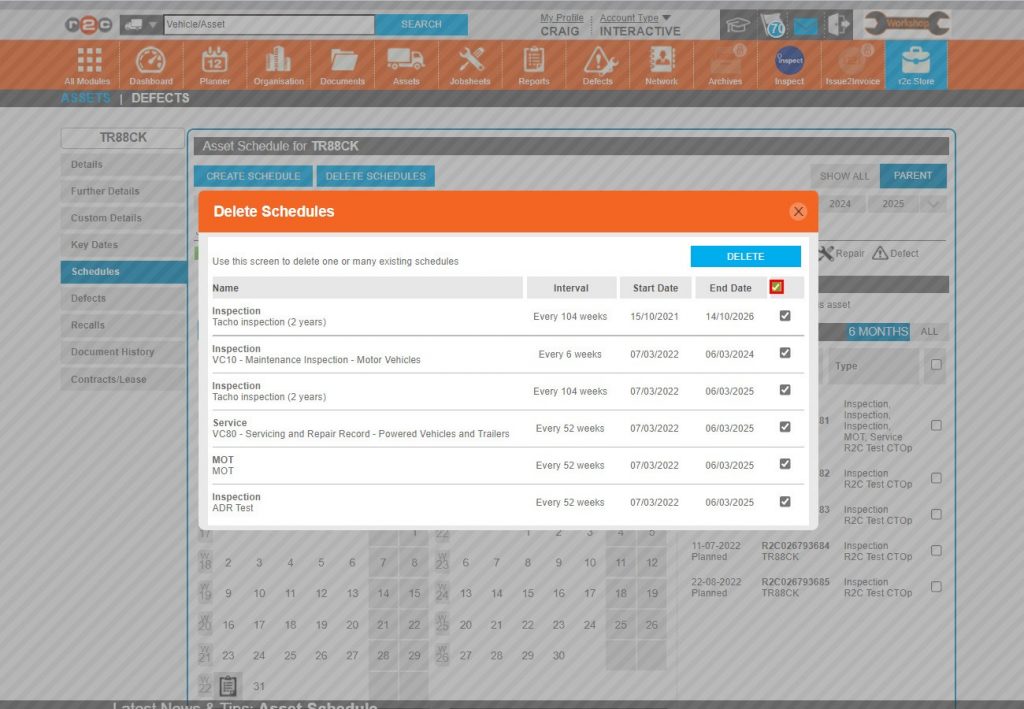
Step 30 – Should any or all of the schedules require deleting, they can be selected from here before clicking DELETE.
Step 31 – The schedule can be viewed via the schedule planner or in a list view in the Schedule Timeline.
Technical Info & Self Help
Example of a six weekly SI interval has been decided using the ISO week planner.
For this example, the vehicle came into service and had a first use inspection in week 10 of the ISO calendar. The following safety inspections should then be completed within ISO week 16, 22, 28, 34, 40, 46……etc. If a safety inspection was completed outside the planned schedule, for example because of a breakdown, a new schedule may need to be created.
For the example given above it would not be permissible to carry out an early SI in week 20 and then have an eight-week interval to week 28. The operator would need to either carry out another SI at week 22 – and continue with the originally planned schedule – or reschedule 6-week intervals from week 20 to 26, 32 ….etc. Vehicles that are only used for part of the year, or that have been out of service for some time, should be inspected before they are brought back into service.
What is the difference between Fixed and Flexible
Fixed Example – Schedule at a 4-week interval
Pros – With the schedules not adjusting, the workload will never bunch up i.e. the workload for each week can be calculated and should never change.
Cons of Example – If the SI planned for week 2 is carried out a week early, the resulting interval would have an additional week, in this case, 5 weeks instead of 4. To remain compliant an additional, ad hoc, SI would need to be generated, this increases the workload on admin staff managing the schedules and the technicians carrying out the work.
Flexible Example – Schedule at a 4-week interval
Pros – With the schedule adjusting to when work was actually carried out, there should never be an interval that breaches compliance.
Cons of Example – If asset A’s job in week 1 is moved to week 2 and asset B’s job in week 3 is moved to week 2, they would both then reoccur in week 6 if ‘move forward’ and ‘move back’ have been selected. This is then compounded with other schedules being automatically adjusted and existing jobs i.e, week 10 has an excessive workload from multiple schedules.
Flexible movements
Bring forward = the next job in the schedule moves closer to todays date.
Move back = the next job in the schedule moves further away.
One or both options are available within a schedule.
What is anISO week?
(International Standards Organisation) ISO week – is a specific set of days within the week which differs to some countries that may use a Sunday to Saturday week. This is important when considering safety inspection intervals.
How do IAmend a Schedule?
Once saved, a schedule cannot be amended, however, individual jobsheets can be moved or cancelled. Where an asset is going to miss a number of scheduled jobs it may be worth considering deleting the current schedule and re-creating it when the asset comes back on the road. No history is deleted.
A green outline on the account type icon signifies the guide is applicable whereas a red outline signifies it is not applicable to the the respective account type.