Agreements can be utilized by all interactive customers through the i2i module, though access levels may vary. This guide is specifically intended for workshop use. Please note that this is an additional module and is not included in the core product. Additionally, your r2c contract and user role permissions may impact your access and usage.
Agreements can be used to create labour rates for different types of assets per customer in order to have tariff schemes. The agreements modules only applies on jobs where the customer does not use the i2i module.
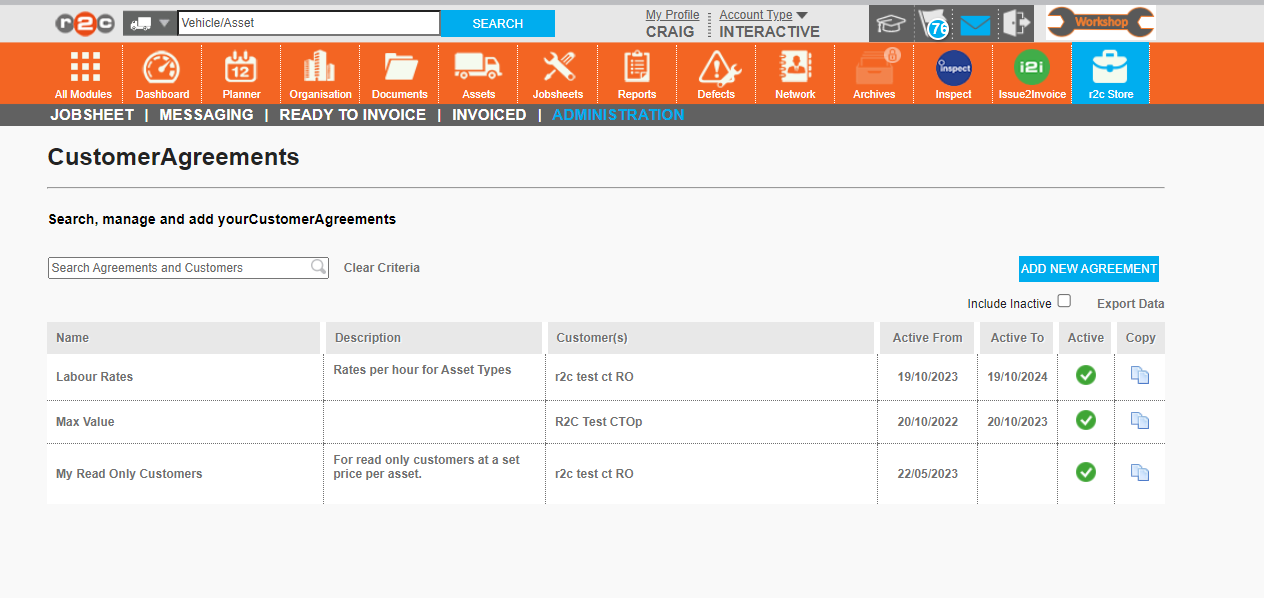
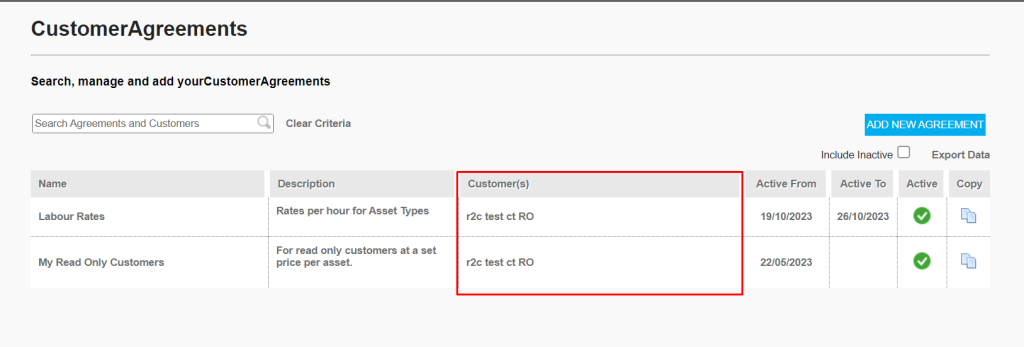
On the i2i agreements home page the workshop can:
Create new agreements for customers who do not have i2i
Amend existing agreement they have previously created
View agreements that have been set up with them by their customers who do use i2i.
To open an agreement, click it's name.
Agreements can be cloned and then amended using the copy icon
To begin creating a new agreement click here.
Tick here to view expired agreements
Step by Step
Creating Agreements – To see the steps taken to create agreements click or swipe through the 15 steps below.
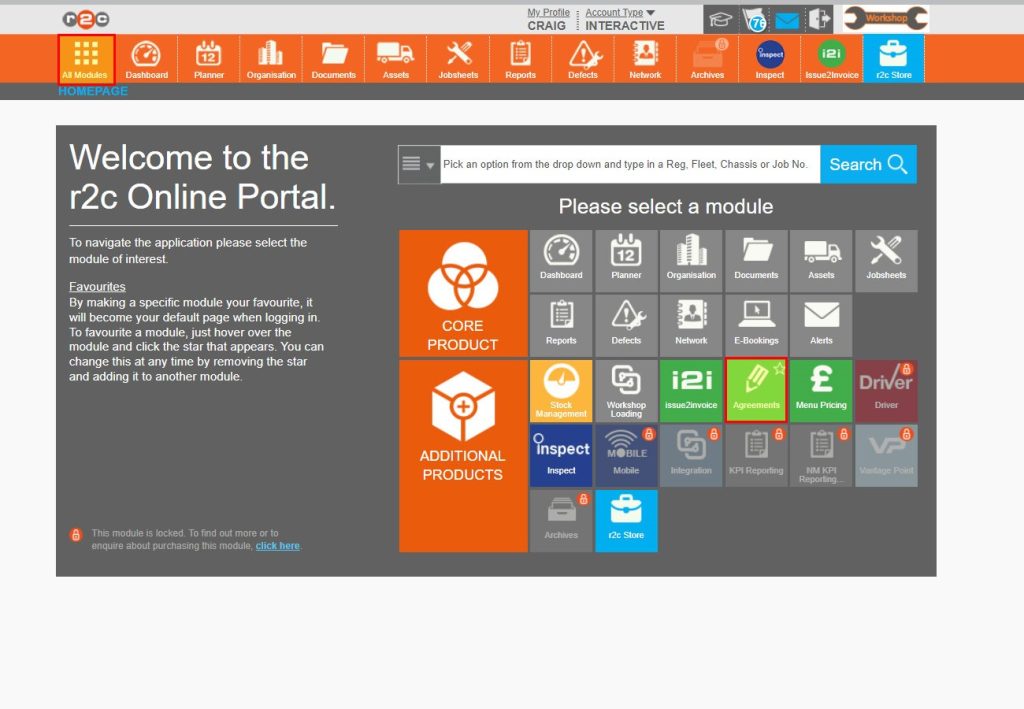
Step 1 - To access the agreements section, start by clicking the ‘All Modules’ icon from the header bar. and then click 'Agreements'
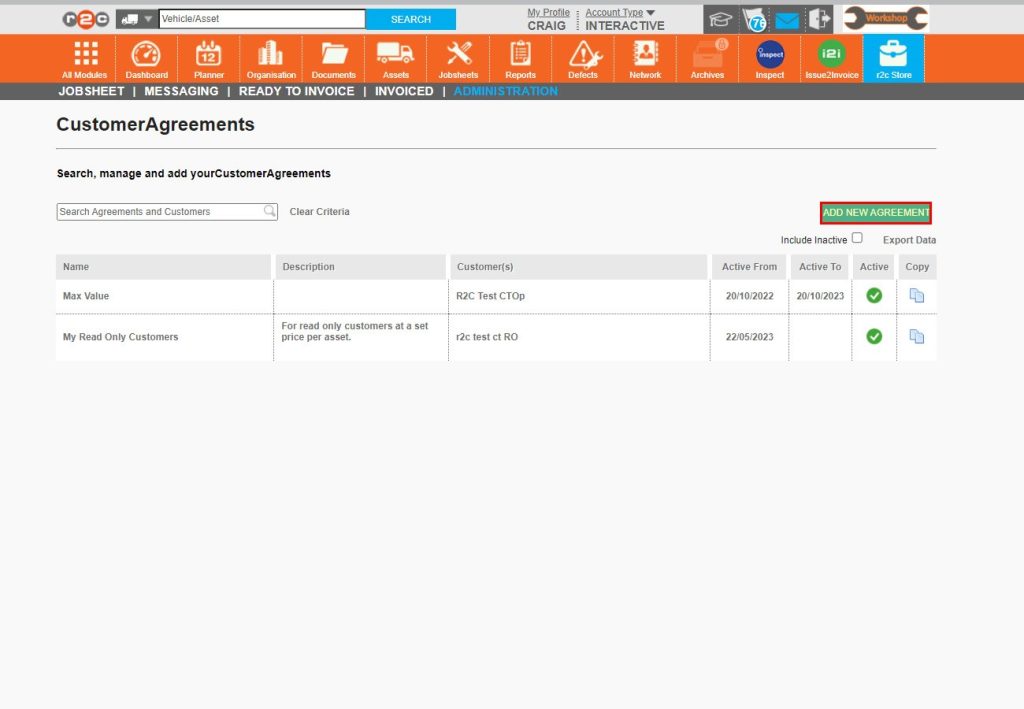
Step 2 - First, you will see any agreements already set up by your workshop or interactive customers that you do jobs for. To start creating a new one click ‘ADD NEW AGREEMENT’
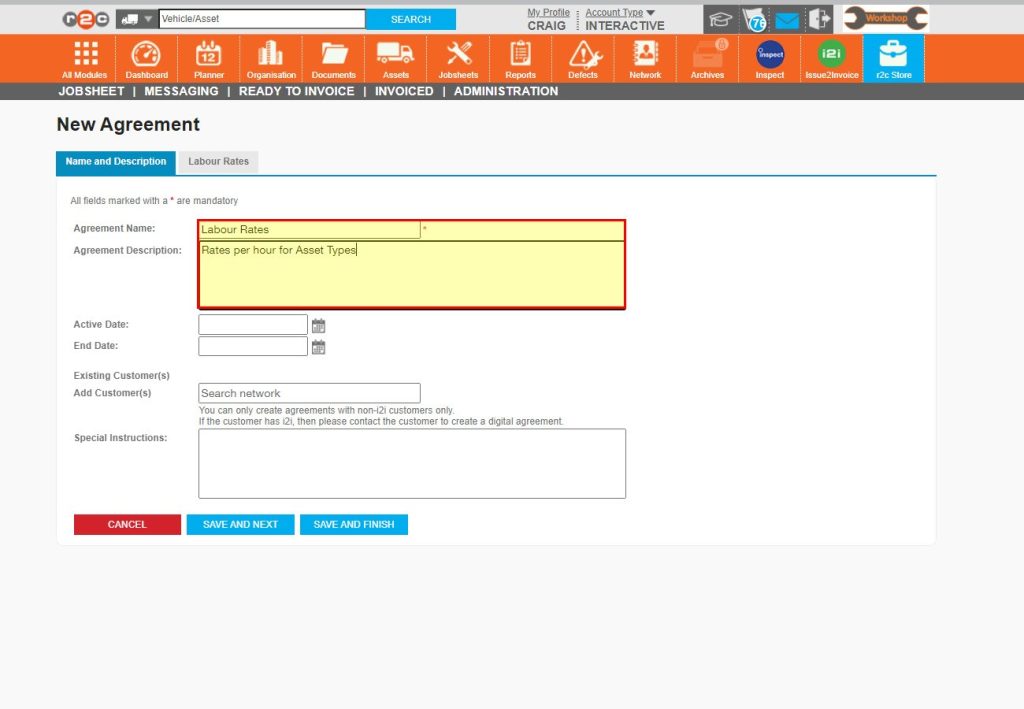
Step 3 - Start by naming the agreement and adding a description.
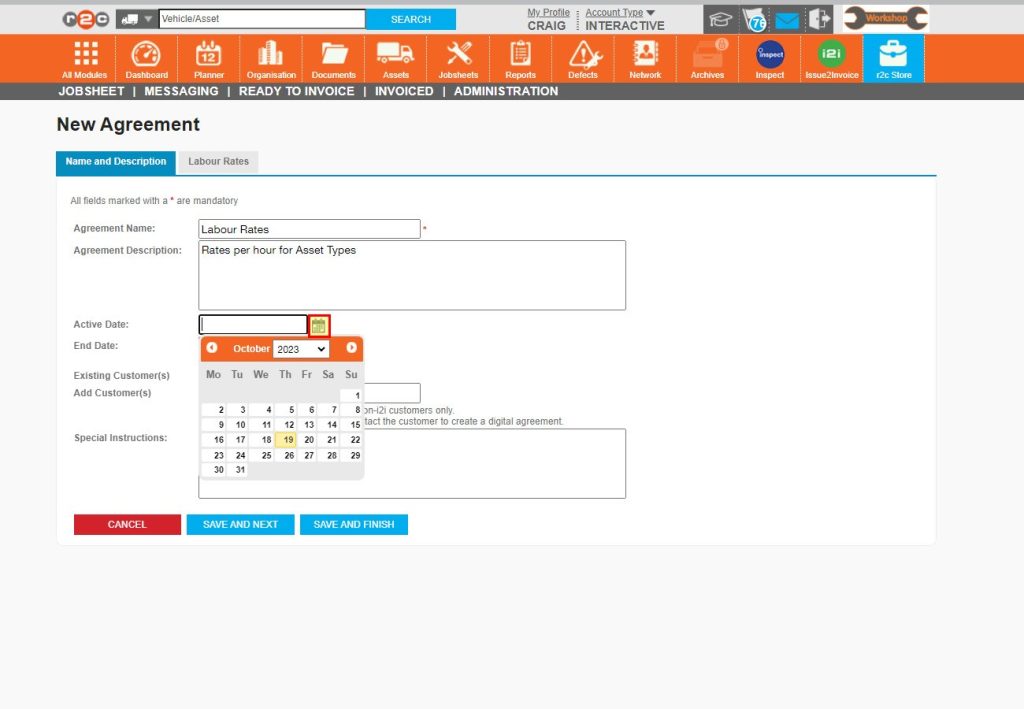
Step 4 - Next, choose the start date for when the agreement should be valid from
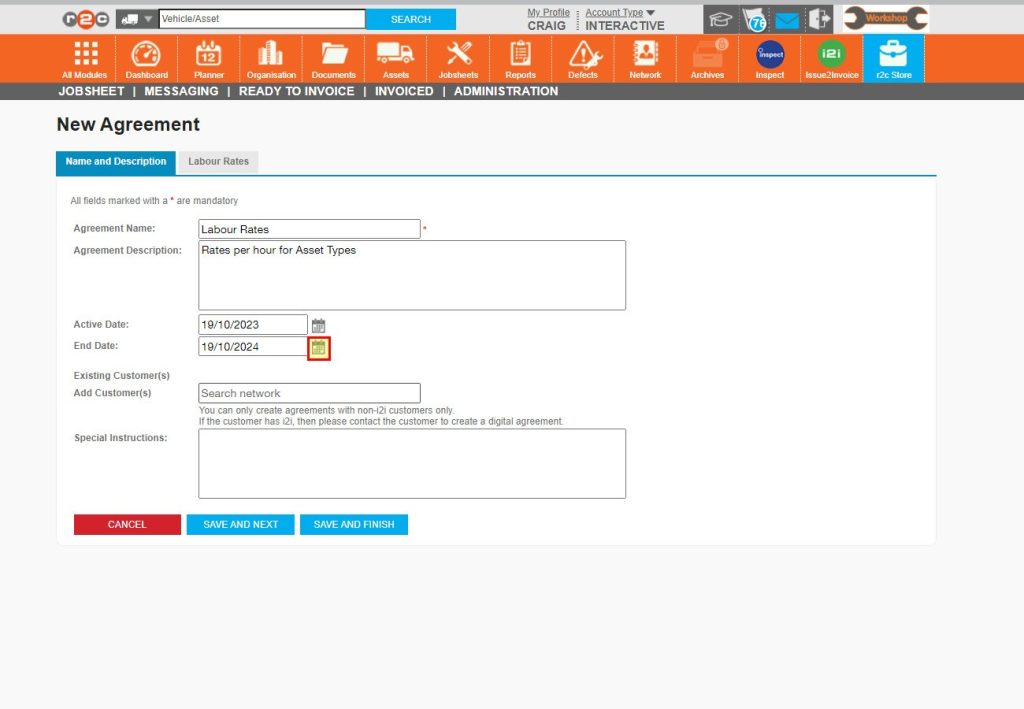
Step 5 - The end date will default to one year but, this can be extended if needed.
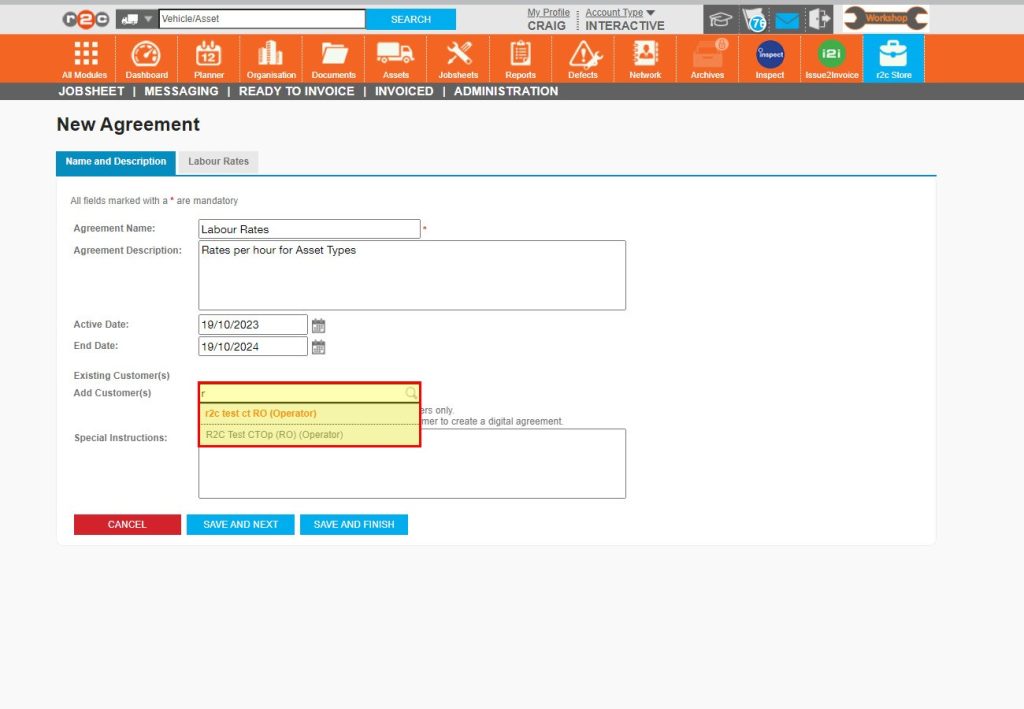
Step 6 - Next, enter the customer’s name that this agreement is applicable to. Select the customer’s name from the list.
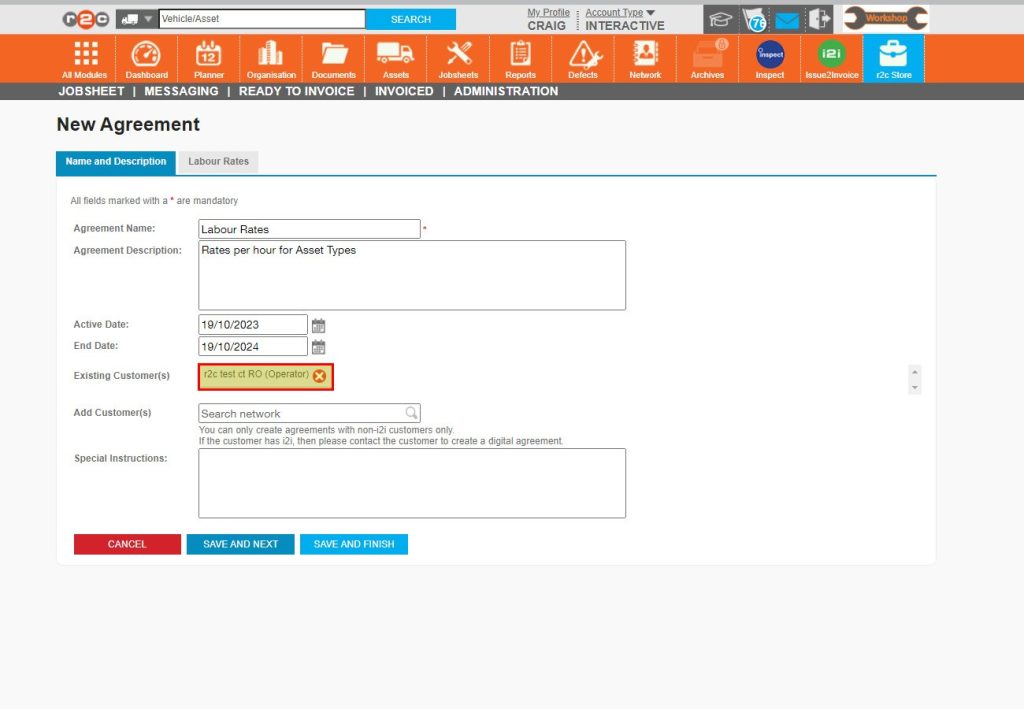
Step 7 - Once you have selected the customers the agreement applies to, click ‘SAVE AND NEXT’
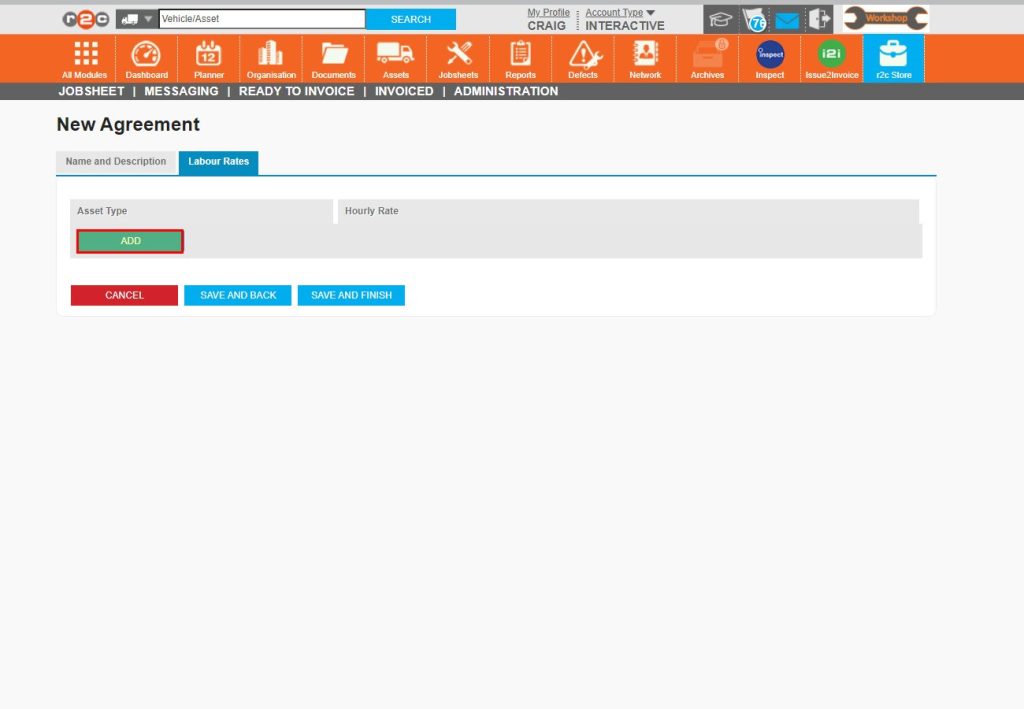
Step 8 - Once the agreement details have been filled in, you can then specify the labour rates for the different types of assets they service and repair. Enter step note. Start by clicking ‘ADD’
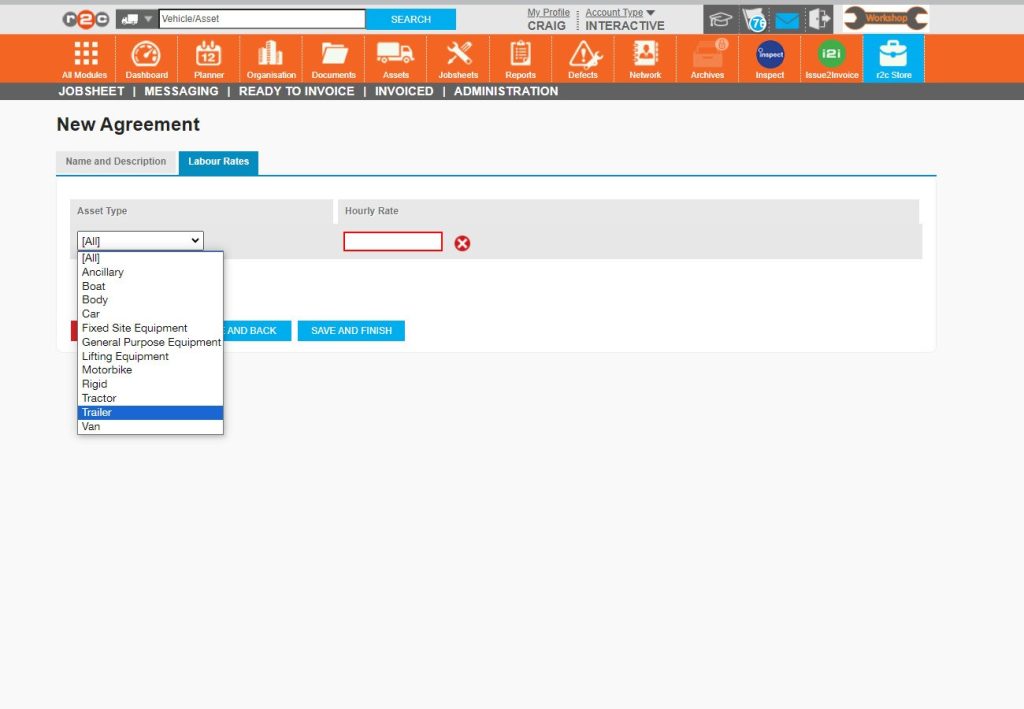
Step 9 - Next, choose an asset type from the list.
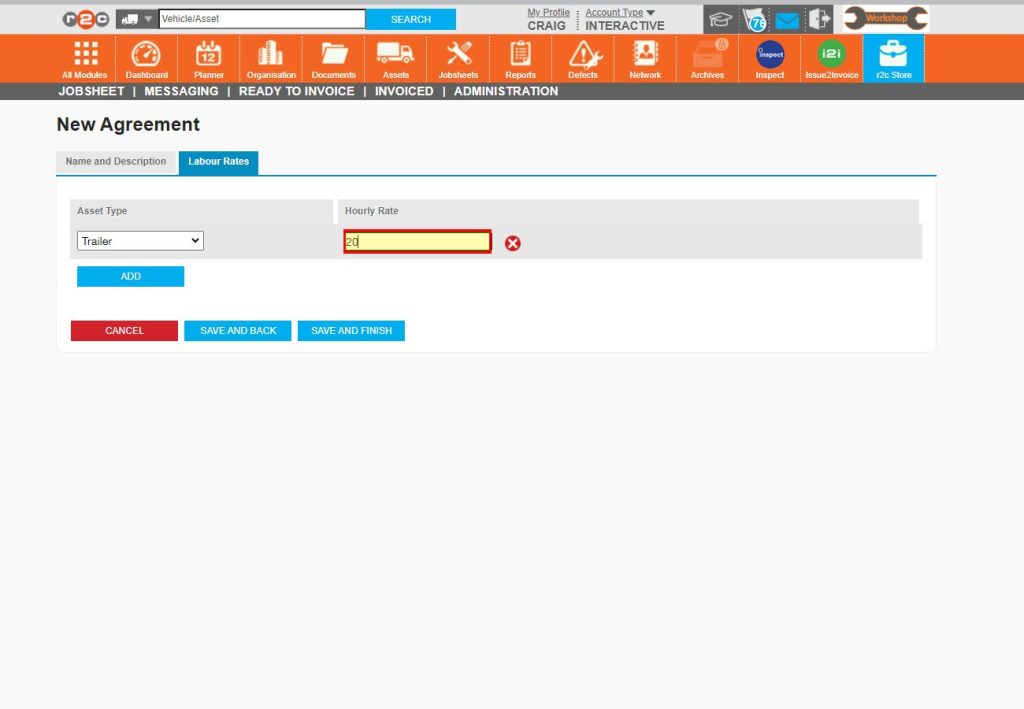
Step 10 - In this case a charge of £20 per hour will apply on work done on Trailers for this customer's jobs.
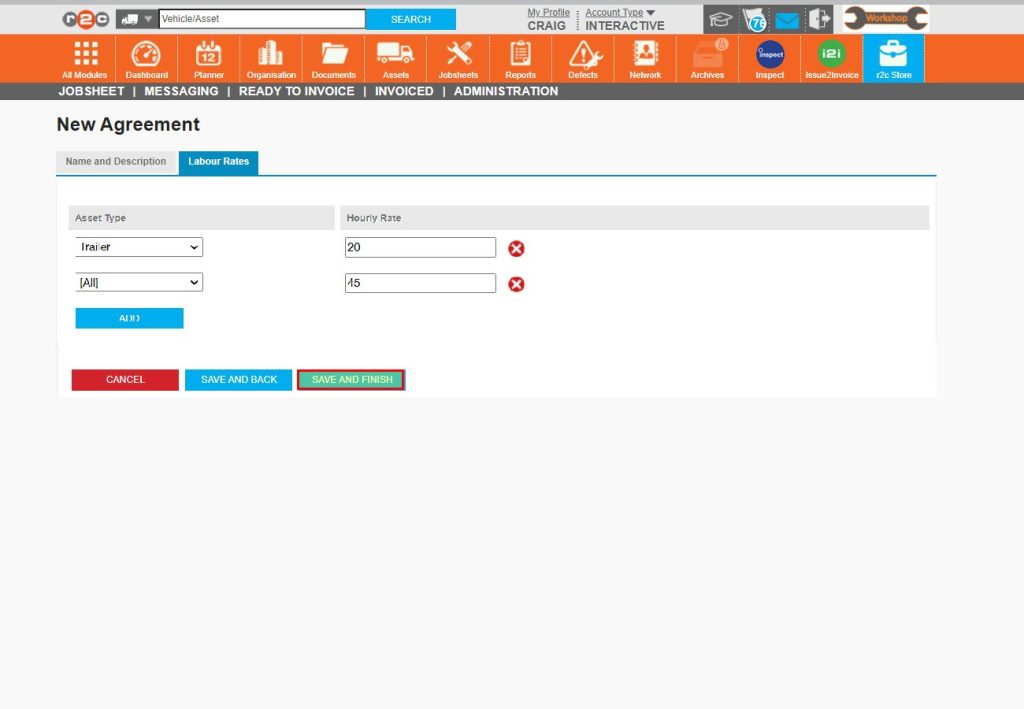
Step 11 - You can continue to specify asset types and labour rates using the ‘Add’ button. Then click ‘SAVE AND FINISH’ once done.
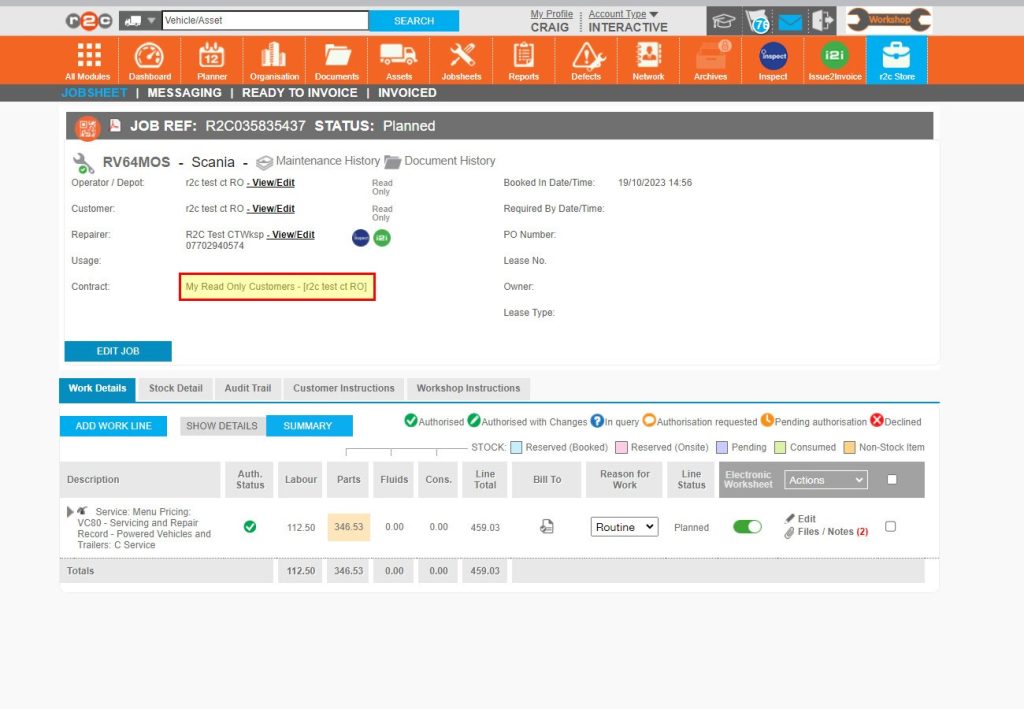
Step 12 - When creating a new job on a customer vehicle you have an i2i agreement with, then the agreement will be automatically applied to that jobsheet.
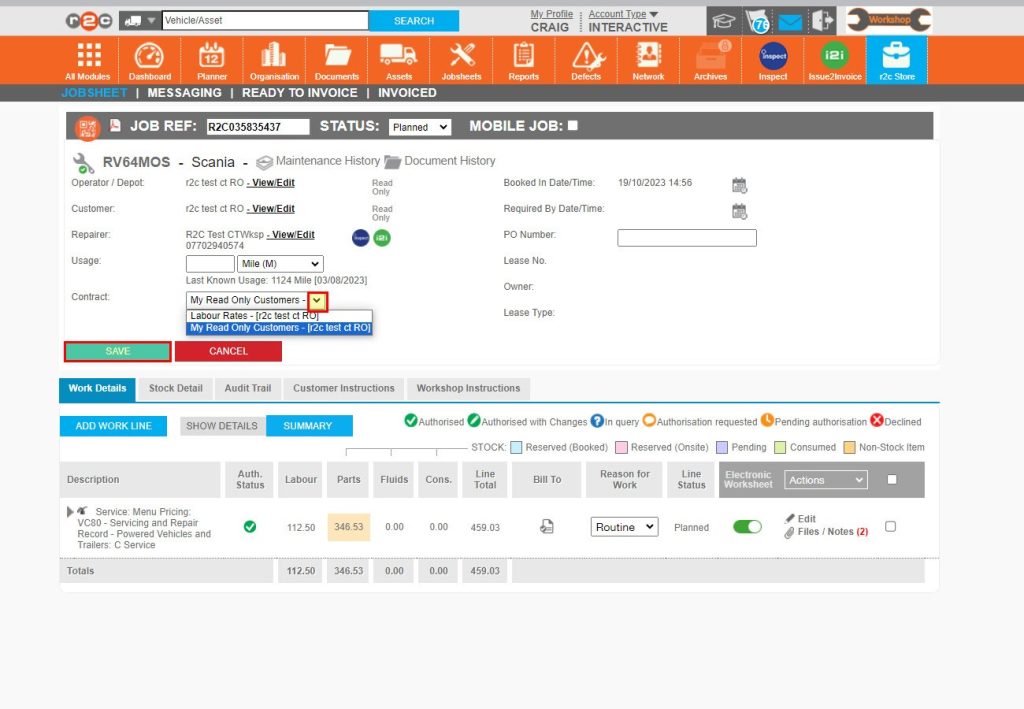
Step 13 - If more than one agreement exists for the same customer, then you will need to choose which agreement to use
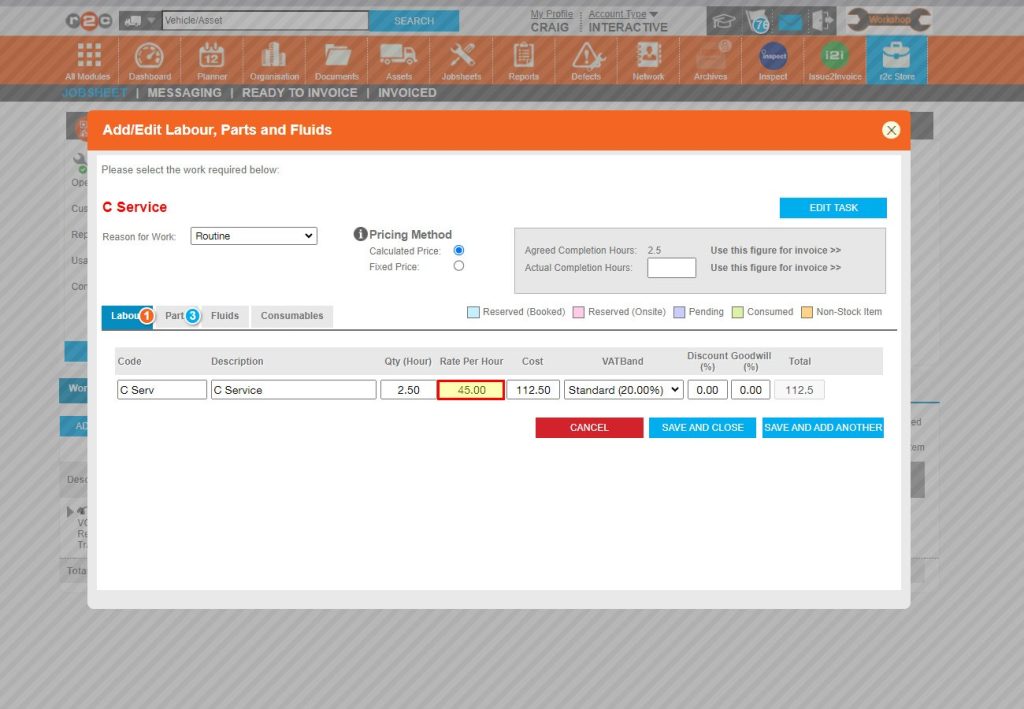
Step 14 - When adding a work line to the jobsheet, the labour rate specified within the agreement will be used. If the type of work is a menu pricing item, then the time specified to the work (qty hours) will also be used.
Technical Info & Self Help
Why can't I see the agreementon the job?
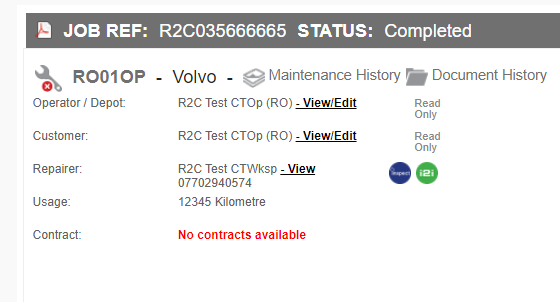
If you are unable to see an agreement in the list or the jobsheet says ‘no contract available’. Check that the customer has been selected on the agreement.
Please note, to ensure your agreement settings are saved whilst progressing through the various tabs. It is important to use the inbuilt navigation buttons shown below.
A green outline on the account type icon signifies the guide is applicable whereas a red outline signifies it is not applicable to the the respective account type.