Introduction
When a jobsheet has been done outside of the r2c system, non-digital jobs can be created. These jobs can be updated within portal, with scanned documents attached where applicable.
However, this only applies to jobs where the repairer does not have access to r2c at all. These accounts are called read-only workshops. For these situations, you are able to complete a jobsheet on heir behalf for your own records.
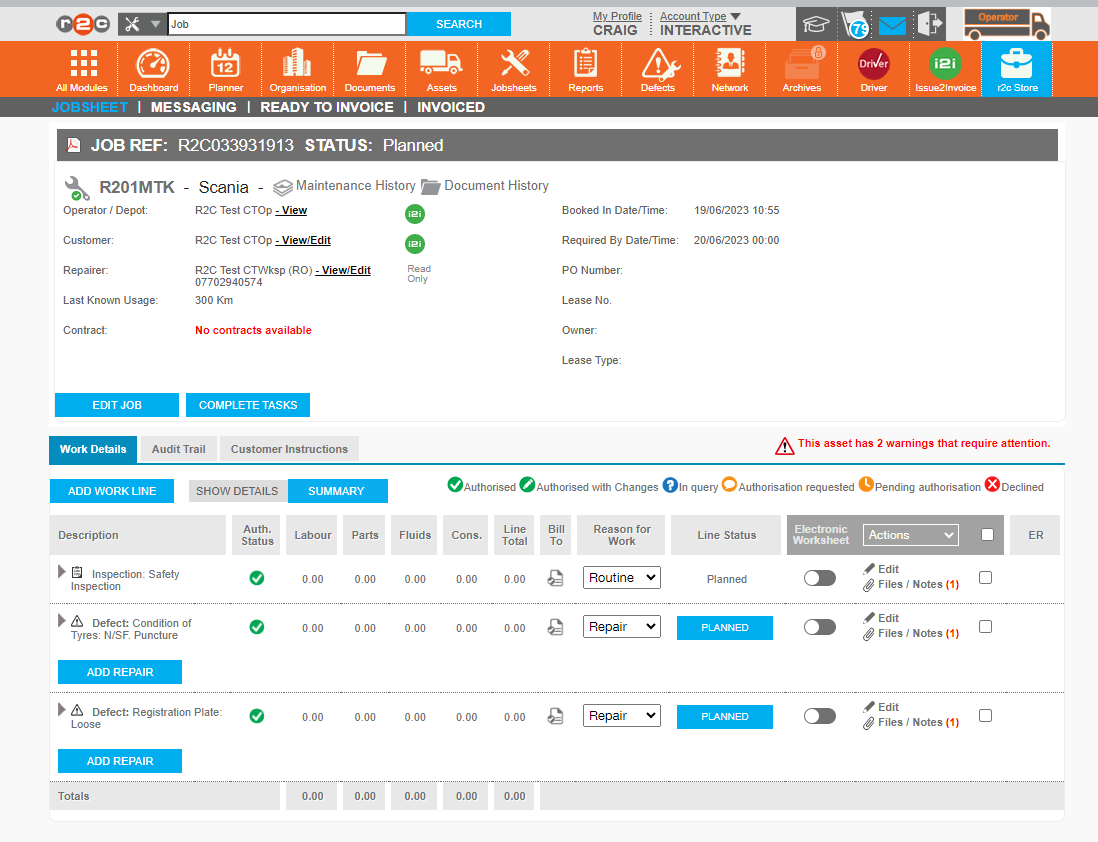
Use the hotspots below to see how to identify jobs where the repairer is read-only.
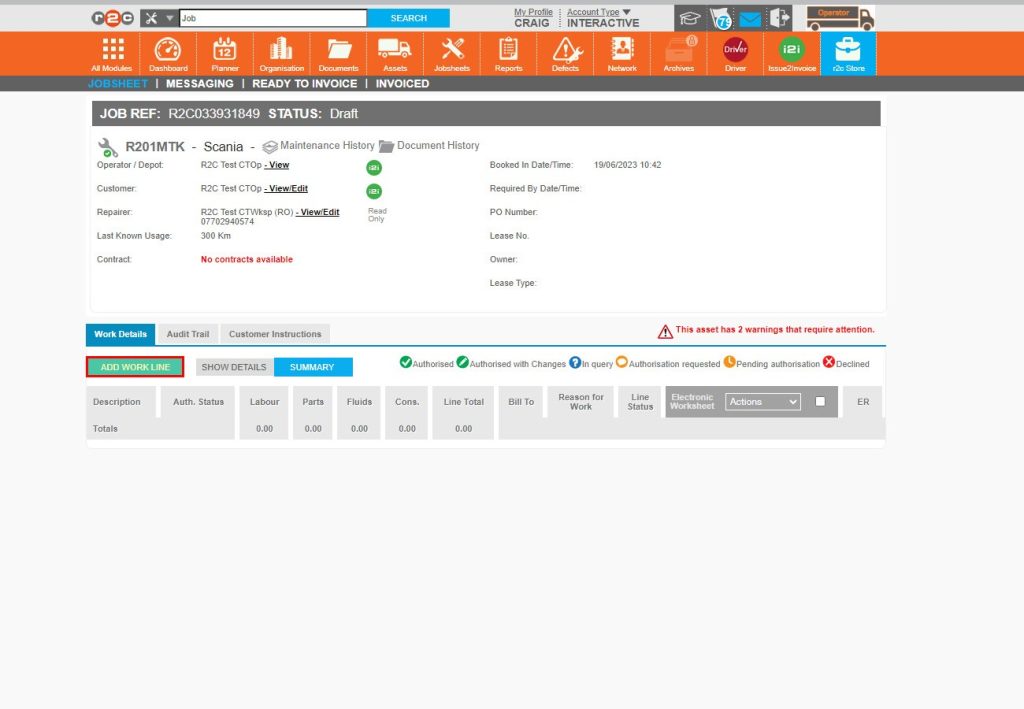
Read Only workshops do not have access to the r2c system. Therefore there are no module icons and the Read Only label is visible.
When a repairer is read-only, all work lines will be non-digital.
![]()
Step by Step
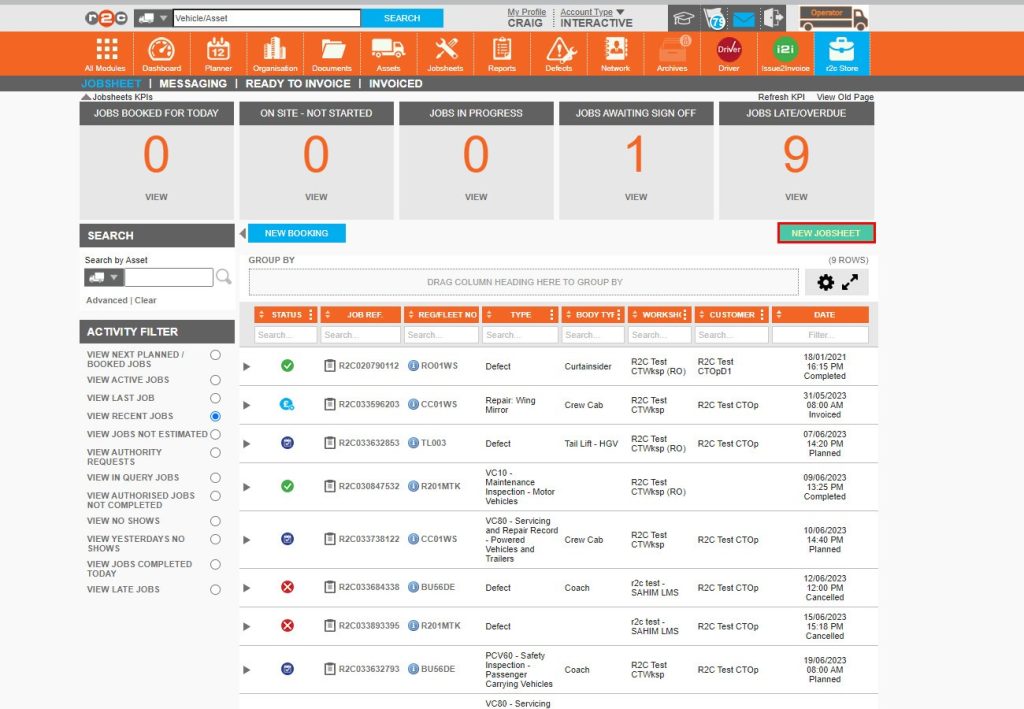
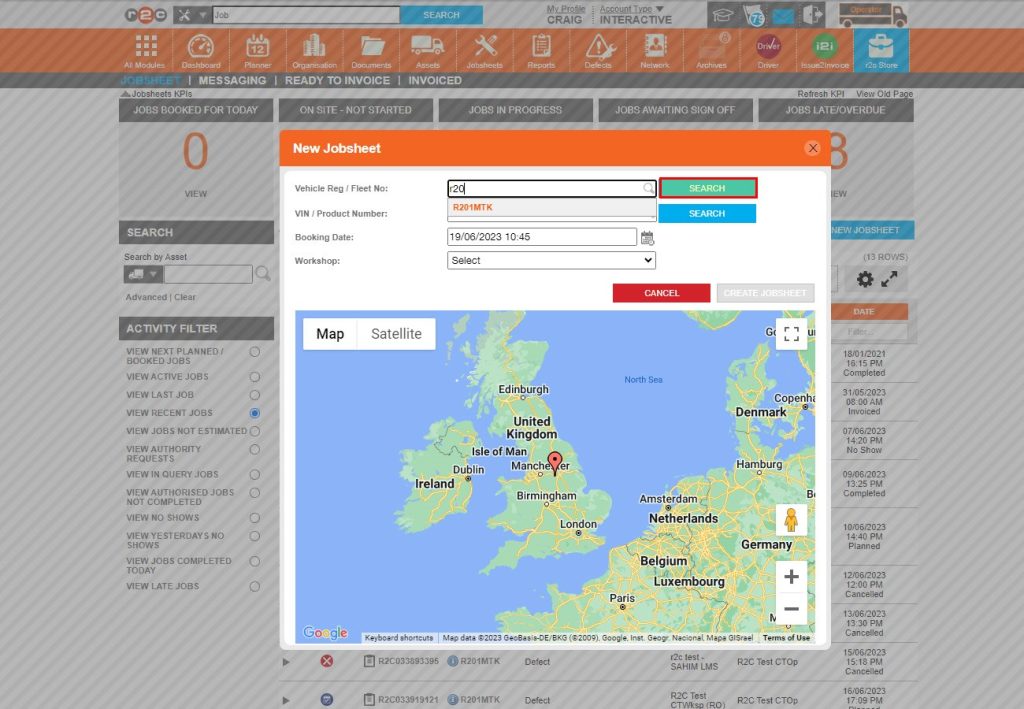
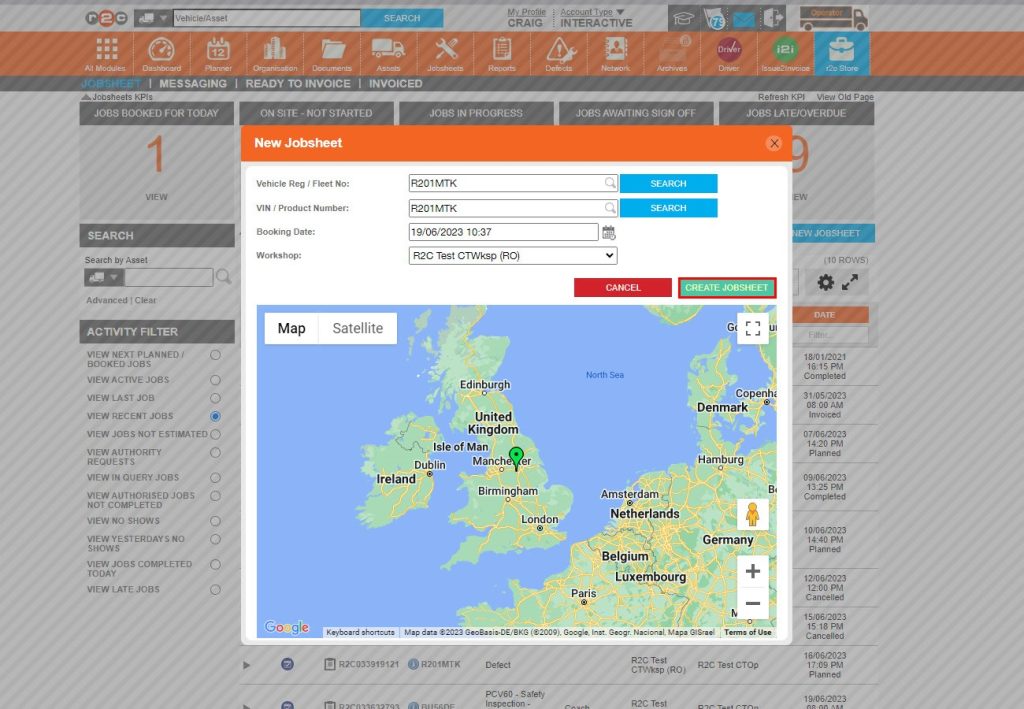
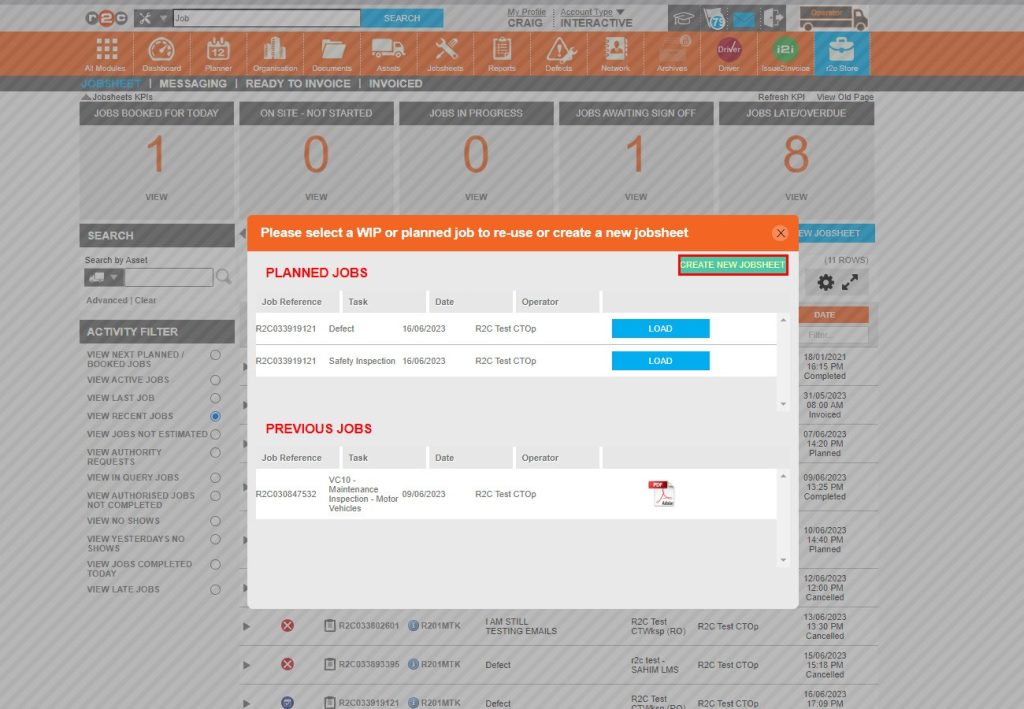
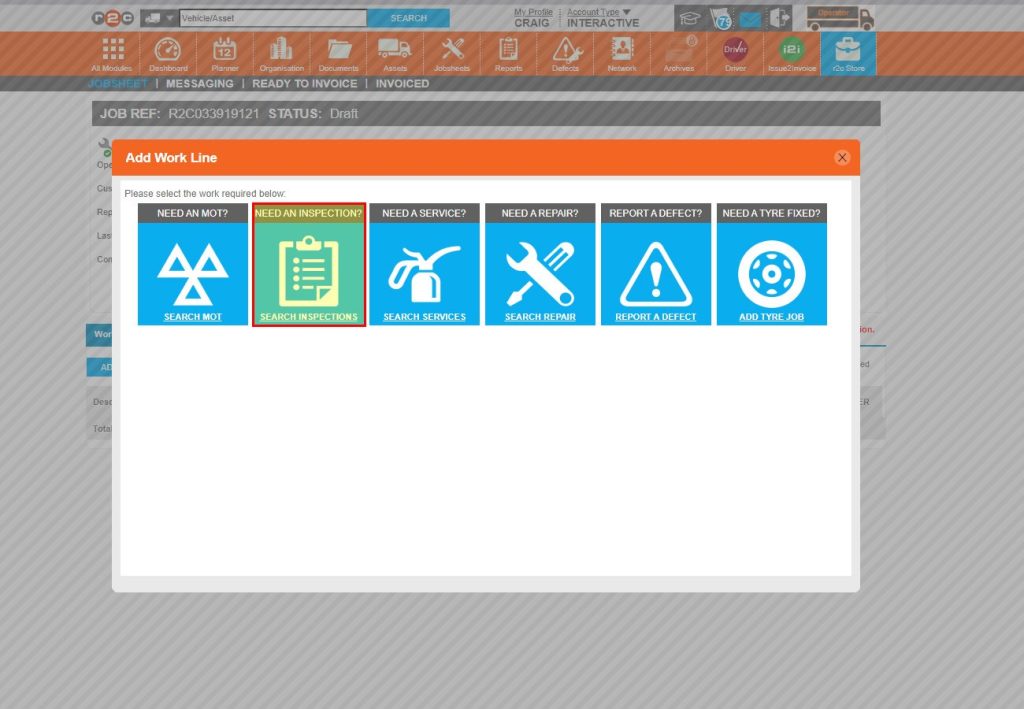
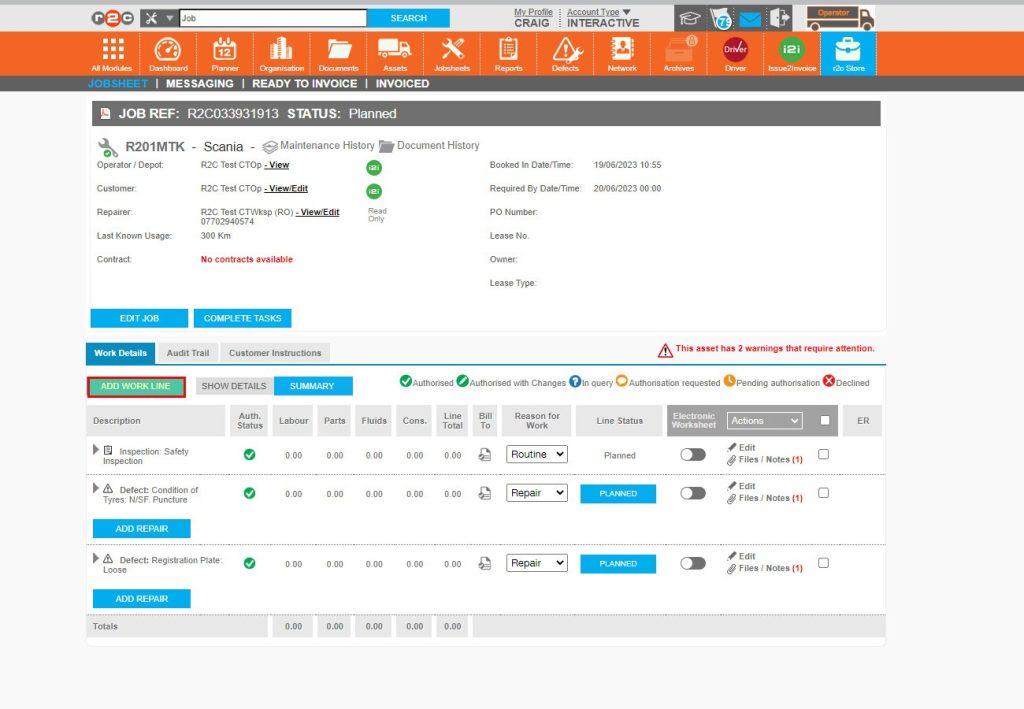
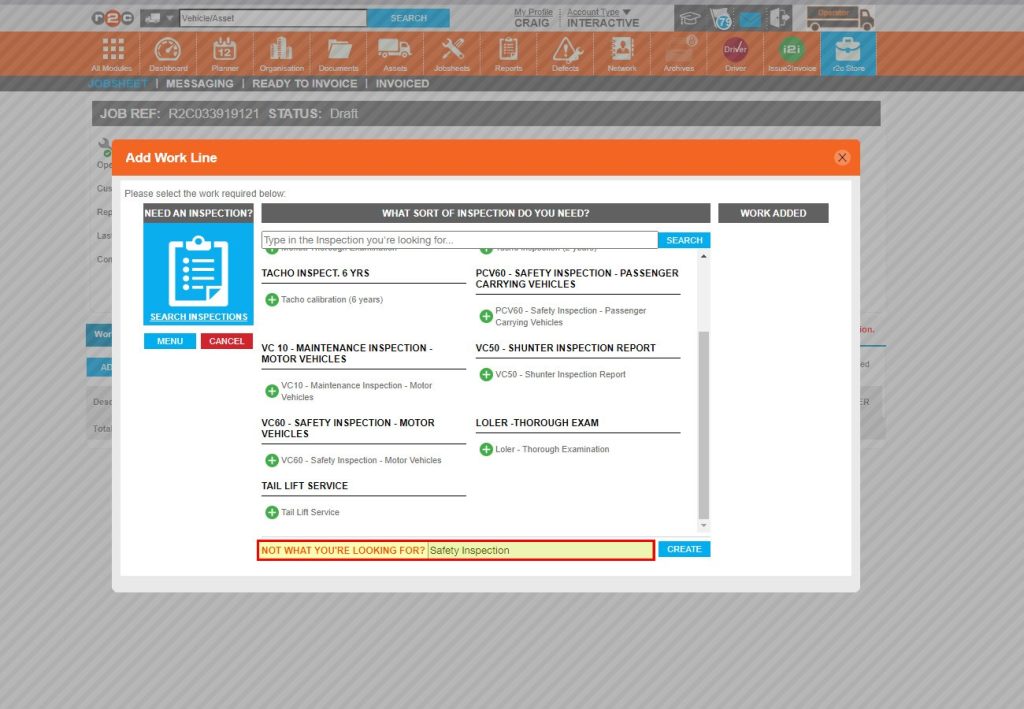
Create a non-digital job- To create a non-digital job, click or swipe through the 8 steps below.


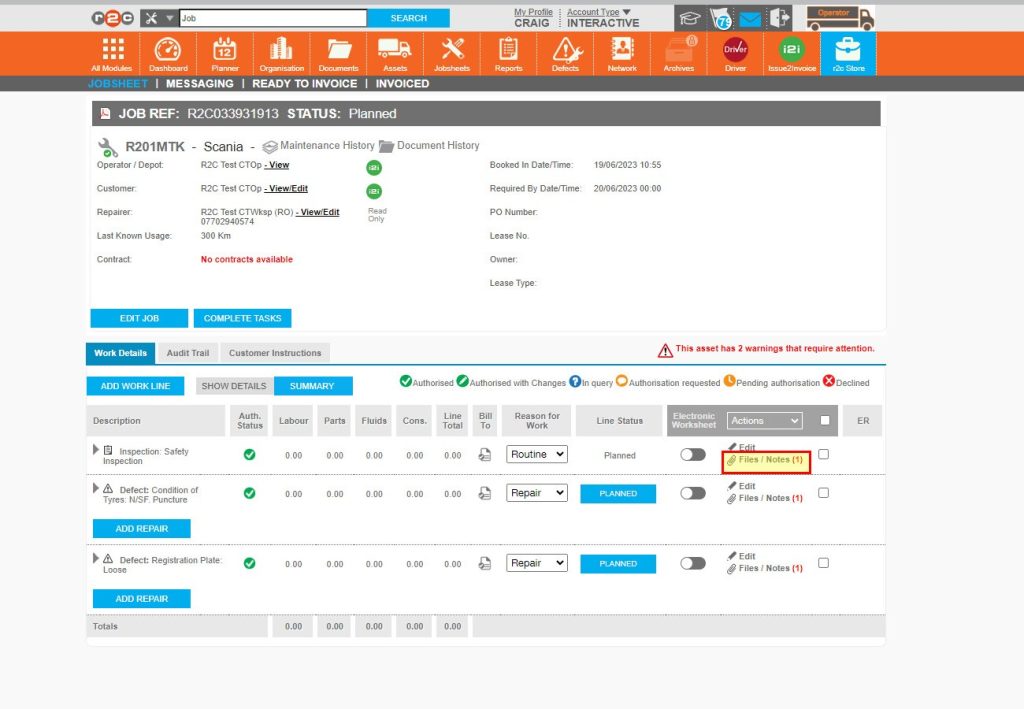
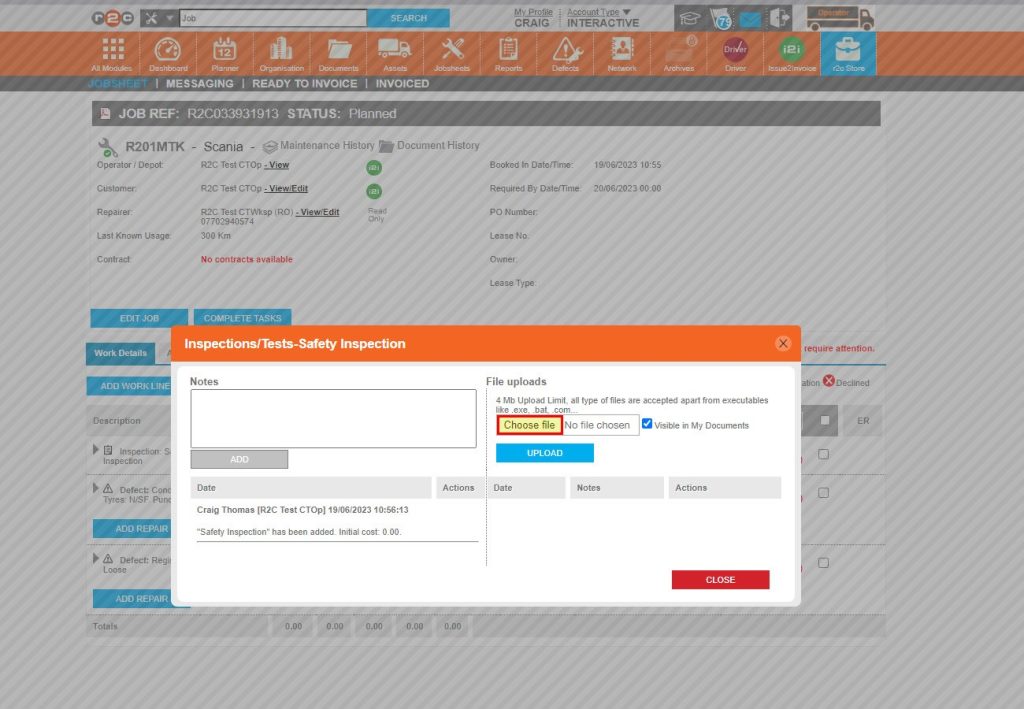
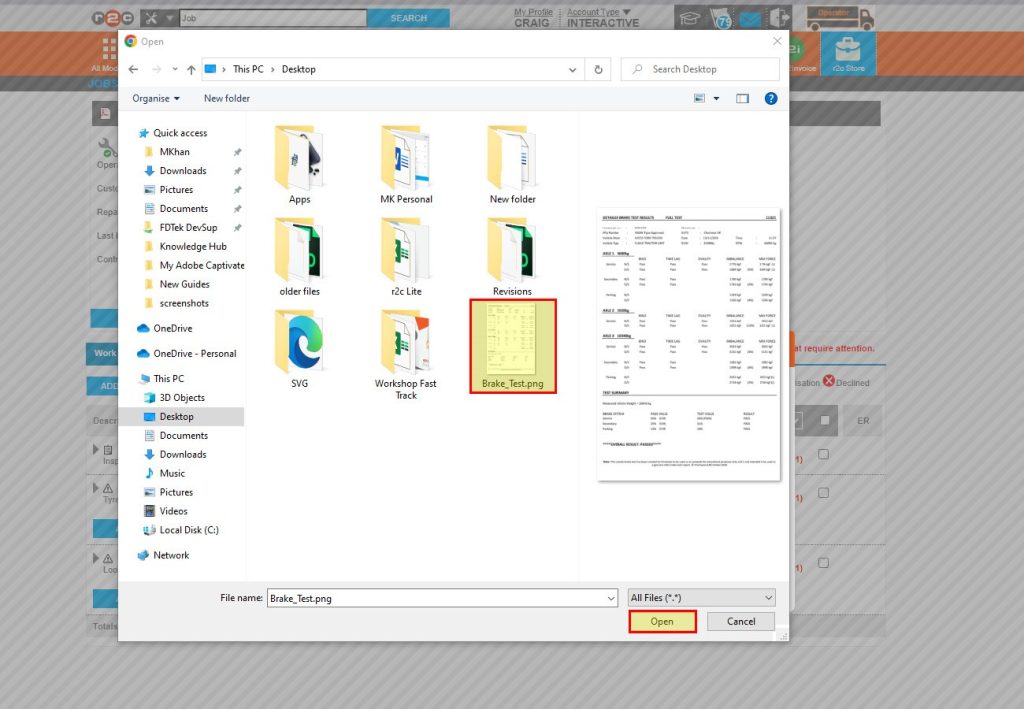
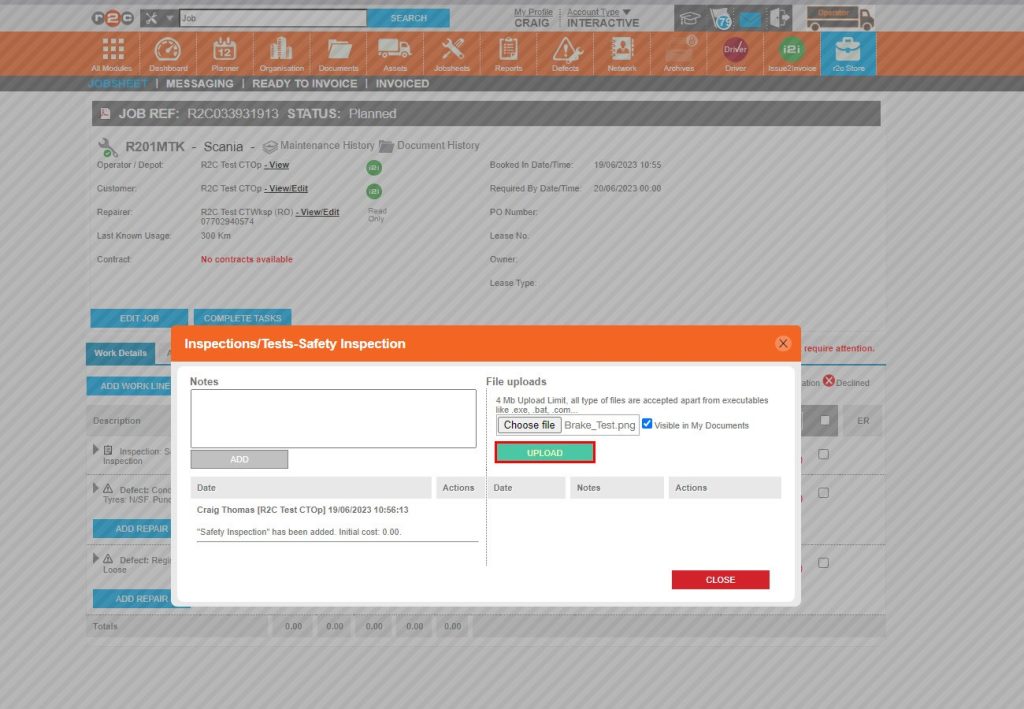
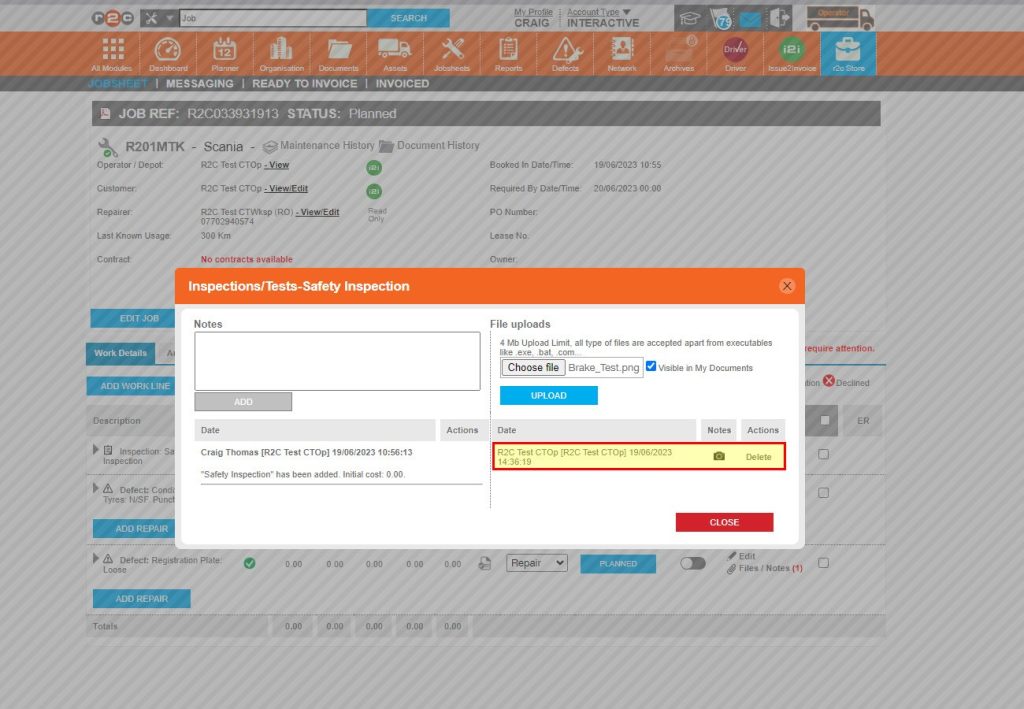
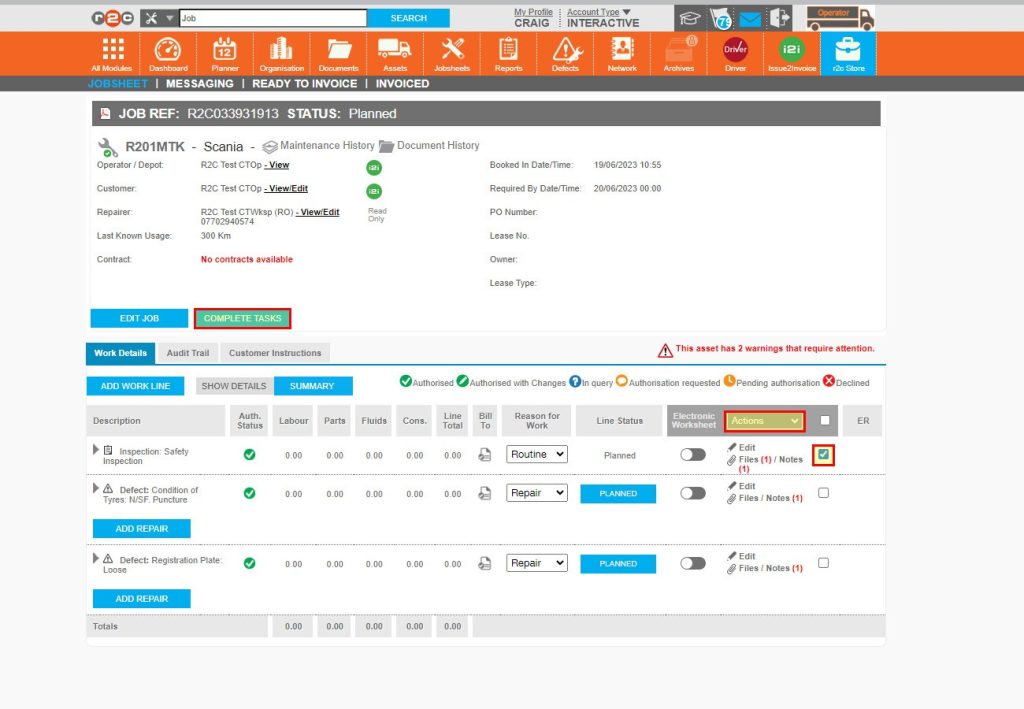
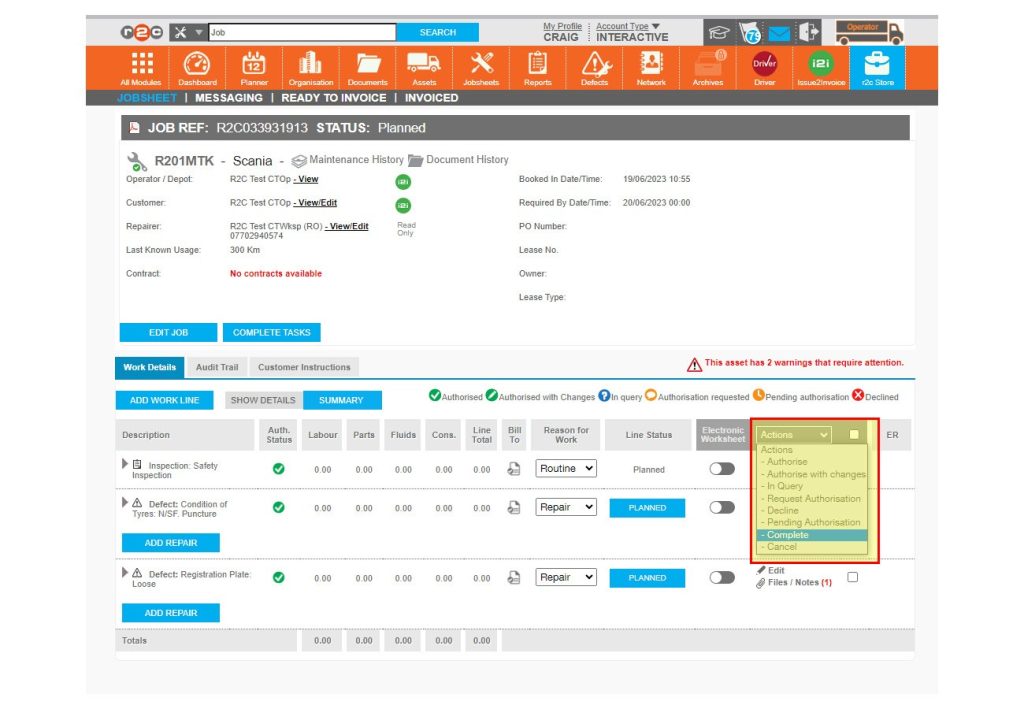
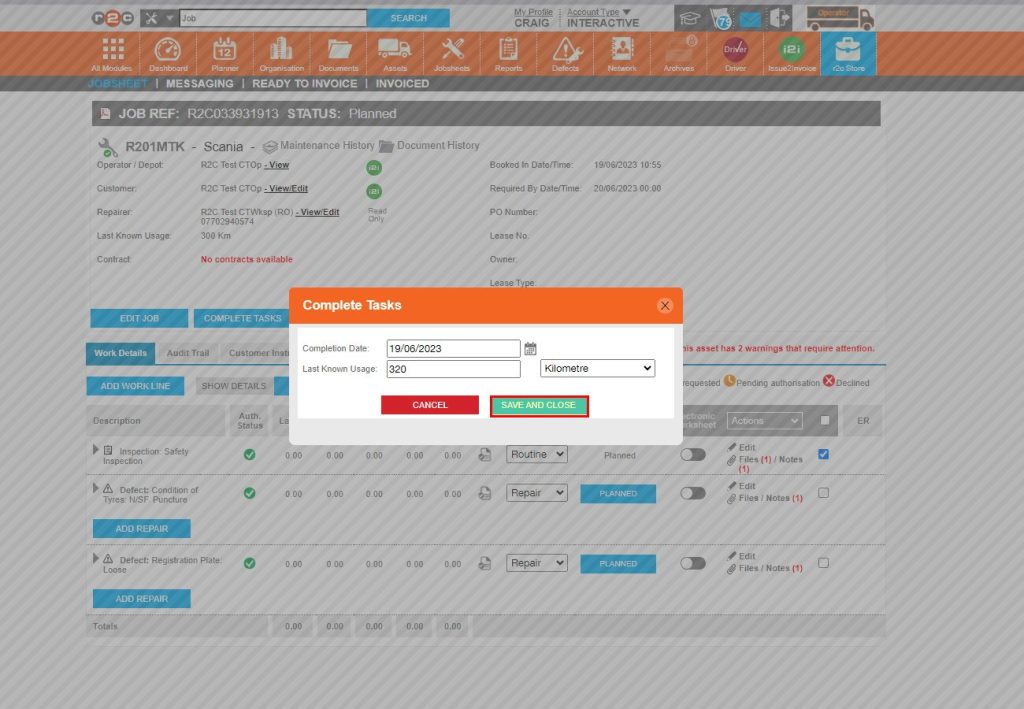
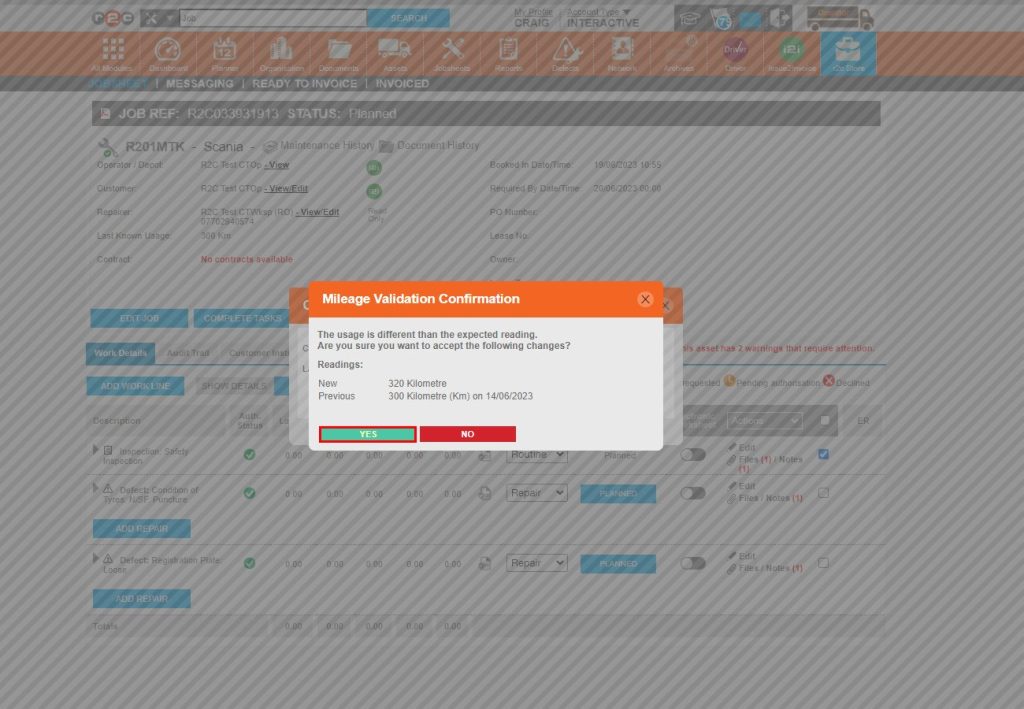
Complete a job- To complete a non-digital job, click or swipe through the 9 steps below.


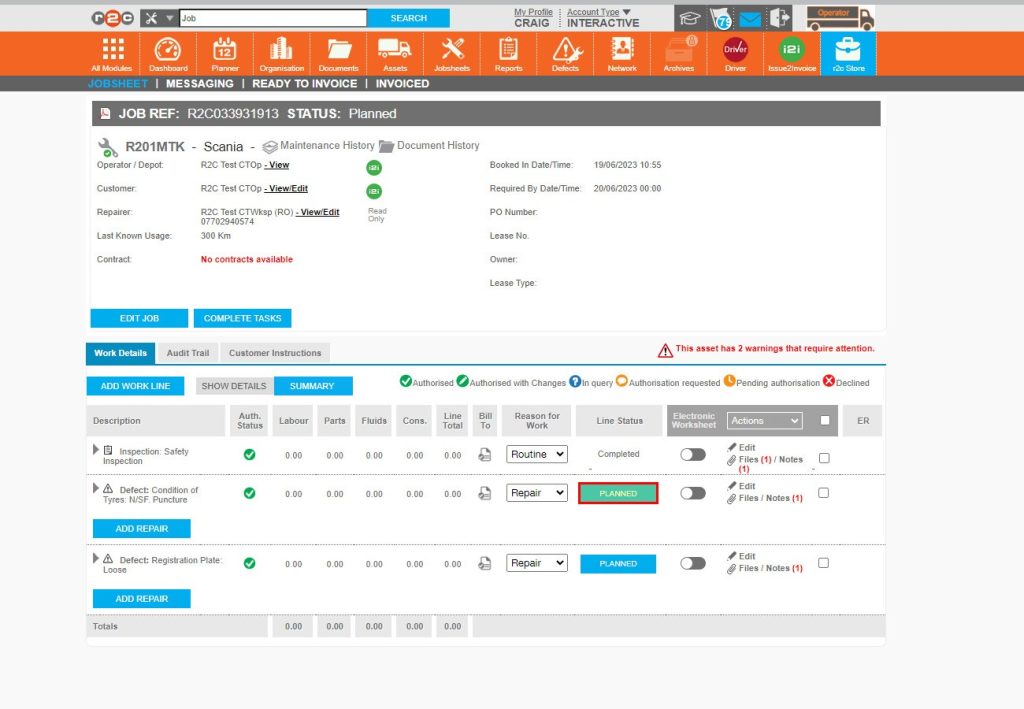
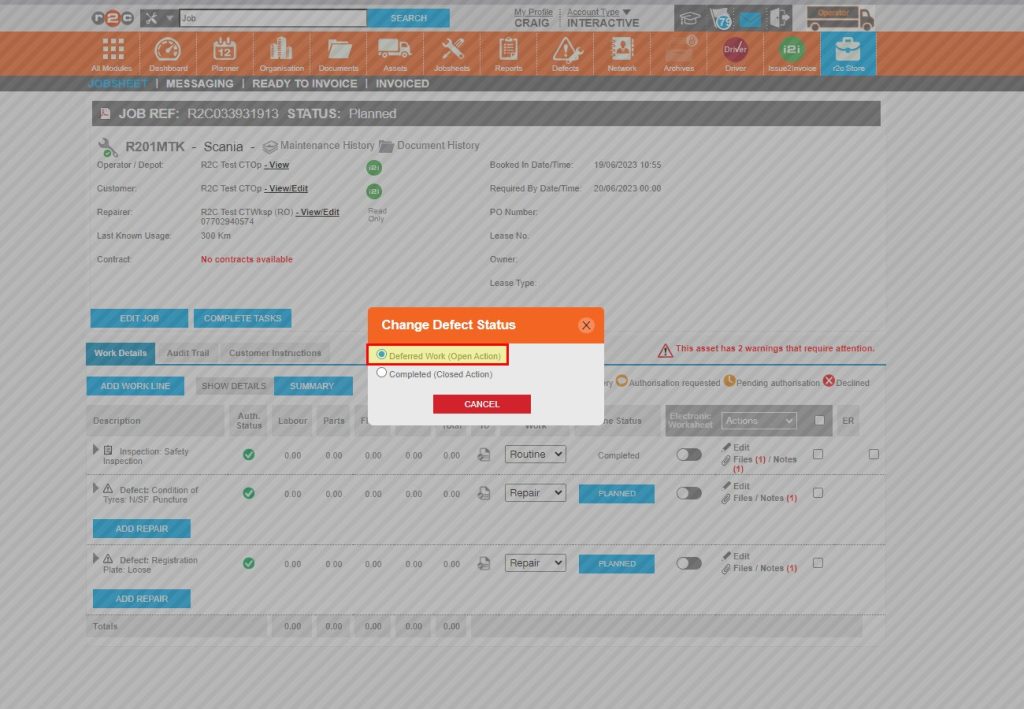
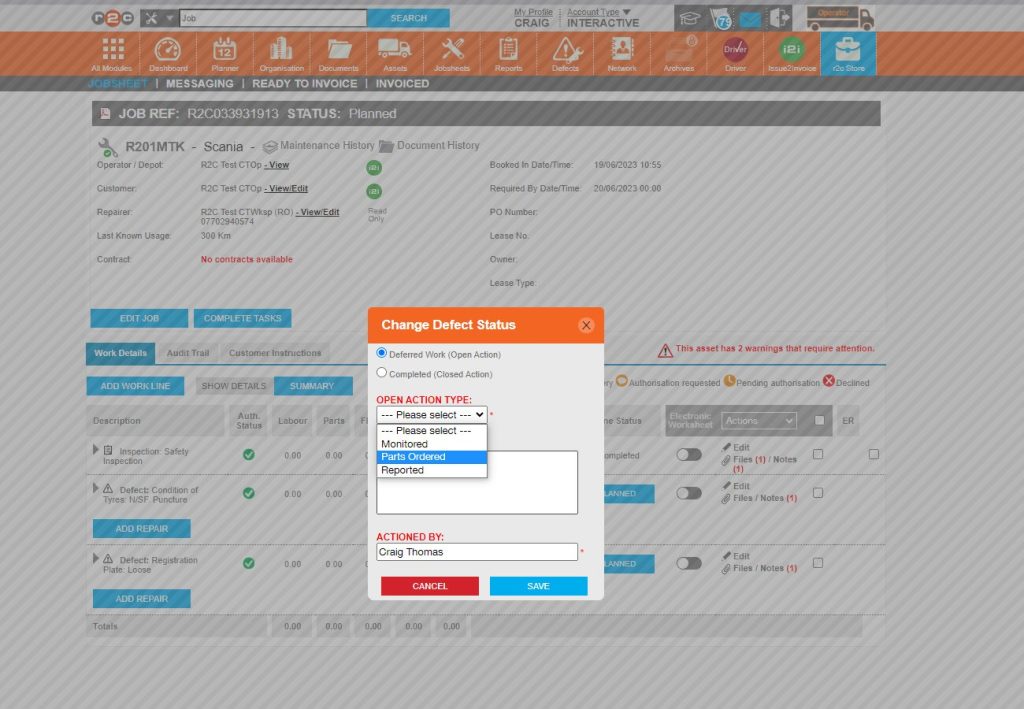
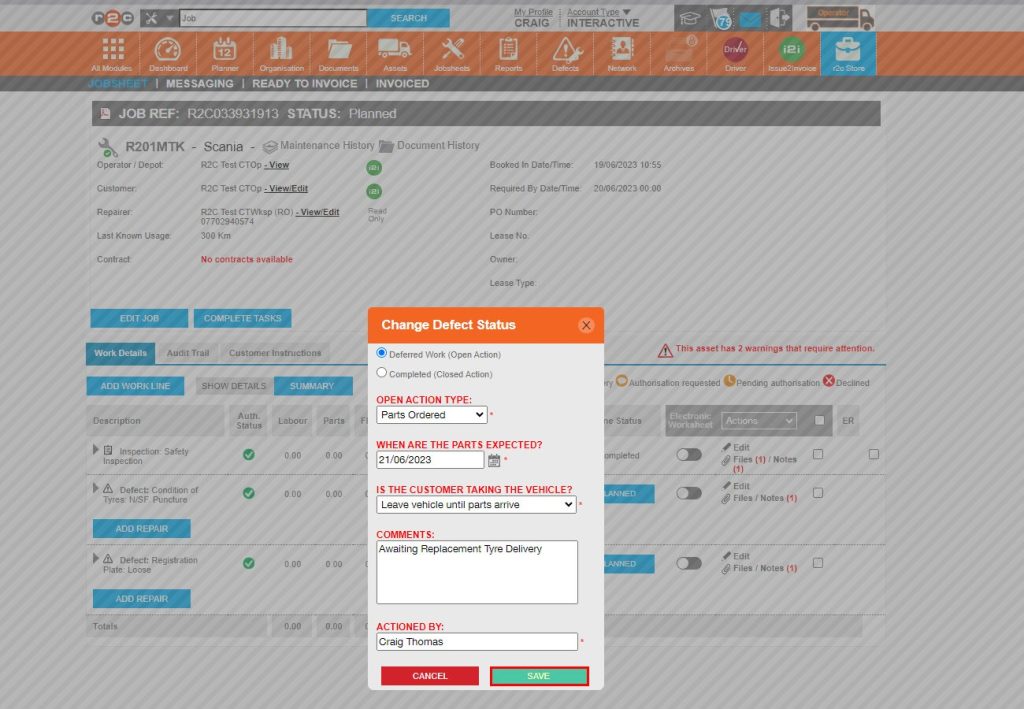
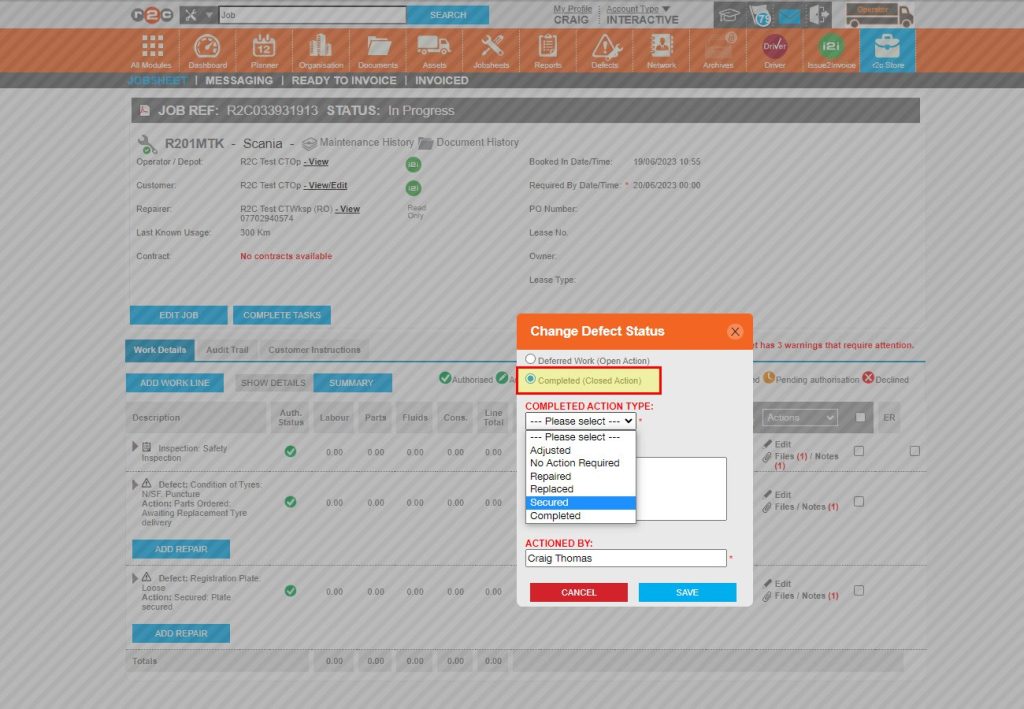
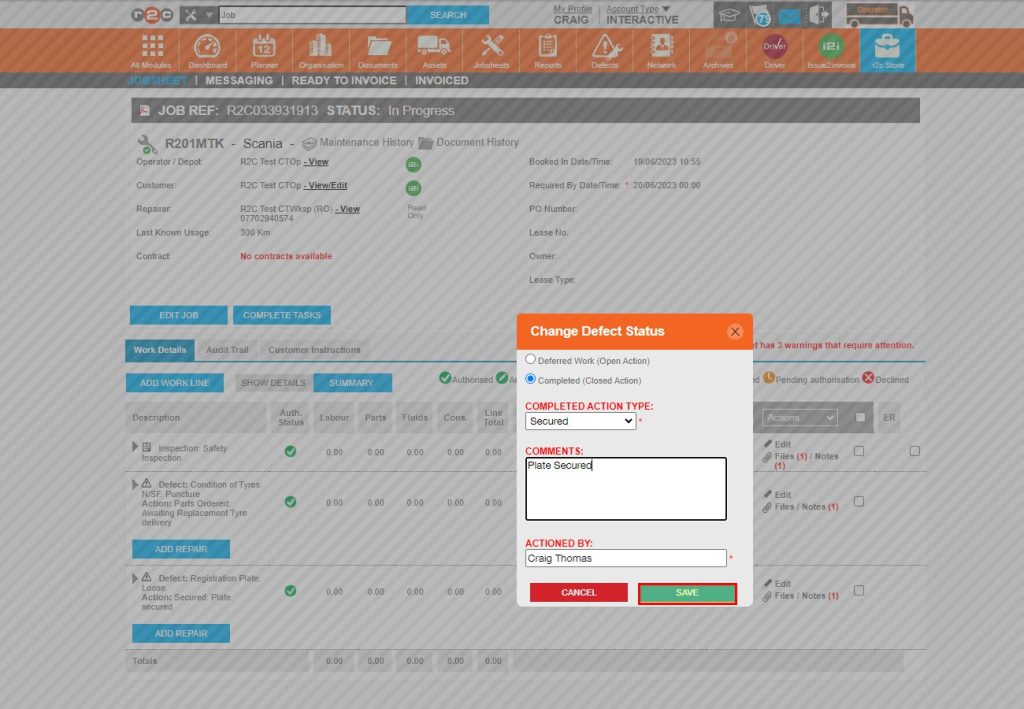
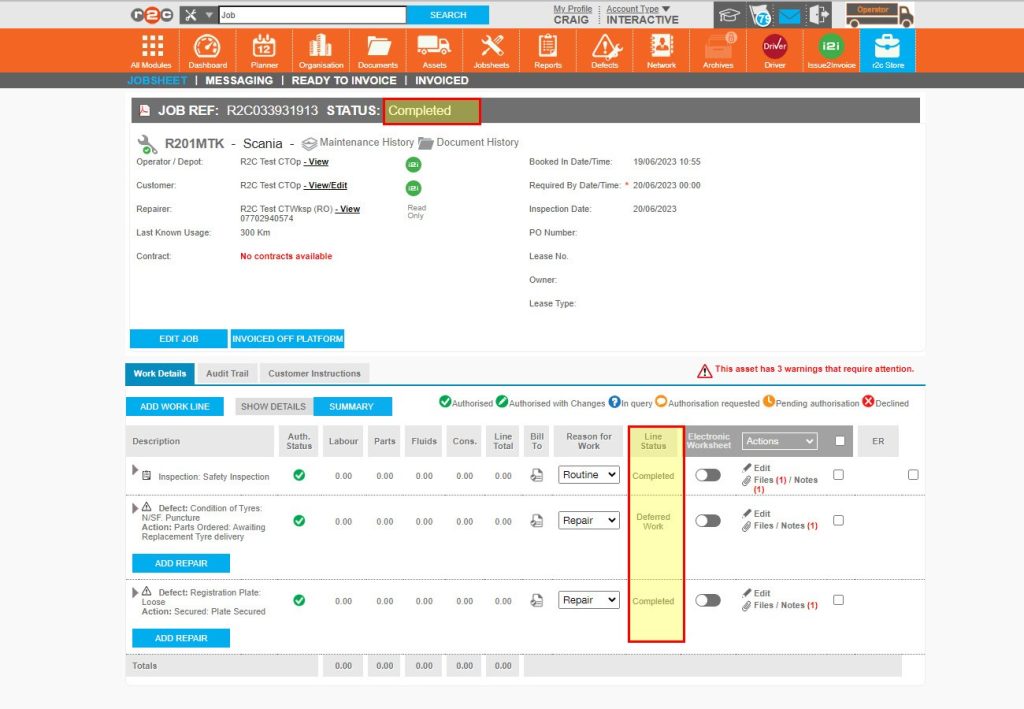
Completing Defect lines – To see the steps taken to complete defect lines within portal, click or swipe through the 7 steps below.


Technical Info & Self Help
Why can't I complete a Non Digital Jobsheet?
In order for a stock movement to occur the job status has to be in progress first. For this reason, the Complete Tasks button is not initially available.
To complete a job, first set the jobsheet status to In Progress, this action will then show the COMPLETE TASKS button for non-digital tasks.