E-Bookings are part of the larger, forward planning of work, encompassing Booking in Jobsheets. E-Bookings rely entirely on whether the customer is interactive on r2c and whether they have incorporated the e-Bookings function into their business processes. The booking of jobsheets enables an all-informed network and as such, an accepted e-Booking automatically sets the generated jobsheet to booked.
Opening the bookingrequest
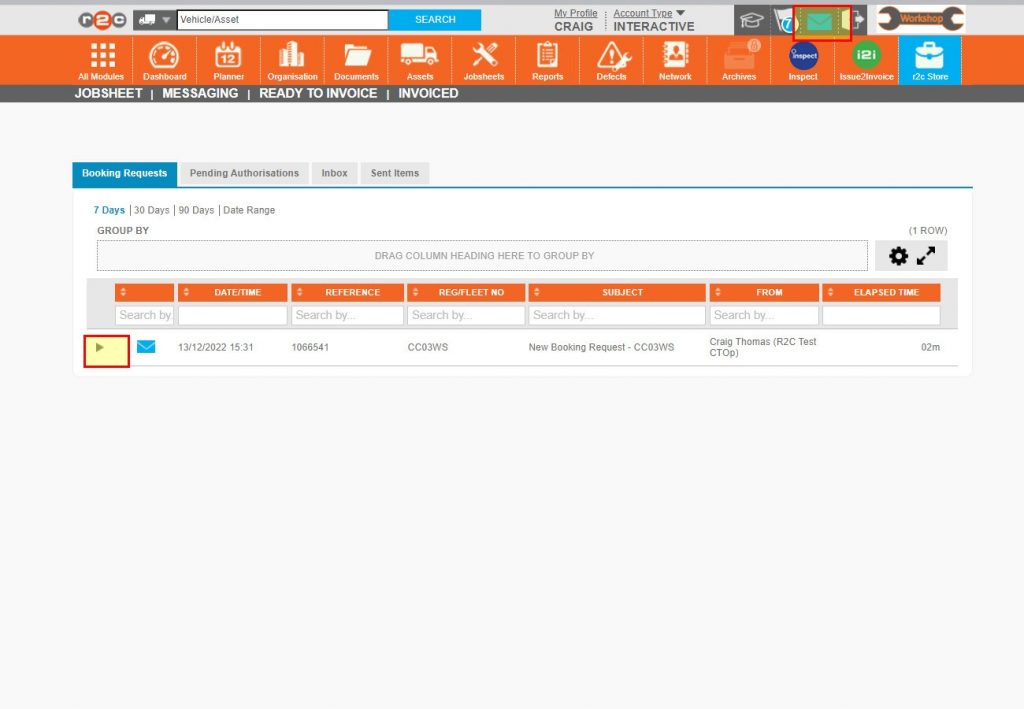
Use the arrow to expand the message, from here the request can be assessed.
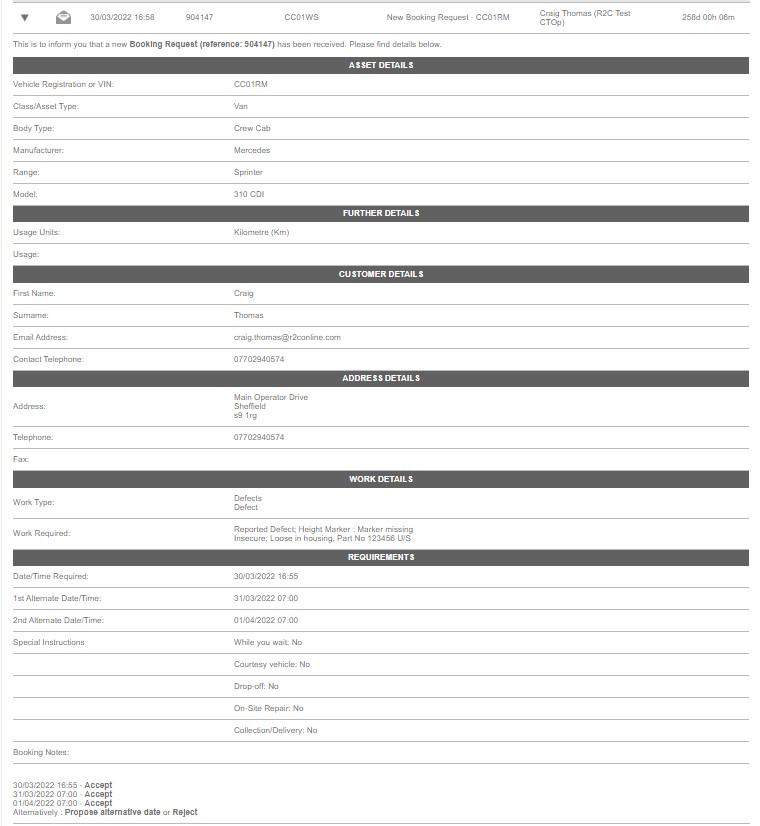
Message content
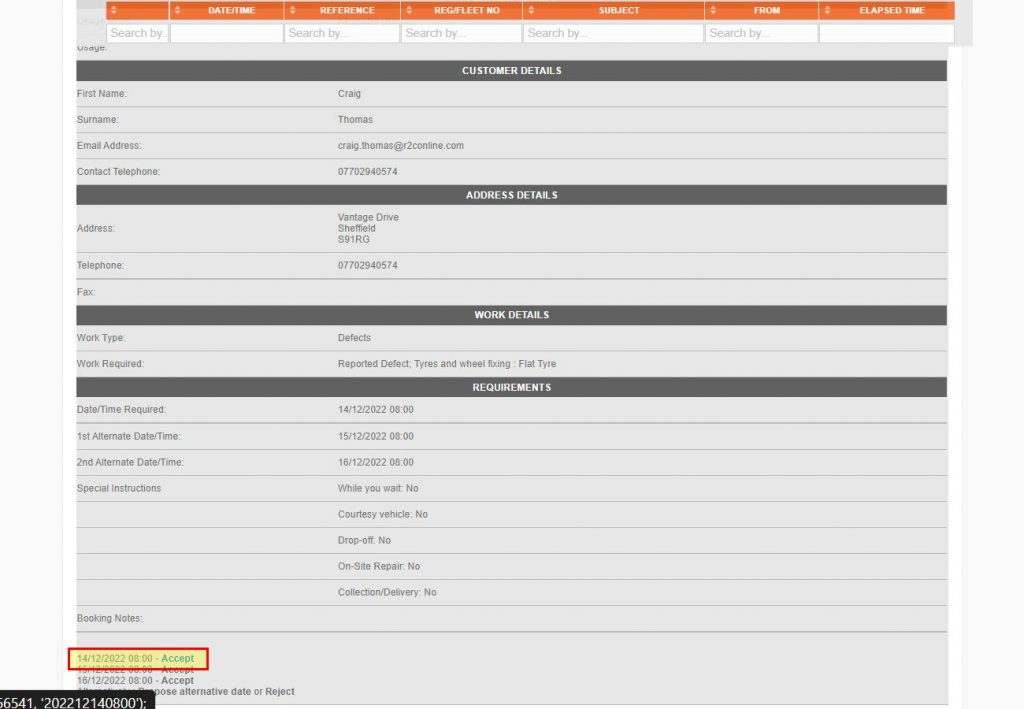
The request includes asset details, customer details, work details, and requirements such as dates/times and special instructions.
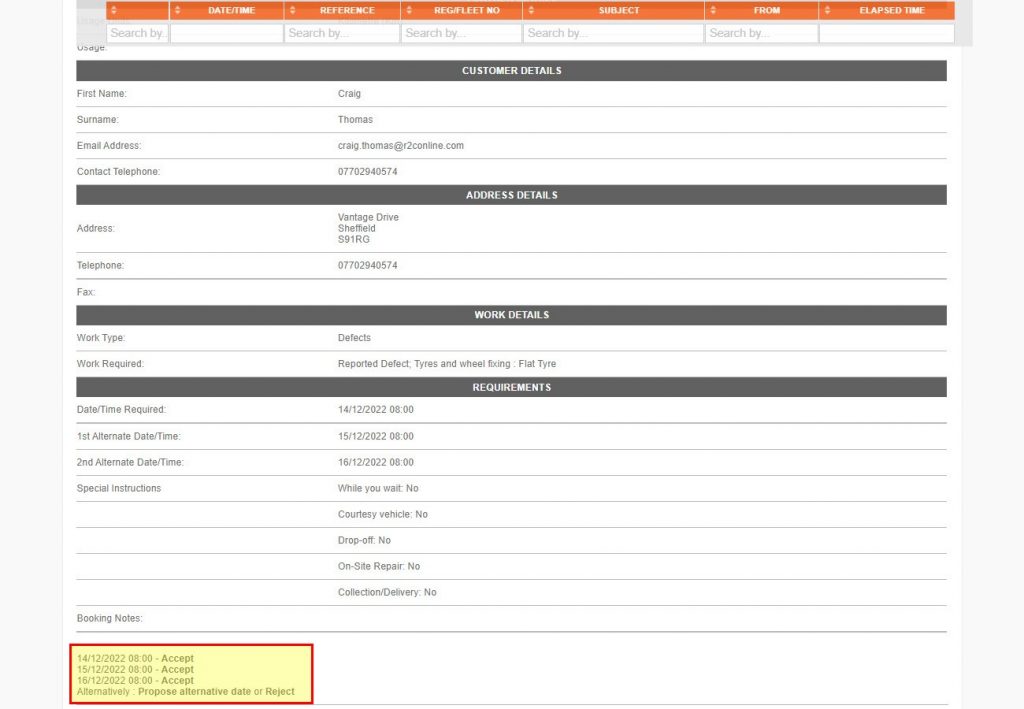
The Actions Area is where you can respond to the booking request. Here you can accept one of up to three dates/times, propose an alternative date/time to the customer or reject the request entirely.
Step by Step
Accepting E-Bookings – To see the steps taken to accept a booking and produce a jobsheet, click or swipe through the 7 steps below.
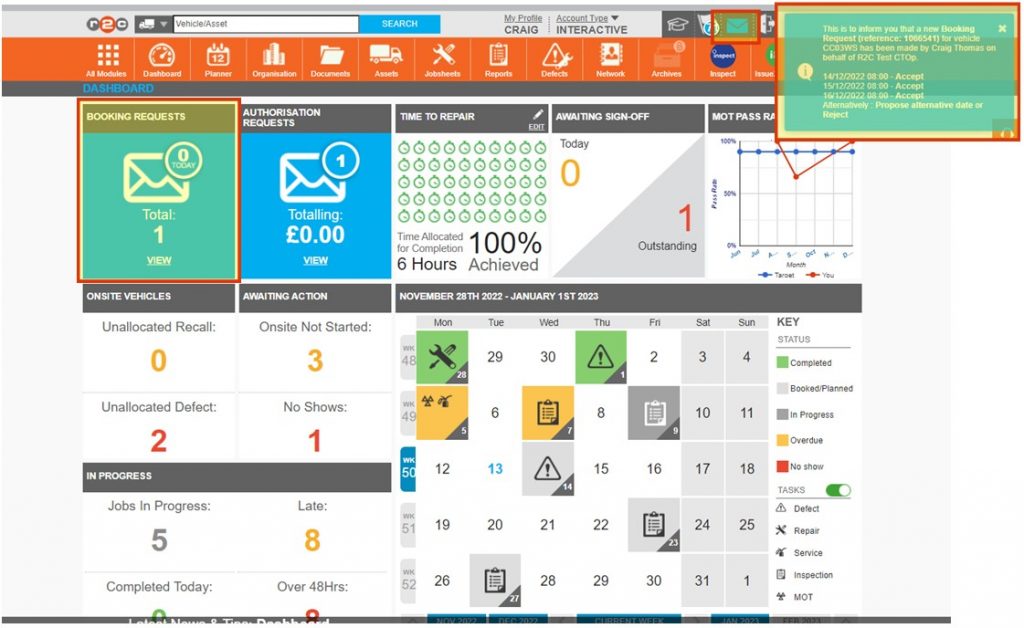
Step 1 – E-Bookings will initially popup as an instant message in the upper right corner of the screen, they can then be monitored from the dashboard in the BOOKING REQUESTS tile, clicking view here will open the messaging system. You can also click the blue messages envelope in the header bar to access the messages area.
Step 2 – Click the arrow/expand icon next to the message to view the message. The booking requests page would ideally always be empty, indicating that all requests have been answered, the original message/request will remain in the inbox.
Step 3 – The request will contain the asset detail, the customers details, work details and date/time required, the action area is in the lower left corner. This is where you can choose a response to send back to the customer.
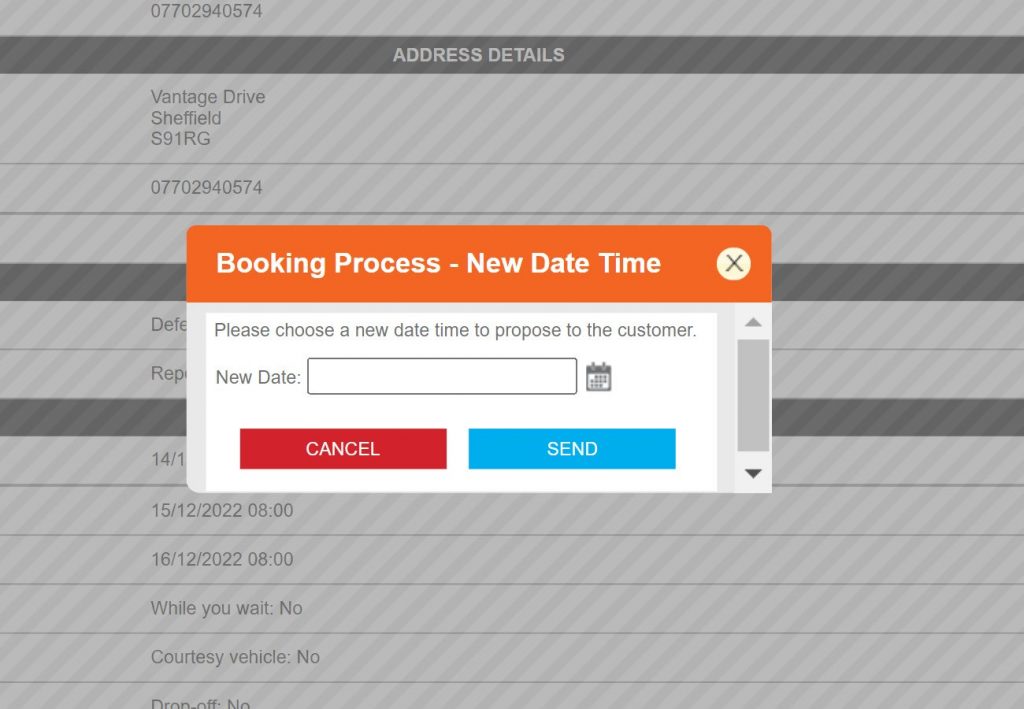
Step 4 – The customer can offer up to three dates/times, however if these are unsuitable, the option to propose an alternative date can be selected. To do this, select a new date and with the calendar icon before Clicking SEND.
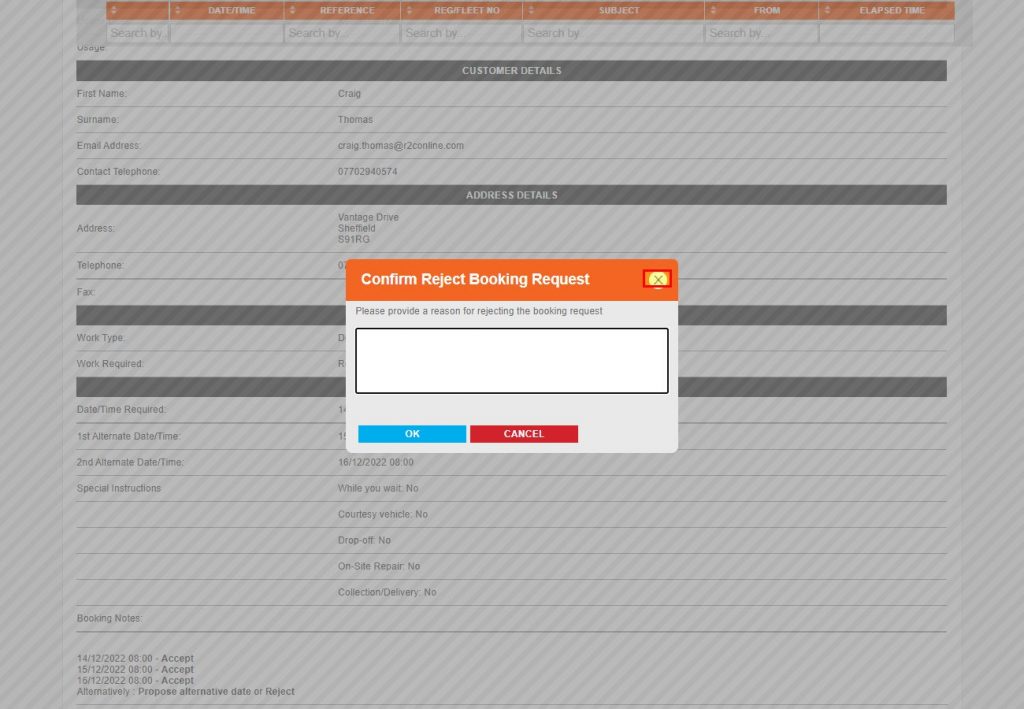
Step 5 – Where the work cannot be carried out due to workload or work type, the request should be rejected. Click reject and then enter a reason for the customers information in the popup provided.
Step 6 – If you can carry out the work, you can choose from one of the three dates/times requested; by simply clicking accept.
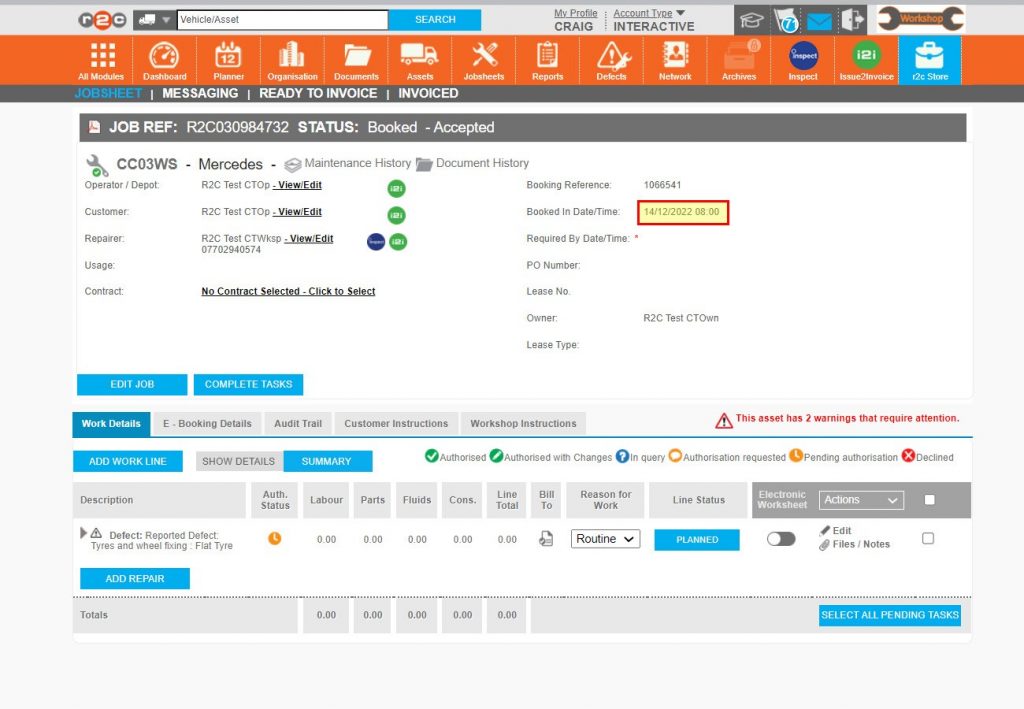
Step 7 – Once accepted, the booking request generates the jobsheet for the date/time selected. This type of jobsheet contains the additional tab ‘E-Booking Details’ and has automatically been set to booked, however the Required by date/time has not been set, this should be done now to complete the acceptance.
Technical Info & Self Help
What if my customer doesn't use e-Bookingsor is read only.
Fleet operators, interactive or read-only, can still request work off-platform, i.e. email or phone call, where an Ad Hoc jobsheet can then be created. Ad hoc jobsheets can be created by any interactive r2c user.
A green outline on the account type icon signifies the guide is applicable whereas a red outline signifies it is not applicable to the the respective account type.