


N/A
Home » Guides » Vantage Point

Vantage Point

Introduction

This guide explains how to use the VP (Vantage Point) system to manage vehicle records and compliance. It’s designed for operators, use VP as an additional module as part of their workflow. This guide will highlight examples on how you can use VP alone or in combination with the ER scheme to access analytics and performance data to keep you informed of your fleet health and compliance.

VP also supports a second bolt-on module, Earned Recognition (ER). This is for the DVSA-backed scheme that allows compliant operators to prove their high standards through digital reporting. Using VP, your maintenance data is automatically prepared and submitted to meet Earned Recognition KPIs, helping you reduce roadside checks and demonstrate compliance with confidence.

Vantage Point

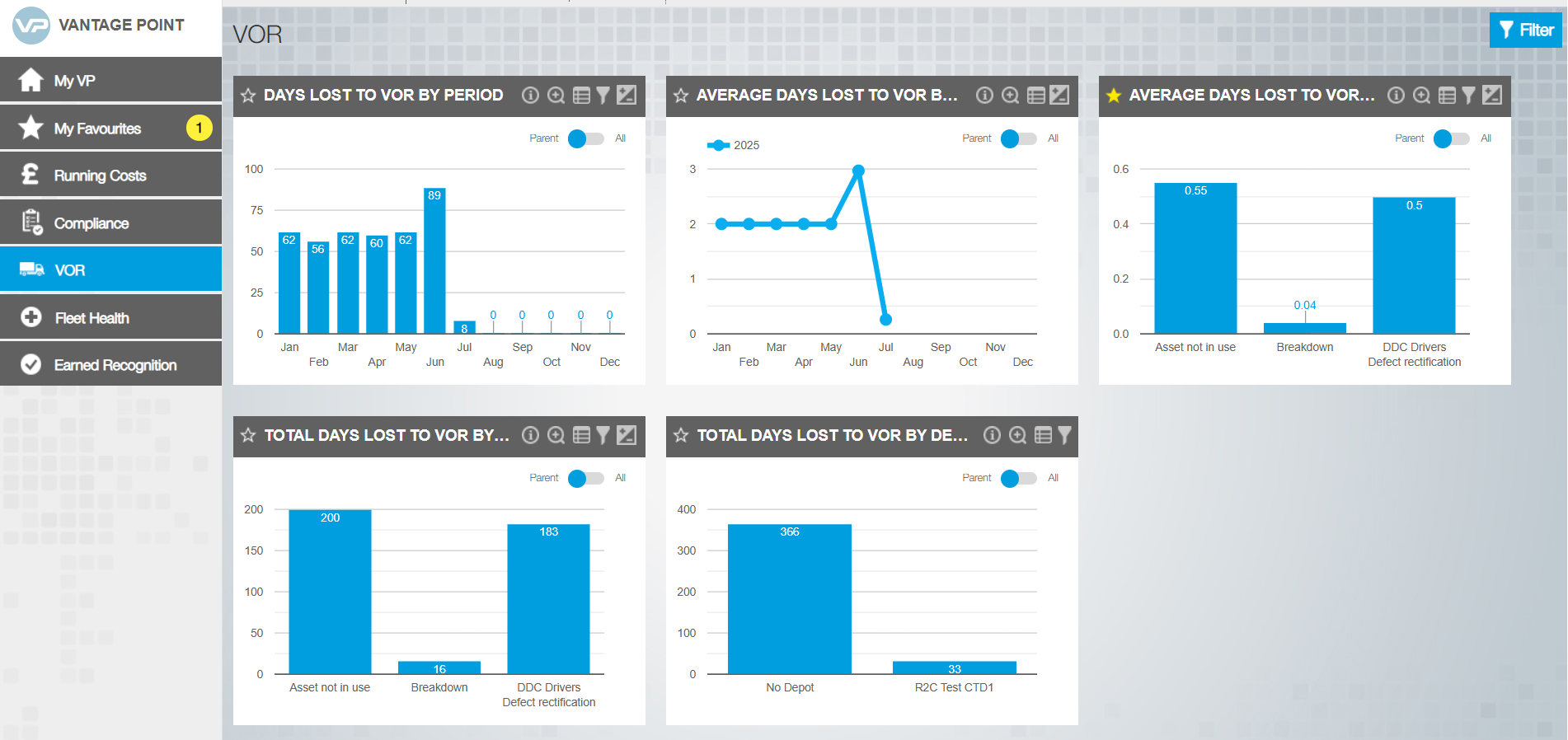
Use the Star symbol to add the tile to your favourites. This tile will then display on your 'My VP' home page. 

Use the global filter to apply a date range to the  whole dashboard view. 

You can click on an individual data point to expand and see a breakdown of the information feeding into the data charts/graphs. 

From the side menu, you can click on a section to view the data in that category.

Step by Step

Tile icons – Click on a tab and hover over the image to see how each icon updates the tile view.

Navigating VP- Once in the VP area you can navigate between separate dashboard areas. Each section has it’s own data tiles that can be expanded using the icons to filter and expand. The key steps to drill down into a specific area. 

  1. Select the heading from the side bar 
  2. Click on a data point on the chart (where applicable) or click the expand icon  for more dashboards first. 
  3. Explore the data behind the results and click a  jobsheet number to go to portal and view the record (where applicable)
Earned Recognition

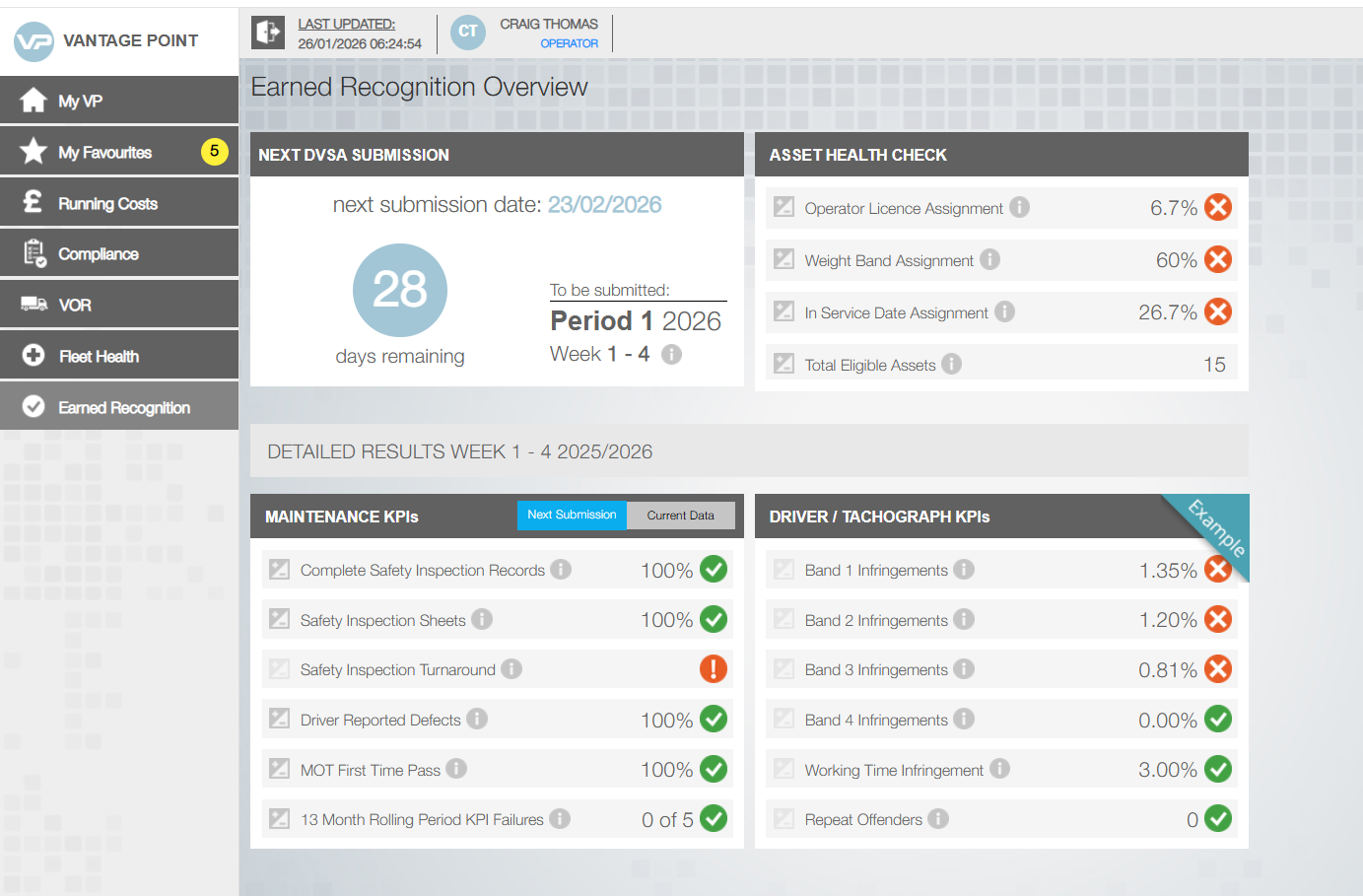
Performance across 5 KPIs is shown here. The KPI's are colour coded to show any potential triggers. Click into an individual KPI to see more data. and what may be causing missed targets. 

This data from the asset records is needed to calculate the KPI results This tile highlights incomplete records that should be addressed. 

Click on the Earned Recognition section to view the data in tis category.

Earned Reognition Guide

This document is a guide to r2c Earned Recognition and will provide a comprehensive
overview of the Earned Recognition module within Vantage Point for new r2c Exemplar
customers.

Did you find this page useful?

Overall did you find what you were looking for?

Page Rating
Radio Buttons

Account Icon Key

A green outline on the account type icon signifies the guide is applicable whereas a red outline signifies it is not applicable to the the respective account type.

Repair and Maintenance Provider

Operator

Workshop

Is something broken or missing?

Let us know here

Report an Issue Form