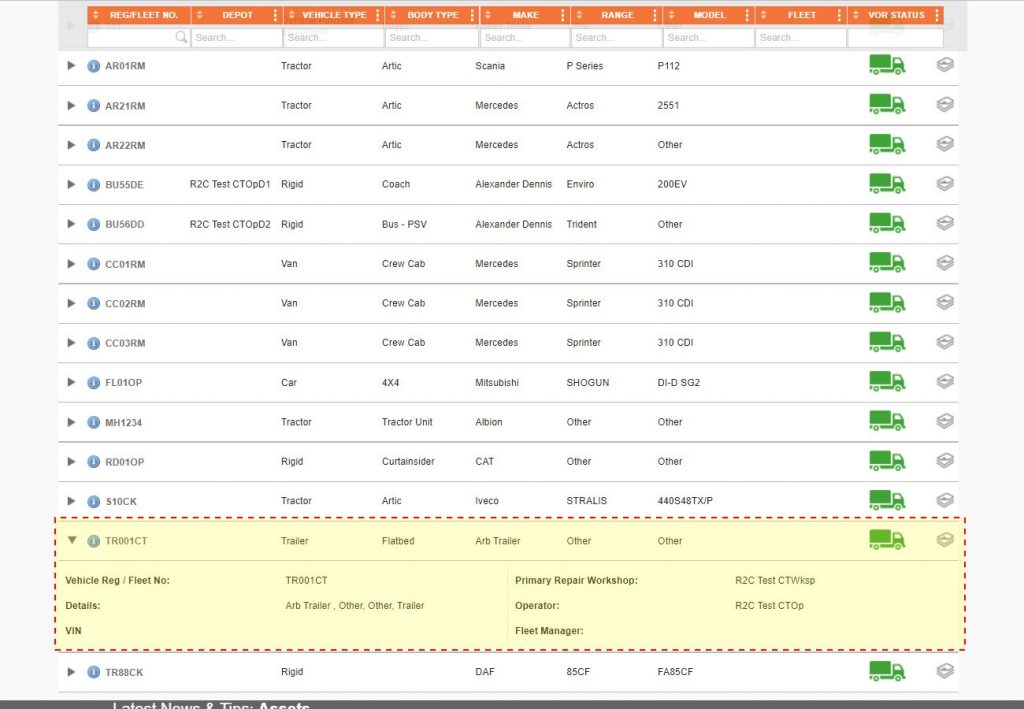
r2c assets reflect real life, in that, there can only be one version of an asset on system at any time. The majority of these assets would have been added by the r2c implementation team during onboarding. However, these can be added as and when required which can be achieved in just a few clicks.
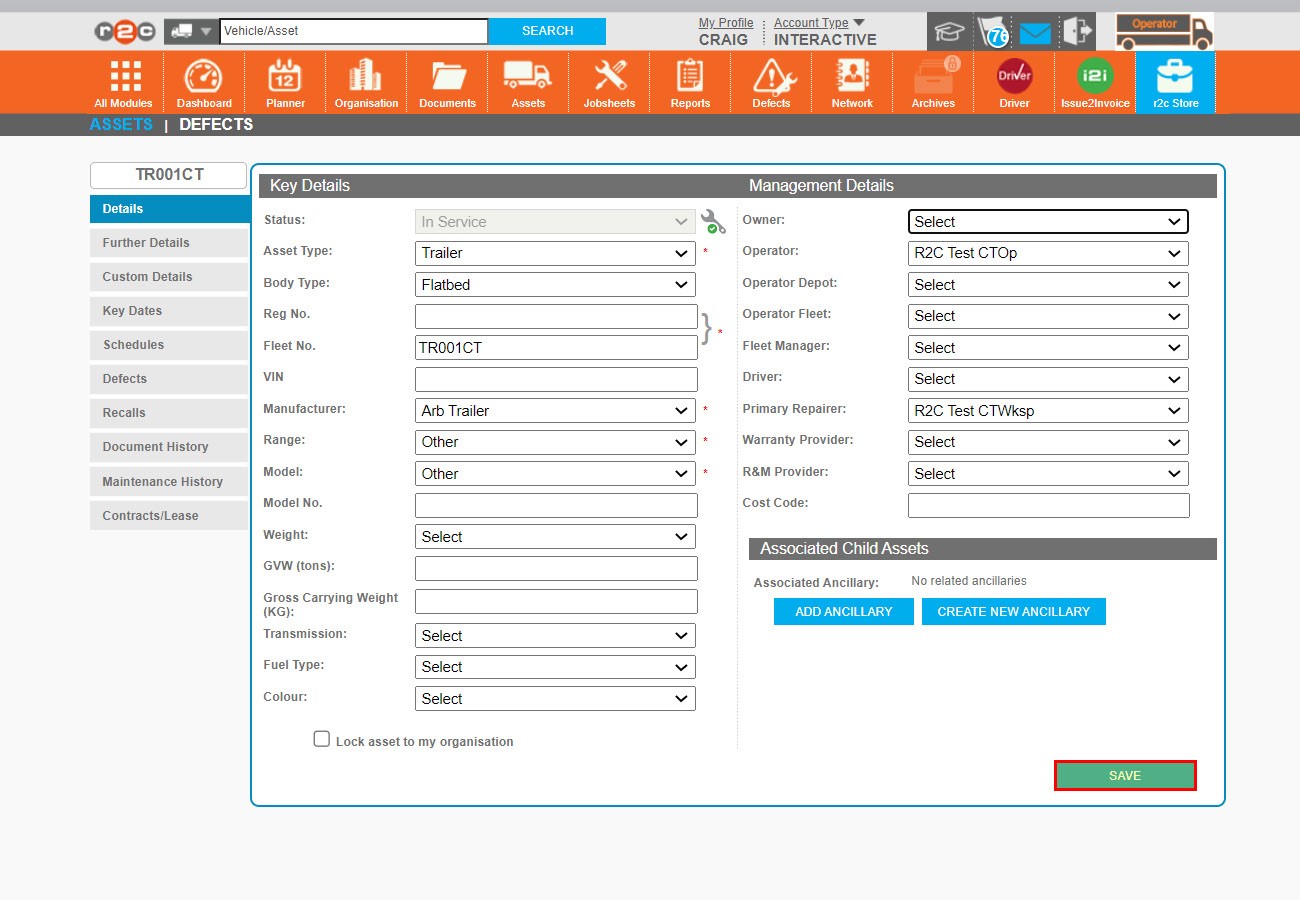
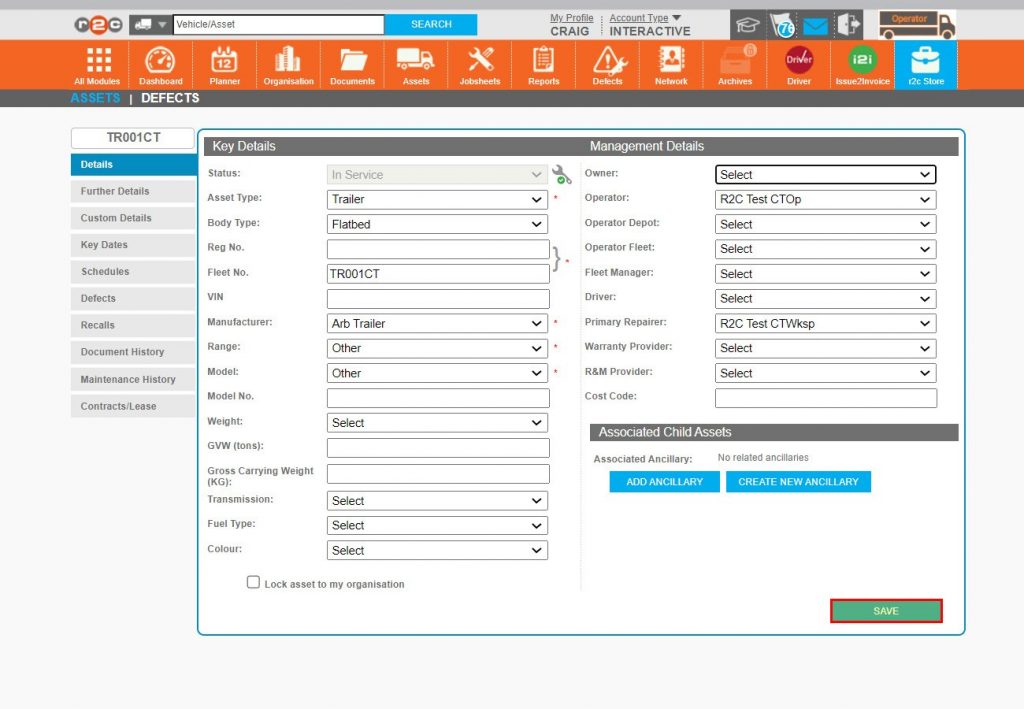
The information held within assets details can be as extensive or minimal as required, all mandatory fields are held on the Details tab.
The 5 mandatory fields are denoted by a red Asterix.
Although the management details are not mandatory fields, it is best practice to infill as much as possible.
Step by Step
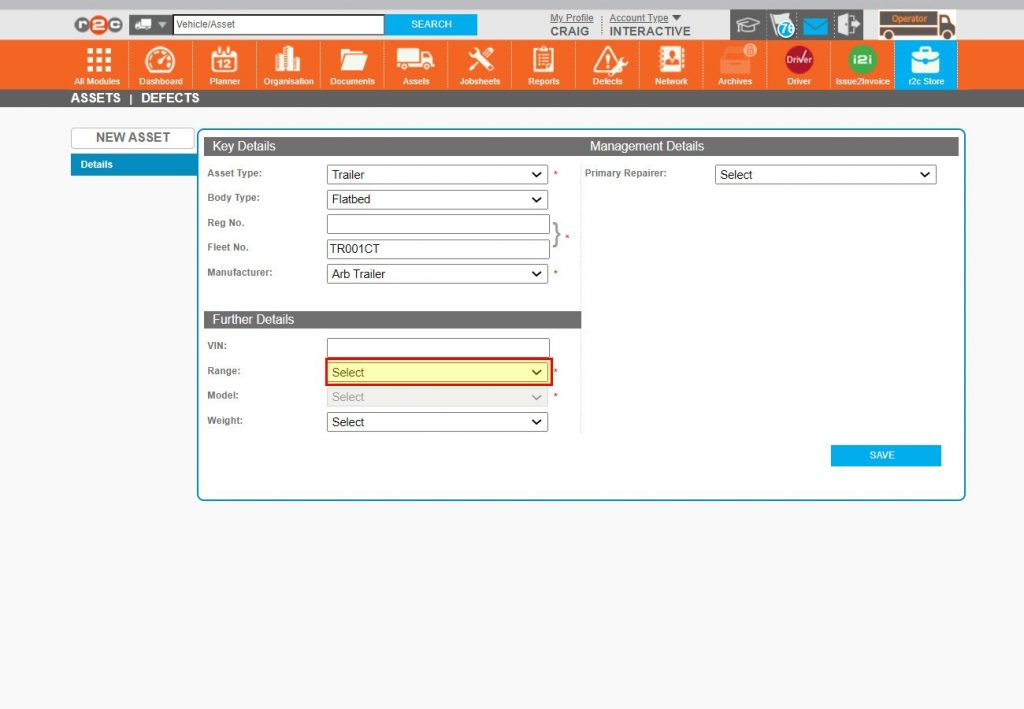
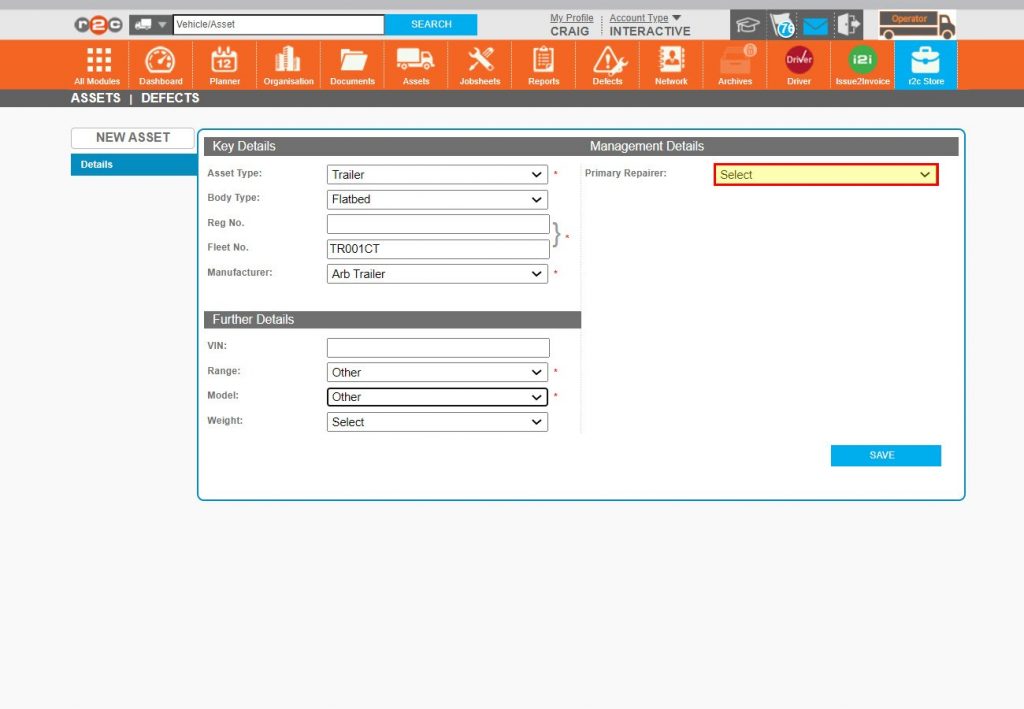
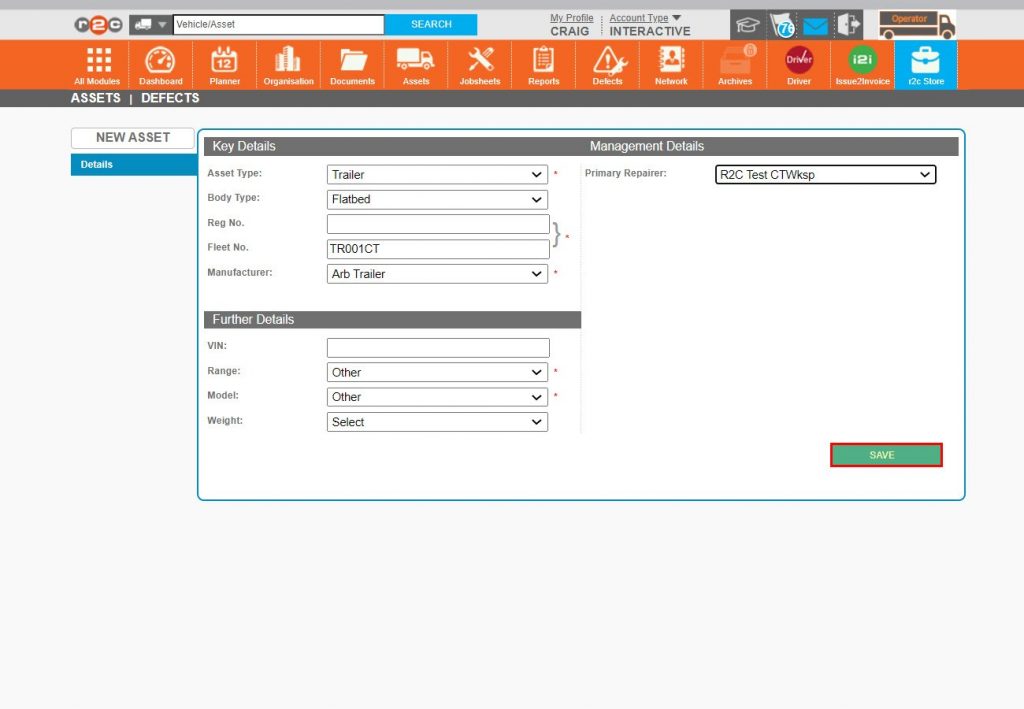
New Asset – To see how a new asset is created, click or swipe through the 13 steps below.
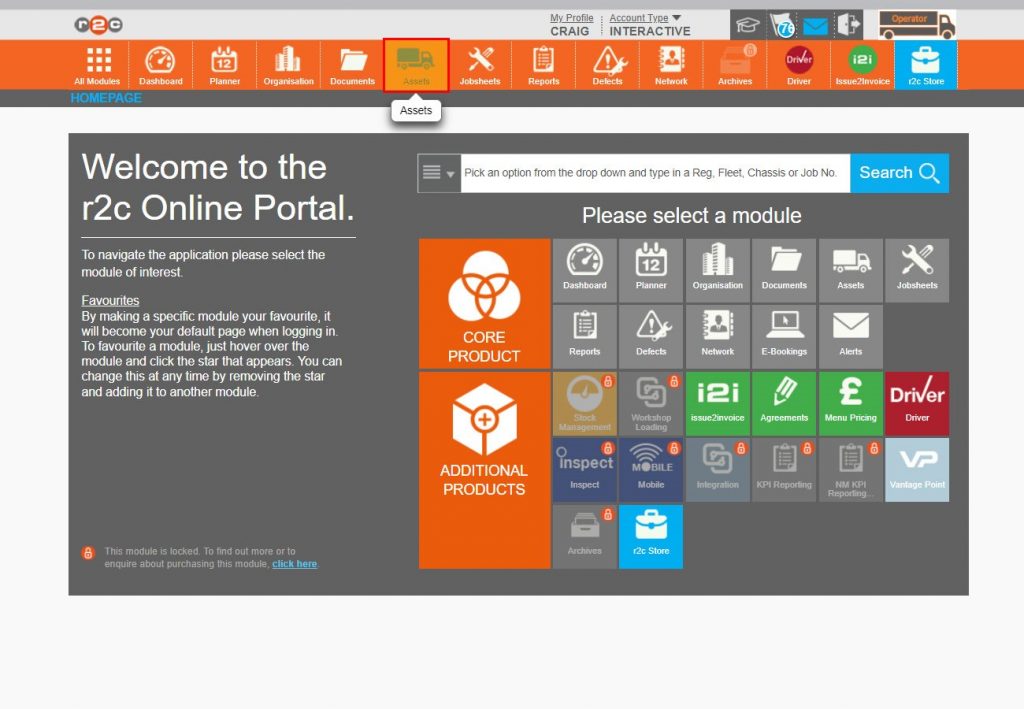
Step 1 – To begin creating a new asset, first click Assets.
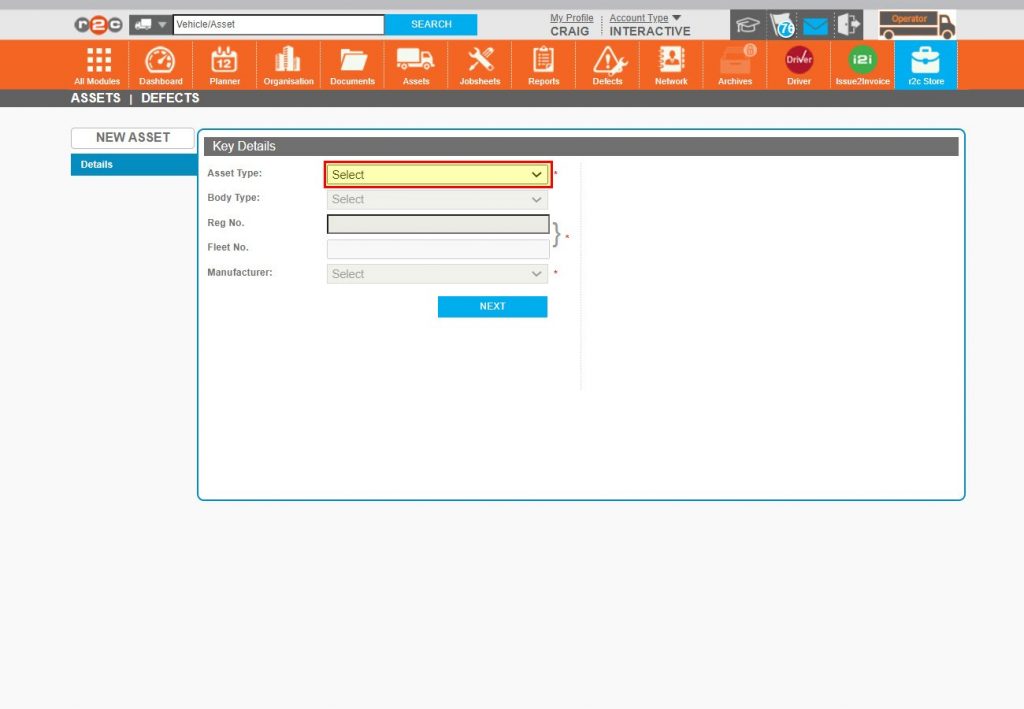
Step 2 – Click NEW ASSET.
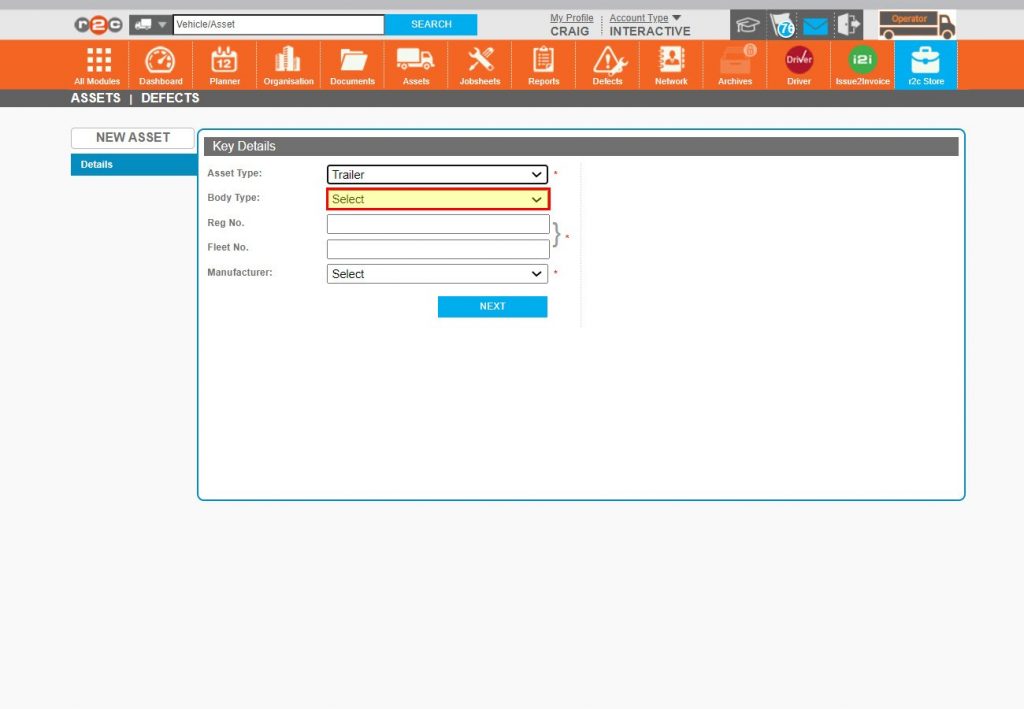
Step 3 – The first of the three mandatory fields on this screen is Asset Type, Click to select.
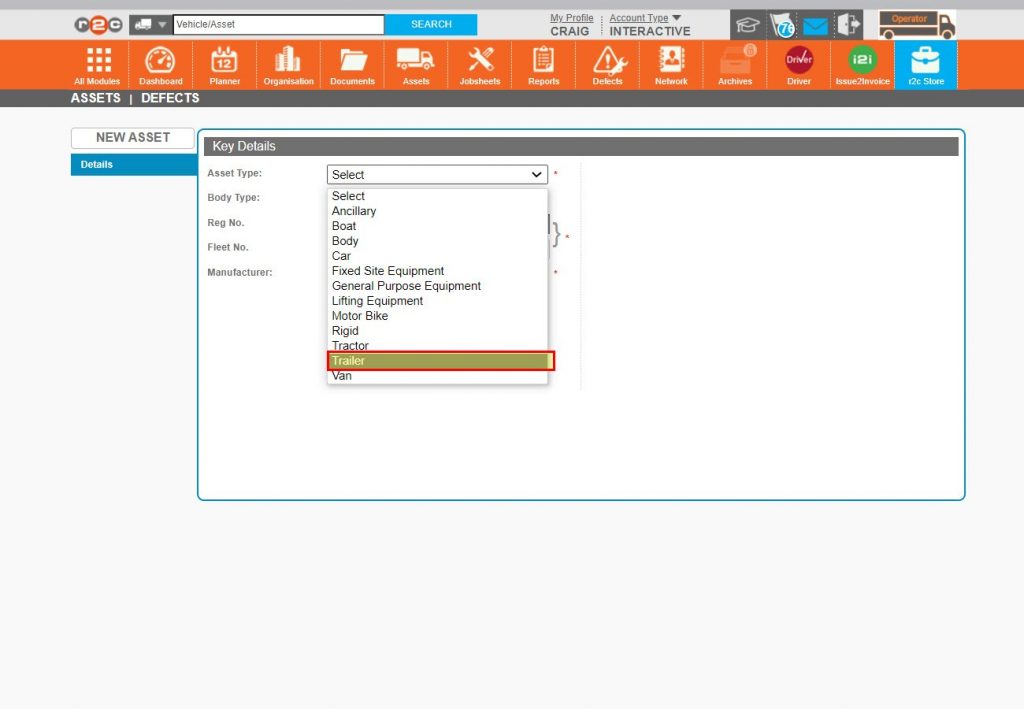
Step 4 - Choose a selection from the drop-down list.
Step 5 – Although ‘Body Type’ is an optional field it is recommended it be filled out where possible.
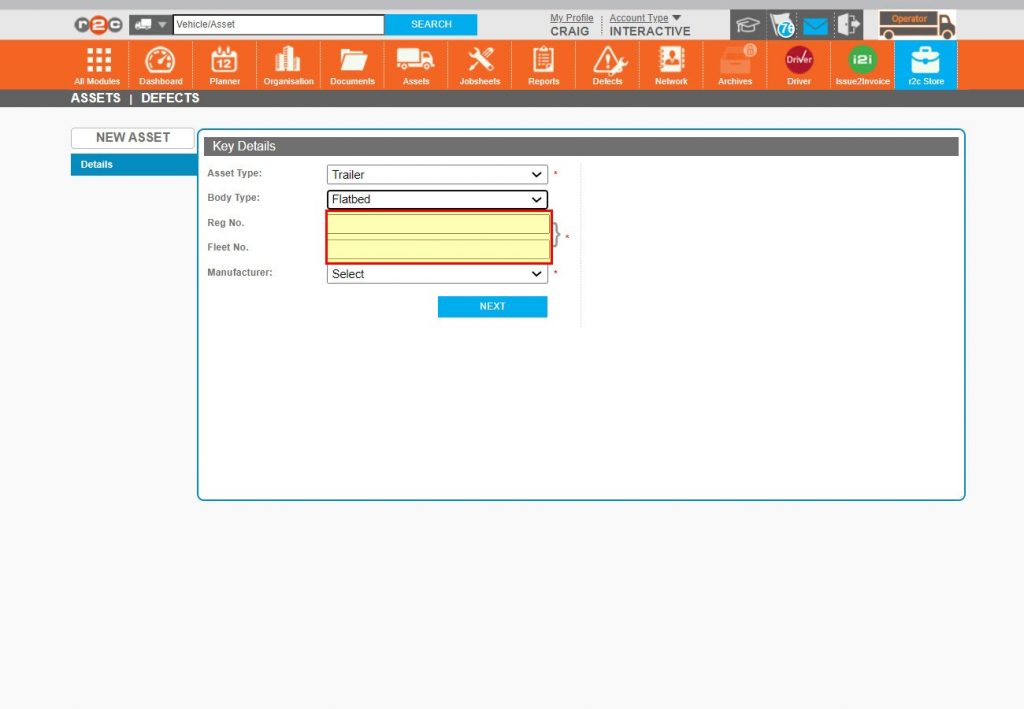
Step 6 – The ‘Reg No.’ and/or ‘Fleet No.’ are next.
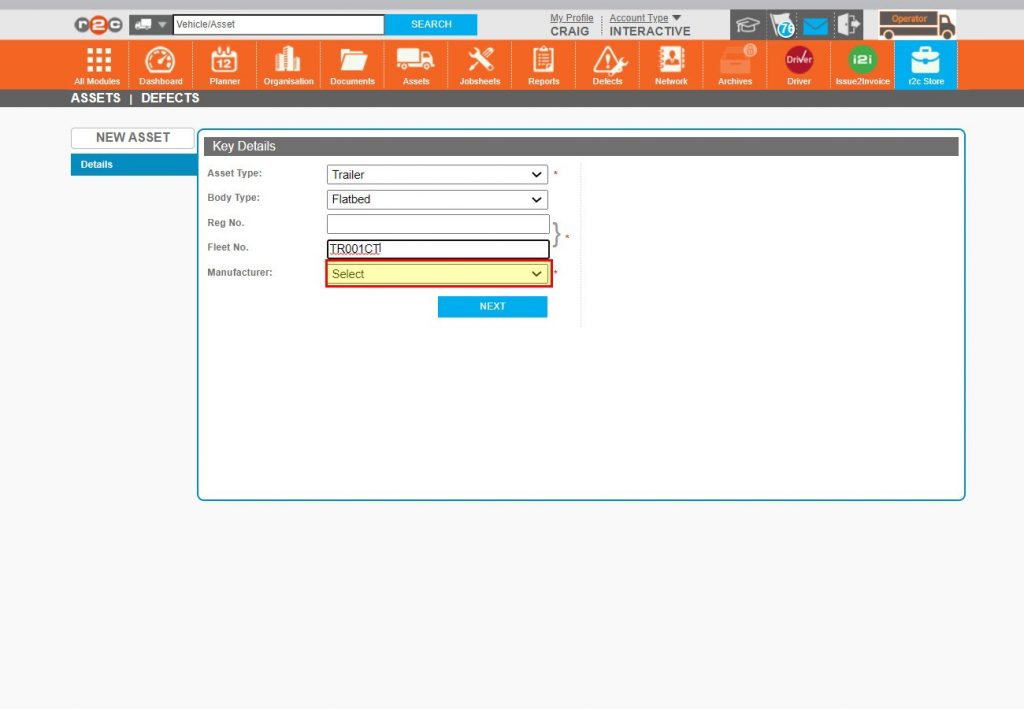
Step 7 – The ‘Manufacturer’ can now be selected.
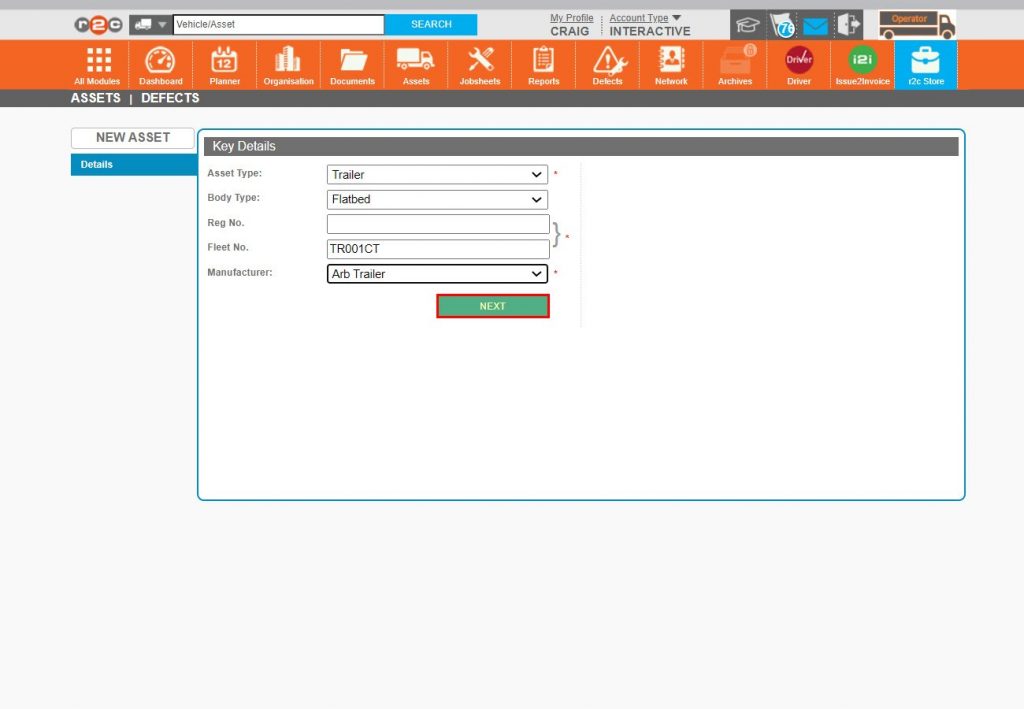
Step 8 – Click NEXT.
Step 9 – The screen will expand to display two additional mandatory fields, ‘Range’ and ‘Model’, if this information is not available or not deemed as important at this time, ‘Other can be selected.
Step 10 – If known the Primary Repairer should now be selected.
Step 11 – Finally, Click SAVE.
Step 12 – The asset has now been saved to the system, any additional information can be filled in before again clicking SAVE.
Step 13 – The new asset can be found on the assets page and jobsheet processed against it.
Technical Info & Self Help
Why can't Iadd an asset?
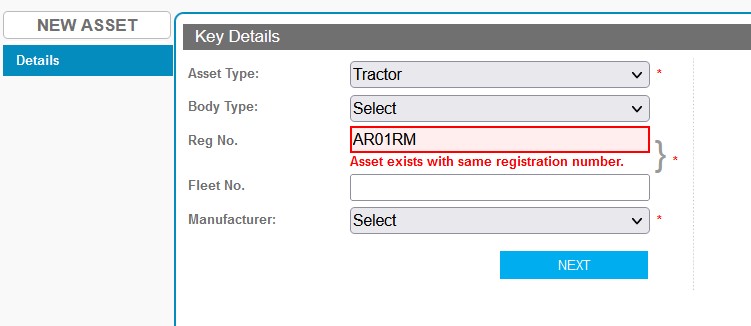
With over 320,000 active assets currently on the r2c platform, divided as >67,000 Rigids, >66,000 Tractor units, >96,000 Trailers, >72,000 Vans and the remainder made up of smaller assets, the chances of trying to add an asset to the platform that already exists are fairly common. Should you see the below image/message, one of the following actions should be performed.
First check with the customer to see if they can move the existing asset over to you as the primary repairer. If the Operator is read only, contact r2c support for assistance.
If this asset is a recent purchase, contact r2c support who will validate the request and move it to your fleet.
Why can't Ifind an asset?
The main reason an asset can’t be found on the Assets page is due to it not being allocated to you via the management details. Where a workshop is looking for an asset, the global search should be used.
A green outline on the account type icon signifies the guide is applicable whereas a red outline signifies it is not applicable to the the respective account type.